
Wise Registry Cleaner is a popular registry cleaning tool designed for Windows operating systems. It boasts a reputation for being safe, efficient, and user-friendly, offering both automated and manual cleaning modes to cater to different user preferences. This review will delve into the features, functionality, and overall performance of Wise Registry Cleaner, examining its strengths and weaknesses to help you decide if it’s the right registry cleaner for your needs.
Understanding Registry Cleaners and Their Importance
Before diving into the specifics of Wise Registry Cleaner, let’s establish the importance of registry cleaning and how tools like this one contribute to maintaining a healthy Windows system. The Windows Registry is a vast database storing crucial information about your system’s hardware, software, and user preferences. Over time, the registry can become cluttered with invalid entries, broken links, and outdated information, leading to performance issues such as slow boot times, application crashes, and system instability.
Registry cleaners aim to identify and remove these problematic entries, freeing up space and potentially improving system performance. However, it’s crucial to use a reputable and safe registry cleaner, as improperly removing registry entries can lead to significant system problems. Wise Registry Cleaner aims to address this concern by employing a careful and thorough scanning process, along with backup capabilities to undo any accidental changes.
Key Features and Functionality of Wise Registry Cleaner
Wise Registry Cleaner offers a range of features aimed at providing a comprehensive and safe registry cleaning experience:
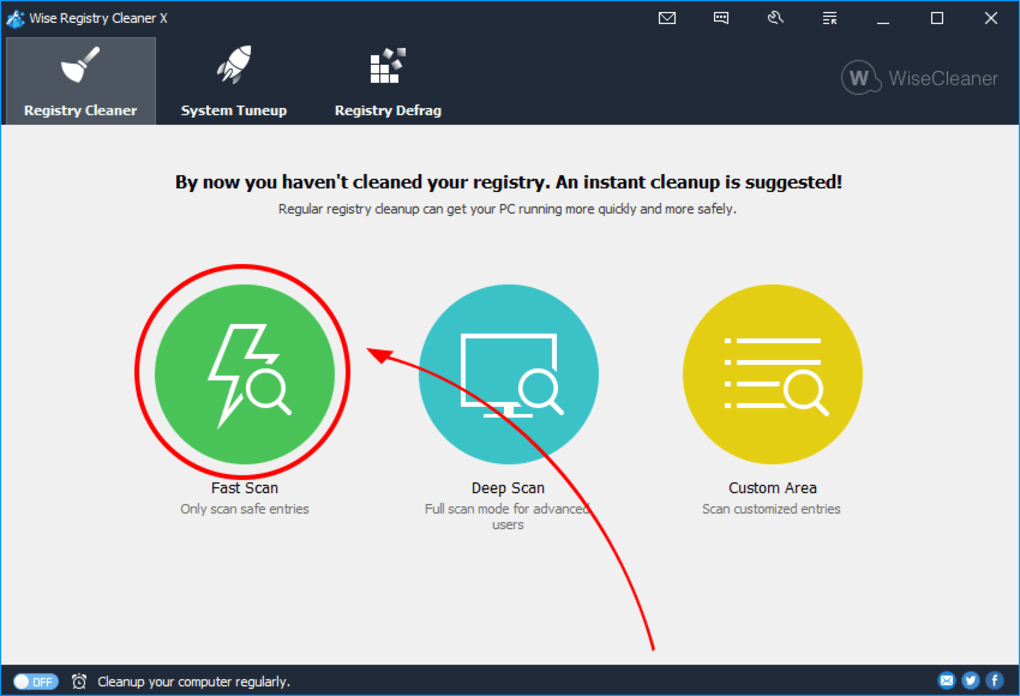
- Dual Scanning Modes: The software offers two distinct scanning modes: General Mode and Automatic Mode. General Mode allows for manual selection of registry entries to be cleaned, providing greater user control. Automatic Mode, on the other hand, performs a scan and automatically cleans identified issues without requiring user intervention. This dual-mode approach caters to users with varying levels of technical expertise and comfort with registry cleaning.
-
Thorough Scanning Engine: Wise Registry Cleaner’s scanning engine is designed to identify a wide range of registry issues, including invalid entries, broken shortcuts, and unnecessary files. Its thoroughness aims to ensure that a substantial number of problematic entries are identified and addressed during the cleaning process. The speed of the scan is also a significant factor often highlighted in user reviews, suggesting efficient processing even with large registries.
-
User-Friendly Interface: The software’s intuitive interface is praised for its simplicity and ease of use, making it accessible even to users unfamiliar with registry cleaning tools. The clear layout and straightforward controls ensure a smooth user experience, minimizing the learning curve often associated with technical software.
-
Backup and Restore Functionality: A crucial safety feature is the automatic backup created before any cleaning takes place. This backup allows users to easily restore the registry to its previous state if any unexpected problems arise after the cleaning process. This feature mitigates the risk of system damage or instability caused by accidental removal of essential registry entries.
-
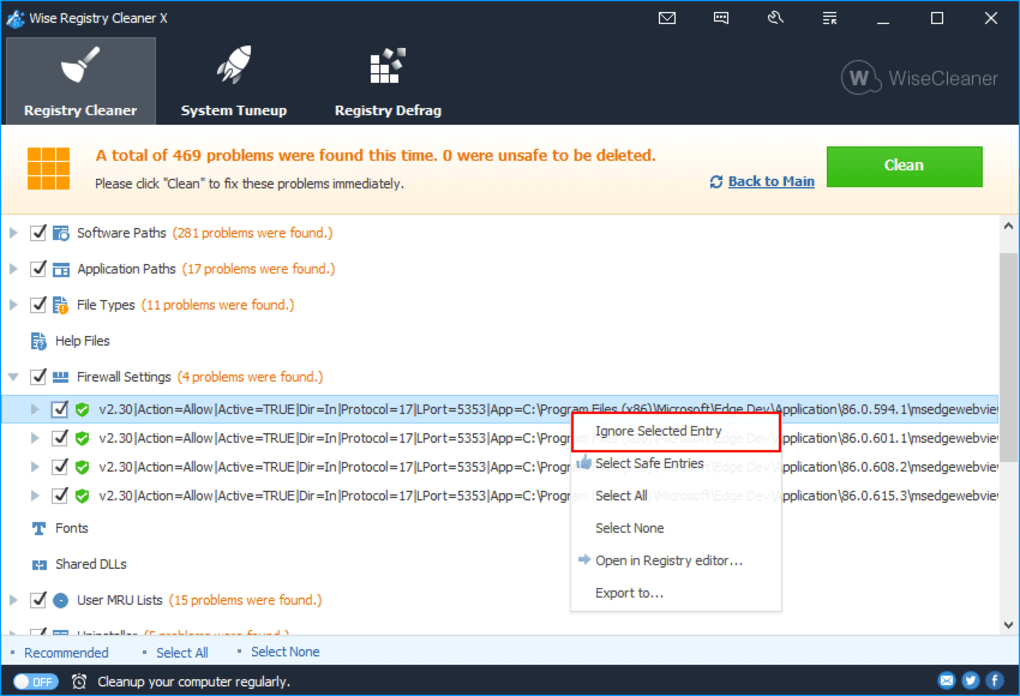
Customizable Settings: Wise Registry Cleaner allows users to customize the scanning process, enabling them to exclude specific registry keys from the scan. This is particularly useful for users who want to prevent the accidental removal of entries related to specific applications or system components. This level of customization allows for tailored cleaning, based on user experience and system requirements.
-
Regular Updates: The continued development and release of updates demonstrates the developer’s commitment to improving the software’s functionality, security, and compatibility with the latest Windows operating systems. Regular updates ensure the software remains effective in identifying and addressing the latest registry issues.
Performance and User Experience
User reviews consistently highlight the ease of use and effectiveness of Wise Registry Cleaner. Many users report noticeable improvements in system performance after using the software, including faster boot times and improved application responsiveness. The software’s speed and efficient scanning process are also frequently praised.
However, some users have reported minor issues such as occasional false positives (identifying harmless entries as problematic) or minor glitches in the interface. These are, however, relatively infrequent and do not appear to significantly detract from the overall positive user experience. Most users emphasize the positive impact on system speed and stability.
Comparison with Other Registry Cleaners
While Wise Registry Cleaner stands out for its user-friendly interface and safety features, it’s essential to compare it with other popular registry cleaners in the market. Many competing tools offer similar functionalities, but Wise Registry Cleaner’s focus on safety and ease of use sets it apart from some competitors that may be more technically demanding or less transparent in their cleaning processes. This makes Wise Registry Cleaner a particularly good option for users who prioritize a straightforward and risk-free approach to registry cleaning.
Addressing Potential Concerns and Limitations
While Wise Registry Cleaner is generally considered safe and effective, potential users should be aware of some common concerns associated with registry cleaners in general:
- False Positives: As with any automated tool, there’s a potential for false positives, where harmless registry entries are incorrectly flagged for removal. While Wise Registry Cleaner strives to minimize this, users should always carefully review the list of identified issues before proceeding with the cleaning process.
-
System Instability (Rare): Although the backup feature mitigates risk, improper use or unforeseen complications could theoretically lead to system instability. Following the software’s instructions carefully and understanding its functionality helps avoid this potential issue.
-
Over-reliance on Automated Cleaning: While convenient, relying solely on automated cleaning might overlook specific registry issues that require manual attention. Users should understand the limitations of automated systems and consider manual review in certain cases.
Conclusion: Is Wise Registry Cleaner Right for You?
Wise Registry Cleaner presents a compelling option for users seeking a safe, user-friendly, and effective registry cleaning tool. Its dual scanning modes cater to diverse user preferences, while its intuitive interface ensures ease of use, even for novice users. The automatic backup functionality significantly mitigates potential risks, while the customizable settings allow for fine-tuned control over the cleaning process. While minor glitches have been reported, these are generally overshadowed by the overwhelmingly positive feedback regarding performance improvements and ease of use. If you are looking for a reliable and straightforward way to maintain the health and performance of your Windows registry, Wise Registry Cleaner is a strong contender worth considering. Its balance of ease of use and robust features makes it suitable for both beginners and more experienced users alike. The software’s ongoing development and regular updates suggest a commitment to continuous improvement, reinforcing its position as a valuable tool for Windows users concerned about system performance and stability.
File Information
- License: “Free”
- Latest update: “February 5, 2025”
- Platform: “Windows”
- OS: “Windows 8”
- Language: “English”
- Downloads: “46.3K”
- Size: “6.16 MB”


