
WizTree is a free, lightweight utility designed to quickly identify space-hogging files and folders on your NTFS-formatted hard drive. Unlike many disk analysis tools that can be slow and resource-intensive, WizTree stands out for its speed and efficiency, delivering near-instant results. This remarkable performance is achieved by directly reading the Master File Table (MFT) of your NTFS drive, providing a highly optimized scan process. The clear and intuitive graphical interface allows users to easily pinpoint large files, as well as collections of smaller files that cumulatively consume significant storage space. This makes WizTree an invaluable tool for anyone looking to reclaim hard drive space, understand their file storage patterns, and identify potential areas for optimization.
Understanding WizTree’s Functionality and Advantages
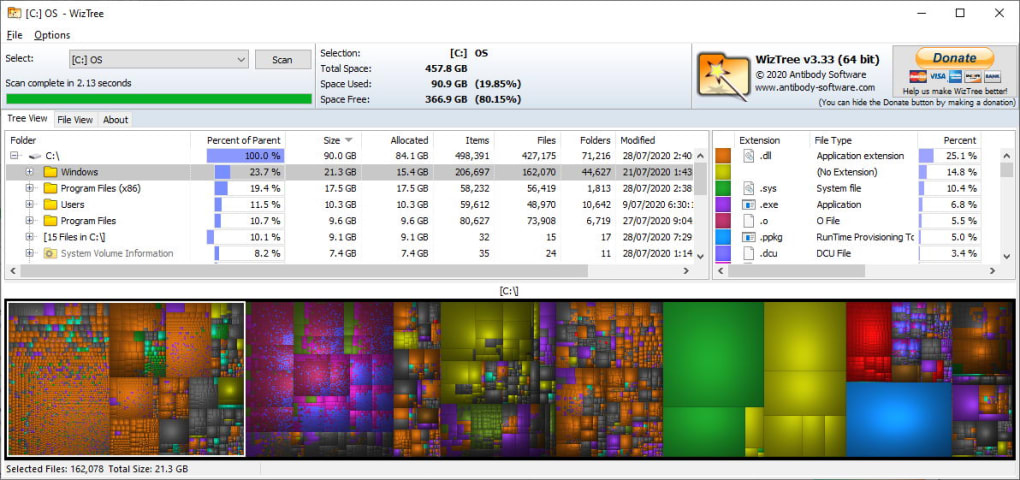
At its core, WizTree functions as a powerful file system explorer, providing a detailed hierarchical view of your hard drive’s contents, organized by file size. Its primary strength lies in its speed. The direct access to the MFT eliminates the need for a time-consuming recursive directory traversal, a process common in many competing tools. This streamlined approach translates to significantly faster scanning times, even for drives with a massive number of files and folders. The results are presented in a visually appealing and easily navigable tree structure, allowing users to quickly identify the largest files and folders contributing to disk space usage.
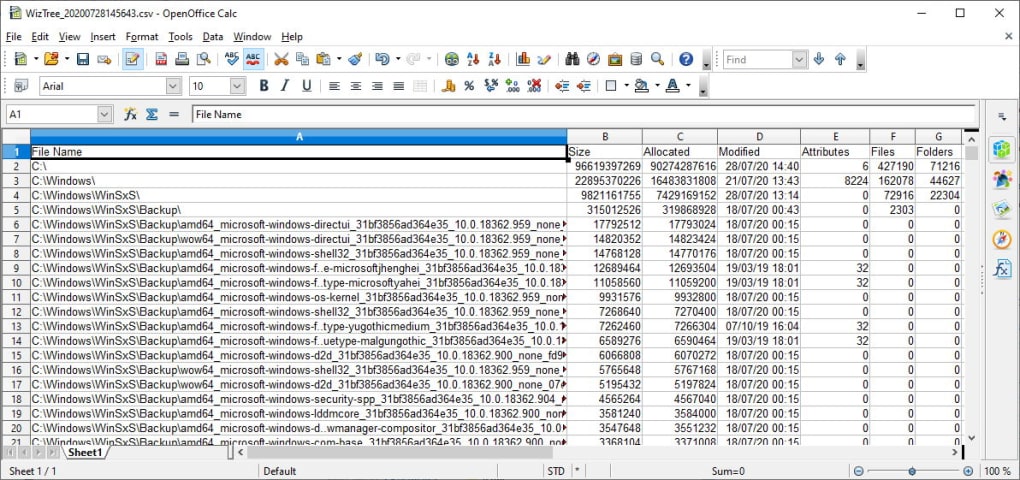
WizTree’s simplicity is another significant advantage. Its clean and uncluttered interface requires minimal user interaction, making it accessible to users of all technical skill levels. There are no complex settings or confusing options to navigate; the focus is solely on providing a fast and accurate analysis of hard drive space usage. This straightforward approach reduces the learning curve and allows users to quickly get to the essential information they need. The program’s concise display prioritizes clear visualization of file sizes and their location within the file system hierarchy, making it easy to locate and manage large files or redundant data.
The program’s compatibility across various Windows versions is a noteworthy feature. WizTree supports 32-bit and 64-bit versions of Windows Vista, 7, 8, 8.1, and 10, ensuring broad accessibility to a wide range of users. This broad compatibility demonstrates the developer’s commitment to supporting a diverse user base and maximizing the utility’s reach. This cross-platform compatibility makes it a valuable tool for users with older or newer systems, eliminating the need to find alternative solutions based on the operating system version.
WizTree’s Limitations and Considerations
While WizTree offers significant advantages in terms of speed and ease of use, it’s crucial to acknowledge its limitations. The most notable restriction is its compatibility with NTFS-formatted drives only. Users with drives formatted using alternative file systems, such as FAT32 or exFAT, will be unable to utilize WizTree for disk space analysis. This limitation restricts its applicability for users with external drives or partitions formatted using these alternative file systems. While this is a significant constraint, it’s important to remember that NTFS is the most common file system for Windows drives, making WizTree relevant for a large segment of users.
Another aspect to consider is the absence of advanced features found in some competing tools. WizTree lacks features such as treemap visualizations, which provide a more visual representation of disk space usage. While the hierarchical tree view offers clarity, a treemap visualization could provide additional insight into the relative sizes of files and folders, making identification of large contributors even easier. However, the omission of these features contributes to the software’s simplicity and speed. Users seeking sophisticated analysis tools with extensive visualization options may need to consider alternative software, while those prioritizing speed and simplicity will find WizTree well-suited to their needs.
Additionally, while the software’s free nature is highly attractive, users should always exercise caution and ensure they download from trustworthy sources. It’s vital to ensure that the downloaded version originates from the official website or a reputable software repository to mitigate the risk of malware or unwanted bundled software. Downloading from unofficial sources could potentially introduce security risks, highlighting the importance of due diligence before installation. This is a general recommendation for any free software downloaded from the internet and should be followed diligently to protect one’s system.
Comparing WizTree to Alternative Disk Analysis Tools
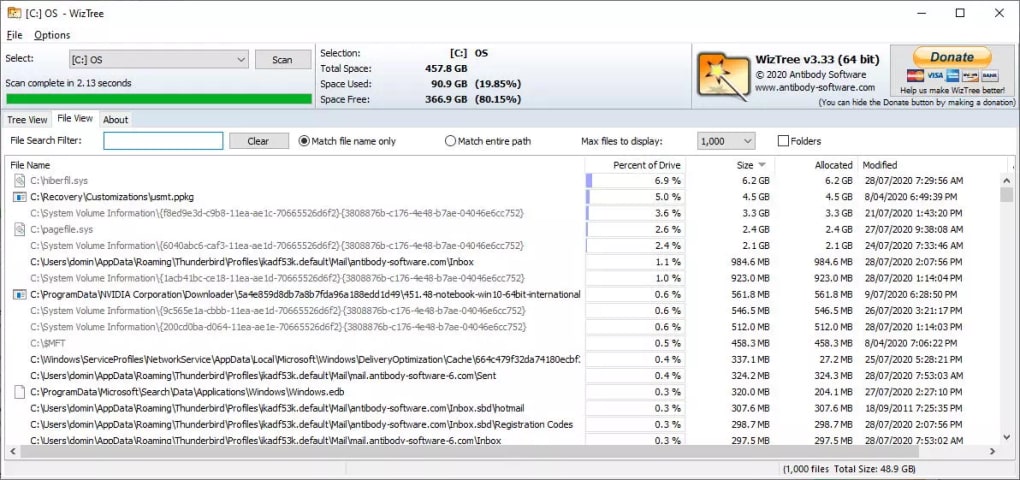
Several alternative tools exist for analyzing hard drive space, each with its own strengths and weaknesses. Some offer more advanced features, like detailed visualization and reporting capabilities, while others may lack the speed and simplicity of WizTree. The choice of which tool to use depends on the specific needs and priorities of the user. For users who prioritize speed and ease of use above all else, WizTree remains a highly competitive option. The speed advantage it offers in quickly scanning large drives is a significant differentiator.
Tools like TreeSize Free offer similar functionality to WizTree but may lack the same level of speed optimization. While they may provide more advanced features, including treemap visualizations, these features often come at the cost of slower scan times. Users needing a quick overview of their disk space usage might find WizTree’s speed a more compelling advantage.
Other tools focus on more comprehensive disk cleanup and optimization, going beyond simple space analysis. These tools typically integrate additional features such as duplicate file detection, temporary file removal, and registry cleaning. While these features are beneficial for overall system optimization, they often increase the complexity of the software and may not be necessary for users solely interested in identifying large files.
The optimal choice depends on individual requirements. If the primary need is to quickly and easily locate space-consuming files and folders on an NTFS drive, then WizTree’s speed and simplicity are hard to beat. For users requiring more detailed analysis, visualization, or integrated cleanup tools, alternative options may be more suitable. The key is to carefully consider the specific needs and prioritize the features most important for the user’s workflow.
Installation and Usage of WizTree
Installing WizTree is a straightforward process. After downloading the installer from the official website, users simply need to run the executable file and follow the on-screen prompts. The installation process is typically quick and uncomplicated, requiring minimal user interaction. The program requires no special permissions or system configurations beyond standard Windows user privileges.
Once installed, launching WizTree presents a user-friendly interface. The program automatically detects NTFS-formatted drives connected to the system. Users simply need to select the drive they want to analyze and initiate the scan process, typically a matter of a single click. The scan is incredibly fast, providing a detailed hierarchical view of the drive’s contents organized by file size within seconds, even for large drives.
Navigating the results is intuitive, with the tree structure clearly showing file sizes and locations. Users can easily drill down into specific folders to identify the largest files or collections of smaller files that are consuming significant storage space. This simple, yet effective interface eliminates the complexity found in many other disk analysis tools. The focus remains entirely on providing clear and concise information about disk space usage, facilitating efficient identification of files and folders to be managed or deleted.
In summary, WizTree delivers a simple yet highly effective solution for analyzing hard drive space. Its speed and ease of use make it a valuable tool for users seeking a quick and efficient way to identify large files or collections of smaller files that are consuming significant storage space. While it has limitations in its NTFS-only compatibility and lack of advanced features, its speed and simplicity make it an excellent choice for users prioritizing quick analysis over extensive visualization or integrated cleanup tools.
File Information
- License: “Free”
- Latest update: “July 11, 2023”
- Platform: “Windows”
- OS: “Windows 8.1”
- Language: “English”
- Downloads: “11.2K”
- Size: “4.50 MB”


