
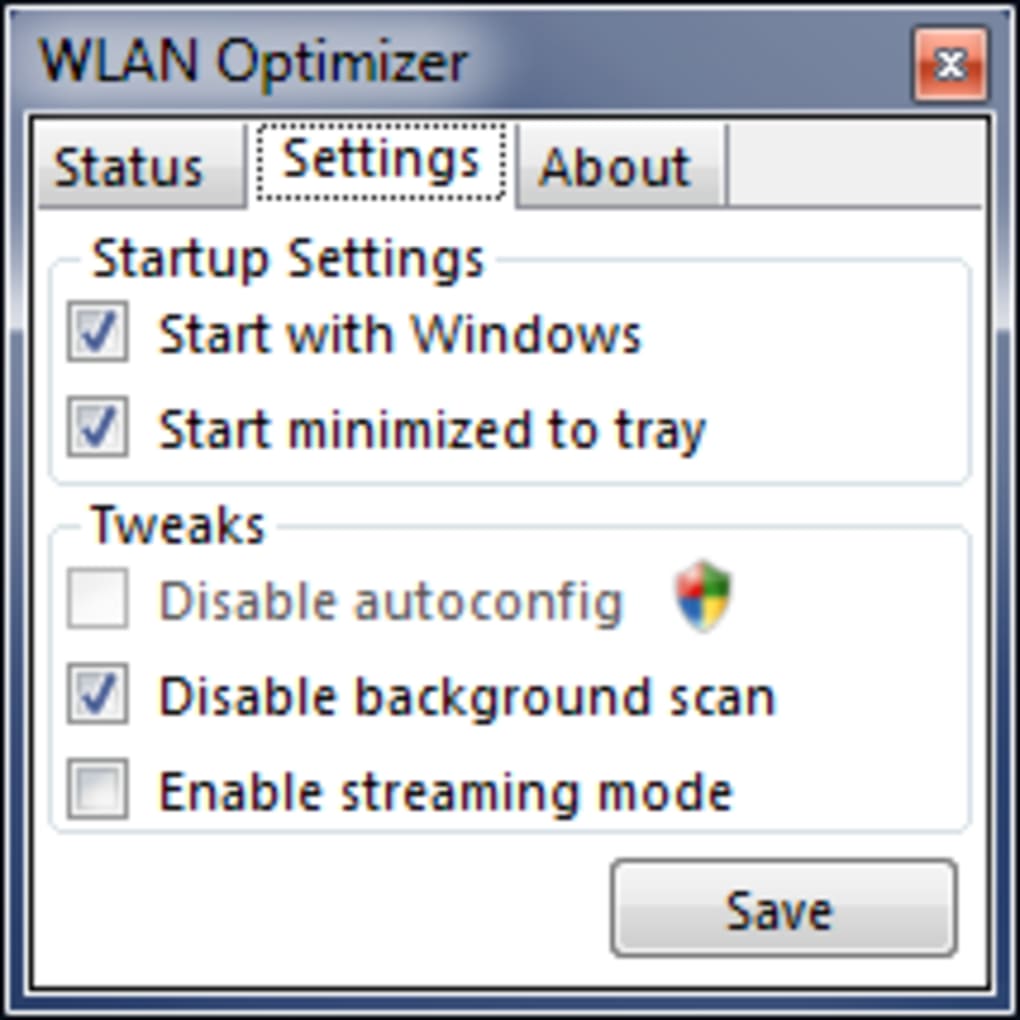
WLAN Optimizer, developed by Martin Majowski, is a lightweight, portable application designed to improve the performance of wireless local area networks (WLANs). Its primary function is to address performance bottlenecks caused by the constant background scanning conducted by many network adapters. By disabling these unnecessary scans, WLAN Optimizer aims to reduce latency and improve the overall responsiveness of your wireless connection, particularly beneficial for activities like online gaming and video streaming where low latency is crucial.
How WLAN Optimizer Works
The core functionality of WLAN Optimizer revolves around its ability to selectively disable background scanning processes within the network adapter. Many wireless network cards continuously scan for available networks, even when connected to a preferred network. This constant scanning, while helpful for network discovery, consumes valuable system resources and introduces latency. This constant searching for other networks effectively interferes with the stable connection to your current network.
WLAN Optimizer addresses this issue by modifying the network adapter’s settings to limit or disable these background scans. This allows the adapter to focus its resources on maintaining a robust connection to your currently selected network, leading to a more stable and faster connection. The result is a reduction in latency, leading to smoother online experiences, particularly for bandwidth-intensive applications.
The software’s operation is relatively simple. Upon launching the application, it identifies your active network adapter and applies the necessary configuration changes to minimize background scanning activities. This process is generally non-invasive and doesn’t require administrator privileges, further adding to its user-friendly nature. It’s also important to note that WLAN Optimizer doesn’t permanently alter your system settings; the changes are implemented only while the application is running. Closing the application restores your network adapter’s settings to their default configuration.
Benefits of Using WLAN Optimizer
While WLAN Optimizer doesn’t magically solve all network issues, its focused approach offers several key advantages:
- Reduced Latency: The primary benefit is the reduction in latency experienced on the wireless network. This translates to smoother online gaming, improved video streaming quality (less buffering), and faster response times for web browsing and other internet-based activities. The improvement is particularly noticeable in situations where multiple devices are competing for bandwidth on the same network.
-
Improved Network Responsiveness: By minimizing background processes, WLAN Optimizer frees up system resources that might otherwise be dedicated to unnecessary network scanning. This increased responsiveness extends beyond internet-based activities, positively impacting the overall performance of your system, especially on less powerful machines.
-
Portability: One of the significant advantages of WLAN Optimizer is its portable nature. It doesn’t require installation, which means you can run it from a USB drive or any other portable storage device. This is beneficial for users who frequently move between different computers or who prefer to avoid installing additional software on their systems. This also means there is no clutter in the system tray, with uninstalling or managing additional software.
-
Lightweight: The application’s small size and minimal resource consumption ensure that it doesn’t significantly impact the performance of your computer. It runs discreetly in the background without consuming large amounts of CPU or memory, making it a non-intrusive solution for improving network performance.
-
Easy to Use: The user interface is intentionally simple and straightforward. It lacks extensive configuration options, making it accessible even to users with limited technical expertise. This ease of use contributes to its widespread appeal and makes it a quick and convenient solution for enhancing wireless network performance.
Limitations of WLAN Optimizer
Despite its advantages, WLAN Optimizer has certain limitations:
- Limited Scope: The application focuses primarily on optimizing network performance by reducing background scans. It doesn’t address other potential sources of network problems, such as router configuration issues, weak Wi-Fi signals, or network congestion. It’s not a replacement for comprehensive network diagnostics or troubleshooting.
-
Minimal User Interface: The straightforward design, while beneficial for ease of use, lacks advanced features or detailed feedback. There’s no graphical representation of network performance metrics or diagnostic tools. The user interface provides minimal feedback, limiting the user’s ability to monitor the effectiveness of the optimization.
-
Absence of Help Files or Documentation: The lack of comprehensive help files or documentation might pose a challenge for users who require detailed explanations or troubleshooting assistance. The minimalistic design results in limited support resources for users experiencing issues or seeking deeper insights into the application’s functionality.
-
Potential Incompatibility: While generally compatible with a wide range of wireless network adapters, there’s a possibility of incompatibility with specific hardware or drivers. This is a common limitation with network-related software that interacts directly with the operating system’s network stack.
-
Dependence on Network Adapter Capabilities: The effectiveness of WLAN Optimizer is partly dependent on the capabilities of your network adapter. Some adapters may not be as responsive to the application’s changes as others. The actual improvement experienced will vary depending on factors such as the router’s capabilities, the age and capabilities of your hardware, and the level of interference.
Alternatives to WLAN Optimizer
Several alternative applications offer similar or complementary functionalities to improve wireless network performance. These alternatives often include more comprehensive features, more sophisticated diagnostic tools, and sometimes a broader range of optimization options. These alternatives offer a wider range of network management capabilities.
Some popular alternatives include:
-
Wi-Fi Scanner: This application provides detailed information about your wireless network and nearby networks, helping you identify potential interference sources or optimize your network configuration.
-
Net Speed Booster: This tool focuses on improving overall internet speed by optimizing various aspects of your internet connection. While not directly related to WLAN optimization, it can contribute to an enhanced online experience.
Choosing the right application depends on your specific needs and technical expertise. If you need a simple, lightweight solution to reduce network latency, WLAN Optimizer might be sufficient. However, if you require more advanced diagnostic capabilities or a broader range of optimization options, exploring alternative applications might be worthwhile.
Conclusion
WLAN Optimizer provides a simple and effective way to improve the performance of your wireless network by reducing unnecessary background scanning. Its portability and lightweight design make it a convenient choice for users seeking a quick and easy solution to enhance their online experience. While it doesn’t address all network issues, it can significantly improve latency and network responsiveness, particularly for bandwidth-intensive applications. However, users should be aware of its limitations, including its minimalist design and limited scope. Considering alternative solutions with more comprehensive features may be beneficial for users with specific requirements or more complex network configurations.
File Information
- License: “Free”
- Version: “0.21”
- Latest update: “October 22, 2018”
- Platform: “Windows”
- OS: “Windows 7”
- Language: “English”
- Downloads: “82K”
- Size: “586.20 KB”


