
Wondershare MobileGo is a comprehensive mobile management tool designed to streamline the often-complex process of managing Android devices. In today’s digital landscape, our smartphones are repositories of vast amounts of data, encompassing contacts, messages, photos, videos, apps, and much more. This abundance of information, spread across multiple platforms and services, can easily become overwhelming. Wondershare MobileGo aims to address this by providing a centralized hub for all your Android device management needs, offering a simplified, efficient, and powerful solution for users of all technical levels.
Streamlining Your Mobile Life: One-Stop Management
The core strength of Wondershare MobileGo lies in its ability to consolidate various aspects of mobile management into a single, user-friendly interface. Imagine a world where all your Android devices are managed from one central location – that’s the promise MobileGo delivers. This centralized approach eliminates the need to navigate multiple applications or physically juggle devices. Instead, users can access and manage their data from their personal computer, providing a more streamlined and efficient workflow.
One of the key features is its robust backup and restore functionality. This allows users to create complete backups of their device’s data – including contacts, SMS messages, music, videos, photos, call logs, calendar entries, and installed applications – and store them securely on their PC. This safeguard is invaluable in preventing data loss due to device malfunction, theft, or accidental deletion. The restoration process is equally straightforward, allowing users to quickly restore their backed-up data to their Android device or even to a new device if necessary. This seamless backup and restore functionality sets Wondershare MobileGo apart from simpler file management tools, offering a complete data protection solution.
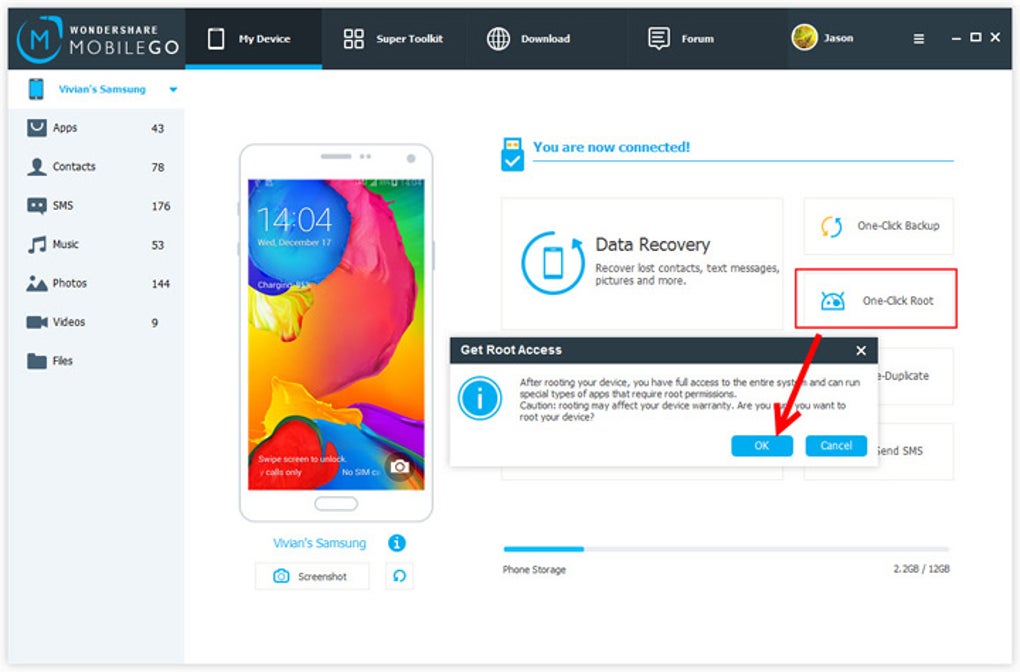
Beyond backups, Wondershare MobileGo offers robust synchronization capabilities. Users can easily sync data between their devices and their computer, ensuring consistency across all platforms. This eliminates the frustrating experience of having different versions of files or contacts on different devices. The seamless synchronization feature enhances productivity and keeps information consistently updated regardless of the device being used.
Furthermore, MobileGo simplifies the process of transferring data between devices. Whether you are switching to a new phone or simply need to move files between devices, the software provides a straightforward method to transfer data quickly and efficiently. This feature is particularly useful when upgrading to a new phone, as it eliminates the manual transfer of numerous files.
Advanced Tools for Enhanced Mobile Management
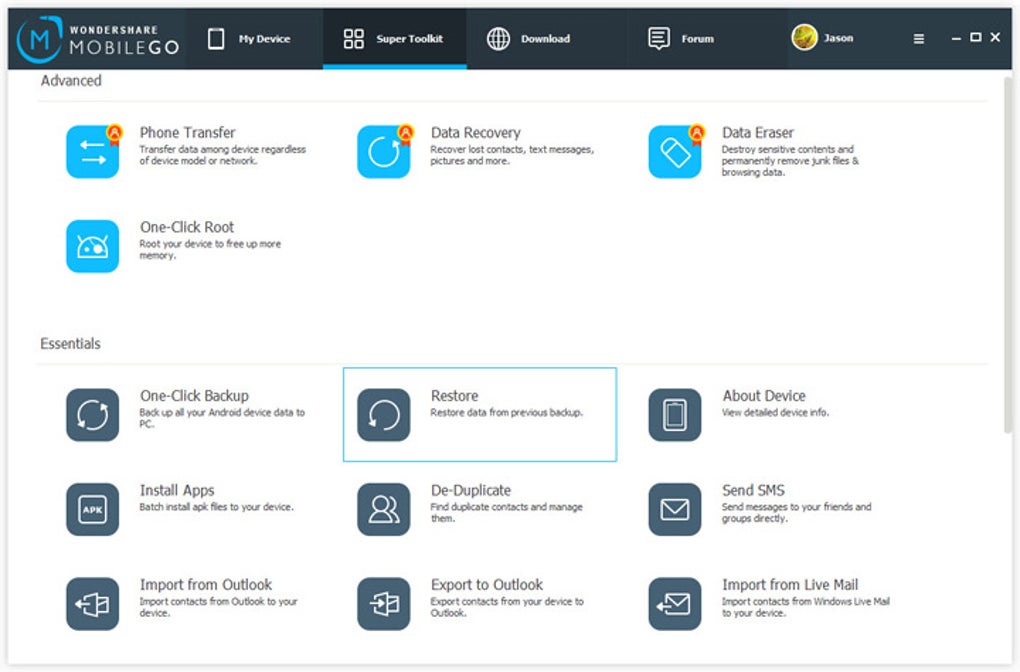
Wondershare MobileGo goes beyond basic data management. It incorporates a range of advanced tools designed to optimize device performance and enhance the overall user experience. These tools address common issues faced by Android users, further demonstrating the software’s versatility and comprehensive approach to mobile management.
One such feature is the ability to clean out junk files. Over time, Android devices can accumulate unnecessary files, slowing down performance and consuming valuable storage space. MobileGo’s built-in cleaning tools help identify and remove these junk files, freeing up space and improving device responsiveness. This simple yet effective tool improves both performance and efficiency.
Another valuable feature is the built-in health check. This diagnostic tool assesses the overall health of the Android device, identifying potential problems and offering recommendations for improvement. By proactively identifying and addressing potential issues, MobileGo contributes to the longevity and optimal performance of the user’s device. This proactive approach to maintenance reduces the risk of future problems.
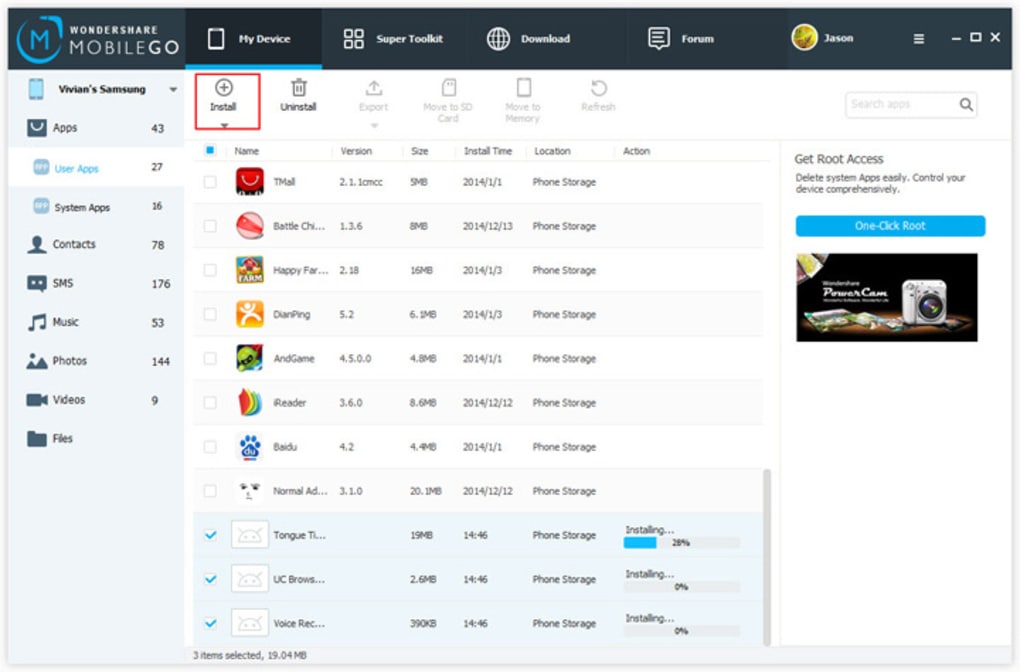
The software also offers advanced app management capabilities. Users can easily install, uninstall, export, and share applications directly from the MobileGo interface. This simplifies the management of applications on the Android device, enabling users to easily organize and maintain their apps efficiently. This reduces the need to navigate through the device’s menus, simplifying the app management process.
A unique feature of Wondershare MobileGo is its screen mirroring capability. This allows users to mirror their Android device’s screen onto a larger display, such as a computer monitor. This functionality is particularly useful for playing mobile games on a larger screen, watching movies with enhanced viewing quality, or for presentations and demonstrations. The screen mirroring option adds a layer of versatility, transforming the mobile device’s usability beyond its typical confines.
Managing Your Digital Life: Key Features in Detail
The core functionalities of Wondershare MobileGo can be further explored through examining its key features:
-
Backup and Restore: The software provides a comprehensive backup solution for essential Android data. This includes contacts, messages, music, videos, photos, call logs, calendar entries, and applications. The backup process is simple and intuitive, while the restoration process allows users to recover their data easily, either on the same device or a new one.
-
App Management: Beyond installation and uninstallation, MobileGo allows users to export applications, share them with others, and efficiently manage the apps on their devices. This centralized app management feature offers a more streamlined experience compared to managing apps directly on the Android device.
-
Contact Management: The software provides convenient tools for managing Android contacts. Users can easily import and export contacts from various sources, such as Outlook and Windows Live Mail, add new contacts directly, and synchronize contacts with online accounts like Gmail and Facebook.
-
SMS Management: MobileGo enables users to manage their SMS messages directly from their PC. Users can read, send, and organize their text messages using their computer’s keyboard, offering a more convenient and efficient way to handle text communications.
-
Multimedia Management: MobileGo simplifies the management of multimedia files, enabling users to transfer, convert, and manage music and video files. The software automatically converts incompatible formats into compatible ones, ensuring seamless playback on Android devices. Users can also set video quality for optimal viewing on their mobile devices.
-
SD Card and Phone Memory Management: The software allows for efficient management of both internal phone memory and external SD card storage. Users can view the storage status, manage files, and move data between storage locations to optimize space and organization.
-
Data Recovery: In the event of data loss, MobileGo offers data recovery capabilities to help recover lost contacts, messages, photos, and other essential data. This recovery feature provides a crucial safety net for valuable data, reducing the risk of permanent data loss.
- Quick WiFi Connection: While traditional USB connections are supported, MobileGo also offers the convenience of WiFi connectivity. This option eliminates the need for a physical connection between the PC and the Android device, enhancing usability and flexibility.
User Reviews and Feedback
Wondershare MobileGo has garnered a mixed bag of reviews. While many users praise its ease of use and comprehensive features, some have reported issues and negative experiences. Positive reviews frequently highlight the software’s ability to simplify mobile management, improve data organization, and provide a convenient backup solution. Negative reviews often center around reported data loss incidents, difficulties in customer support, and issues with specific functionalities. It’s crucial to carefully consider both positive and negative feedback before purchasing the software.
Conclusion
Wondershare MobileGo presents a powerful and versatile solution for managing Android devices. Its centralized approach to data management, combined with advanced tools for optimization and recovery, offers a significant advantage over managing data directly on the device. While some user experiences have been negative, the majority of users find the software helpful for simplifying their mobile life. Potential users should carefully weigh the pros and cons, particularly considering the mixed feedback regarding data loss, before making a purchase decision. The free trial version allows users to explore the software’s capabilities before committing to a purchase, mitigating the risk associated with the mixed reviews.
File Information
- License: “Trial version”
- Latest update: “May 23, 2023”
- Platform: “Windows”
- OS: “Windows XP”
- Language: “English”
- Downloads: “307.3K”
- Size: “988.26 KB”


