
Wondershare QuizCreator is a powerful software application designed to streamline the process of creating professional-grade quizzes and tests. While initially the concept of dedicated quiz creation software might not seem immediately exciting, Wondershare QuizCreator stands out as a surprisingly impressive tool, particularly for educators, instructors, and anyone involved in delivering assessments. Its comprehensive features and user-friendly interface make it a valuable asset for various educational and professional settings. This in-depth review explores the software’s capabilities, strengths, and weaknesses, providing a comprehensive understanding of its functionality and potential applications.
Ease of Use and Intuitive Interface
One of the most significant advantages of Wondershare QuizCreator is its remarkably intuitive design. The software presents a streamlined workflow, guiding users through each step of the quiz creation process. Even users without prior experience with similar software can quickly grasp the fundamental principles and begin creating engaging assessments. The program’s interface is clean and uncluttered, prioritizing accessibility and efficient navigation. The visual layout helps users easily identify and access various features, minimizing confusion and maximizing productivity. This ease of use is particularly beneficial for educators and instructors who may not have extensive technical skills but require a simple yet effective tool for assessment creation.
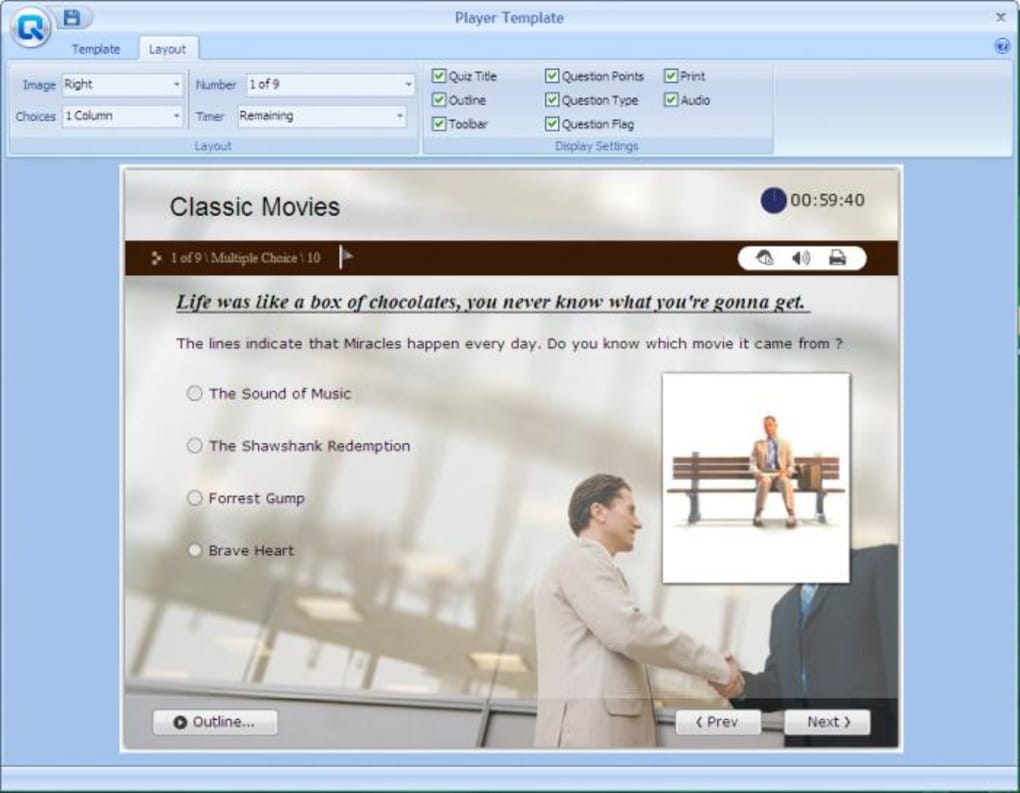
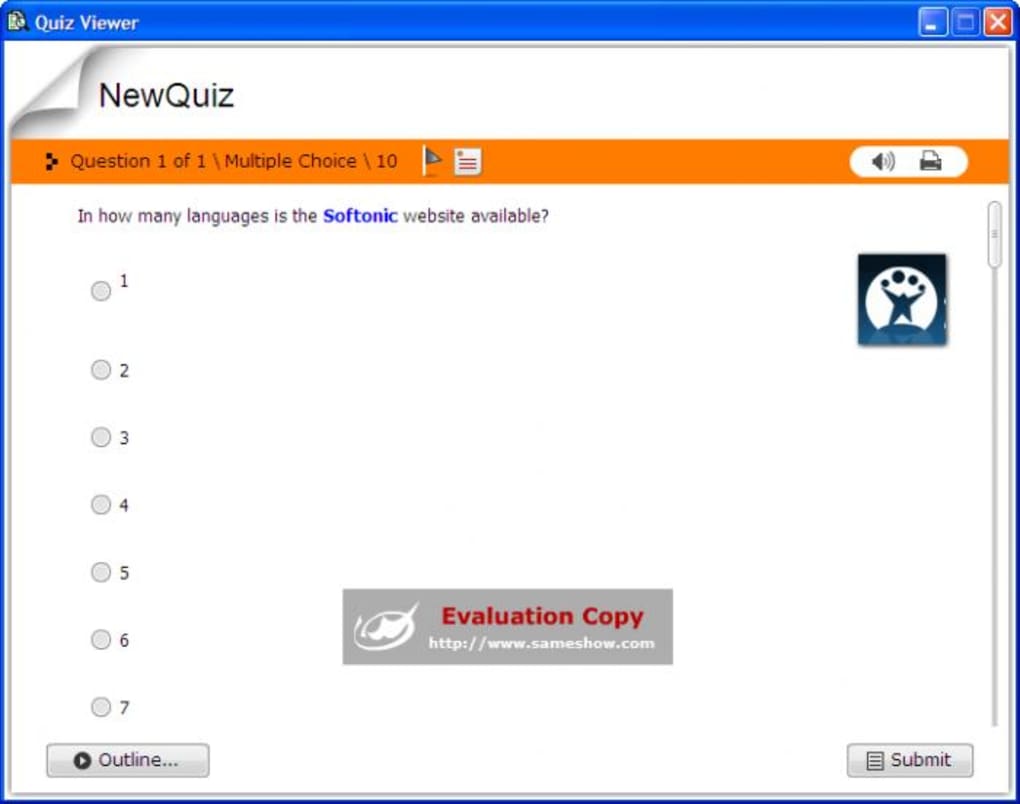
The process of creating a quiz begins with selecting the desired question type. Wondershare QuizCreator offers a wide range of question formats, including multiple-choice, fill-in-the-blank, true/false, essay questions, and more. This flexibility allows users to create diversified assessments that cater to diverse learning styles and assessment objectives. Once the question type is chosen, users can easily input their questions and corresponding answers. The software facilitates the addition of multimedia elements, such as images, audio, and video clips, making the learning experience more interactive and engaging. This capability is particularly beneficial for creating quizzes that cater to visual and auditory learners, improving the overall impact and effectiveness of the assessment. Mixing and matching question types within a single quiz is straightforward, allowing for comprehensive assessments that evaluate a broad spectrum of knowledge and understanding.
Extensive Customization and Configuration Options
Wondershare QuizCreator doesn’t merely provide a basic framework for creating quizzes; it empowers users with comprehensive customization and configuration options. This granular control allows for the creation of highly tailored assessments that precisely match specific requirements. Users can adjust numerous parameters, such as the number of allowed attempts, the passing score threshold, time limits, and the overall presentation of the quiz.
The customizable player size feature offers flexibility in adapting the quiz to different screen sizes and display formats. The availability of delicate play templates provides visually appealing options, enhancing the aesthetic quality of the quiz. The optimized editing interface improves workflow efficiency, allowing users to make changes and adjustments without hindrance. Furthermore, the ability to upload questions to the Quiz Management System and generate quizzes online provides added convenience and seamless integration with online learning platforms. The corresponding upgrade on the Quiz Management System enables accurate tracking and reporting of survey results, providing valuable data for analysis and improvement.
The software’s capacity to generate quizzes in a variety of formats is another key advantage. Users can publish their quizzes as standalone executable files (.exe), making them accessible offline. Alternatively, quizzes can be published as Flash quizzes, suitable for online platforms that support this format. Furthermore, the capability to generate AICC/SCORM packages allows seamless integration with learning management systems (LMS), such as Moodle or Blackboard, making it a versatile tool for both online and offline teaching environments. The option to export quizzes as Word or Excel documents is useful for reviewing the content offline or integrating them into other documents.
Multimedia Integration and Enhanced Engagement
One of the standout features of Wondershare QuizCreator is its robust support for multimedia integration. Users can seamlessly embed images, audio clips, and video files directly into their quizzes. This capability enhances the richness and engagement of the assessment, making it more appealing and memorable for students or participants. The inclusion of multimedia elements caters to diverse learning preferences, and helps to reinforce learning by providing multiple sensory channels for information processing. This added layer of interactivity can significantly improve learning outcomes and enhance the overall learning experience.
The ability to embed images within questions or answers clarifies the material presented, especially when dealing with visual information such as graphs, diagrams, or maps. Incorporating audio clips is beneficial when assessing comprehension of spoken language or presenting auditory examples. Similarly, the integration of videos enables the creation of dynamic quizzes that incorporate relevant video content to test understanding and application of concepts. By combining different media types, users can create dynamic and captivating assessments that go beyond traditional text-based questions.
Reporting and Analytics
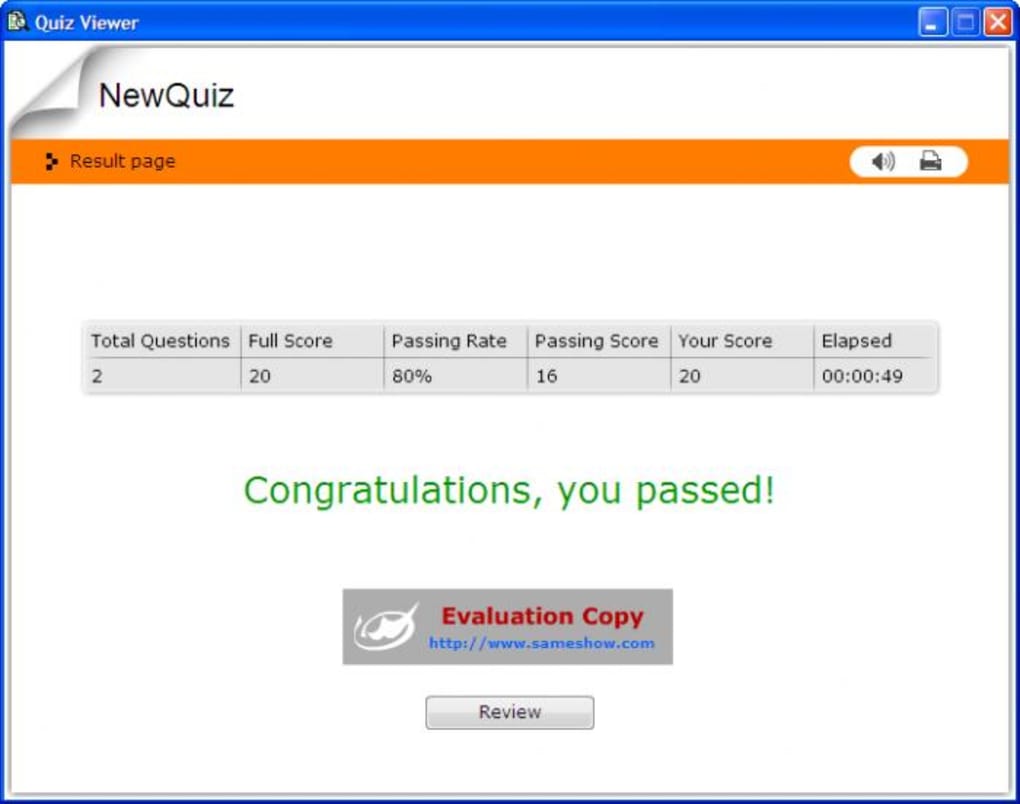
While the quiz creation process is user-friendly, the post-assessment analysis capabilities provided by Wondershare QuizCreator further enhance its usefulness. The software offers reporting features that provide valuable insights into student performance. These reports can offer a detailed breakdown of individual scores, highlighting areas of strength and weakness for both individual learners and the class as a whole. This data-driven approach helps instructors personalize their teaching strategies and focus on areas requiring further instruction.
The ability to track results and identify trends within the assessment data is invaluable for educators. This analytical information is crucial for formative assessment, allowing instructors to adapt their teaching strategies based on student responses. By understanding common misconceptions or areas where students struggle, instructors can effectively address these challenges and optimize learning outcomes. This data-driven approach ensures a more focused and personalized learning experience for every student. The detailed feedback mechanisms enhance the value of the assessment, turning it into a valuable learning tool beyond simply determining a numerical grade.
Limitations and Potential Improvements
Despite its many strengths, Wondershare QuizCreator is not without limitations. Reports from users suggest occasional glitches and bugs, indicating a need for further refinement of the software’s stability. While the software is generally user-friendly, some users might find the learning curve slightly steeper than expected, particularly when navigating the more advanced features and configuration options. Continuous improvement and updates are crucial to addressing these issues and enhancing the overall user experience. The addition of advanced analytics features and improved reporting capabilities could further increase the software’s value for educators and researchers.
In conclusion, Wondershare QuizCreator is a powerful and versatile tool for creating engaging and effective quizzes and tests. Its intuitive interface, extensive customization options, and multimedia integration capabilities make it a valuable asset for educators, trainers, and anyone involved in assessment development. While some minor limitations exist, the overall benefits of using Wondershare QuizCreator significantly outweigh any drawbacks, particularly for those seeking a reliable and efficient solution for creating professional-quality assessments. The software’s continuous development and updates promise to further enhance its capabilities and address any identified shortcomings, strengthening its position as a leading tool in the quiz creation market.
File Information
- License: “Trial version”
- Latest update: “September 6, 2010”
- Platform: “Windows”
- OS: “Windows Vista”
- Language: “English”
- Downloads: “57.4K”
- Size: “9.15 MB”


