
WPS Office Free, developed by Kingsoft Office, presents itself as a robust and cost-effective alternative to the industry-standard Microsoft Office suite. This comprehensive review delves into its features, performance, limitations, and overall value proposition, providing a clear picture of whether it’s the right choice for your productivity needs.
Feature-Rich Office Suite for Free
WPS Office Free isn’t merely a stripped-down version of a paid suite; it offers a surprisingly comprehensive set of tools for creating and editing documents, spreadsheets, and presentations. At its core, it mirrors the functionality of Microsoft Word, Excel, and PowerPoint, allowing users to create and edit documents in familiar formats. This compatibility extends to other popular office suites such as OpenOffice and LibreOffice, ensuring seamless interoperability.
Beyond the basic functionalities, WPS Office Free boasts a range of advanced features that enhance productivity. These include:
-
Track Changes: This essential collaboration tool allows multiple users to work on a single document, highlighting and tracking revisions for easy review and merging.
-
Google Cloud Print Integration: Effortlessly print documents from any device connected to Google Cloud Print, streamlining the workflow for users in diverse environments.
-
File Encryption: Protect sensitive documents by encrypting them, ensuring confidentiality and preventing unauthorized access. This feature is particularly vital for handling private or business-critical information.
-
Custom Font Installation: Personalize your documents by installing your favorite fonts, enhancing the visual appeal and maintaining brand consistency.
-
Advanced Spreadsheet Formulas and Charts: The spreadsheet program goes beyond simple calculations, offering a range of built-in formulas and chart options for advanced data analysis and visualization.
-
Presenter Mode: Deliver compelling presentations with confidence using the integrated Presenter Mode, featuring a laser pointer and on-screen annotation capabilities for interactive presentations.
-
PDF Reader and Editor: WPS Office Free is not limited to the standard document formats. It includes a built-in PDF reader and editor, allowing users to view, edit, and annotate PDF files directly within the suite.
-
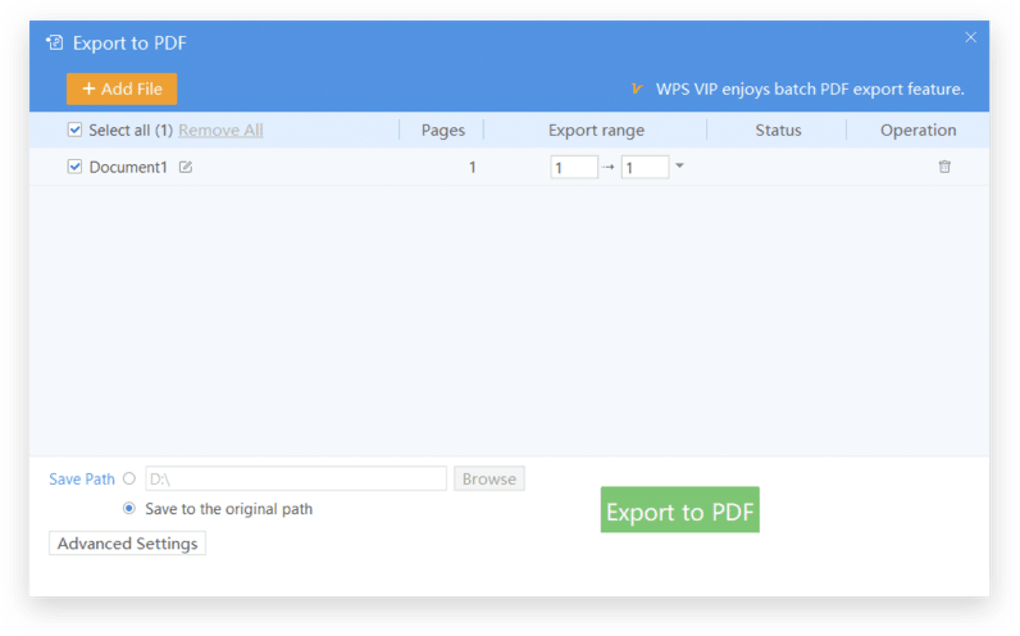
File Conversion: The suite offers versatile file conversion capabilities, allowing users to seamlessly convert files between various formats, including Word, Excel, PowerPoint, and PDF, eliminating format compatibility issues. This simplifies document sharing and ensures accessibility across different platforms and devices.
Account Functionality and Limitations
While WPS Office Free can be used without an account, registering for a free account unlocks a significant number of additional features and benefits, highlighting a tiered approach to functionality. Guest users can navigate the interface and view/edit documents, but registered users have access to:
-
Dozens of Free Templates: Boost productivity and enhance the visual appeal of your documents by leveraging a wide selection of professionally designed templates for various applications.
-
Advanced File Conversion: Account users enjoy expanded file conversion capabilities, processing more complex files and formats without limitations.
-
Cross-Device Synchronization: Seamlessly access and edit documents across multiple devices, ensuring consistent access to your work, regardless of location or device type. This cross-device synchronization leverages cloud storage, providing an efficient way to manage your files and keep them consistently updated.
-
1 GB Free Cloud Storage: WPS Office provides a convenient 1 GB of free cloud storage, providing a backup solution for essential files and enabling effortless document access from various devices.
User Interface and Experience
WPS Office Free boasts a user interface that’s remarkably similar to the newer versions of Microsoft Office, promoting a familiar and intuitive user experience. The adoption of the ribbon menu makes frequently used tools readily accessible, significantly reducing the time spent navigating menus and searching for specific features. This familiar layout ensures a smooth transition for users migrating from other office suites, minimizing the learning curve and maximizing immediate productivity.
The intuitive design coupled with the seamless integration of features makes it remarkably easy to generate high-quality content. Whether it’s crafting compelling articles or designing impactful presentations, the tools are readily accessible and effective. The integration of WPS AI further enhances this user experience by providing access to advanced features, making it incredibly useful for both general and professional use.
WPS AI Integration: Enhancing Productivity
The integration of WPS AI is a notable advantage of WPS Office Free. WPS AI provides several powerful features including:
-
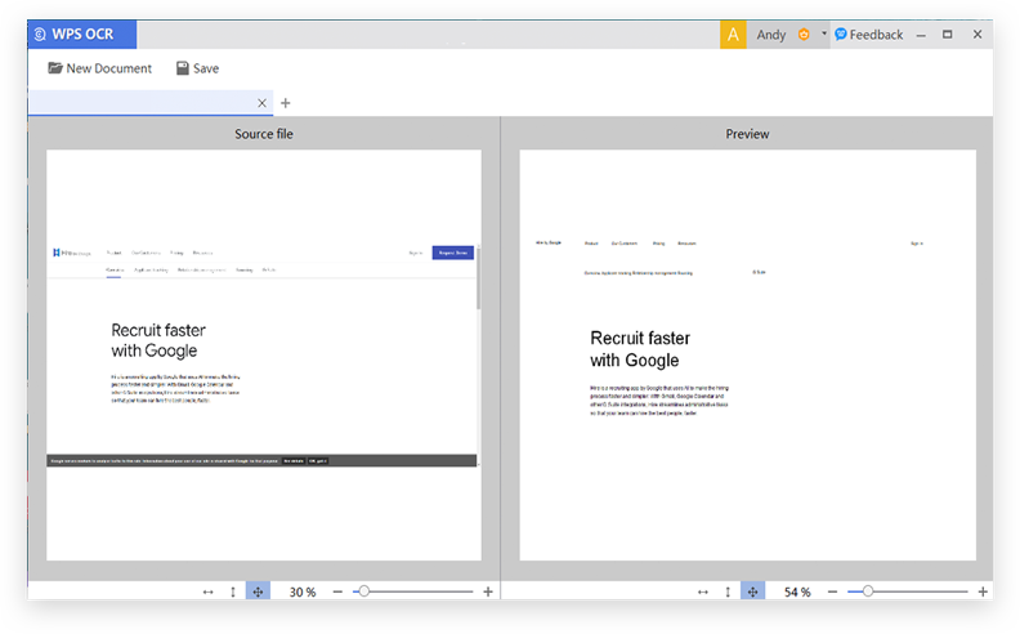
OCR Text Summarization and Extraction: This feature enables the efficient extraction and summarization of text from images and scanned documents through Optical Character Recognition (OCR). This feature saves time and streamlines document processing.
-
PDF Chatbot: The integrated chatbot allows users to efficiently search and extract information within PDF documents by asking contextual questions. This significantly speeds up the research and information retrieval process within PDF files.
-
Complex Data Set Analysis: WPS AI extends its capabilities to advanced data analysis, making it useful for tasks that would usually require specialized software. Users can effectively analyze complex datasets, gaining valuable insights and aiding decision-making.
The seamless integration of WPS AI with the core office suite enhances its functionality, making advanced features readily available and easily accessible with a simple click of an icon.
System Requirements and Performance
WPS Office Free stands out with its remarkably light system requirements, contributing to its swift and efficient performance, even on less powerful machines. This is a significant advantage for users with older hardware or those operating with limited system resources.
However, it’s essential to note a key aspect of WPS Office Free’s free use: certain features have limited access periods. While this is a common strategy in many freemium models, users might encounter interruptions in their workflow if they heavily rely on these features. To continue using those features, users may be prompted to view advertisements, which is a small price to pay for the advantages of the otherwise comprehensive feature set.
.png)
Premium Options: WPS Pro and WPS Business
For users seeking even more advanced features and enhanced functionalities, WPS Office offers premium subscription plans: WPS Pro and WPS Business. These options remove the limitations of the free version, allowing for unrestricted use of all features without the display of advertisements. These plans would also offer additional cloud storage, along with features like real-time collaboration and enhanced security measures that prioritize user privacy and business needs.
Final Verdict
WPS Office Free emerges as a compelling alternative to commercial office suites, particularly for users seeking a cost-effective solution without compromising on functionality. Its extensive feature set, intuitive user interface, and compatibility with major office formats make it a versatile and productive tool. While some features have limited access in the free version, requiring advertisement viewing to unlock, this is a reasonable trade-off given the comprehensive features offered. For those seeking a consistently smooth and uninterrupted user experience, the premium subscriptions—WPS Pro and WPS Business—offer compelling value and represent a logical upgrade path. Overall, WPS Office Free is a strong contender in the free office suite market, successfully delivering on its promise of a robust and capable alternative to more expensive options.
File Information
- License: “Free”
- Latest update: “October 28, 2024”
- Platform: “Windows”
- OS: “Windows 8”
- Language: “English”
- Downloads: “1M”


