
Wushowhide is a straightforward and freely available Microsoft utility designed to provide users with granular control over Windows updates. This program empowers users to selectively hide or show updates, offering a degree of control often absent from the standard Windows update mechanism. This control is particularly beneficial for users who prefer to postpone updates, particularly major releases, until they’ve been thoroughly tested and proven stable by the wider community, or who have limited bandwidth and wish to manage update downloads strategically. The program’s ease of use and rapid installation make it a valuable tool for users of all technical skill levels.
Understanding the Need for Update Control
Unexpected updates, particularly driver updates, can sometimes introduce instability into a Windows system. These updates, while intended to improve functionality or address security vulnerabilities, can occasionally clash with existing software or hardware configurations, leading to system crashes, application malfunctions, or general performance degradation. Traditional methods for addressing such issues often involve using System Restore to undo the problematic updates or manually removing them through the Control Panel. This process can be time-consuming and technically demanding, particularly for less experienced users.

Wushowhide offers a proactive approach, enabling users to prevent unwanted updates from being downloaded and installed in the first place. By selectively hiding updates, users can avoid potentially disruptive installations until a more convenient time or until they have more thoroughly researched the update’s impact. This proactive control reduces the risk of system instability and allows users to maintain a more stable computing environment. The utility’s design specifically focuses on addressing the often-unpredictable nature of automatic driver updates, a common source of system issues.
How wushowhide Works: A Step-by-Step Guide
Wushowhide functions as a simple, user-friendly interface for managing Windows updates. The program’s streamlined design requires minimal technical expertise. Upon launch, the utility scans the system to identify available updates. This scan usually takes only a few minutes, depending on the system’s configuration and the number of pending updates.
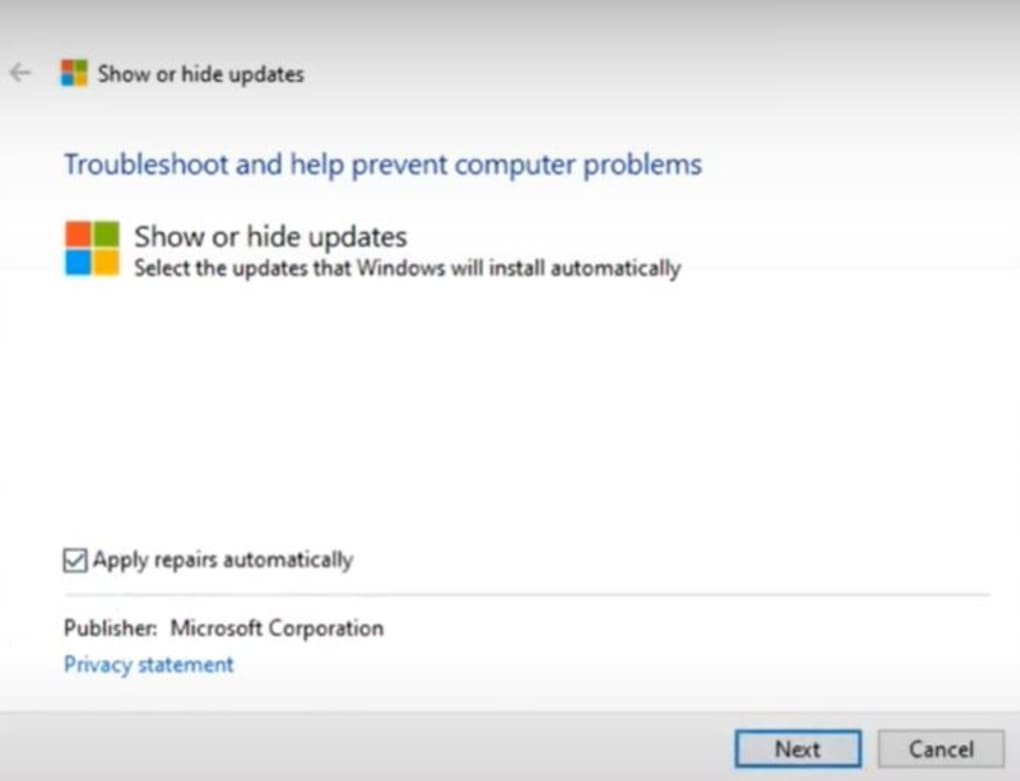
Once the scan is complete, the user is presented with a clear list of available updates, allowing for selective hiding or unhiding of specific updates. This level of granularity ensures that users can choose which updates to postpone or prevent entirely, without affecting other critical updates. A convenient checkbox option allows for automated repair of identified issues, further simplifying the process. This automation feature is particularly useful for users who want to quickly address potential problems without delving into the technical details of individual updates. Users can choose to either automate the process or manually select which updates to target.
The program’s two-step approach focuses on addressing the immediate problems stemming from existing updates and then controlling future automatic updates. If necessary, users may need to manually remove drivers before using the troubleshooter for optimal results. This emphasizes the proactive nature of the program, addressing both existing issues and preventing future ones.
Benefits of Using wushowhide
The primary benefit of wushowhide is the ability to prevent unexpected or unwanted Windows updates. This control is particularly useful for users with limited internet bandwidth or those concerned about the potential instability associated with new updates. The program’s compact size and straightforward installation process ensure a quick and hassle-free setup. This contrasts with some more complex update management solutions, which may require significant technical understanding and time investment.
Beyond managing unexpected updates, wushowhide also allows users to temporarily deactivate updates. This temporary deactivation can be valuable when preparing for critical tasks or events where system stability is paramount. This pause allows users to ensure a stable working environment while they work on important projects or during times when system downtime is undesirable. This temporary deactivation complements the selective hiding feature, providing a comprehensive solution for managing all aspects of the Windows update process.
Comparing wushowhide to Alternatives
While Windows offers built-in update management features, wushowhide provides a more granular and user-friendly approach. The standard Windows update tools often lack the ability to selectively hide specific updates, forcing users to either accept all updates or none. Wushowhide offers a more nuanced level of control. Similarly, tools like the Group Policy Editor offer extensive control over system settings, but often require a higher level of technical expertise to use effectively. Wushowhide offers a simpler and more intuitive interface, making it accessible to a broader range of users.
Other alternative programs might offer similar functionality, but wushowhide stands out due to its ease of use, concise design, and its direct focus on controlling Windows updates. Its direct and straightforward approach prioritizes user experience over technical complexity. This combination of features makes it a convenient alternative for those seeking an uncomplicated solution to manage Windows updates.
Conclusion: A Valuable Tool for Managing Windows Updates
Wushowhide offers a valuable solution for managing Windows updates effectively and efficiently. Its simple interface, combined with its ability to selectively hide or unhide updates, allows users to maintain a stable computing environment without sacrificing the benefits of timely security updates. This program caters to users who desire a balance between security updates and system stability, providing them with the control they need to manage their update process as per their specific requirements. Whether users have limited bandwidth, are wary of potentially unstable updates, or simply prefer a more controlled update process, wushowhide provides a simple yet powerful tool to achieve these goals. The program’s free availability and straightforward design make it an ideal solution for users of all technical skill levels.
File Information
- License: “Free”
- Version: “1.0”
- Latest update: “July 15, 2022”
- Platform: “Windows”
- OS: “Windows 8”
- Language: “English”
- Downloads: “7.8K”
- Size: “46.68 KB”


