
X-Lite, now rebranded as Bria Solo Free, is a user-friendly VoIP (Voice over Internet Protocol) softphone application designed for Windows operating systems. Serving as an accessible entry point into the world of VoIP communication, X-Lite provides a taste of the robust features offered by its full-fledged counterpart, the Bria desktop client. This free version allows users to experience the convenience and functionality of VoIP calling before committing to a paid subscription, offering a compelling alternative to similar offerings like Jitsi. While completely free to download and use, X-Lite’s functionality is limited compared to the paid version, making it an ideal introductory tool for those new to the technology.
Understanding X-Lite and its Purpose
X-Lite fundamentally functions as a softphone, a software application installed on your computer that allows you to make and receive phone calls over the internet. This contrasts with traditional landline phones, offering a flexible and cost-effective alternative for many users. The application’s core purpose is to bridge the gap between conventional telephone systems and the modern world of internet-based communication. It provides a simplified introduction to VoIP technology, allowing users to familiarize themselves with the basic functionalities and user interface before potentially upgrading to a more advanced, feature-rich paid version. X-Lite offers a subset of the core features present in the premium Bria desktop client, giving users a clear understanding of what to expect should they choose to upgrade. This “try before you buy” approach allows users to assess the value proposition of VoIP technology without financial commitment.

Making Calls with X-Lite: A Step-by-Step Guide
Before initiating calls using X-Lite, users need to create a SIP (Session Initiation Protocol) account and correctly configure various settings within the application. The process involves several straightforward steps:
-
Installation and Launch: First, download and install X-Lite on your Windows computer. Upon successful installation, launch the application and allow it to fully load. The softphone interface will appear on your screen.
-
Accessing Account Settings: Locate and click the “Account Settings” option, usually found within the application’s main menu or settings panel. This will open the SIP Account dialog box.
-
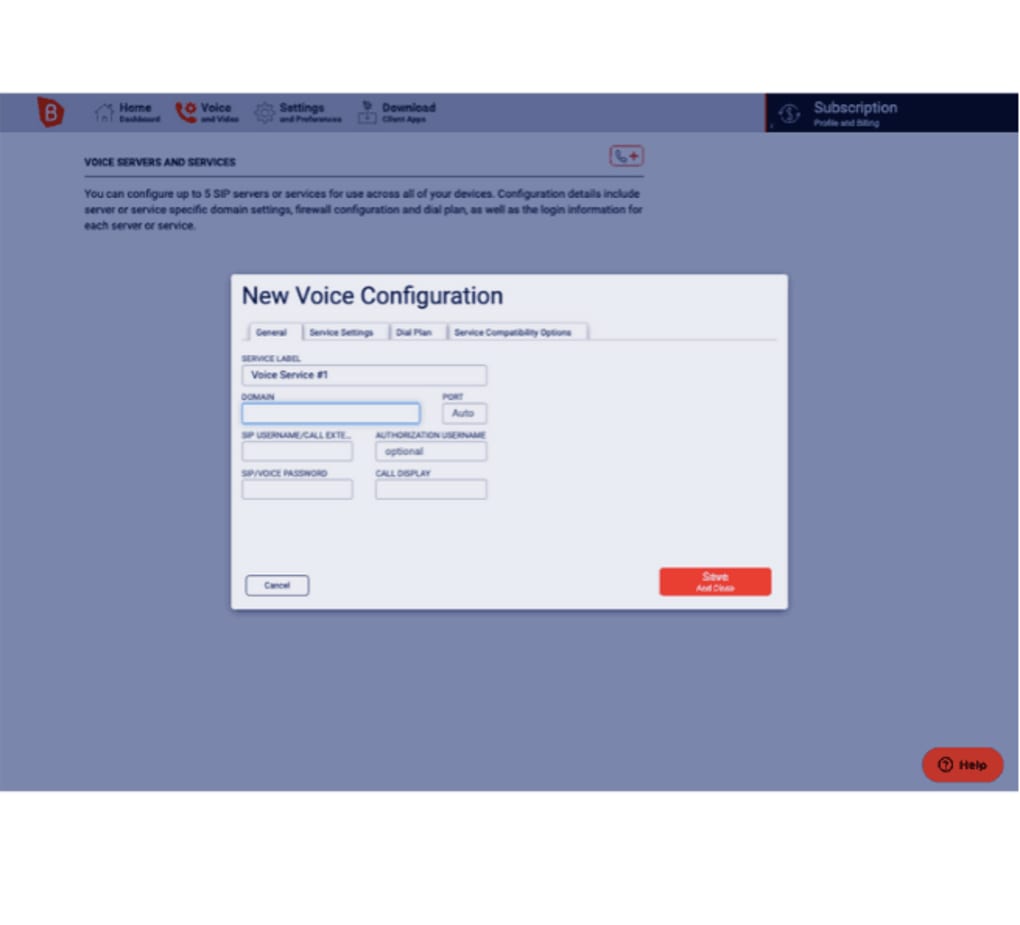
Configuring the SIP Account: Within the SIP Account dialog box, ensure the “Call” option is checked to enable call functionality. Navigate to the “User Details” section.
-
Entering User Credentials: You’ll need to provide your unique SIP username and password. These credentials are typically generated automatically when creating a new SIP extension. Input the username in the “User ID” field and the password in the “Password” field.
-
Specifying the Domain: The “Domain” field requires the IP address or DNS name of your SIP server or provider. This information is crucial for routing your calls correctly. Ensure you enter the correct information, as incorrect entries will prevent calls from being placed or received.
-
Enabling Call Receiving: In the “Domain Proxy” section, find and check the option “Register with domain and receive calls.” This crucial step enables the softphone to register with the SIP server and receive incoming calls. Without this registration, you’ll be unable to receive calls, even if you can place them.
Once these steps are completed and verified, X-Lite is configured and ready to place and receive calls. The ease of setup and configuration are major selling points of the software, making it particularly accessible to users with minimal technical experience.
X-Lite’s Strengths and Limitations: A Balanced Perspective
X-Lite, despite its limitations as a free, introductory version, offers a compelling suite of advantages. Its free-of-charge nature makes it an ideal option for users wanting to explore VoIP technology without any financial risk. The simplicity of its installation and configuration process reduces the technical barrier to entry, making it suitable for individuals who lack extensive technical skills. The user-friendly interface and intuitive design contribute to its overall ease of use, simplifying the transition from traditional telephony to VoIP communication.
However, X-Lite’s free nature comes with limitations. The feature set is noticeably reduced compared to the full Bria client. While it provides basic calling functionality, users may find themselves missing advanced features such as sophisticated call management tools, integration with other communication platforms, and enhanced security options. These omissions are often justified given its role as a trial version, encouraging users to upgrade to the paid version for a more complete experience. The limited feature set could potentially be a drawback for users with more demanding needs or those accustomed to the rich functionality of other more comprehensive VoIP solutions. The free version acts as a demonstration of the capabilities of the software, highlighting the features and benefits while also subtly prompting users to consider the paid version to fully leverage its potential.
X-Lite’s Feature Set: A Closer Examination
Although limited compared to its paid counterpart, X-Lite still incorporates several essential features typical of a basic VoIP softphone. These include:
-
VoIP Calling over various networks: X-Lite supports VoIP calls over various network connections including Wi-Fi, 3G, and 4G, offering flexibility in call initiation.
-
Video Calling (limited): Depending on the version, X-Lite may offer basic video calling capabilities, enabling visual communication alongside voice communication.
-
Instant Messaging: Basic instant messaging functions allow text-based communication with contacts, providing an integrated communication platform.
-
Presence Indication: The software might display the presence status of your contacts (online, offline, busy), enabling better timing for communication.
-
Basic Call Management: X-Lite includes essential call management features like call waiting, call hold, and call forwarding, providing fundamental control over your calls.
-
Three-Way Conferencing (limited): Some versions of X-Lite support three-way conferencing, allowing you to connect with two other participants simultaneously.
-
Contact Integration: The ability to integrate with your existing contact lists simplifies the process of initiating calls with contacts already stored on your computer.
-
Audio Enhancements: Features like Background Noise Reduction (BNR) and Automatic Gain Control (AGC) can improve the quality of your calls by reducing background noise and adjusting volume levels.
It’s important to note that the exact feature set may vary slightly depending on the specific version of X-Lite installed. Always consult the application’s documentation or help files for the most up-to-date information on available features and their functionality. The limitations inherent in the free version serve to showcase the advanced capabilities found in the paid Bria client, encouraging users to explore the expanded possibilities offered by the full version.
The comparison to other VoIP clients like Jitsi should be made explicitly highlighting that while X-Lite provides a comparable free introductory experience, it lacks the robust features and customization options offered by some competitors. This positions X-Lite as a gateway into the world of VoIP, rather than a direct competitor for highly customized, professional-level communication needs. The focus remains on the easy transition into VoIP and the potential upgrade to the paid version for more advanced users.
File Information
- License: “Free”
- Latest update: “July 11, 2023”
- Platform: “Windows”
- OS: “Windows 10”
- Language: “English”
- Downloads: “440.7K”
- Size: “95.16 MB”


