
X-Mouse Button Control Portable is a free, powerful utility that dramatically expands the functionality of your mouse. It goes far beyond the basic click-and-scroll functionality, allowing you to customize mouse buttons and wheel actions for unprecedented control over your computer. This portable version eliminates the need for installation, making it incredibly convenient to use on any Windows machine.
Customizing Mouse Functionality for Enhanced Productivity
The core strength of X-Mouse Button Control lies in its extensive customization options. Tired of repetitive keyboard shortcuts? X-Mouse Button Control empowers you to remap virtually any mouse button or wheel action to perform a wide range of functions, significantly boosting your workflow. This customization isn’t limited to simple actions; you can create complex macros, automate tasks, and even assign context-sensitive commands that change based on the active application or window.
Imagine effortlessly controlling your media player’s volume with your mouse wheel, or instantly launching your favorite applications with a single button press. These are just a few examples of the possibilities offered by X-Mouse Button Control. The software allows you to create detailed profiles tailored to specific applications, ensuring that your mouse actions are always optimized for the task at hand. Need different keybindings for your photo editing software compared to your web browser? X-Mouse Button Control easily handles this, streamlining your interaction with each program.
Furthermore, the software allows for precise control over mouse button sensitivity, scroll speed, and other parameters. This fine-grained customization allows you to perfectly tailor your mouse experience to your individual preferences and needs, resulting in a more comfortable and efficient computing experience.
Intuitive Interface Despite Extensive Functionality
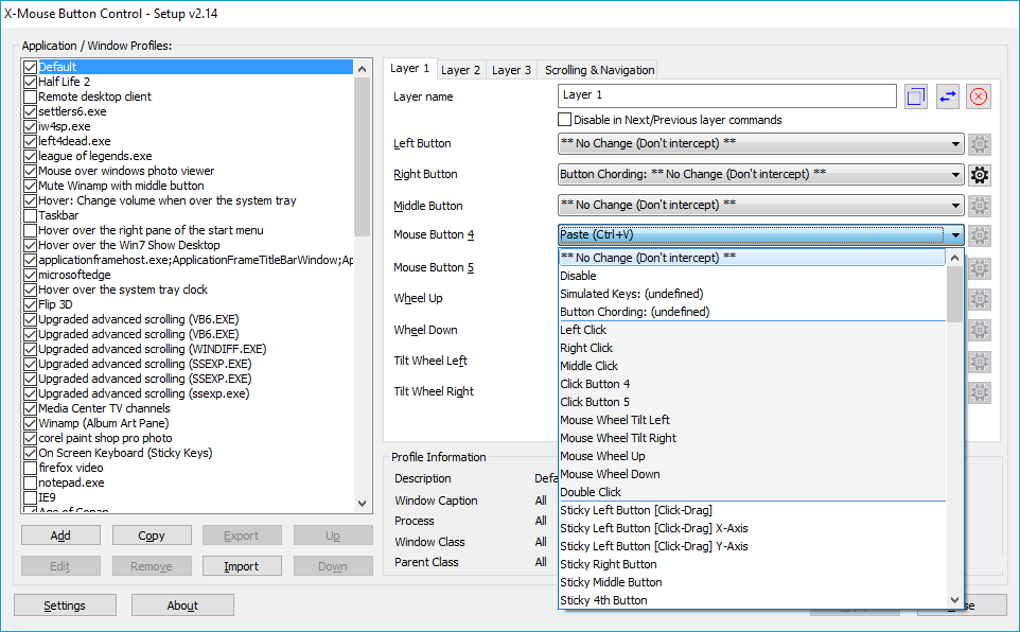
While the sheer number of customization options might initially seem daunting, X-Mouse Button Control’s interface is surprisingly intuitive. The program is well-organized, with clearly labeled menus and options. While there’s no extensive built-in tutorial, the logical structure of the settings means users can experiment and discover the full extent of its capabilities without significant difficulty. Once familiar with the layout, configuring your mouse becomes a streamlined and efficient process.
The software’s design prioritizes ease of use, even for users with limited technical experience. The clear visual representation of button assignments and actions eliminates ambiguity, allowing users to see the immediate impact of their changes. This visual feedback accelerates the learning curve and empowers users to confidently explore and experiment with different configurations.
The intuitive nature of X-Mouse Button Control’s interface makes complex customizations accessible to a wide range of users, from casual computer users to seasoned power users who require advanced control over their input devices.
Creating Profiles for Different Applications and Contexts
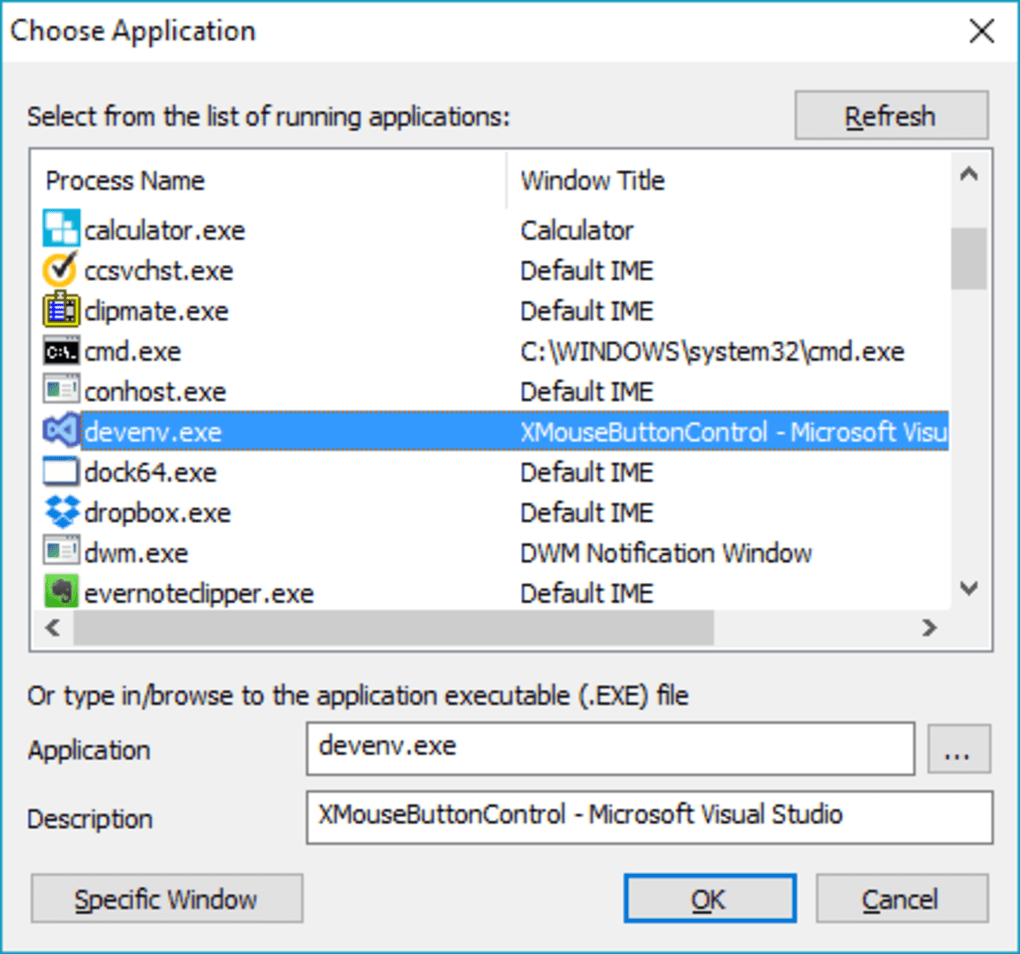
One of X-Mouse Button Control’s most powerful features is its support for multiple profiles. This feature allows users to create distinct sets of mouse button assignments for different applications or tasks. This eliminates the need to constantly switch between different configurations manually, saving time and ensuring optimal settings for every scenario.
For instance, you might create one profile optimized for gaming, with buttons mapped to specific in-game actions, while another profile is optimized for productivity work, with buttons mapped to frequently used shortcuts in your office software. Switching between these profiles is quick and seamless, allowing you to tailor your mouse input to suit the context without interrupting your workflow. This profile-based customization elevates X-Mouse Button Control beyond a simple mouse remapper, making it a versatile tool for diverse computing needs.
The ability to create and manage multiple profiles significantly enhances the software’s versatility. It enables users to fine-tune their mouse interactions for a wide range of activities, from simple browsing to complex tasks involving multiple applications.
Beyond Basic Remapping: Macros and Advanced Features
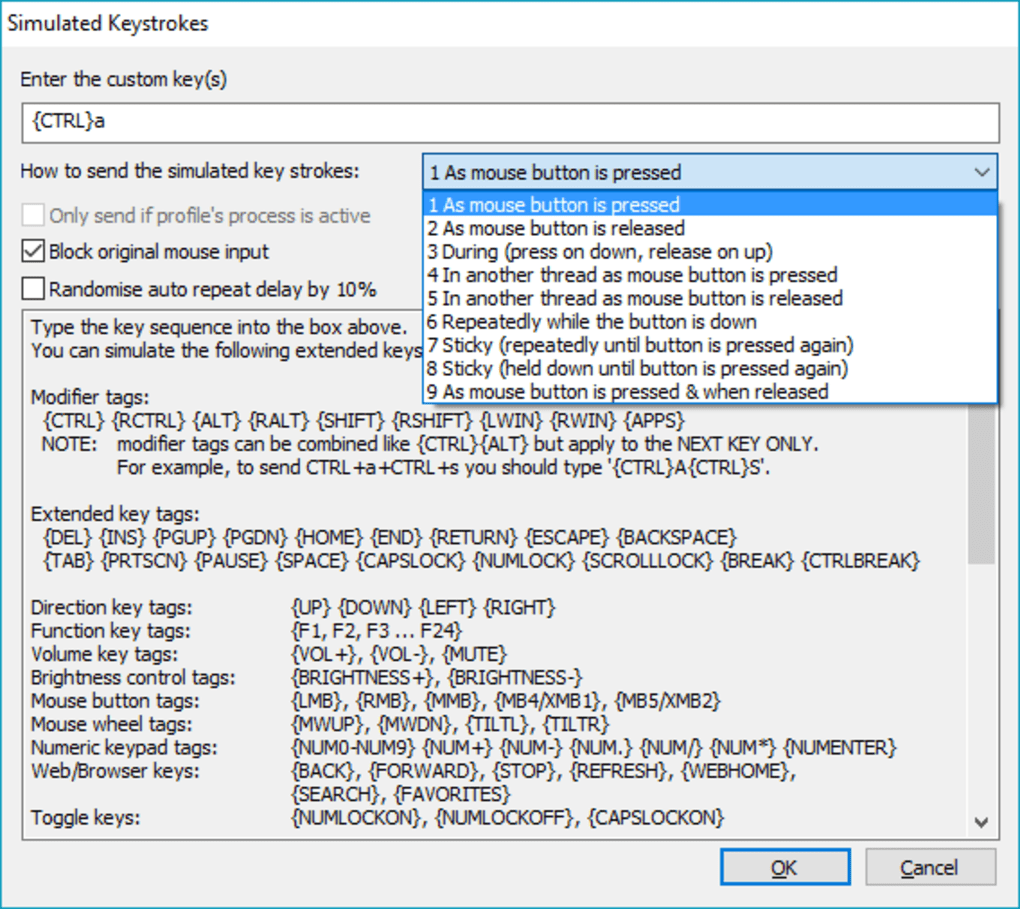
X-Mouse Button Control goes beyond simple button remapping; it provides advanced features like macro recording and scripting. This allows users to create complex sequences of actions triggered by a single button press. This is particularly useful for automating repetitive tasks, thereby freeing up valuable time and mental energy.
Imagine creating a macro that automatically copies selected text, opens a specific application, and pastes the text into a designated field. Such macros can drastically reduce the number of steps needed for routine tasks, increasing efficiency and productivity. The software’s macro functionality is accessible yet powerful, catering to both casual users seeking simple automation and power users who want to build sophisticated workflows.
Moreover, X-Mouse Button Control offers support for scripting, allowing advanced users to customize the software even further. This feature grants access to a higher level of control, enabling users to implement custom logic and create highly tailored automation routines. The scripting capabilities provide an unparalleled level of flexibility for users who desire intricate and fine-grained control over their mouse and its actions. This extensibility significantly expands the potential of X-Mouse Button Control and allows it to adapt to the ever-evolving demands of users.
X-Mouse Button Control Portable: A Versatile and Powerful Tool
X-Mouse Button Control Portable is a powerful and versatile tool that significantly enhances the functionality of your mouse. Its intuitive interface belies its sophisticated features, making it accessible to both casual and power users. The ability to create custom profiles for different applications and contexts, combined with advanced features such as macro recording and scripting, sets it apart from other mouse customization utilities. Whether you’re a gamer looking to optimize your in-game performance, a professional striving for increased productivity, or a casual user who simply desires greater control over their computer, X-Mouse Button Control Portable is a valuable addition to your software arsenal. Its portability further enhances its practicality, making it a perfect choice for those who frequently use multiple computers or prefer the flexibility of a non-installed application. The software’s robust feature set, coupled with its user-friendly interface, positions X-Mouse Button Control Portable as a leading solution for anyone looking to maximize their mouse’s potential.
File Information
- License: “Free”
- Version: “2.14”
- Latest update: “July 15, 2022”
- Platform: “Windows”
- OS: “Windows 7”
- Language: “English”
- Downloads: “30.6K”
- Size: “3.75 MB”


