
X2 Media Player is a lightweight, minimalist music player designed for Windows users who prioritize simplicity and efficiency. Its streamlined interface and low system resource consumption make it an ideal choice for users with older or less powerful computers, or those who prefer an uncluttered desktop experience while working. While lacking the extensive features of more advanced media players, X2 Media Player excels in its core functionality: playing music. This review explores its strengths, weaknesses, and overall suitability for different users.
Core Functionality and Features
At its heart, X2 Media Player is a straightforward music player. Its primary function is to play audio files, and it does so with commendable simplicity. Users can open and play single tracks or create and manage playlists for curated listening experiences. The player supports a range of audio formats, ensuring compatibility with a variety of music files. The interface is incredibly basic, presenting a small window with controls for play, pause, stop, next track, and previous track. This minimalism is both its greatest strength and its most significant weakness.
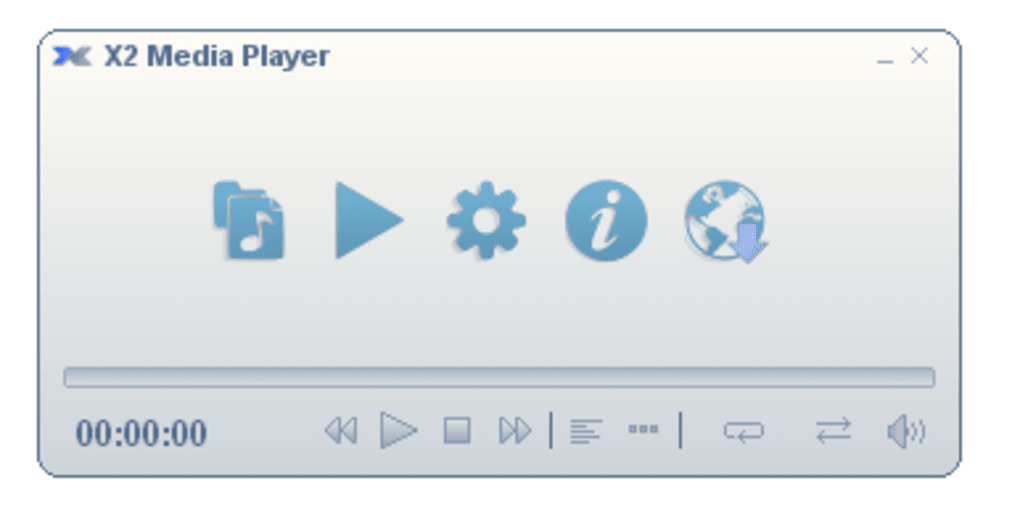
While this simplicity is appealing to users who want a no-frills approach to music playback, it also means that X2 Media Player lacks many features found in more comprehensive media players. There’s no built-in equalizer, no visualisations, no support for album art display, and limited customization options. Navigation through larger music libraries can also feel cumbersome due to the absence of advanced search or sorting capabilities. The lack of a sophisticated playlist management system also limits its appeal to users with extensive music collections.
The player’s small footprint on screen real estate is a significant advantage. For users with smaller monitors or those who prefer to minimize distractions while working, this minimalist approach is extremely beneficial. The focus remains solely on music playback, making it a useful tool for background listening.
Pros and Cons of X2 Media Player
Pros:
- Lightweight and Efficient: X2 Media Player is incredibly lightweight, consuming minimal system resources. This makes it ideal for older computers or those with limited processing power. It runs smoothly without impacting other applications.
- Simple Interface: The clean and uncluttered interface is easy to navigate, even for users unfamiliar with music players. The simplicity makes it intuitive to use and ensures that the focus remains on the music itself.
- Good Format Support: X2 Media Player boasts decent support for a range of audio file formats, ensuring compatibility with various music libraries. This reduces the need for format conversion before playback.
- Playlist Support: The ability to create and manage playlists is a key feature, allowing for organized listening experiences. Users can customize their music playback by grouping tracks into specific playlists.
- Small Screen Footprint: Its minimal window size is a considerable advantage for users with small screens or those who prefer to keep their desktop clean and uncluttered.
Cons:
- Overly Simplified: The extreme simplicity can be a disadvantage for users seeking more advanced features. The lack of an equalizer, visualisations, album art support, and other common features limits its functionality.
- Cumbersome Navigation: Navigating through large music libraries can be challenging due to the absence of advanced search and sorting features. This lack of organization can become frustrating for users with extensive music collections.
- Limited Customization: There are very few customization options available. Users have little control over the appearance or behavior of the player.
- Potential Compatibility Issues: Some users have reported compatibility and installation problems, suggesting potential instability or difficulties in integrating with certain systems.
- Unattractive Interface: While simplicity is a benefit to some, the interface itself has been described as unappealing by some users, lacking visual sophistication and modern design elements.
Comparison with Alternative Audio Players
X2 Media Player occupies a unique niche in the audio player market. Compared to heavyweight players like iTunes or Winamp, which offer vast functionality and extensive customization options, X2 Media Player is significantly more restrained. However, it holds an advantage over these more complex applications in its lightweight nature and minimal resource consumption.
Compared to other minimalist players, X2 Media Player doesn’t necessarily stand out. Many lightweight alternatives offer a similar level of core functionality with added features such as album art support, equalizer settings, or improved playlist management. Therefore, the choice between X2 Media Player and a competitor often comes down to personal preference regarding the balance between simplicity and features.
User Reviews and Feedback
User feedback on X2 Media Player is mixed. While some users praise its simplicity and efficiency, others criticize its limitations and lack of features. Many users appreciate its low resource consumption, making it suitable for older or less powerful machines. However, the lack of advanced features, along with reported compatibility issues, has led to negative reviews from some users who find it too basic or unstable. The feedback emphasizes a clear trade-off between simplicity and functionality. Users who prioritize a lightweight, no-frills experience will likely find the player satisfactory, while those seeking a comprehensive music player with advanced features should explore other options.
Conclusion
X2 Media Player caters to a specific type of user: those who prioritize simplicity and efficiency above all else. Its minimalist design and lightweight nature make it a viable option for users with older computers or those who prefer an uncluttered desktop environment. However, its lack of advanced features and potential compatibility problems make it unsuitable for users seeking a comprehensive music player with extensive customization options. The decision to use X2 Media Player should be made with a clear understanding of its strengths and weaknesses. If simplicity and minimal resource usage are paramount, it’s a worthy consideration. If more advanced features and a richer user experience are desired, then exploring alternative media players is recommended.


