
Xboot is a lightweight, free Windows utility designed to streamline the process of recording multiple ISO images onto a single USB drive. This comprehensive guide delves into the features, functionality, and overall usability of this handy tool, addressing its strengths, weaknesses, and its place within the broader landscape of ISO image management software. While no longer actively updated, Xboot remains a viable option for users with specific needs and compatibility requirements.
Understanding Xboot’s Core Functionality
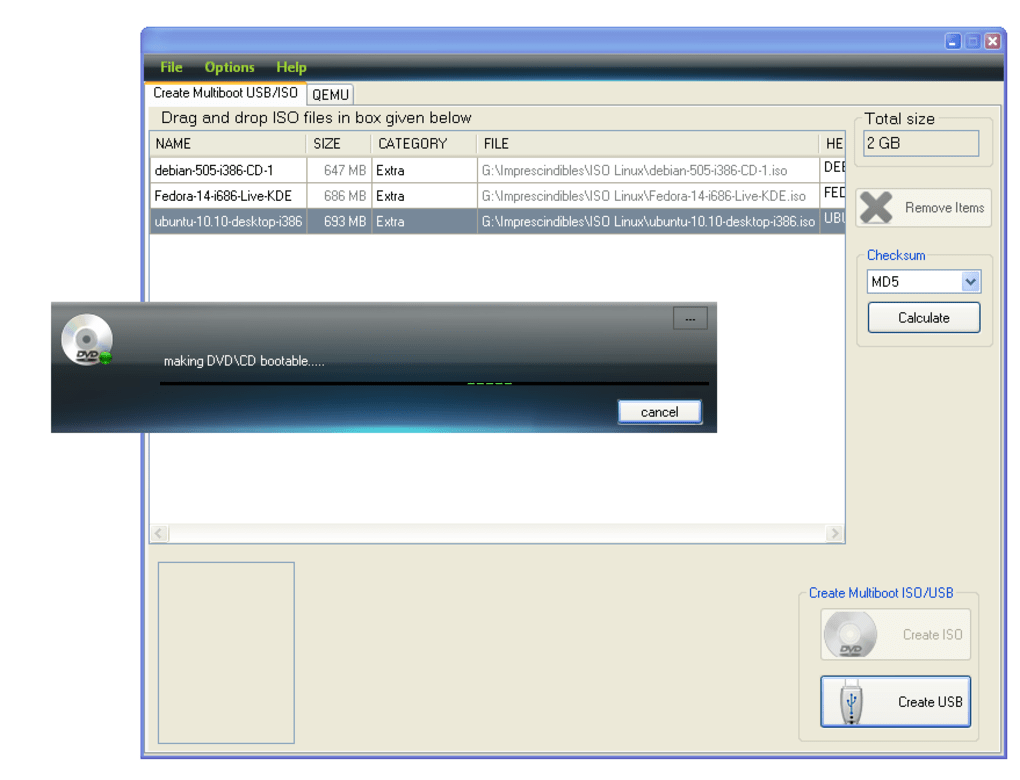
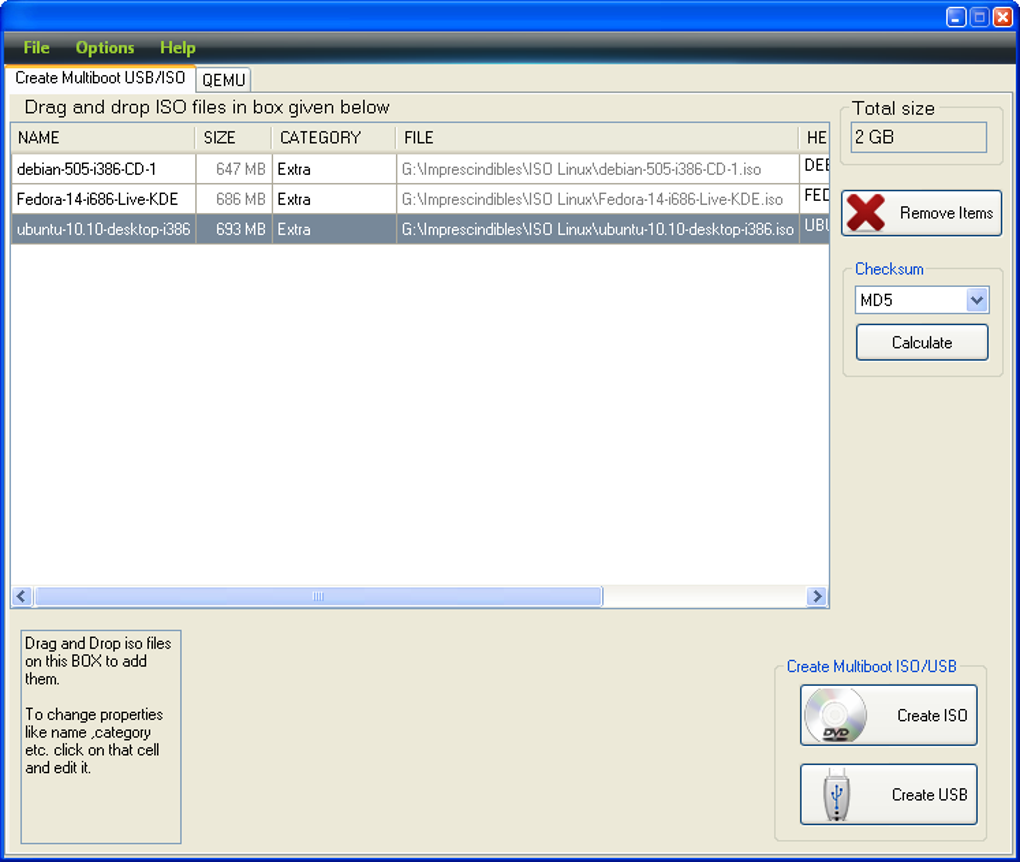
At its core, Xboot’s functionality revolves around simplifying the process of creating bootable USB drives containing multiple ISO images. Traditional methods often involve cumbersome processes of individual image burning and subsequent drive management. Xboot elegantly sidesteps this complexity, allowing users to consolidate multiple ISO files onto a single USB drive, thereby streamlining deployment and troubleshooting tasks. This feature proves particularly advantageous for system administrators, IT professionals, and individuals frequently working with diverse operating systems or software installations. The ability to store multiple boot options on a single, easily portable device offers significant convenience and efficiency.
The software’s simplicity is a key strength. Its straightforward interface eliminates the need for extensive technical expertise, making it accessible to a wide range of users, from novices to experienced system administrators. The minimal system resource requirements ensure compatibility with a wider range of older hardware configurations, a distinct advantage in scenarios where newer, more resource-intensive software might be unsuitable.
However, it’s crucial to acknowledge the limitations inherent in Xboot’s age and lack of ongoing development. The last update occurred in 2011, meaning the software may lack compatibility with newer hardware or operating systems and may not incorporate security patches addressing vulnerabilities discovered since that time. Users should carefully consider these factors before deploying Xboot in critical environments.
Xboot: A Comparative Analysis within the ISO Management Software Landscape
The market for ISO image management software is populated with a vast array of options, each offering a unique set of features and capabilities. Compared to more modern and feature-rich tools, Xboot’s simplicity presents both advantages and disadvantages. While its ease of use and minimal system requirements are undeniably beneficial, its lack of advanced features and ongoing support places it at a disadvantage.
Many contemporary ISO burning tools offer advanced features such as scheduling capabilities, advanced image verification, and support for a wider range of file formats and drive types. These features significantly enhance efficiency and reliability, features that are absent in Xboot. Moreover, the lack of ongoing updates leaves Xboot vulnerable to security risks and compatibility issues with newer systems.
Despite these limitations, Xboot continues to hold a niche position within the market. For users operating on older systems or requiring a lightweight, straightforward solution with minimal resource demands, Xboot can still be a viable choice. Its effectiveness depends heavily on the user’s specific needs and technical expertise. Users needing sophisticated features or the assurance of ongoing support should explore more modern alternatives.
Xboot’s System Requirements and Compatibility
Xboot boasts impressive compatibility with older Windows operating systems, supporting Windows XP and earlier versions. This broad compatibility is a testament to its lightweight design and minimal resource demands. However, this compatibility advantage comes at the cost of limited support for newer operating systems like Windows 7, 8, 10, and 11. Attempting to run Xboot on these newer systems may lead to compatibility issues or outright failure.
The software’s small footprint, approximately 6.06 MB, minimizes its impact on system resources, making it an ideal choice for users with limited storage capacity or older hardware configurations. This minimal system footprint also contributes to its swift installation and execution, significantly reducing wait times and improving overall user experience.
The language support, primarily English, might pose a challenge for users requiring multilingual capabilities. While localized versions may exist through unofficial channels, relying on the official distribution ensures users are accessing the intended, supported version of the software.
User Experience and Interface Design
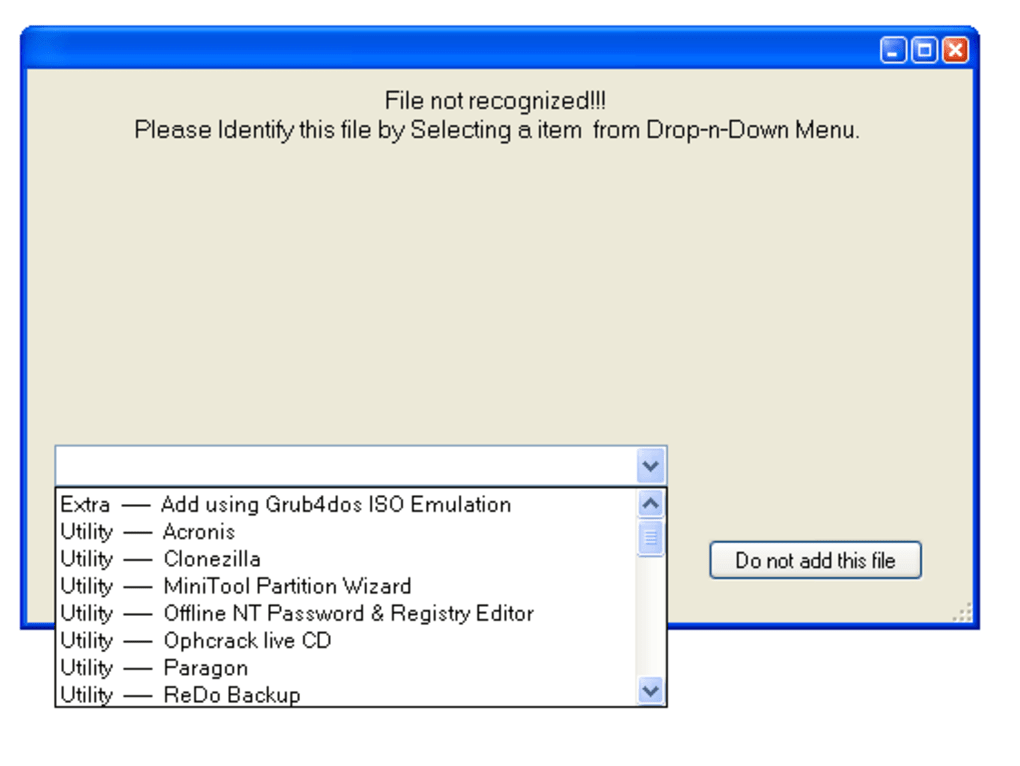
Xboot’s user interface is characterized by its simplicity and straightforward design. Users will find it exceptionally easy to navigate and use, even without prior experience with similar software. The minimal number of options and clear instructions greatly reduce the learning curve, allowing users to quickly grasp the software’s functionality and begin using it effectively.
While the simplicity of the interface is a major asset for beginners, it may also be perceived as limited by users accustomed to more feature-rich and sophisticated interfaces. The lack of advanced customization options may restrict experienced users’ ability to tailor the software to their specific workflows. However, for users primarily seeking a quick and easy solution, this minimalist approach is beneficial.
The absence of extensive documentation or user support materials may present a challenge for users encountering difficulties. The limited online resources and the lack of an active developer community may hinder troubleshooting efforts and prevent users from finding solutions to potential problems. This lack of robust support infrastructure should be considered a significant drawback compared to more modern software solutions.
Security Considerations and Potential Risks
The age of Xboot and the absence of ongoing updates necessitate a cautious approach to security considerations. While the software itself may not be inherently malicious, its lack of recent security patches makes it vulnerable to potential exploits and security vulnerabilities discovered since its last update in 2011.
Users should exercise caution when using Xboot and avoid using it to manage sensitive data or in critical environments where security breaches could have significant consequences. The lack of security features typical of modern software is a considerable risk factor that should not be overlooked.
Before using Xboot, users should consider the potential risks and weigh them against the benefits of its ease of use and compatibility with older systems. It is advisable to use it only on isolated systems and with data that is not sensitive or critical. Alternatively, users may wish to explore more contemporary ISO image management tools that include the latest security updates and features.
In conclusion, Xboot offers a simple and effective way to manage multiple ISO images on a single USB drive, particularly beneficial for users working with older systems and prioritizing ease of use. However, its age and lack of ongoing updates necessitate careful consideration of potential security risks and compatibility issues. Users should weigh these factors against its advantages before deployment. For users seeking a more comprehensive, secure, and actively maintained solution, exploring alternative ISO management tools is advisable.
File Information
- License: “Free”
- Version: “1.0.0.0”
- Latest update: “May 26, 2011”
- Platform: “Windows”
- OS: “Windows XP”
- Language: “English”
- Downloads: “40.5K”
- Size: “6.06 MB”


