
Xbox Accessories is a free application designed to significantly enhance the functionality and customization of your Xbox Elite Wireless Controller on Windows PCs. This app empowers players with unprecedented control over their gaming experience, allowing for deep personalization and optimization across various titles. Moving beyond simple button mapping, Xbox Accessories unlocks a sophisticated level of customization that caters to both casual and competitive players seeking to refine their in-game performance.
Unleashing the Power of Customization: Profiles and Configurations
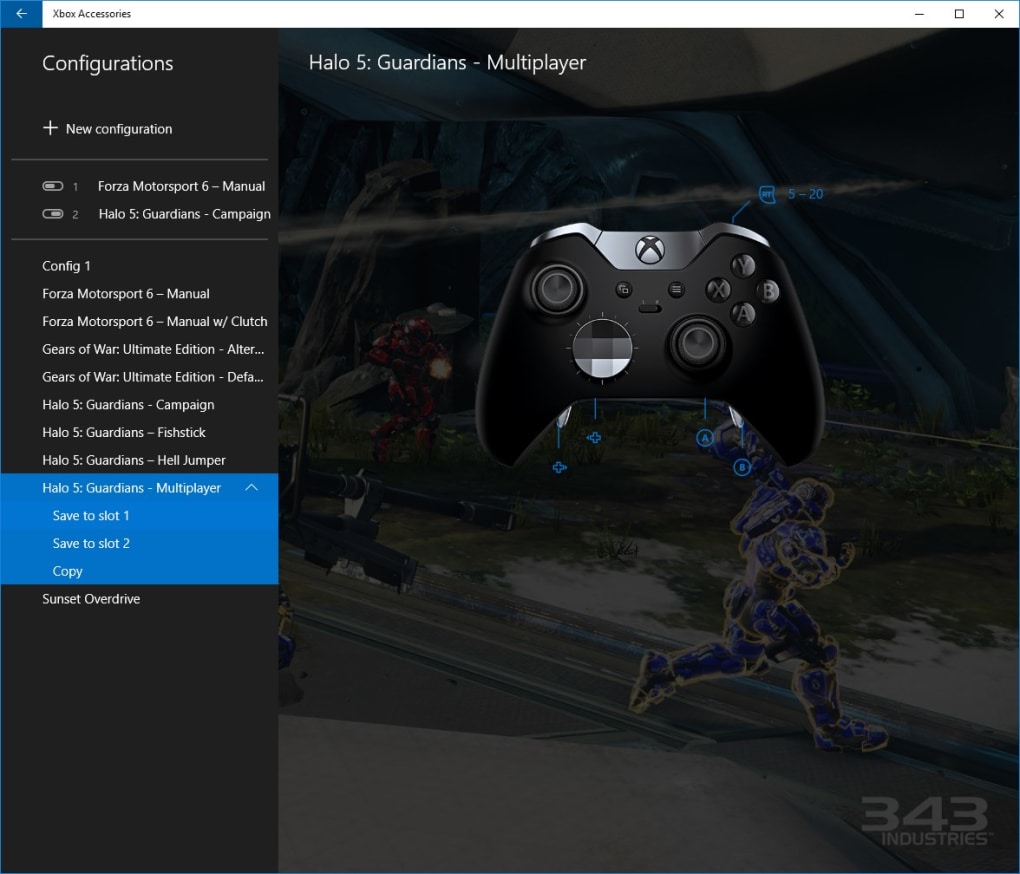
At the heart of Xbox Accessories lies its robust profile and configuration system. Instead of being limited to a single controller setup, the application allows users to create numerous profiles tailored to different games or playing styles. Imagine having one profile optimized for the precise aiming required in a first-person shooter like Halo, another for the nuanced acceleration control in a racing game like Forza Horizon, and yet another for the rapid-fire button combinations needed in a fighting game such as Killer Instinct. This level of granular control is what sets Xbox Accessories apart.
The app’s capacity is impressive; it can store over 250 unique configurations. While the vast majority of these configurations reside within the app itself, the controller’s internal memory can save two of these custom setups for instant access, regardless of whether the application is running. This means you can seamlessly switch between your preferred configurations on the fly, without the need to open the app mid-game.
This flexibility extends to individual button and paddle assignments. With 14 digital inputs at your disposal, the possibilities are nearly limitless. You are not restricted to simple one-to-one mappings; a single action can be assigned to multiple buttons, enabling rapid execution of complex commands. This is particularly useful for executing advanced maneuvers or quick-time events that often require split-second timing.
The intuitive interface of the app allows for straightforward configuration management. The process of creating, editing, and saving profiles is straightforward and easy to understand, even for users who are not technically inclined. This ease of use is complemented by the ability to easily switch between configurations on the fly. The speed at which you switch profiles is only limited by your own actions.
Beyond Button Mapping: Fine-Tuning the Gaming Experience
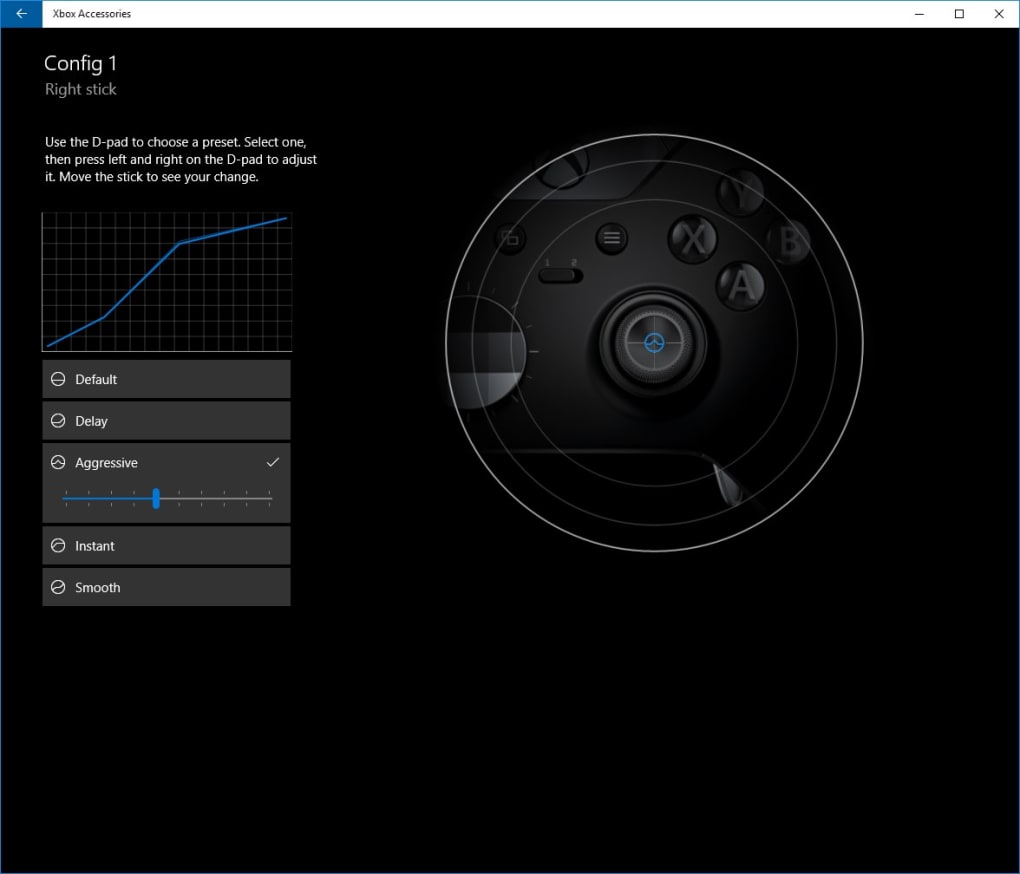
Xbox Accessories goes beyond simple button remapping; it provides extensive control over other crucial aspects of your controller’s functionality. The application offers granular control over sensitivity curves, enabling you to adjust the responsiveness of your thumbsticks and triggers to your precise preference. This is especially beneficial in games that demand precise aiming or subtle control inputs. Too sensitive, and even the slightest movement could cause wild swings, whereas a less-sensitive setup could lead to delayed reactions and lost precision. Xbox Accessories bridges that gap and allows for finely-tuned responsiveness across all axis of control.
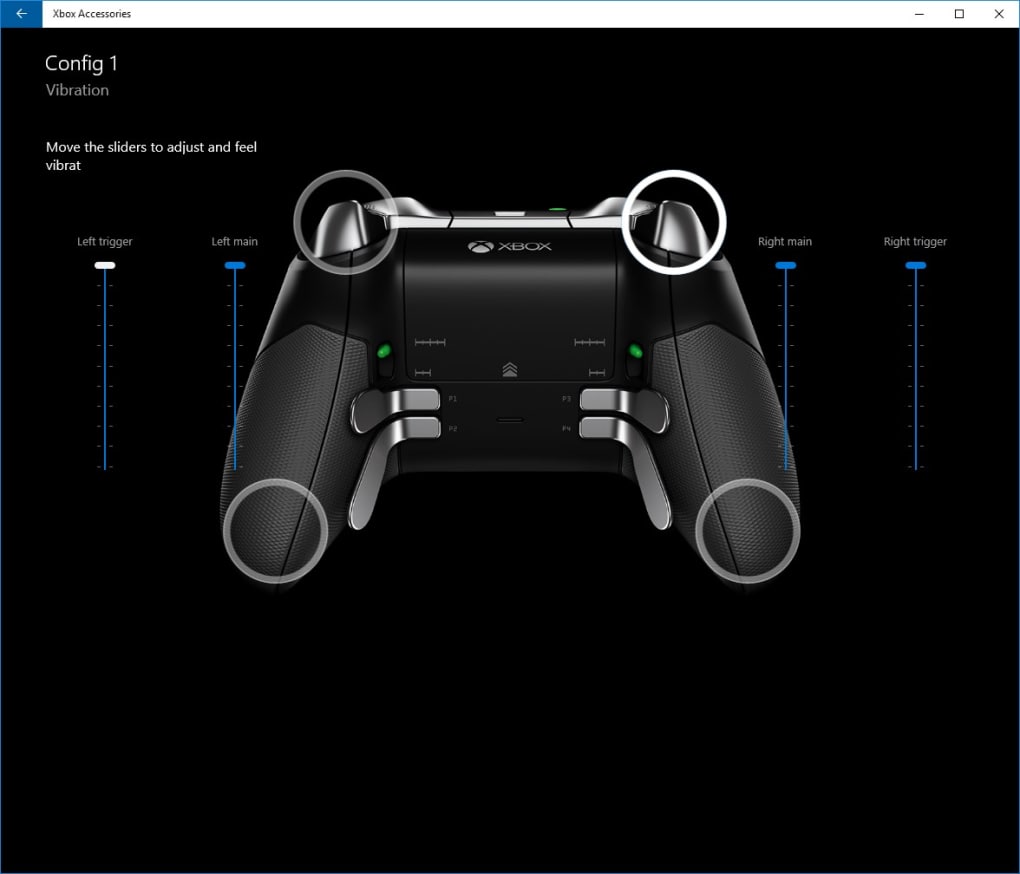
Further enhancing the immersive experience, the app also includes customizable vibration settings. You can adjust the intensity and pattern of the controller’s rumble feedback, adding another layer of tactile engagement to your gameplay. For example, in a racing game, you might want stronger vibrations when your car hits a curb, while in an action game you might prefer subtle vibrations to alert you to nearby enemies without overwhelming your senses. The app allows this subtle tuning of your control experience to match the specific game at hand.
System Requirements and Compatibility
While Xbox Accessories provides extensive customization, it’s crucial to understand its system requirements. The application demands a Windows 10 operating system or a later version for optimal functionality. Users running older versions of Windows will be unable to utilize the application, highlighting the necessity for a relatively up-to-date system.
Troubleshooting and Potential Issues
While generally reliable, some users have reported instances of potential issues. It’s vital to proceed cautiously and understand the implications of incorrect configuration changes. Incorrectly configured profiles could potentially lead to unexpected behavior. Though rare, in certain circumstances, overly aggressive configuration changes might cause your controller to malfunction temporarily. This highlights the importance of creating backup profiles, allowing you to revert to previous settings if an issue arises. Additionally, users should always consult online forums and support resources for guidance if they encounter unexpected behavior.
This possibility of unforeseen issues is not unique to Xbox Accessories; any software application that offers a high degree of customization carries a similar risk. Careful manipulation of settings is key to mitigating potential issues.
Alternative Applications and Comparisons
Several alternative applications offer controller customization functionalities. However, many lack the extensive features and granular control provided by Xbox Accessories. Some competitors might offer simpler button mapping but lack the advanced sensitivity curve adjustments and vibration control options. Others may be limited in the number of profiles they can store, falling significantly short of the 250+ configuration capacity offered by the Xbox Accessories app.
While some free alternatives exist, they often come with limitations in features or support. Paid alternatives may offer more advanced functionalities, but the cost might not be justifiable for users who only require basic controller customization. Xbox Accessories, being both free and feature-rich, provides a compelling option, striking a desirable balance between price and functionality.
Conclusion: Elevating the Xbox Gaming Experience
Xbox Accessories transcends the role of a simple controller configuration tool. It empowers players with a sophisticated level of customization, enabling them to truly personalize their gaming experience to suit their individual preferences and the demands of each specific game. The ability to create numerous profiles optimized for diverse titles, combined with granular control over sensitivity curves and vibration settings, makes Xbox Accessories an invaluable tool for both casual gamers looking to improve comfort and competitive players striving for peak performance.
While system requirements and the potential for minor issues exist, the sheer power and flexibility of Xbox Accessories far outweigh these minor drawbacks. This application, available free of charge, represents a significant enhancement to the overall Xbox gaming experience on Windows PCs. The ease of use combined with the extreme level of control makes it a must-have for any serious Xbox gamer using a Windows PC.
File Information
- License: “Free”
- Version: “100.1611.3004.0”
- Latest update: “November 24, 2021”
- Platform: “Windows”
- OS: “Windows 10”
- Language: “English”
- Downloads: “74.7K”


