
The Xbox Console Companion is a free utility application designed to significantly enhance your Xbox gaming experience. It acts as a bridge between your Windows PC and your Xbox console, offering a range of features that streamline interaction with the Xbox ecosystem, connect you with friends and communities, and expand your gaming possibilities beyond the confines of your console. This comprehensive review will delve into the app’s functionalities, advantages, drawbacks, and overall impact on the modern Xbox gaming experience.
Seamless Integration and Community Engagement
One of the primary strengths of the Xbox Console Companion lies in its ability to seamlessly integrate your Windows PC with your Xbox console. This integration allows for a more fluid and connected gaming experience, extending the functionalities of your console to your desktop. The app enables you to stay connected with your friends and gaming communities, regardless of whether you’re actively playing on your console.
You can readily see what games your friends are playing, fostering a sense of shared gaming experiences and spontaneous invitations. The app facilitates effortless sharing of game clips and screenshots, allowing you to easily showcase your gaming prowess or memorable moments with your online community. This sharing capability extends beyond individual friends; it allows you to actively participate in the broader Xbox community.
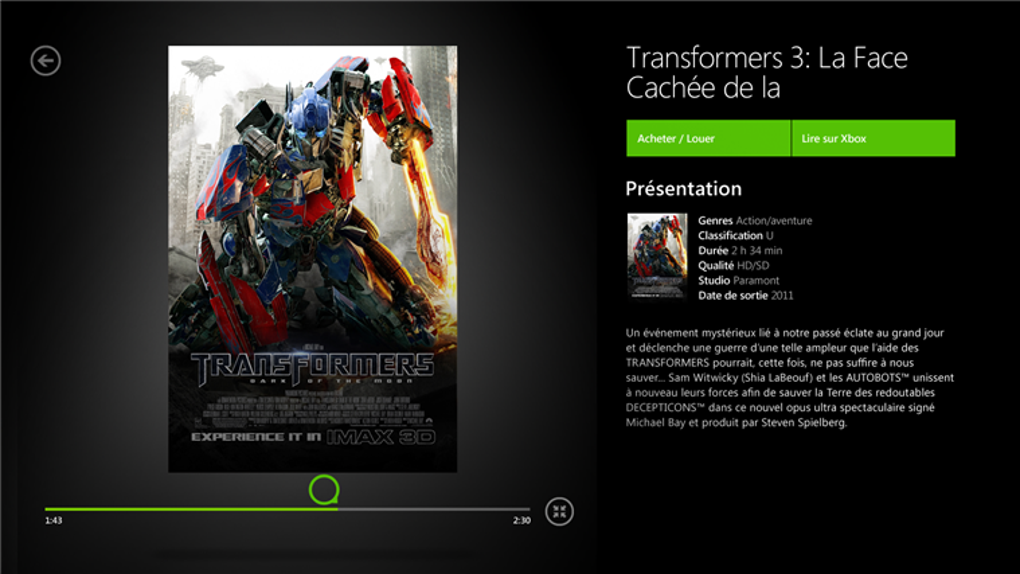
The app also incorporates features specifically designed to connect you with fellow gamers for multiplayer experiences. Features such as “Looking for Group” and “Clubs” offer a streamlined way to find teammates for multiplayer games, eliminating the cumbersome process of manually searching for compatible players. This facilitates a smoother transition into online multiplayer sessions, fostering a more collaborative and engaging gaming environment. The ability to easily join and create gaming communities further enhances this social aspect of the Xbox Console Companion, allowing for the creation of dedicated groups around specific games or interests.
However, the app’s interface presents a mixed bag. While the core functionality is intuitive, the overall design can feel cluttered at times, making navigation somewhat less straightforward than it could be. A more streamlined and visually appealing interface would significantly improve the user experience, allowing for easier access to the app’s many features.
Streamlined Game Streaming and Cross-Device Functionality
The Xbox Console Companion’s ability to stream games and entertainment across multiple devices significantly enhances its appeal. Provided you have a stable Wi-Fi connection and compatible Windows 10 devices (or newer), you can continue your gaming sessions or enjoy other media content seamlessly from your PC, without needing to be tethered to your console. This cross-platform functionality is a game-changer, allowing for greater flexibility and convenience. It allows you to effortlessly transition between your console and your PC without disrupting the flow of your entertainment.
Imagine starting a game on your Xbox and continuing that very same game session later on your PC, without any significant interruption. This level of continuity is exceptionally valuable, enhancing overall usability and allowing for more convenient play sessions. Similarly, the ability to stream movies or TV shows to your PC from your Xbox further adds to the app’s versatility.
However, the quality of game streaming is contingent upon your internet connection’s stability and speed. While it offers a remarkable feature, fluctuations in streaming quality can occur depending on network conditions. A consistently strong and reliable internet connection is crucial for an optimal streaming experience, eliminating any lag or interruption that can disrupt gameplay.
Achievement Tracking and Enhanced Gaming Experience
Beyond its social and streaming capabilities, the Xbox Console Companion provides valuable features that enhance your personal gaming experience. The app efficiently tracks your achievements, allowing you to monitor your progress across different games. This provides a clear overview of your accomplishments and provides a sense of progression within your gaming repertoire. This feature is valuable for players who enjoy collecting achievements and strive for completion within games. The visual representation of progress fosters a sense of accomplishment and encourages continued engagement with the platform.
By centralizing achievement tracking, the Xbox Console Companion allows for a more organized and easily accessible record of your progress. This surpasses the limitations of simply viewing achievements on the console itself and offers a more comprehensive and personal overview of your gaming history.
A Critical Assessment: Advantages and Drawbacks
The Xbox Console Companion undoubtedly offers a compelling array of benefits, transforming the way Xbox gamers interact with their consoles and communities. Its streamlined integration with Windows PCs, coupled with the ability to stream games and media across multiple devices, significantly enhances the overall gaming experience. The social features, including the ease of finding teammates and engaging with online communities, further amplify the app’s value proposition.
However, the app is not without its shortcomings. The interface, while functional, could benefit significantly from a redesign that prioritizes clarity and visual appeal. A more intuitive layout would undoubtedly enhance the user experience, making navigation more seamless and less frustrating. Furthermore, while the ability to stream games is a significant benefit, its dependence on a stable internet connection remains a limitation. Fluctuations in streaming quality can be disruptive and detract from the overall user experience.
Conclusion: A Must-Have for Dedicated Xbox Gamers?
Despite its minor drawbacks, the Xbox Console Companion remains a powerful tool for enhancing the overall Xbox gaming experience. Its core functionality – seamlessly connecting your PC to your Xbox console, facilitating social interaction, and enabling cross-device game streaming – offers significant value to dedicated Xbox gamers. While improvements to the interface and optimization of the streaming technology would further elevate the app’s quality, its current features are substantial enough to make it a worthwhile addition for anyone actively engaged in the Xbox ecosystem. The enhanced community engagement, streamlined multiplayer access, and convenient cross-device functionalities make the Xbox Console Companion a valuable asset for anyone looking to optimize their Xbox gaming journey. The ability to track achievements adds a personal touch, offering gamers a clear visualization of their progress and accomplishments. While improvements are always welcomed, the core functionality of this application firmly places it as a valuable addition to the Xbox gamer’s toolkit.
File Information
- License: “Free”
- Version: “2406.1001.20.0”
- Latest update: “April 5, 2025”
- Platform: “Windows”
- OS: “Windows 8”
- Language: “English”
- Downloads: “142.9K”


