
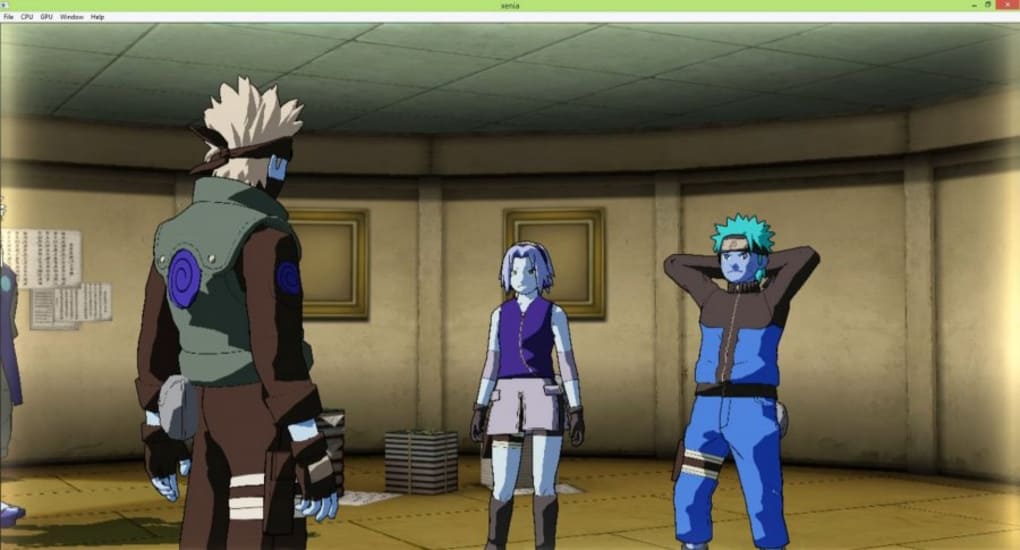
Xenia is a groundbreaking freeware application that allows users to experience the thrill of Xbox 360 gaming directly on their personal computers. This comprehensive emulator strives to deliver the most efficient and immersive Xbox 360 experience possible, bridging the gap between console gaming and the power of PC hardware. For those who cherish the vast library of Xbox 360 titles and desire to relive those classic gaming moments on a PC platform, Xenia offers a compelling and readily accessible solution.
The Allure of Xenia: Reliving Xbox 360 Classics on PC
The appeal of Xenia stems from its ability to seamlessly translate the Xbox 360 gaming experience onto the PC platform. This is a significant advancement for gamers, offering several compelling advantages:
-
Expanded Accessibility: Xenia eliminates the need for dedicated Xbox 360 hardware. Users can access and play their favorite Xbox 360 games using their existing PC systems, eliminating the need for additional consoles and peripherals. This expands accessibility to a wider audience, potentially reaching gamers who may not have access to, or may prefer the flexibility of, a PC setup over a dedicated console.
-
Enhanced Performance Potential: PC hardware offers greater flexibility and potential for performance enhancements compared to consoles. Modern PCs boast superior processing power, graphics capabilities, and expandable RAM, potentially leading to improved frame rates, smoother gameplay, and higher resolutions in emulated Xbox 360 games compared to the original console experience. This opens up the possibility of experiencing these games with enhanced visual fidelity and performance beyond what was originally possible.
-
Customization and Flexibility: The PC environment provides greater customization options than console systems. Users can fine-tune settings, adjust resolutions, and modify various graphical parameters to optimize the gaming experience according to their system capabilities and preferences. This allows for a personalized gaming experience tailored to individual needs and hardware specifications.
- Cost-Effectiveness: Xenia is a free and open-source emulator, significantly reducing the financial barrier to entry for gamers wanting to play Xbox 360 titles. Unlike purchasing a dedicated console and its games, the primary investment is in the PC hardware, which already provides access to a vast range of other software and applications beyond gaming.
Technical Aspects and Requirements: Navigating Xenia’s Setup
While Xenia offers a captivating prospect for Xbox 360 emulation, understanding its technical requirements and potential challenges is essential. The successful execution of Xenia relies on several factors, including:
-
Hardware Specifications: The minimum hardware requirements for Xenia can be demanding, and performance will vary based on the specific game being emulated. Users need a powerful PC with a capable CPU, a dedicated and relatively modern graphics card (GPU), and sufficient RAM. The more demanding the Xbox 360 game, the higher the specifications are needed to ensure smooth gameplay. Games with intensive graphics and complex physics engines will generally require higher-end hardware than less demanding titles.
-
Software Dependencies: Xenia’s functionality depends on certain supporting software components, including specific versions of Microsoft Visual Studio and Python. Users need to ensure these components are correctly installed and configured to avoid compatibility issues. The correct versions of these development tools are crucial for Xenia to function correctly; mismatched versions may lead to errors and prevent the emulator from working.
- Game Compatibility: While Xenia supports a considerable number of Xbox 360 games, not all titles are perfectly emulated. Some games may experience glitches, performance issues, or even outright incompatibility due to the complexities of reverse-engineering the Xbox 360’s architecture and software. The compatibility of different games can also depend on the specific version of Xenia used, and improvements are constantly made to expand compatibility.
User Experience and Performance Considerations: Optimizing your Xenia Experience
The user experience with Xenia can be greatly influenced by several factors:
-
Controller Support: While keyboard and mouse controls can be used, an Xbox-style gamepad is highly recommended for optimal gameplay, offering a more natural and intuitive control scheme tailored to the original Xbox 360 experience. The use of a compatible controller enhances the immersive quality and allows for the full enjoyment of the games as intended by the developers.
-
Performance Optimization: Achieving optimal performance requires understanding how to configure Xenia’s settings and potentially adjust PC hardware parameters to meet the demands of individual games. Different games may have various settings that can be tweaked for better performance. This might involve adjusting graphical settings, CPU/GPU usage, and other parameters to find the best balance between visual quality and performance speed.
-
Troubleshooting and Community Support: Encountering unexpected issues or troubleshooting compatibility problems is not uncommon. A strong and active online community provides invaluable resources, guides, and forums for seeking assistance, sharing experiences, and finding solutions to common issues. This community-driven support system allows users to collectively solve problems and provide aid to others experiencing similar difficulties.
Alternatives and the Future of Xenia
While Xenia stands out as a prominent Xbox 360 emulator, alternative emulators exist, each offering unique strengths and weaknesses. The choice of emulator depends on individual needs and preferences, factoring in compatibility, performance, ease of use, and other factors. Staying updated on the latest versions of both Xenia and competing emulators is essential, as ongoing development constantly introduces improvements, bug fixes, and expanded game compatibility.
The future of Xenia appears promising, with ongoing active development. The continuous evolution of Xenia and its community-driven support makes it a powerful and versatile emulator, continually striving to enhance compatibility and improve the overall user experience. With active community engagement and continuous improvement, the emulator is likely to become increasingly robust and reliable, ultimately enhancing the accessibility of the expansive Xbox 360 game library to a wider audience.
File Information
- License: “Full”
- Version: “1.0”
- Latest update: “March 7, 2019”
- Platform: “Windows”
- Language: “English”
- Downloads: “8.4K”


