
Free XLSX Viewer is a free, lightweight application designed for viewing various document formats without the need for Microsoft Office. This review will delve into its functionalities, strengths, and weaknesses, providing a comprehensive assessment for potential users.
Functionality and Supported File Formats
Free XLSX Viewer excels at its core function: viewing documents. It boasts support for a wide range of file types, including the ubiquitous XLSX (Excel), XLS (older Excel format), CSV (comma-separated values), RTF (Rich Text Format), and MS Word documents. This broad compatibility makes it a versatile tool for accessing various file formats from a single application. Users can open multiple files simultaneously, utilizing a tabbed interface for efficient multitasking. This allows for convenient comparison of different documents without the need to constantly open and close individual files.
The viewer faithfully renders the contents of these documents, displaying all essential Excel components. This includes not only the data within spreadsheets but also charts, graphs, and embedded formulas. This feature is critical for users needing to review and understand data presented in various visual and numerical formats without altering the original file. The program’s ability to display even corrupted documents is a notable advantage, rescuing potentially vital information from damaged files. However, it’s important to note that while it strives to display all elements, extremely complex Excel files with unusual formatting or macros might present limitations. In such cases, accessing the full functionality might require a dedicated application like Microsoft Excel.
User Interface and User Experience
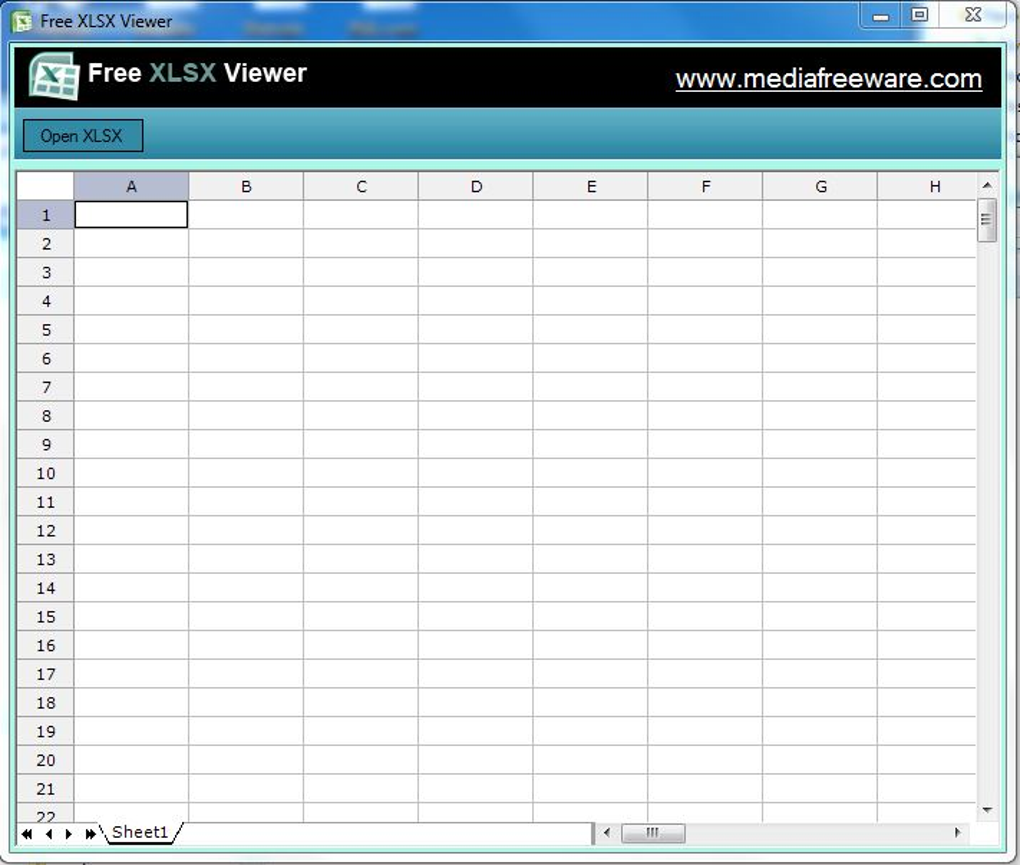
The software’s user interface is designed for simplicity and ease of use. Its intuitive layout allows users to quickly open and navigate documents without a steep learning curve. This makes it accessible to users with varying levels of technical expertise. The streamlined design contributes to a fast and responsive application, minimizing wait times and maximizing productivity. The tabbed interface, as previously mentioned, further enhances usability by allowing efficient management of multiple open documents. This contrasts with applications that force users to open each file individually, leading to a cluttered workspace and decreased workflow efficiency. The lightweight nature of the application minimizes its impact on system resources, ensuring a smooth user experience even on less powerful computers.
Strengths and Weaknesses
Strengths:
- Wide Format Support: The most significant advantage is the comprehensive range of file formats it handles. This avoids the need for multiple viewers, streamlining the document access process.
- Robust File Recovery: The ability to open and display corrupted files is a critical benefit, preventing data loss and saving time.
- Intuitive Interface: The simple, clean design facilitates effortless navigation and use for users of all skill levels.
- Multi-Tab Functionality: The tabbed interface enhances workflow efficiency by enabling the simultaneous viewing of multiple documents.
- Lightweight and Efficient: Its small size and efficient resource management make it suitable for various systems.
- Multilingual Support: While the extent of language support isn’t explicitly detailed, the implication is that it caters to a diverse user base.
- Free of Charge: Accessing these functionalities without any cost is a substantial benefit for both individual and business users.
Weaknesses:
- Limited Editing Capabilities: Free XLSX Viewer is strictly a viewing application. It does not provide any editing functionality. Users cannot create new spreadsheets, modify existing data, or utilize advanced Excel functions. This limitation restricts its use to situations where only viewing is required. For tasks requiring any level of modification, alternative software becomes necessary.
- Compatibility Issues with Complex Files: While it strives for broad compatibility, highly complex files, particularly those with extensive formatting or macros, may not be fully rendered. The application might struggle to accurately display all aspects of these files.
- Dependence on Other Software (Potentially): The software description suggests that exceptionally complex Excel files might require the installation of Microsoft Word. While the need for Word isn’t a common occurrence, it’s a potential inconvenience for users who do not have Word installed.
Comparison with Alternative Applications
Several alternative applications offer XLSX viewing and, in some cases, editing capabilities. These include Microsoft Excel, LibreOffice Calc, and Google Sheets. However, these applications are often significantly larger in size, demanding more system resources. They also frequently come with steeper learning curves, especially for users unfamiliar with spreadsheet software.
Compared to these alternatives, Free XLSX Viewer offers a niche advantage: it provides a lightweight, simple solution for users who only require viewing capabilities. It excels in situations where rapid access to document content is paramount without the need for extensive editing. Its lightweight nature makes it a particularly attractive option for low-powered machines or those with limited storage space.
Applications like XLS Open File Tool or XLS Viewer often provide similar functionality, but a direct feature-by-feature comparison would require a detailed analysis of each application’s specific capabilities. Factors such as error handling, rendering quality for various file types, and the level of support for legacy formats could vary between different programs.
Furthermore, paid applications such as XLS Editor may offer advanced editing features that Free XLSX Viewer lacks. The decision to use a paid application should be based on the user’s need for advanced functionality and the value they place on those features.
Conclusion
Free XLSX Viewer is a valuable tool for users seeking a straightforward and lightweight solution for viewing various document formats. Its simple interface, broad compatibility, and robust file recovery capabilities make it a convenient option. However, its lack of editing capabilities limits its functionality. This is crucial to understand before using it; it is not a replacement for a fully-featured spreadsheet application like Microsoft Excel or LibreOffice Calc. Users should consider their needs carefully; if viewing is the sole requirement, Free XLSX Viewer is an excellent, free choice. But if editing is needed, other, more feature-rich options are necessary. The application’s performance with complex files should also be taken into consideration. For straightforward documents, this is an easily recommended application, but for those requiring advanced features or editing, other alternatives should be explored.
File Information
- License: “Free”
- Version: “1”
- Latest update: “June 18, 2025”
- Platform: “Windows”
- OS: “Windows 7”
- Language: “English”
- Downloads: “221.8K”
- Size: “8.97 MB”


