
XnViewMP is a versatile and robust open-source image viewer and converter renowned for its extensive format support and cross-platform compatibility. This detailed guide explores its features, strengths, weaknesses, and overall usability, providing a thorough understanding of this powerful media management tool.
Core Features and Functionality
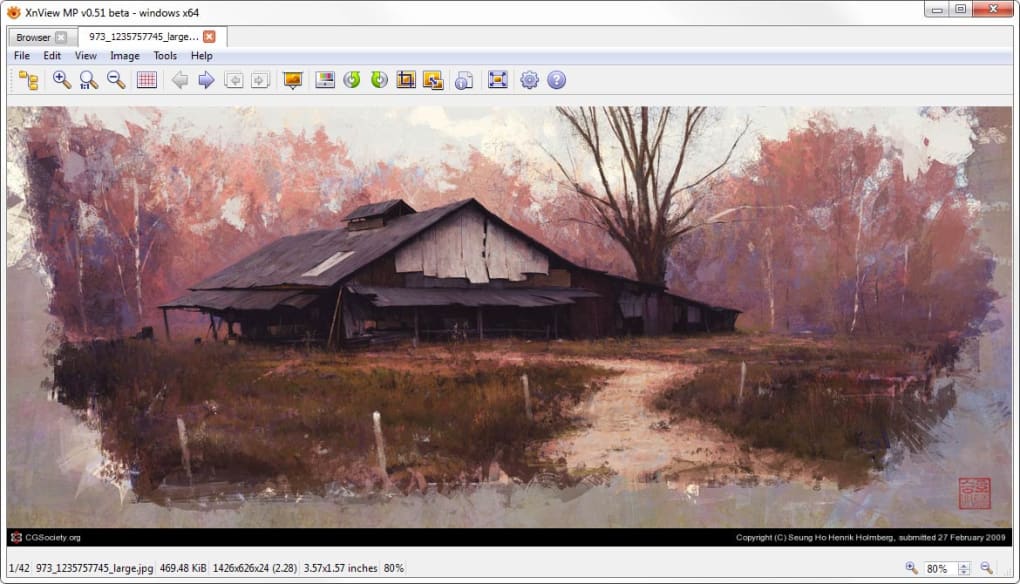
At its heart, XnViewMP excels at displaying and managing a staggering variety of image formats. The software boasts support for over 500 different file types, making it an invaluable asset for users working with diverse media libraries. This comprehensive compatibility extends to common formats like PNG, GIF, ICO, and APNG, as well as many more specialized and less frequently encountered formats. This broad support significantly reduces the need for multiple viewing applications, streamlining the workflow for users managing a diverse collection of images.
Beyond simple viewing, XnViewMP offers a comprehensive suite of image manipulation and conversion tools. Users can effortlessly convert images between various formats with batch processing capabilities, allowing for efficient and large-scale conversions. This is particularly beneficial for tasks like preparing images for web use, adjusting file sizes for different platforms, or standardizing image formats across a large project. The batch conversion feature significantly improves efficiency by automating the conversion process, saving considerable time and effort compared to manual conversion of individual files.
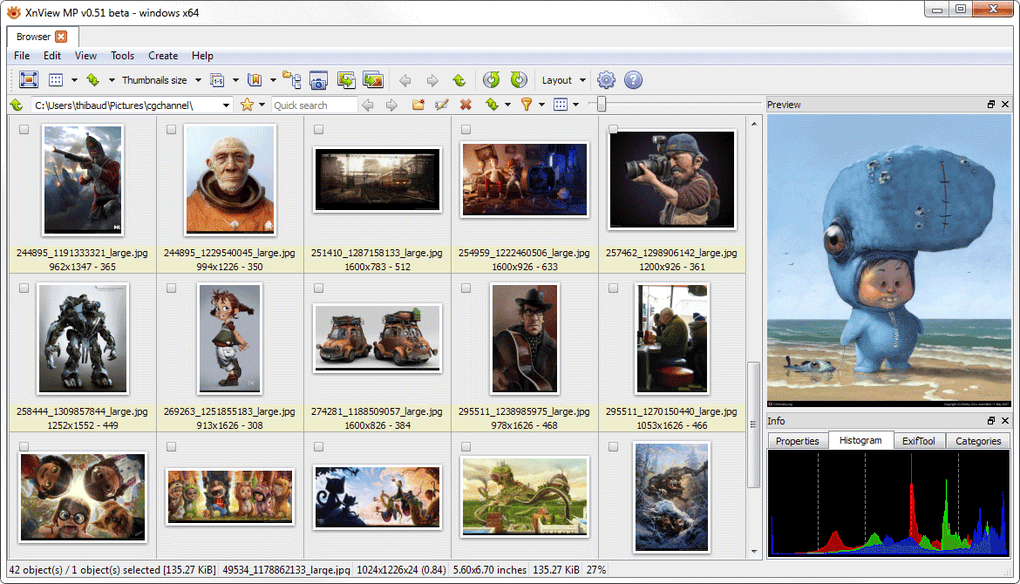
The program’s Unicode compatibility ensures seamless support for a wide range of languages, making it accessible to users worldwide, regardless of their native language. This is a crucial detail, as it addresses a common pain point in software localization, ensuring accessibility and usability across various linguistic contexts. This global accessibility significantly enhances the software’s utility and expands its potential user base.
Recent updates have focused on performance optimization, leading to improved speed and reduced resource consumption. This streamlining ensures a smoother user experience, especially when working with large image files or managing extensive libraries. The enhanced efficiency minimizes the impact on system performance, allowing for more responsive operation, even with high workloads. This dedication to ongoing performance improvements underscores the developer’s commitment to providing a high-quality user experience.
User Interface and Experience
XnViewMP’s user interface is designed for intuitive navigation and ease of use. Unlike some image viewers that may feel cluttered or overwhelming, particularly for novice users, XnViewMP presents a clean, well-organized layout. The one-click access to core functions makes it user-friendly, even for those without extensive experience with image editing or management software. This accessible design makes the software approachable for a broader range of users, from casual image viewers to professionals needing efficient media management tools.
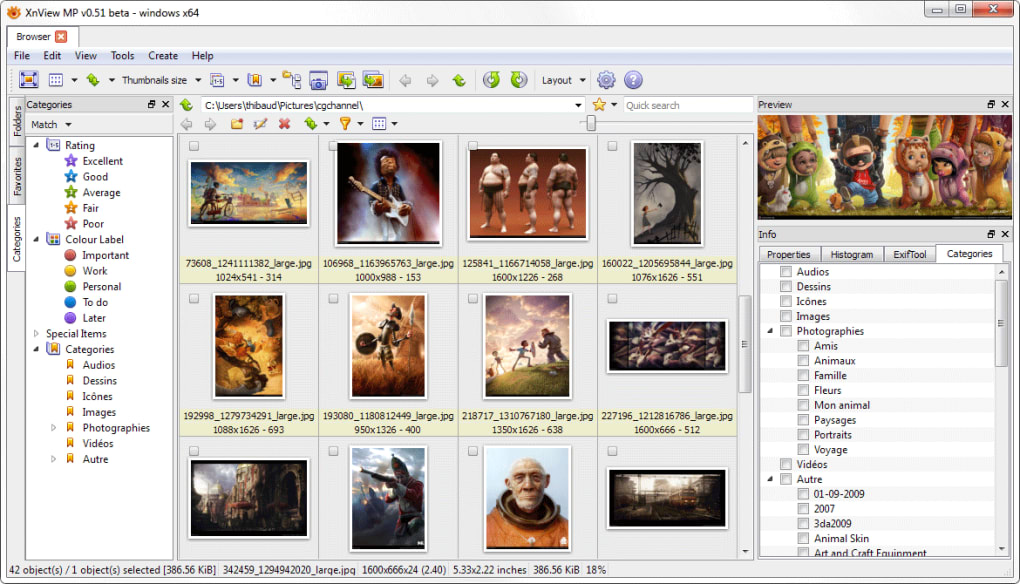
The software’s cross-platform compatibility extends to Windows, macOS, and Linux operating systems. This broad compatibility makes XnViewMP a highly versatile choice for users across different platforms, eliminating the need for separate software solutions for each operating system. This consistency in user experience across platforms is a significant advantage, ensuring a seamless transition for users who work with multiple systems. Furthermore, users can choose between 32-bit and 64-bit versions, catering to different system architectures and optimizing performance based on system capabilities.
Advantages and Disadvantages
XnViewMP offers a wealth of advantages, solidifying its position as a strong contender in the image viewing and conversion market. Its extensive format support, batch conversion capabilities, Unicode compatibility, and cross-platform functionality are significant strengths. The intuitive interface contributes to its ease of use, making it accessible to a broad range of users regardless of technical expertise. The ongoing performance improvements and optimization efforts demonstrate a commitment to providing a consistently high-quality and responsive user experience. The open-source nature of the software also fosters community involvement, allowing for collaborative development and continued improvement.
However, some limitations exist. While the software is free to use, some users have reported issues with video playback, particularly with larger high-resolution files. This limitation should be considered by users who anticipate frequent video viewing or handling of large video files. While the software excels at image manipulation and conversion, it might not be as feature-rich as dedicated professional-grade image editors in terms of advanced editing capabilities. This is not necessarily a drawback, as it maintains its focus on efficient viewing, conversion, and basic image adjustments without adding unnecessary complexity.
Comparison with Alternative Software
Compared to other image viewers and converters, XnViewMP stands out due to its exceptional format compatibility. While many alternative applications support a broad range of formats, few match XnViewMP’s extensive list. The batch conversion feature is also a key differentiator, providing significant time savings for users handling large volumes of images. Other programs may offer advanced editing capabilities or specialized features, but XnViewMP’s focus on a balance between ease of use and comprehensive functionality makes it a strong competitor.
User Reviews and Feedback
User reviews generally reflect a positive reception of XnViewMP, praising its ease of use, broad format support, and efficient batch conversion capabilities. Many users appreciate its intuitive interface and cross-platform compatibility. However, some negative feedback points to occasional performance issues, especially with video playback, as mentioned previously. This mixed feedback highlights the software’s strengths and areas needing improvement, underscoring the need for continued development and optimization. The open-source nature allows community involvement, facilitating addressing user concerns and improving the software through collaborative efforts.
Conclusion
XnViewMP proves to be a highly capable and versatile media browser and converter. Its extensive format support, efficient batch processing capabilities, user-friendly interface, and cross-platform compatibility make it a compelling choice for a wide range of users. While some limitations exist regarding video playback and advanced editing features, its strengths significantly outweigh these minor drawbacks. Its open-source nature fosters community engagement and continuous improvement, ensuring it remains a valuable tool for managing and manipulating various image and media formats. For users seeking a robust, reliable, and user-friendly media management solution, XnViewMP presents a strong and highly viable option.
File Information
- License: “Free”
- Latest update: “May 23, 2023”
- Platform: “Windows”
- OS: “Windows 2003”
- Language: “English”
- Downloads: “10.3K”
- Size: “50.96 MB”


