
In an increasingly digital world, Portable Document Format (PDF) files have become an indispensable part of how we share information, conduct business, and manage personal documents. From official reports and academic papers to invoices and contracts, PDFs are ubiquitous. However, while many applications allow for the creation of these documents, finding a truly comprehensive, user-friendly, and cost-free tool for viewing, editing, and annotating PDFs can be a challenge. This is where Xodo PDF Reader & Editor steps in, presenting itself as a powerful, free, and advertisement-free utility designed to streamline your PDF workflow on Windows computers and beyond.
Xodo PDF Reader & Editor is more than just a simple PDF viewer; it’s an integrated platform that brings together a suite of robust features, allowing users to interact with their documents in highly intuitive and efficient ways. Unlike many competitors that lock essential functionalities behind paywalls or inundate the user with ads, Xodo offers a completely free experience without compromising on quality or utility. It opens even complex PDF files with impressive speed and provides a variety of navigation options to enhance the viewing experience. But its capabilities extend far beyond mere reading. Xodo empowers users to fill out forms, digitally sign documents, annotate pages with a rich set of tools, and even collaborate with others online in real-time. With seamless cloud synchronization and a clean, easy-to-navigate interface, Xodo PDF Reader & Editor is poised to redefine how individuals and teams handle their digital documents.
A Comprehensive Tool for PDF Management
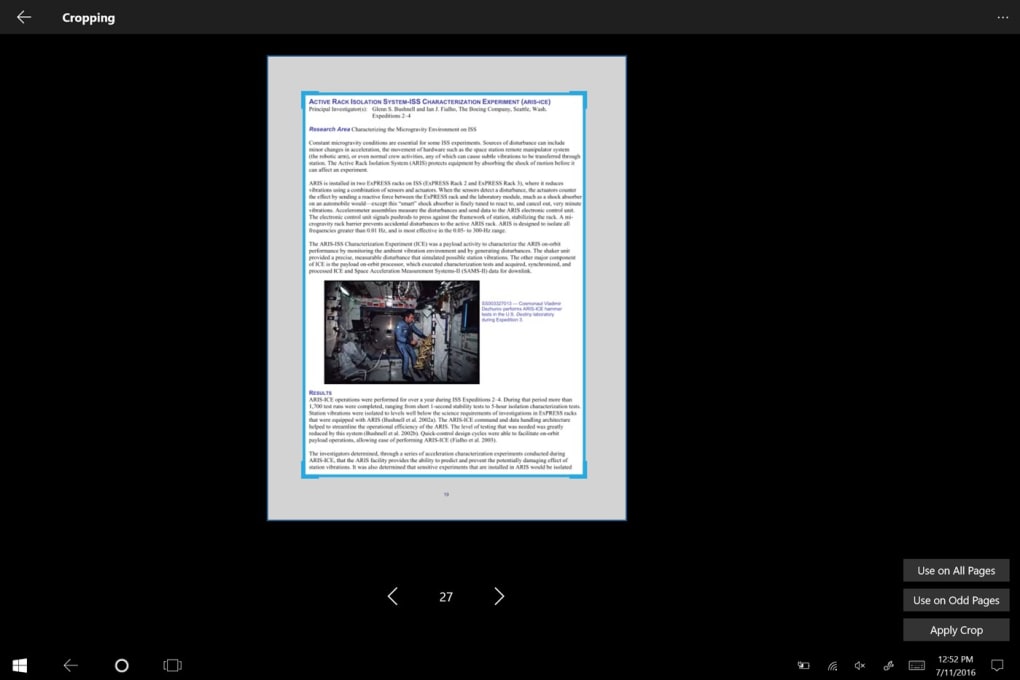
The digital landscape demands tools that are not only powerful but also adaptable to various tasks and user preferences. Xodo PDF Reader & Editor rises to this challenge by offering a versatile array of features designed to cover every aspect of PDF interaction, from basic viewing to complex editing and organization. This makes it an invaluable asset for students, professionals, and anyone who regularly engages with PDF files.
Seamless Reading and Viewing Experience
One of the foundational strengths of any PDF application lies in its viewing capabilities. Xodo PDF Reader & Editor excels in this area, demonstrating an impressive ability to open even the most intricate PDF files within a matter of seconds. This speed is crucial for productivity, especially when dealing with large documents or numerous files. Beyond mere quick loading, Xodo prioritizes user comfort and flexibility by offering diverse viewing options. Users can effortlessly switch between a single-page layout, ideal for focused reading or document review, or a double-page layout, which mimics the experience of reading a physical book. For an uninterrupted flow, the continuous scroll option allows users to glide through pages without manual navigation clicks.
Further enhancing the reading experience, Xodo integrates essential navigation functions that ensure efficient document exploration. A powerful search function allows users to quickly locate specific keywords or phrases, saving valuable time. High-end zoom capabilities ensure that even the finest details of a document can be examined with clarity. For structured documents, chapter and section jumps provide quick access to different parts of the content, making it easy to navigate through lengthy reports or textbooks. Recognizing the diverse needs of its user base, Xodo also includes thoughtful features like a night mode, which adjusts the display for reduced eye strain in low-light environments, significantly increasing readability during extended work sessions. The ability to bookmark important pages allows users to mark sections for future reference, while a page rotation feature ensures that documents can always be viewed in the correct orientation.
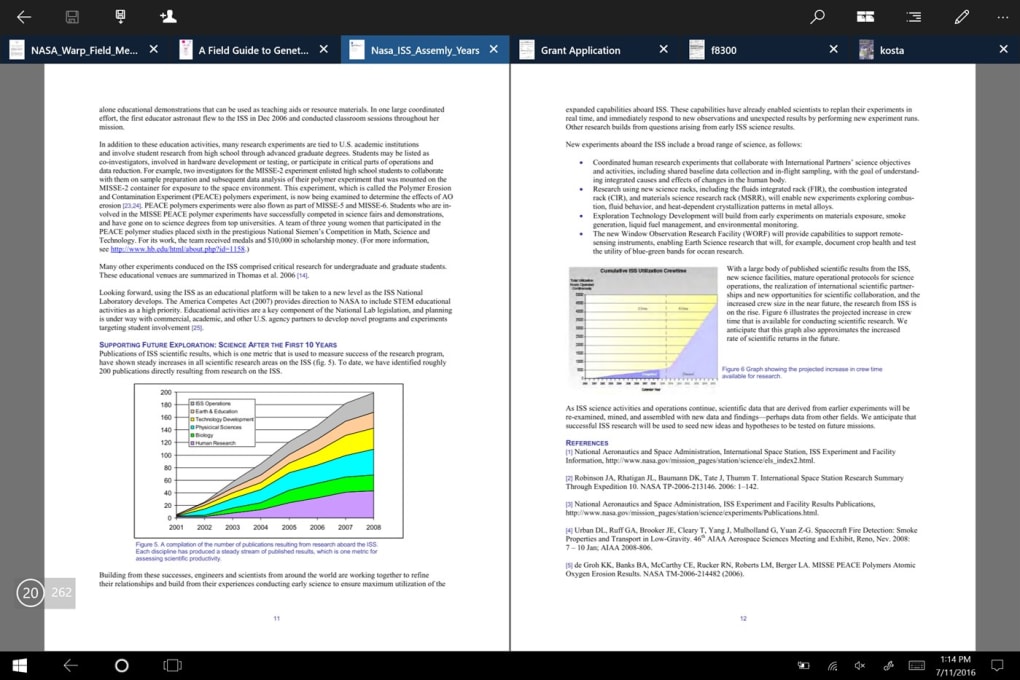
Perhaps one of Xodo’s most impressive viewing-related features is its versatility in handling various file formats. It transcends the traditional boundaries of PDF readers by allowing users to upload files originally created in Microsoft Word (DOC, DOCX) or PowerPoint (PPT) formats and then display them as fully editable PDF files within the Xodo interface. This conversion capability eliminates the need for multiple software applications and streamlines the workflow for users who frequently work with different document types. This means a presentation slide or a word document can be immediately opened and annotated as if it were a native PDF, adding a layer of convenience that sets Xodo apart.
Effortless Form Filling and Digital Signatures
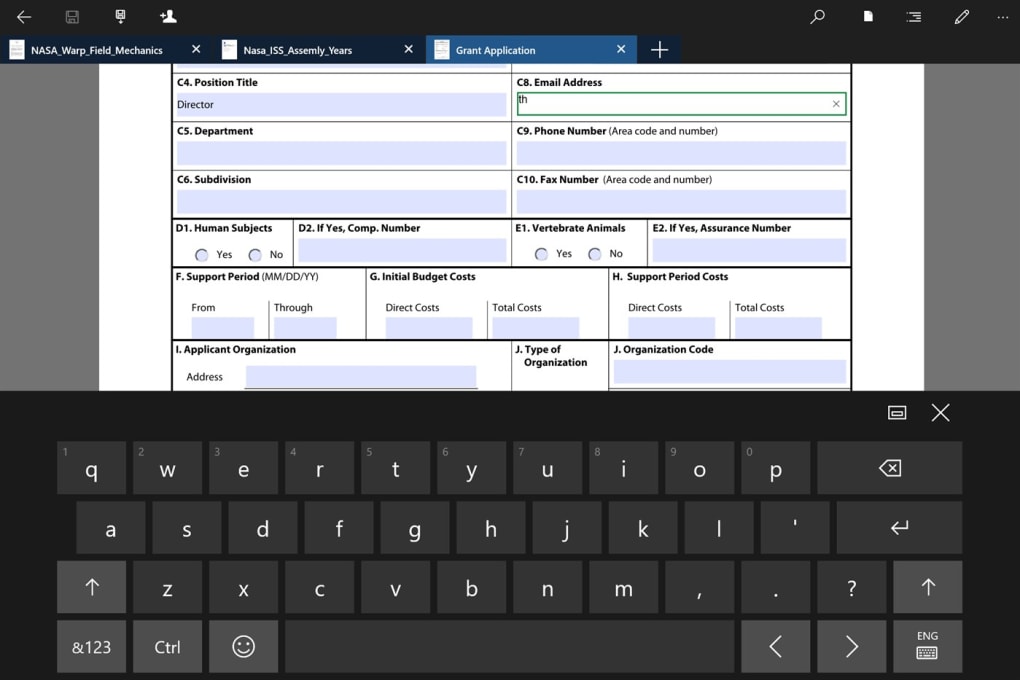
Filling out PDF forms has historically been a tedious and often frustrating task, frequently requiring users to print, manually fill, scan, and then re-upload documents. Xodo PDF Reader & Editor dramatically simplifies this process, transforming it into a straightforward and stress-free experience. When you download Xodo, you gain the ability to interact directly with all components of a PDF form. Tapping on different sections of a form allows for immediate text input, making it easy to enter information into fields. Selecting checkboxes is just as intuitive, requiring only a simple tap to mark your choice.
Beyond basic data entry, Xodo recognizes the critical need for secure and efficient digital signing in today’s digital age. The application allows users to upload an existing digital signature or, for added flexibility, to draw their signature directly onto the document using a mouse or touch-enabled device. Once created, these signatures can be saved within Xodo, making them readily available for future documents. This feature is a significant time-saver for individuals and businesses who frequently sign contracts, agreements, or other official papers, eliminating the need to repeatedly create or search for signature files. The convenience is further amplified by Xodo’s robust offline functionality. Since the application works seamlessly without an internet connection, users can fill forms and sign documents anywhere, at any time, without worrying about losing their progress or sensitive data due to connectivity issues. This ensures both productivity and data security, offering peace of mind to users.
Professional-Grade Annotation Tools
Effective communication often requires more than just reading; it demands the ability to actively engage with the content, leave feedback, and highlight key information. Xodo PDF Reader & Editor equips users with a comprehensive suite of annotation tools, allowing them to mark up documents with the precision and flexibility of traditional pen-and-paper, but with the added benefits of digital editing. With Xodo, you’re not constrained to simply scattering comments. Instead, you can employ a diverse range of tools to express your thoughts and emphasize critical sections.
Standard annotation features include the ability to highlight important passages, underline key phrases for emphasis, and strike out irrelevant or incorrect text. These tools are indispensable for review processes, collaborative editing, or personal study. For more visual cues or structural feedback, Xodo allows users to insert various shapes directly onto the pages. Arrows can be used to direct attention to specific elements, while circles and rectangles can encapsulate entire sections, drawing focus to critical areas. For those who prefer a more personal touch or need to sketch out ideas, the freehand drawing tool offers unparalleled flexibility, enabling users to draw anything from quick notes and symbols to complex diagrams directly on the document.
What truly elevates Xodo’s annotation capabilities is the level of customization it offers. Once an annotation is placed, users are not stuck with default settings. Xodo provides extensive options to change the color of highlights, underlines, shapes, or freehand drawings, allowing for thematic organization or personal preference. The opacity of annotations can be adjusted, ensuring that underlying text remains readable while the markups are still prominent. Furthermore, the size or thickness of lines and shapes can be modified, offering granular control over the visual impact of each annotation. This level of customization ensures that every annotation serves its intended purpose effectively, making Xodo an ideal tool for detailed document review and collaborative feedback.
Efficient File Organization and Cloud Integration
In the modern digital workspace, managing multiple files efficiently is paramount to maintaining productivity. Xodo PDF Reader & Editor simplifies this often-complex task with its intuitive file management features and seamless cloud integration, ensuring that your documents are always organized, accessible, and up-to-date, regardless of your location.
One of Xodo’s standout organizational tools is its merge function, which allows users to effortlessly combine several individual PDF files into a single, cohesive document. This is incredibly useful for compiling reports, presentations, or collections of related documents. The process of selecting files for merging is made exceptionally easy, as Xodo displays these files as interactive thumbnails. This visual representation allows users to quickly identify and select the desired documents, drag and drop them into the correct order, and then merge them with just a few clicks. This visual and interactive approach removes much of the guesswork and potential for error typically associated with file merging.
Beyond combining documents, Xodo includes a robust, in-built file manager that provides all the essential tools for day-to-day document handling. Within the application, users can easily copy files to different folders, move them between directories, rename documents for better organization, and delete unwanted files to keep their digital workspace clutter-free. This integrated file manager eliminates the need to switch between the PDF editor and a separate file explorer, streamlining the entire document management process.
Furthermore, Xodo extends its utility by offering deep integration with popular cloud storage services. Users can directly import or export files from their cloud accounts, such as Google Drive or Dropbox, straight through the Xodo interface. This connectivity ensures that documents stored in the cloud can be accessed, edited, and saved back to their original location with ease, maintaining version control and accessibility across devices. This feature is particularly beneficial for users who work across multiple platforms or collaborate with others who rely on cloud storage. To further enhance document versatility, Xodo also provides the functionality to scan physical images or existing image files and convert them directly into PDFs. This capability is perfect for digitizing physical documents, photographs, or handwritten notes, making them editable and annotatable within Xodo, thus bridging the gap between physical and digital document management.
Unlocking Collaboration and Connectivity
The power of Xodo PDF Reader & Editor is not limited to individual productivity; it truly shines in its ability to facilitate real-time collaboration and ensure document accessibility across various platforms. In an era where teamwork often transcends geographical boundaries, Xodo provides innovative solutions for seamless interaction and synchronized workflow.
Real-Time Online Collaboration with Xodo Connect
One of Xodo’s most revolutionary features is Xodo Connect, which transforms static PDF documents into dynamic online whiteboards, enabling real-time collaboration with multiple users. This functionality is delivered through a convenient browser extension, eliminating the need for complex software installations or configurations for collaborators. The genius of Xodo Connect lies in its accessibility: a host user needs to create an account with Xodo Connect, but other participants can join a collaborative session simply by receiving an invitation via their email ID and clicking on a provided PDF link. This means there’s no sign-up or download requirement for guest collaborators, significantly lowering the barrier to entry and encouraging broader participation.
Once online, multiple users can simultaneously work on a single document, viewing each other’s annotations and edits in real-time. Imagine a team reviewing a design blueprint, a group of students collaboratively editing a project report, or colleagues providing feedback on a contract – all happening synchronously on the same PDF. Every highlight, underline, comment, or freehand drawing made by any participant instantly appears on everyone’s screen. This live feedback loop streamlines review processes, fosters dynamic discussions, and dramatically reduces the time typically spent on exchanging revised versions of documents. The “online whiteboard” metaphor truly captures the interactive and fluid nature of this collaboration, making Xodo an exceptional tool for remote teams and distributed workflows where immediate communication and shared understanding are paramount.
Anywhere Access with Cloud Synchronization
In today’s interconnected world, the ability to access and work on documents from anywhere, at any time, is no longer a luxury but a necessity. Xodo PDF Reader & Editor deeply integrates with leading cloud storage providers, ensuring that your documents and notes are always synchronized and available across all your devices, providing unparalleled flexibility and peace of mind.
By linking the Xodo application with your personal Google Drive or Dropbox account, you establish a seamless bridge between your local workspace and your cloud storage. This integration means that any document you open, edit, or create within Xodo can be saved directly to your chosen cloud service. More importantly, Xodo intelligently manages these files such that they get automatically synced whenever changes are saved. This automatic synchronization eliminates the manual effort of uploading and downloading files, ensuring that you are always working with the latest version of your documents, whether you’re at your desk, on a laptop, or using a mobile device.
For instance, you could start annotating a research paper on your desktop computer, save it, and then pick up exactly where you left off on your Android tablet during your commute, with all your notes and highlights intact. This consistent access is not just about convenience; it’s about maintaining a fluid workflow and preventing data loss. Furthermore, the ability to scan and convert images to PDFs directly within Xodo and then instantly save them to the cloud adds another layer of versatility. This is particularly useful for digitizing physical receipts, whiteboards, or sketches, making them immediately accessible for annotation and sharing through your synchronized cloud accounts. Xodo’s robust cloud synchronization transforms your PDF documents into a truly portable and always-current resource, liberating you from device dependency and enhancing your overall productivity.
Why Choose Xodo PDF Reader & Editor?
In a market saturated with PDF tools, Xodo PDF Reader & Editor distinguishes itself not just through its comprehensive features, but through its core philosophy of user-centric design—offering powerful functionality without barriers. Its unique combination of being entirely free, ad-free, and highly capable makes it a compelling choice for a wide spectrum of users.
Ad-Free and Secure Experience
One of Xodo PDF Reader & Editor’s most significant advantages, and a rare find in the software landscape, is its commitment to being completely free to download and use without any advertisements or in-app purchases. This dedication to a clean user experience is not merely a convenience; it’s a fundamental aspect of the application’s integrity and security. The absence of ads means users are never distracted by pop-ups or banners, allowing for focused work and an uninterrupted workflow. More critically, it eliminates the risk of inadvertently clicking on malicious advertisements or links that could compromise data security or introduce unwanted software.
PhanMemFree, like other reputable platforms, acknowledges Xodo PDF Reader & Editor as an efficient application that is completely safe to download and use. This endorsement underscores the developer’s commitment to user safety. By offering a secure, ad-free environment, Xodo allows users to handle their sensitive documents with ease and confidence. This ensures that the primary focus remains on document management and collaboration, rather than navigating intrusive marketing or worrying about potential security vulnerabilities often associated with free software models that rely on advertising revenue. The peace of mind that comes with using a clean, secure, and genuinely free tool is invaluable, making Xodo a trustworthy choice for managing personal and professional PDF needs.
Overcoming Windows’ Limitations
While modern operating systems like Windows often come equipped with basic PDF viewing capabilities, these integrated tools typically fall short when it comes to editing and advanced functionality. The built-in Windows PDF reader is excellent for simply opening and viewing documents, but if your needs extend to actively modifying, annotating, or managing PDFs, you quickly realize its limitations. This is precisely where a dedicated PDF editor application like Xodo PDF Reader & Editor becomes indispensable.
Xodo steps in to bridge this gap, offering users a comprehensive suite of basic and advanced editing and annotating tools that go far beyond what Windows natively provides. It allows users to fill forms, add digital signatures, highlight text, insert shapes, and draw freehand, transforming a passive viewing experience into an active and productive one. Furthermore, Xodo’s powerful cloud integration function is a game-changer for collaboration. While Windows might allow local storage, Xodo facilitates seamless access and synchronization with cloud services, enabling real-time multi-user editing and ensuring document accessibility across devices. This makes Xodo not just an editor, but a complete solution for virtually all PDF requirements, making it one of the best options for online collaborations and comprehensive document management on a Windows system.
A Powerful Alternative in the PDF Landscape
The PDF editor market is highly competitive, featuring a range of established players and emerging solutions. While Xodo PDF Reader & Editor carves out its own niche by offering a feature-rich, free, and ad-free experience, it’s also important to consider it in the context of its alternatives. For users seeking different options, notable applications include Foxit PDF Reader, known for its speed and security; Adobe Acrobat Pro DC, the industry standard with extensive professional features (though paid); PDF-XChange Viewer, another robust free viewer and editor; and Sejda PDF Desktop, which offers a good balance of free and premium tools.
However, Xodo stands out by delivering a truly comprehensive suite of tools that fulfill virtually all common PDF editing and management requirements without any cost. Its ability to treat PDF files much like physical hard-copies—allowing users to leave comments, highlight or underline sections, circle or strikeout paragraphs, and even draw freehand—provides an unparalleled level of interaction. The program’s innovative online extension for real-time collaborative editing further solidifies its position as a top-tier solution, especially for teams or individuals engaged in frequent document reviews. For anyone seeking a powerful, intuitive, and genuinely free PDF Reader and Editor, Xodo PDF Reader & Editor is a highly recommended option that provides exceptional value and functionality.
Conclusion
In the contemporary digital workflow, the ability to efficiently manage, edit, and collaborate on PDF documents is no longer optional but essential. Xodo PDF Reader & Editor emerges as a standout solution, offering an all-encompassing suite of tools designed to fulfill these requirements and much more. It expertly combines the speed and simplicity of a viewer with the extensive functionalities of an advanced editor and annotator, all within a completely free and ad-free environment.
The comprehensive editor gives users the freedom to interact with digital PDF files as intuitively as they would with physical hard copies. You can effortlessly mark up documents with highlights, underlines, circles, strikethroughs, and even freehand drawings, making it an ideal tool for students, professionals, and anyone requiring detailed document review. The seamless form-filling and digital signature capabilities further streamline administrative tasks, while robust file management and cloud synchronization ensure your documents are always organized and accessible across all your devices.
Moreover, Xodo’s revolutionary online extension for real-time collaboration transforms static documents into dynamic workspaces, allowing multiple users to annotate and interact on a single PDF simultaneously, fostering unparalleled teamwork and productivity. While some users might occasionally experience minor lags (a known, infrequent issue), the overwhelming benefits far outweigh this minor inconvenience.
Pros:
- Completely free to download and use
- Does not contain any advertisements or in-app purchases
- Offers multiple powerful annotation and editing tools
- Can open and display different file formats (DOC, DOCX, PPT) as editable PDFs
- Features robust cloud integration and real-time online collaboration
- Intuitive interface and efficient file management
Cons:
- Can sometimes lag or be slower with very large files.
For individuals and teams seeking a reliable, secure, and feature-rich PDF solution without the burden of subscriptions or intrusive ads, Xodo PDF Reader & Editor stands as an exemplary choice. If you have PDF editing requirements or simply need a superior PDF reader, giving Xodo PDF Reader & Editor a try is a decision you won’t regret.
File Information
- License: “Free”
- Version: “22409.912.1.0”
- Latest update: “September 24, 2024”
- Platform: “Windows”
- OS: “Windows 10”
- Language: “English”
- Downloads: “302.9K”
- Size: “1.06 MB”


