
Xperia Companion, formerly known as PC Companion, is a free software application developed by Sony for managing Sony Xperia mobile devices. This comprehensive guide delves into its features, functionality, and how it can help you optimize your Xperia smartphone experience. While primarily designed for Windows, it also offers limited compatibility with other platforms. This tool serves as a central hub for various essential tasks, ranging from simple data transfers to more complex software repairs.
Understanding Xperia Companion’s Core Functionality
Xperia Companion acts as a one-stop shop for managing various aspects of your Sony Xperia device. Its intuitive user interface guides users through a streamlined process, making even complex operations user-friendly. The software’s core functions are neatly organized within its central panel, providing easy access to crucial features. These primary functions include:
-
Software Update: This feature allows you to check for and install the latest software updates for your Xperia phone. This ensures your device benefits from the newest features, performance enhancements, and security patches. The process is relatively straightforward; the software automatically downloads the updates to your PC before installing them onto your Xperia device.
-
Software Repair: Xperia Companion offers a vital software repair function to troubleshoot a range of issues. If your Xperia phone encounters problems such as crashes, overheating, charging issues, or failure to power on, the software repair option can often resolve these fundamental problems. Before initiating a repair, it’s strongly recommended to remove the SIM and SD cards from the Xperia device to minimize potential data loss. The software will guide you through a series of steps, including connecting and unlocking your device, before reinstalling the Xperia software. Once the repair is complete, you can reinsert the SIM and SD cards and restart your phone.
-
Backup and Restore: Backing up your Xperia’s data is crucial for safeguarding your personal information. Xperia Companion allows you to create backups of your phone’s content, storing it securely on your computer. This functionality is particularly important before major software updates or repairs, ensuring you can easily restore your data afterward. While this feature was robust in older Xperia models, it may present challenges with newer models, highlighting the importance of exploring alternative backup solutions like Google Drive for more recent Xperia devices. You can selectively choose the specific content you want to back up and save it under a custom name. If any interruptions occur during the backup process, an error notification will appear. Restoring a backup is equally straightforward, allowing you to selectively recover the data you need and transfer it back onto your Xperia.
-
Xperia Transfer: This function simplifies the process of migrating data from an older Android or iOS device to your new Xperia phone. This seamless transition ensures you don’t lose your contacts, photos, apps, or other crucial data when upgrading your device. The transfer process supports data migration from various platforms, including Android, Apple iOS, and even Microsoft Windows devices, ensuring a convenient transition regardless of your previous operating system.
-
Media Management: Beyond data management, Xperia Companion also provides tools for managing media files. The “Music to Xperia” feature allows you to transfer music files from your computer to your phone, enabling you to easily add new tracks to your library. The “Browse Xperia” option offers a convenient way to view, copy, delete, and manage files stored on your Xperia phone directly from your computer, providing a degree of control over your device’s storage.
Connecting Your Sony Xperia Phone to Your Computer
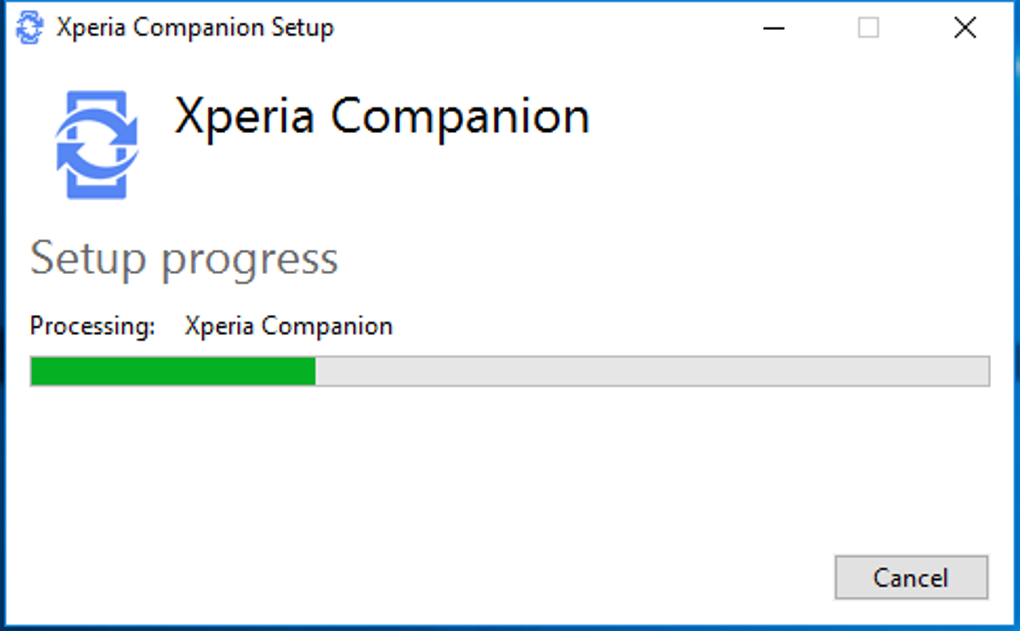
The initial step involves installing the Xperia Companion software onto your Windows PC or laptop. Once installed, the software prompts you to connect your Sony Xperia phone using a USB cable. A helpful button is readily available if you encounter any connection issues. This connection is essential for all data transfer and device management functions within Xperia Companion. The software is relatively lightweight and should not significantly impact your computer’s performance.
Installing Software Updates on Your Sony Xperia
Utilizing the “Software update” feature within Xperia Companion ensures your Xperia phone runs the latest software version. After connecting your phone, simply click on “Software update” to initiate a scan for available updates. If updates are detected, the software automatically downloads them to your PC. Clicking on the “Update” button completes the installation process on your Xperia phone.
Troubleshooting Software Issues with Xperia Companion
Xperia Companion’s strength lies in its ability to address critical software problems. The “Software repair” function offers a solution for many Xperia phone malfunctions, such as unexpected crashes, overheating, or failure to power on. Before initiating a repair, remember to remove the SIM and SD cards to minimize data loss. Following the on-screen prompts, you’ll guide your device through the repair process, reinstalling the Xperia software. Once the process is complete, you can reinsert your SIM and SD card and restart your device.
Alternative Phone Managers: A Comparative Look
While Xperia Companion is a solid choice for Sony Xperia users, several alternative phone managers exist. Some notable competitors include AirDroid, MyMobiler, and Wondershare MobileGo. These applications offer similar functionality, such as data transfer, backup and restore capabilities, and device management tools. However, they have some key differences:
- Connection Methods: Xperia Companion, AirDroid, and Wondershare MobileGo primarily utilize USB connections for communication between the device and the computer. MyMobiler offers the added convenience of Wi-Fi connectivity, along with the traditional USB cable option, providing more flexibility.
-
Operating System Compatibility: All the aforementioned programs are primarily compatible with Android devices.
-
Cost: All these device managers are offered free of charge, eliminating the need for subscriptions or in-app purchases.
-
Security: While all these programs are generally considered safe, accessing personal data remains a potential risk. Xperia Companion benefits from Sony’s established reputation, providing a higher level of perceived security.
Xperia Companion: Pros and Cons
Pros:
-
Intuitive User Interface: Xperia Companion features a user-friendly interface, making it easy to navigate and use, regardless of your technical expertise.
-
Cross-Platform Compatibility: Although primarily designed for Windows, it offers some level of support for other platforms.
-
Reputable Developer: Developed by Sony, a trusted technology brand, adds an extra layer of confidence in the software’s reliability and security.
- Lightweight Application: Xperia Companion has a relatively small file size, minimizing the impact on your computer’s resources.
Cons:
-
USB Connection Only (for most): Except for MyMobiler, the others rely primarily on USB connections, limiting the convenience of wireless connectivity.
-
Limited Compatibility with Newer Xperia Models: While functional with older models, some features, like backup and restore, may not work flawlessly on all newer Xperia smartphones.
Conclusion: A Valuable Tool for Xperia Users
Xperia Companion remains a valuable tool for managing your Sony Xperia device, providing a centralized platform for crucial tasks like software updates, repairs, data backups, and media management. While alternative phone managers exist, Xperia Companion’s integration with the Xperia ecosystem, its straightforward interface, and Sony’s reputable backing make it a compelling choice for many Xperia users. However, users should be aware of its limitations, particularly regarding compatibility with the newest Xperia models and its reliance on USB connections. Understanding these strengths and weaknesses allows you to make an informed decision about whether Xperia Companion aligns with your needs and preferences.

File Information
- License: “Free”
- Latest update: “May 23, 2023”
- Platform: “Windows”
- OS: “Windows 8.1”
- Language: “English”
- Downloads: “80.5K”
- Size: “82.43 MB”


