
xRAR is a lightweight and free file compression utility designed for Windows operating systems. It provides a straightforward approach to decompressing various archive formats without the complexity of feature-rich alternatives like WinRAR. While lacking the extensive options of its paid counterparts, xRAR excels in its simplicity and ease of use, making it an attractive choice for users primarily concerned with basic archive extraction.
Core Functionality: Decompression and Compression
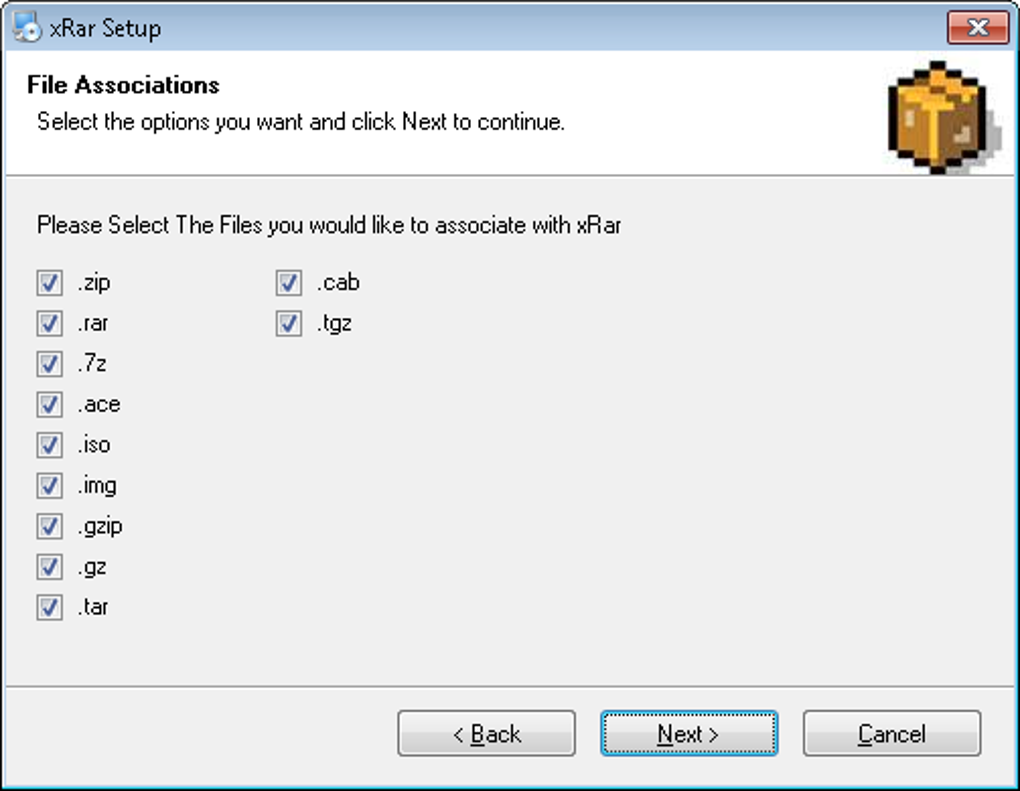
At its core, xRAR functions as a robust decompressor capable of handling a wide range of archive formats. This includes the widely used RAR format, alongside ZIP, 7Z, ACE, ISO, IMG, GZIP, GZ, TAR, TGZ, and CAB. This broad compatibility ensures that users can open and extract files from various sources without needing multiple utilities. The program’s ability to seamlessly integrate with the Windows context menu further streamlines the decompression process, allowing users to right-click compressed files and select the “Extract with xRAR” option for immediate access to the contained files.
Beyond decompression, xRAR also offers limited compression capabilities. Users can create new ZIP archives, which is a standard and widely supported format. This functionality allows users to compress files for easier sharing or storage, although the compression options are limited compared to more advanced tools. The program also supports the creation of password-protected ZIP archives, allowing for enhanced security when dealing with sensitive data. Self-extracting archives are also supported, allowing users to distribute compressed files that automatically unpack themselves on a target machine. However, it’s crucial to note that the level of customization regarding compression settings within xRAR is minimal.
User Interface and Experience
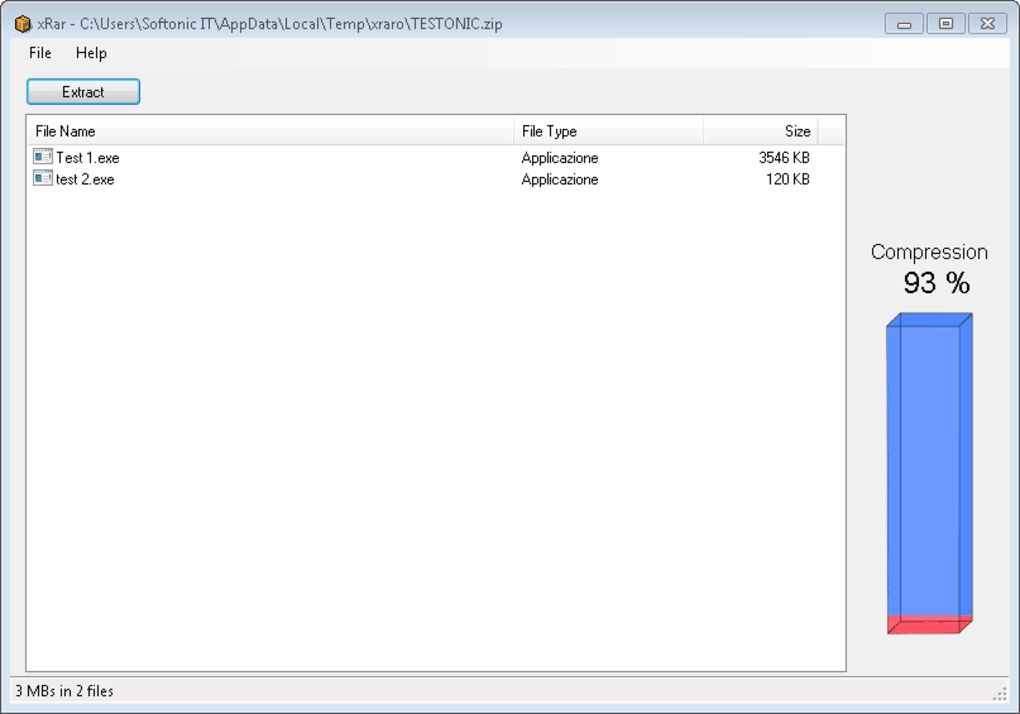
xRAR prioritizes simplicity in its interface design. It avoids overwhelming users with complex settings and options, opting for a clean and intuitive layout. This streamlined approach makes the program exceptionally easy to navigate, even for users with limited technical expertise. The main interface provides clear visual indicators, including the compression level of an archive, providing useful information at a glance. The program’s integration with the context menu further enhances its user-friendliness, enabling quick and convenient access to its functionalities.
The minimal design, however, also implies a lack of advanced features. Users expecting granular control over compression algorithms, levels, or specific file handling options will find xRAR’s functionality limited. Power users accustomed to sophisticated compression tools may find the lack of extensive options somewhat restrictive. For casual users, though, this simplicity is a considerable advantage, making the program accessible and user-friendly.
Performance and Resource Usage
xRAR is designed to be lightweight, minimizing its impact on system resources. It operates efficiently, processing even large archives with relative speed, ensuring a responsive user experience. The program’s small installation size further contributes to its lightweight nature, making it ideal for machines with limited storage space or older hardware configurations.
The absence of extensive background processes or resource-intensive operations is a key advantage of xRAR, especially when compared to more feature-laden compression utilities. Users can expect smooth operation, even when decompressing multiple archives or handling large files. This makes xRAR a suitable option for both high-performance systems and older, less powerful machines.
Security Considerations
Security is a critical aspect of any file compression utility, especially when handling sensitive data. xRAR allows for password protection of created ZIP archives, adding a layer of security to protect the files from unauthorized access. This simple security measure provides a safeguard against accidental or intentional exposure of confidential information.
However, it’s important to acknowledge that xRAR’s security features are basic. It doesn’t incorporate advanced encryption algorithms or other sophisticated security measures found in more comprehensive compression software. Users handling highly sensitive data may prefer a tool with more robust security features. The program itself has undergone rigorous security testing through multiple antivirus platforms, indicating a low risk of malware contamination. Nonetheless, users should always exercise caution and download software from trusted sources to mitigate any security concerns.
Comparison with Alternative Compression Tools
xRAR occupies a unique niche in the market. It stands in contrast to feature-rich commercial options like WinRAR, which offer a vast array of compression and decompression options, along with advanced features such as self-extracting archives and sophisticated file handling capabilities. While these comprehensive options provide flexibility and customization, they often come with a price tag and a steeper learning curve.
On the other hand, completely free open-source alternatives like 7-Zip offer a broad spectrum of features comparable to WinRAR, including support for a wide range of formats, strong encryption options, and robust command-line capabilities. While these options are free of charge, they might appear overwhelming to users seeking simplicity. xRAR’s focus on a streamlined, easy-to-use interface distinguishes it from these more complex alternatives.
Ultimately, the choice between xRAR and other compression tools depends on individual needs and priorities. For users who prioritize ease of use and require only basic compression and decompression functionalities, xRAR presents a compelling and straightforward option. However, users needing advanced features or robust security should consider alternatives like WinRAR or 7-Zip.
Conclusion
xRAR offers a valuable solution for users seeking a simple, free, and effective way to decompress various archive formats. Its streamlined interface and minimal feature set make it ideal for users who prioritize ease of use over extensive customization options. While it lacks the advanced features of commercial or open-source alternatives, its lightweight nature and efficient operation make it a convenient choice for users with basic compression and decompression needs. Its seamless integration with the Windows context menu further enhances user experience. While not the ideal choice for users requiring advanced features or robust security, xRAR delivers a user-friendly experience for basic file compression and decompression tasks.
File Information
- License: “Free”
- Version: “1.0”
- Latest update: “July 15, 2022”
- Platform: “Windows”
- OS: “Windows 7”
- Language: “English”
- Downloads: “11.8K”
- Size: “3.63 MB”


