
Xtreme Download Manager (XMD) presents itself as a solution for accelerating downloads and managing multimedia files. While it shares similarities with established download managers like Internet Download Manager (IDM), XMD distinguishes itself through its open-source nature, free availability, and a streamlined interface. This review delves into the features, functionality, and overall user experience of Xtreme Download Manager, examining its strengths and weaknesses to determine its suitability for various user needs.
Downloading with Accelerated Speed and Built-in Conversion
XMD promises significantly faster download speeds, claiming to achieve download rates five to six times faster than conventional methods. This accelerated performance is a key selling point, particularly appealing to users with limited bandwidth or those downloading large files, such as high-resolution videos or expansive software packages. The software’s ability to resume interrupted downloads is another crucial feature, mitigating the frustration of connection drops, power outages, or session expirations. This ensures that downloads can be seamlessly restarted from where they left off, saving time and preventing the need to start over from scratch.
Beyond speed enhancement, XMD incorporates a built-in video converter. This eliminates the need for separate conversion software, streamlining the workflow for users who regularly download videos in various formats. The converter supports popular formats, allowing users to easily adapt their downloaded media to their preferred players or devices. This integrated functionality enhances the convenience and efficiency of XMD compared to download managers that require users to employ external conversion tools. However, the specific formats supported by the converter and the quality of the converted files should be assessed before relying on it for critical conversions.
The integration of automatic antivirus checking adds an essential layer of security. This feature helps safeguard users from inadvertently downloading malicious files, a common risk when utilizing download managers or accessing content from less reputable sources. The automated scanning process increases confidence in the downloaded files’ security, reducing the potential for malware infections. While no security software is foolproof, the addition of this layer adds a degree of protection that many users will find valuable.
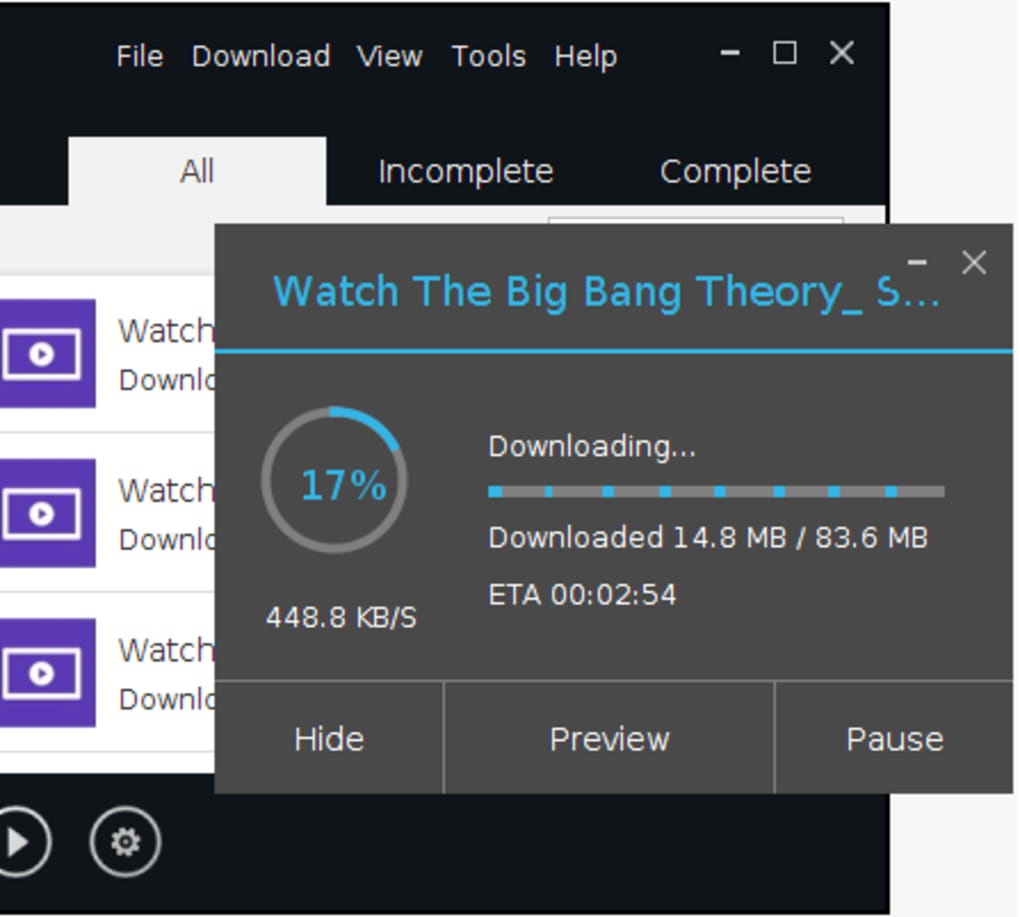
Scheduling options are also included, allowing users to plan downloads for off-peak hours or to automate downloads based on their preferences. This feature optimizes network usage and ensures that downloads don’t interfere with other tasks or applications running on the system. The system shutdown feature upon completion is another thoughtful touch, providing a convenient way to automatically power down a computer after lengthy download operations.
A Unique Download Process: The MediaGrabber Tool
Unlike many download managers that operate by directly inputting a link, XMD employs a more nuanced approach. It relies on its MediaGrabber tool, which necessitates a slightly different workflow. Users are required to launch the MediaGrabber, then play the desired media within their browser. If the video is already playing before launching XMD, the page needs to be refreshed. XMD then captures the media stream during playback, allowing for the download to commence. This method requires an additional step compared to traditional download managers, but it enables the software’s advanced download optimization techniques. The interface of the MediaGrabber needs to be intuitive and easy to understand to avoid user confusion.
This method, though unique, might not be immediately intuitive to all users. The need to play the media first before the download can start represents a deviation from the standard download manager workflow. This could pose a learning curve for some users, especially those accustomed to more straightforward download processes. Thorough documentation and a clear user interface are essential to mitigate any confusion arising from this alternative methodology.
Comparison to Competitors and the Advantages of Open Source
XMD is often compared to IDM due to their shared focus on download speed and comprehensive features. However, XMD holds a significant advantage in being open-source and completely free. This accessibility removes any licensing costs, making it a highly attractive option for budget-conscious users or individuals seeking open-source alternatives to proprietary download managers. Furthermore, the open-source nature allows for community contributions and potential for continuous improvement through user feedback and collaborative development.
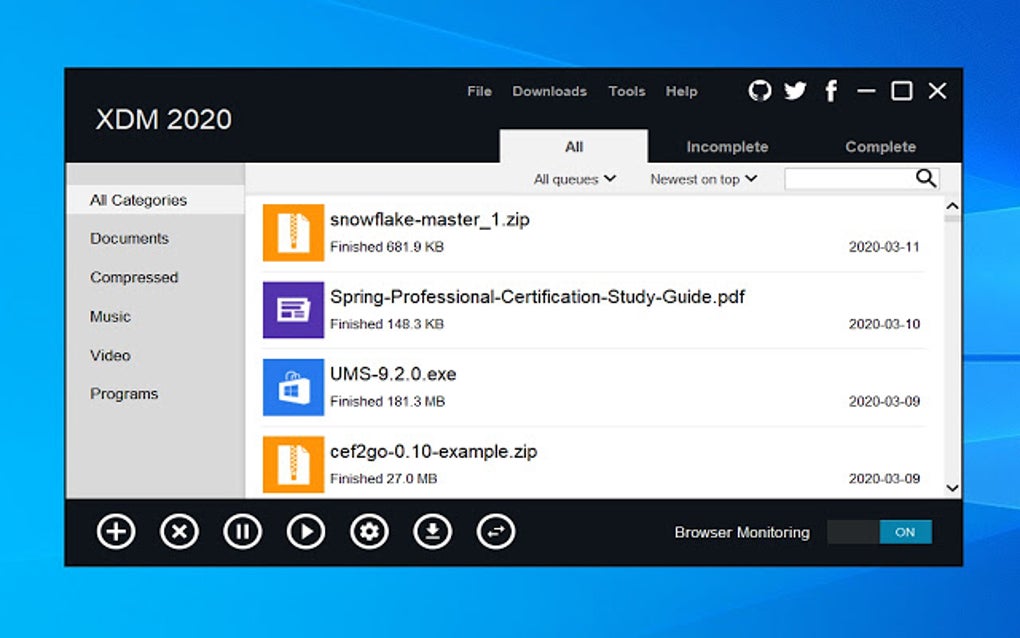
The software’s interface is characterized as clean and intuitive, minimizing complexity and providing a user-friendly experience. This straightforward design helps prevent users from being overwhelmed by excessive features or confusing settings. A clean and intuitive GUI is essential for a positive user experience and encourages wider adoption, particularly for users who are not highly technical.
Its lightweight nature is another notable advantage. XMD doesn’t consume excessive system resources, ensuring smooth operation without impacting other applications or processes. This attribute is particularly important for users with less powerful systems or those who run numerous programs simultaneously. The small footprint minimizes the demand on system resources, maximizing available processing power for other tasks.
Enhancing the Download Experience: Pros and Cons
Pros:
- Faster Download Speeds: XMD delivers on its promise of accelerating download speeds considerably, offering a noticeable improvement compared to standard browser downloads.
- Built-in Converter: The integrated video converter eliminates the need for external conversion tools, simplifying the post-download workflow.
- Resume Interrupted Downloads: The ability to seamlessly resume downloads after interruptions ensures that download progress is not lost due to connection issues or power failures.
- Automatic Antivirus Checking: This enhances the security of downloaded files, minimizing the risk of malware infections.
- Download Scheduling: Users can schedule downloads for optimal network usage, avoiding congestion during peak hours.
- System Shutdown on Completion: Conveniently shuts down the system upon completion of downloads.
- Open Source and Free: The open-source license and free availability make it a cost-effective and accessible solution.
- Clean and Intuitive Interface: The straightforward design facilitates easy navigation and reduces the learning curve.
- Lightweight: Minimal system resource consumption ensures smooth operation without impacting other applications.
Cons:
- Unique Download Process: The reliance on the MediaGrabber tool requires users to play the media before downloading, which may differ from the standard download workflow.
- Potential Compatibility Issues: While supporting several major video-sharing sites, compatibility with all platforms and formats may need to be verified.
- Limited User Reviews: As a relatively less mainstream download manager, extensive user reviews are less available.
Conclusion: Is Xtreme Download Manager Right for You?
Xtreme Download Manager presents a compelling option for users seeking a free, open-source download manager with accelerated speeds and built-in conversion capabilities. While its unique download process may require a slight adjustment in workflow, the benefits of enhanced speed, built-in security features, and a clean interface outweigh this minor inconvenience for many users. Its lightweight nature and lack of licensing fees make it an attractive option for a broad range of users, especially those looking for an alternative to proprietary download managers. However, users should weigh the unique download process against their preferences and workflow. If a straightforward, link-based download method is preferred, other download managers might be a better fit. The lack of extensive user reviews may also lead to some hesitation; therefore, a trial run is recommended before fully committing to XMD as the primary download manager.
File Information
- License: “Free”
- Latest update: “July 11, 2023”
- Platform: “Windows”
- OS: “Windows 8.1”
- Language: “English”
- Downloads: “46.2K”
- Size: “56.13 MB”


