
The Xvid Video Codec Player presents itself as a versatile all-in-one solution designed to meet diverse multimedia playback needs. This advanced player offers users extensive control over their audio and video playback experience, boasting compatibility with a wide array of formats and resolutions. This review delves into its features, strengths, and weaknesses to determine its suitability for various users.
Feature Highlights: A Robust Multimedia Player
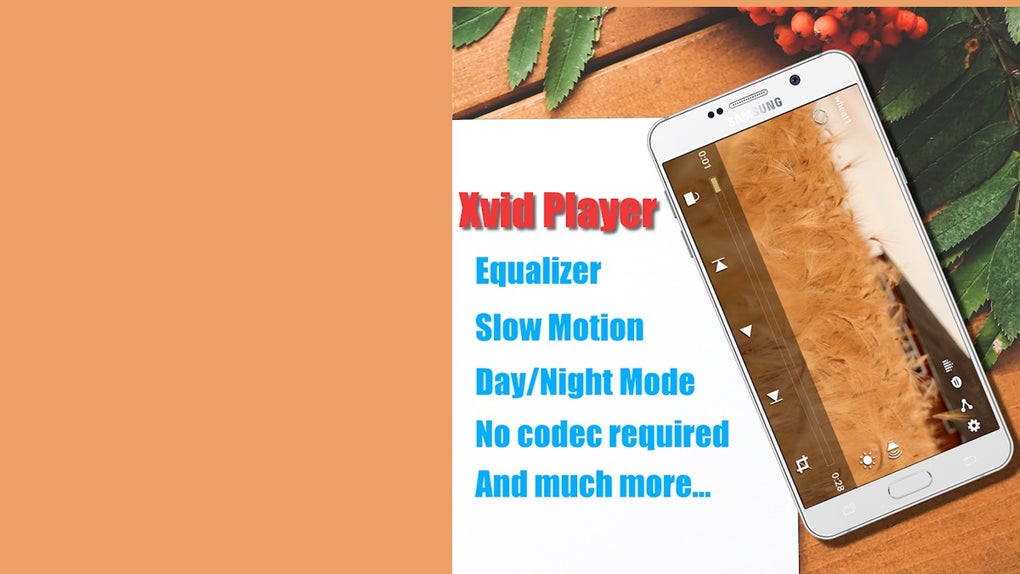
Xvid Video Codec Player distinguishes itself through its comprehensive support for various audio and video formats. Unlike many players that require additional codecs or plugins, this application handles a broad range of file types natively. Users can seamlessly play AVI, MKV, and MP4 video files, along with AAC, FLAC, MP3, and WMA audio files, all without the need for external installations. This inherent compatibility simplifies the user experience and avoids the complexities associated with managing external codec packs.
Furthermore, the player’s adaptability extends to video quality, supporting resolutions from 240p to the high-definition 4320p (8K). This wide range caters to users with varying bandwidth constraints or preferences for different visual experiences. The ability to handle such a spectrum of resolutions ensures the application’s flexibility across diverse devices and network connections.
Beyond its format and resolution support, the Xvid Video Codec Player integrates several convenient features. A notable addition is its 10-band equalizer, equipped with 12 default settings, allowing users to fine-tune their audio experience according to their preference. This granular level of control provides a personalized listening experience, accommodating various audio preferences and correcting for imbalances inherent to certain audio files or hardware setups.
The inclusion of a one-touch audio mute function provides quick and convenient silencing. This simple yet effective feature is beneficial for various scenarios, such as interrupting playback temporarily or muting audio during calls or notifications. The player also addresses potential synchronization issues with its Audio Delay function, ensuring that the audio and video remain precisely aligned, which significantly enhances the viewing experience by eliminating jarring inconsistencies between the audio and visual components. For late-night viewing, a Night Mode option reduces screen brightness, making the experience more comfortable on the eyes in dimly lit environments, an important feature for users sensitive to bright screens in the dark.
User Interface and Design Considerations: Room for Improvement
While the Xvid Video Codec Player boasts robust functionality, the user interface (UI) design receives mixed reviews. Many users have pointed out that the layout appears somewhat outdated and lacks the modern aesthetic found in many contemporary multimedia players. The overall design, described by some as “tacky,” may not appeal to users accustomed to more polished and visually appealing interfaces. This less-than-optimal UI detracts from the otherwise impressive technical capabilities of the player. Improving the UI’s visual appeal and intuitive navigation would significantly enhance user satisfaction.
Another significant drawback is the absence of built-in subtitle support. The lack of subtitle functionality limits accessibility for users who rely on subtitles for various reasons, including language barriers, hearing impairments, or educational purposes. The omission of this core feature represents a notable gap in functionality for a multimedia player aiming for comprehensive support. The incorporation of subtitle support would significantly improve its accessibility and broaden its appeal to a much larger audience.
Performance and Stability: A Smooth Playback Experience
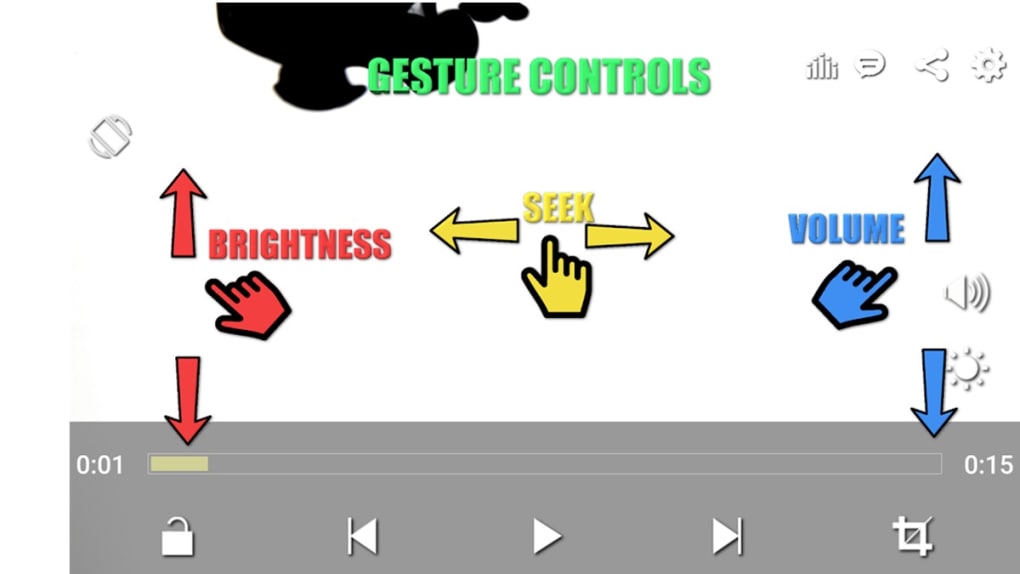
Based on user reports and testing, the Xvid Video Codec Player generally provides smooth and stable playback across various supported formats and resolutions. Its efficient handling of different file types contributes to a positive user experience, free from frequent glitches or interruptions. The application’s reliable performance, especially concerning its ability to handle high-resolution video without significant lag, is a considerable advantage. This consistent performance speaks to the player’s underlying efficiency and optimization, a crucial factor for a satisfying multimedia experience.
However, performance can vary depending on the device’s hardware specifications. High-resolution video playback may strain older or less powerful devices, leading to potential buffering or lag. Users with older devices should therefore manage expectations regarding playback performance for high-resolution content.
System Requirements and Compatibility: Wide Android Support
Xvid Video Codec Player is designed primarily for Android devices. The application is compatible with a wide range of Android versions, ensuring broad accessibility across various devices. However, the minimum Android version requirement and the optimal performance considerations should be reviewed before installation, ensuring compatibility with the user’s specific device.
While the application focuses primarily on Android, the possibility of future development for other operating systems remains an open question. The extension to other platforms could potentially expand the application’s user base and consolidate its position within the multimedia playback market.
Alternatives and Comparisons: Navigating the Multimedia Landscape
The market for multimedia players is competitive. Several strong alternatives offer comparable or superior features. Some contenders may offer enhanced UI design, more advanced features like subtitle support, or better hardware acceleration. Users contemplating Xvid Video Codec Player should compare it with alternatives to ensure it aligns with their specific requirements and preferences. Consideration of competitors’ functionalities and user experiences is crucial for an informed decision.
Evaluating different players based on criteria like UI design, feature set, performance benchmarks, and user reviews provides a robust foundation for making an informed choice.
Conclusion: A Powerful Player with Limitations
Xvid Video Codec Player offers a strong foundation for a multimedia player with its wide format support, resolution compatibility, and helpful features such as the equalizer and audio delay. However, the shortcomings in the UI design and the absence of subtitle support significantly hinder its overall appeal. These deficiencies detract from an otherwise capable application and may deter users seeking a more modern and fully featured multimedia experience.
Potential users should weigh the application’s advantages against its limitations. While its robust functionality is appealing, the need for UI enhancements and subtitle support remains paramount. The decision to use Xvid Video Codec Player should be based on a careful assessment of individual needs and preferences, considering the available alternatives. Future updates incorporating improvements to the UI and the addition of subtitle support could significantly improve the player’s competitiveness within the multimedia player market.
File Information
- License: “Free”
- Version: “1.0.4”
- Latest update: “January 18, 2024”
- Platform: “Android”
- OS: “Android 12.0”
- Language: “English”
- Downloads: “8.8K”
- Size: “15.35 MB”
- Download Options: “APK, Google Play”
- Filename: “Xvid_Video_Codec_Player_1.0.4.com.apk”


