
Yandex.Browser is a free, fast, and secure web browser developed by the Russian technology company, Yandex. Built on the Chromium open-source project and utilizing the Blink rendering engine, it aims to provide a streamlined and user-friendly browsing experience, competing directly with established browsers like Google Chrome and Mozilla Firefox. This review will delve into its features, performance, security aspects, and potential drawbacks to provide a comprehensive assessment.
Performance and User Interface
Yandex.Browser prioritizes speed and simplicity. Its interface, while reminiscent of Chrome, incorporates several distinctive features designed to enhance usability. The combined address and search bar (Smartbox) functions similarly to Chrome’s omnibox, allowing for quick searches and URL entry. A dedicated drop-down panel provides personalized website recommendations, offering a convenient shortcut to frequently visited pages. The “Tableau” feature, a customizable dial-like screen, provides quick access to frequently used applications, further enhancing efficiency.
The browser boasts Opera Turbo technology, designed to accelerate page loading speeds, particularly beneficial in areas with low bandwidth or unstable internet connections. This technology compresses data before it reaches the user, resulting in faster rendering times and reduced data consumption. This is a significant advantage over some competitors, especially in regions with less reliable infrastructure.
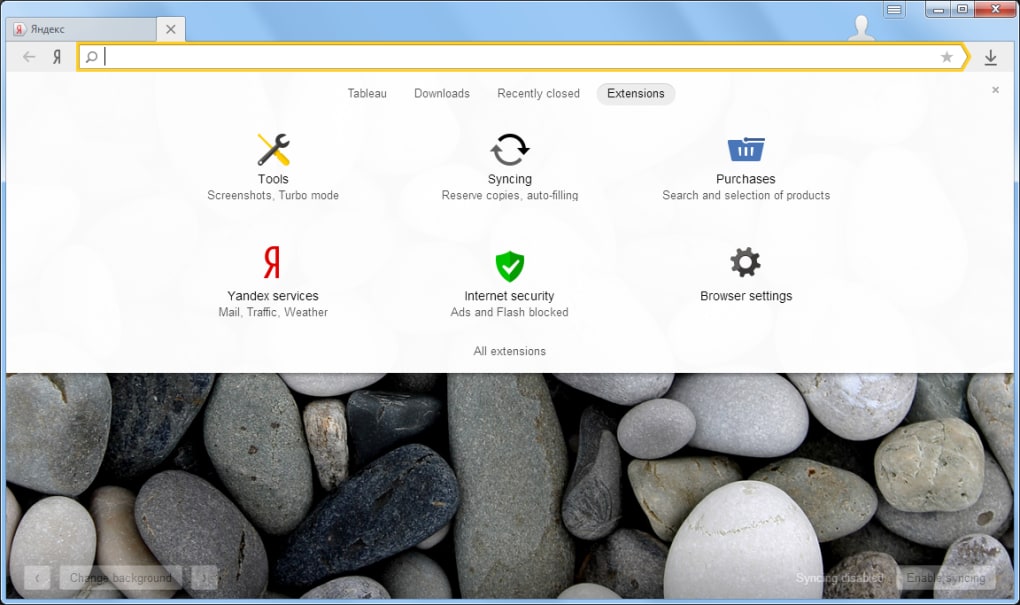
The browser’s interactive tile scheme allows for easy customization of the home screen, mirroring the aesthetic appeal of tile-based operating systems like Windows 8. Users can easily add, remove, and rearrange tiles representing their favorite websites, creating a personalized and visually appealing browsing environment. While the initial experience might feel different from traditional browser layouts, the adaptability of the interface proves to be a significant strength. However, opening a new, blank tab can be slightly less intuitive than in other browsers.
Yandex.Browser also incorporates automatic translation functionality, seamlessly translating entire webpages or individual words into numerous languages, including English, French, German, Ukrainian, Turkish, and many others. This feature is particularly useful for users who frequently access international websites or content in languages other than their native tongue. The browser’s ability to directly dial numbers found on websites via a single click is also noteworthy, streamlining the process of contacting businesses or individuals listed online.
Security and Privacy Concerns
While Yandex.Browser incorporates several security features aimed at protecting user data and privacy, concerns remain regarding its data collection practices. The browser bundles Kaspersky antivirus, providing real-time scanning of downloaded files and warnings against potentially malicious websites. It also includes features like DNSCrypt and DNS spoofing protection to enhance security on unsecure networks. Automatic HTTPS support ensures that connections are encrypted whenever possible.
However, Yandex.Browser is not an open-source project. This lack of transparency raises concerns for some users, as it prevents independent verification of the browser’s code and the extent of data collection. Reports indicate that Yandex collects search queries and transmits them to its servers in Russia for analysis. While many browsers collect user data, the lack of transparency in Yandex’s data handling practices and the potential for government access to this data in Russia raises legitimate privacy concerns for many. It’s crucial for users to carefully consider these implications before using Yandex.Browser, particularly those concerned about data privacy and surveillance. This concern is amplified by the fact that Yandex is a Russian company, subject to Russian laws and potentially government requests for user information.
Integration with Yandex Services
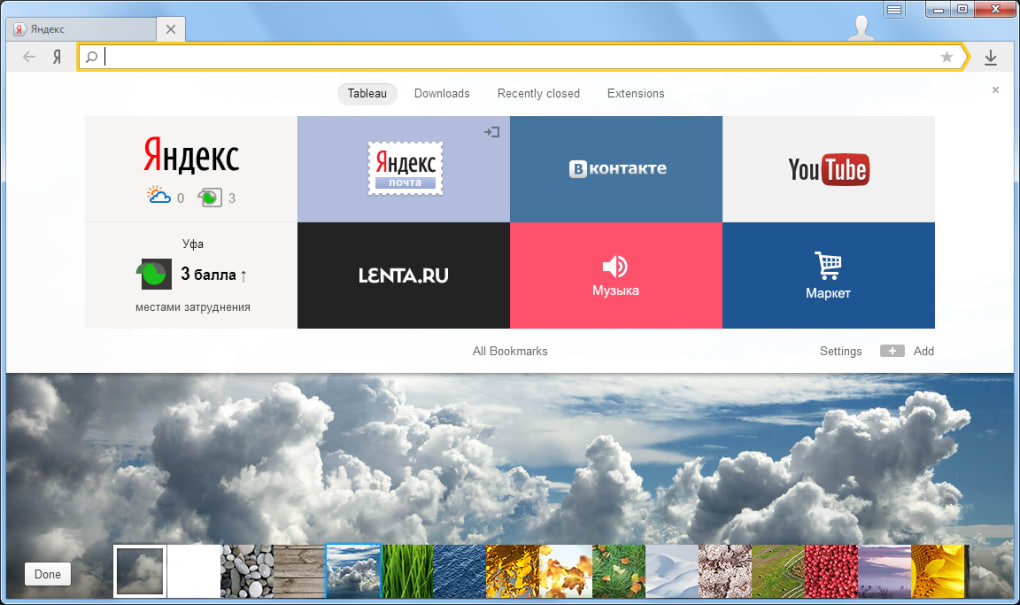
Yandex.Browser seamlessly integrates with Yandex’s ecosystem of services. This integration provides convenient access to Yandex’s search engine, email, maps, and other services directly within the browser interface. For users who already utilize Yandex services, this integration provides a unified and convenient user experience. This integration, however, might be perceived as intrusive by users who prefer a more independent browsing experience and do not use Yandex services.
Yandex.Browser Alternatives
The market offers numerous alternative web browsers, each with unique strengths and weaknesses. Choosing the right browser depends on individual needs and priorities. While Yandex.Browser presents a compelling combination of speed, ease of use, and security features, users might find alternatives better suited to their preferences.
Some notable alternatives include:
-
Google Chrome: The dominant browser globally, renowned for its vast extension library, cross-platform compatibility, and robust performance.
-
Mozilla Firefox: A highly customizable open-source browser known for its strong focus on privacy and user control.
-
Opera: A fast and feature-rich browser with built-in VPN and ad-blocking capabilities.
-
Microsoft Edge: Microsoft’s own browser, integrated well with Windows 10 and 11, and boasting strong performance and security features.
-
Brave: A privacy-focused browser that blocks ads and trackers by default.
Less mainstream alternatives, such as Baidu Browser, Côc Côc Browser, Superbird Browser, and Epic Privacy Browser, also exist, offering varying levels of customization, privacy features, and performance characteristics. Choosing an alternative often involves weighing the balance between specific features, performance, and the degree of user control and privacy protection desired.
System Requirements
Yandex.Browser’s system requirements are relatively modest. For a smooth browsing experience, Yandex recommends:
- CPU: Intel Core i5-7500 / AMD Ryzen 3 1200
- GPU: GTX 1060 / Radeon RX 580
- RAM: 8GB
- OS: Windows 10
- Storage: 60GB
These specifications ensure optimal performance, although the browser may function on systems with less powerful hardware.
Conclusion
Yandex.Browser presents a compelling proposition for users seeking a fast, efficient, and visually appealing browser. Its seamless integration with Yandex services is a significant advantage for users within the Yandex ecosystem. The inclusion of Opera Turbo technology and built-in Kaspersky antivirus enhances performance and security. However, concerns regarding data collection practices and the lack of open-source transparency warrant careful consideration. Users prioritizing absolute privacy and transparency might prefer alternative browsers with more open-source development and clearly defined data handling policies. Ultimately, the choice of web browser is a personal one, depending heavily on individual priorities and risk tolerance. Yandex.Browser undoubtedly holds a niche in the market, catering specifically to those who value speed, convenience, and integration with Yandex services, but a comprehensive awareness of its potential downsides is critical for informed decision-making.
File Information
- License: “Free”
- Latest update: “March 12, 2025”
- Platform: “Windows”
- OS: “Windows 7”
- Language: “English”
- Downloads: “272.3K”
- Size: “1.57 MB”


