
In the vast and rapidly evolving landscape of web development, JavaScript stands as a cornerstone technology, powering everything from interactive front-end experiences to robust back-end services. A critical aspect of modern JavaScript development, especially in larger projects, is the efficient and reliable management of external code libraries and modules, commonly referred to as dependencies. These dependencies are fundamental; they allow developers to leverage existing, well-tested solutions, avoiding the need to “reinvent the wheel” for every basic component, framework, or utility. However, as projects grow and the number of dependencies multiplies, managing them effectively becomes a complex challenge. This is where package managers come into play, acting as essential tools for organizing, installing, updating, and removing these crucial pieces of code.
For many years, the Node Package Manager (npm) client was the undisputed king in the JavaScript community, providing access to a colossal registry of over 300,000 packages and facilitating billions of downloads every month. Millions of engineers relied on npm for their daily development workflows. Yet, despite its ubiquity and massive utility, npm faced inherent limitations, particularly concerning speed, consistency, and security, especially when dealing with large-scale projects and distributed teams. These challenges paved the way for the emergence of alternatives, and among them, Yarn quickly rose to prominence. Launched by industry giants Facebook, in collaboration with Exponent, Google, and Tilde, Yarn presented itself not just as an alternative, but as a significant improvement, offering a new solution to manage dependencies more reliably, faster, and more securely. This open-source development software aimed to alleviate many of the pain points developers experienced, ensuring a smoother, more deterministic development process.
The Evolution of Package Management in JavaScript
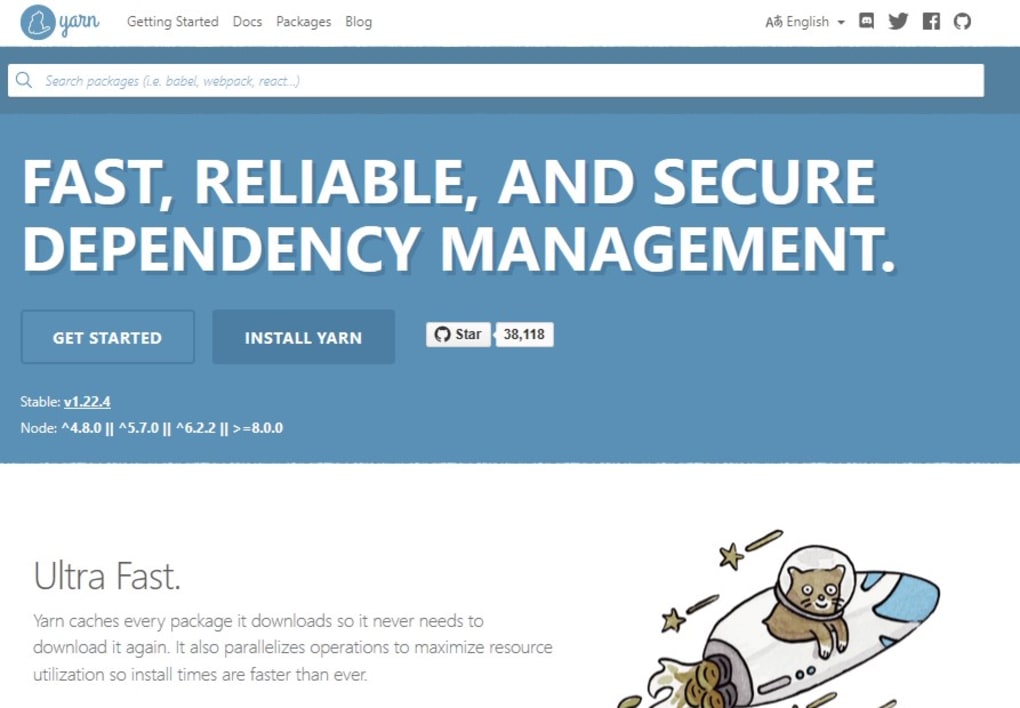
The story of Yarn is intrinsically linked to the broader evolution of package management in the JavaScript ecosystem. Understanding its genesis requires a look back at the environment it sought to improve upon – an environment heavily dominated by npm, but one that increasingly showcased the need for innovation.
The npm Era: Dominance and Challenges
When Node.js first emerged, bringing JavaScript to the server-side, it quickly became apparent that a robust system for sharing and reusing code was essential. npm filled this void, becoming the de facto standard package manager for Node.js and, by extension, the broader JavaScript community. Its registry, a public database of open-source packages, grew exponentially, fostering an incredible ecosystem of reusable modules. Developers could easily install packages with a simple npm install <package-name> command, greatly accelerating development cycles.
However, as projects scaled, particularly within large organizations like Facebook, the limitations of npm became increasingly apparent.
- Speed:
npm installcould be notoriously slow, especially for projects with hundreds or thousands of dependencies. This was partly due to its sequential installation process, where each package was fetched and installed one after another. - Consistency (Non-Determinism): One of the most significant issues was the lack of strict determinism. Different developers working on the same project could end up with slightly different dependency trees, even if their
package.jsonfiles were identical. This was becausenpmtypically installed the latest compatible version of a dependency, which could change over time. This led to “it works on my machine” bugs and wasted valuable debugging time. Whilenpmlater introducedpackage-lock.jsonto address this, the problem was prevalent before Yarn’s release. - Security: Without built-in mechanisms for verifying package integrity, there was a risk of installing compromised or tampered-with packages. Malicious actors could potentially inject harmful code into packages if not properly verified.
- Reliability: Network issues or registry outages could halt development. The lack of a robust caching mechanism meant packages often had to be re-downloaded repeatedly.
These challenges, though individually manageable, collectively imposed a significant overhead on large development teams, impacting productivity and introducing frustrating inconsistencies across development environments.
The Genesis of Yarn
Faced with these persistent problems, particularly at a company with the scale and complexity of Facebook, the engineering teams recognized the need for a new approach. They wanted a package manager that could leverage the vast npm registry but overcome its architectural limitations. This ambitious goal led to the collaborative project that would become Yarn.
Launched in October 2016, Yarn was designed from the ground up to address the core shortcomings of npm while remaining fully compatible with its vast ecosystem. The primary motivations behind its creation were clear:
- Accelerate installation: Significantly reduce the time it took to install dependencies, crucial for CI/CD pipelines and developer productivity.
- Ensure consistency: Guarantee that every developer and every build environment would have an identical dependency tree, eliminating “works on my machine” issues.
- Enhance security: Implement robust verification mechanisms to ensure the integrity of installed packages.
- Improve reliability: Allow for offline development and reduce reliance on constant network connectivity for installations.
Yarn was technically a replacement for npm in terms of its client-side functionality, but it crucially relied on the modules available from the existing npm registry. This strategic decision meant that engineers could still access the wealth of packages they were accustomed to, without the need for a new registry to be populated. It was a clever way to introduce a superior client while leveraging the established and thriving ecosystem.
Understanding Yarn’s Core Innovations
Yarn distinguished itself through several key architectural and functional innovations that directly targeted the weaknesses of its predecessor. These features collectively contributed to a faster, more reliable, and more secure dependency management experience.
Speed and Performance: A Primary Focus
One of the most immediate and impactful advantages of Yarn was its dramatic improvement in installation speed. While npm, at the time, typically performed installations sequentially, Yarn introduced a highly optimized, parallelized approach.
- Parallel Installation: Instead of downloading and installing one package at a time, Yarn fetches and installs multiple packages concurrently. This parallel processing capability significantly cuts down the total installation time, especially for projects with a large number of dependencies.
- Smart Caching: Yarn employs an efficient local cache system. Once a package is downloaded, it’s stored locally. Subsequent installations of the same package, even across different projects, can retrieve it directly from the cache, bypassing the need to re-download it from the npm registry. This not only speeds up installations but also contributes to its robust offline capabilities.
- Deterministic Algorithm: Even before installation begins, Yarn optimizes the dependency tree resolution, calculating the exact versions of all dependencies. This pre-computation reduces runtime overhead and ensures that the installation process is as efficient as possible. The initial
npmversion was often criticized for its slow, non-deterministic dependency resolution.
The combined effect of these optimizations meant that Yarn could drastically accelerate the dependency installation process, often being several times faster than npm versions available at its launch. This was a game-changer for large development teams and CI/CD pipelines where build times are critical.
Determinism and Consistency with yarn.lock
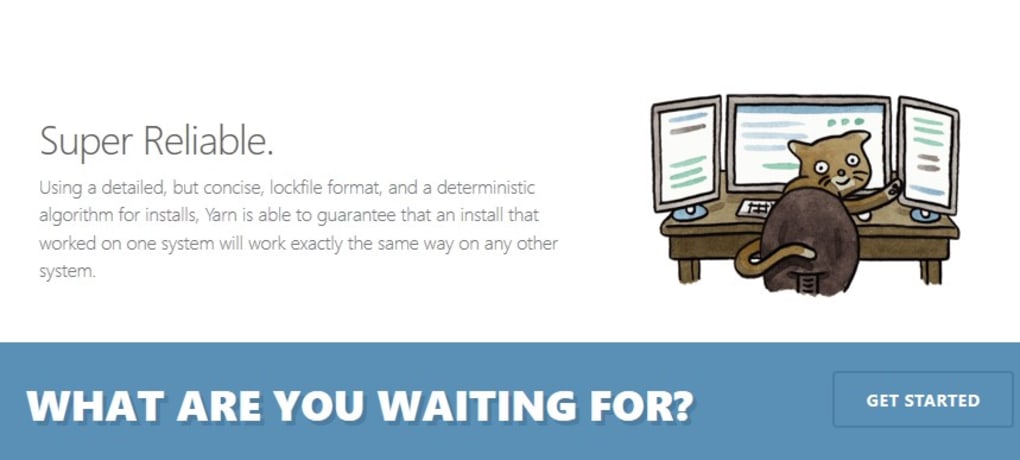
Perhaps the most crucial innovation Yarn brought to the table was its strong emphasis on determinism. The yarn.lock file is central to this. Whenever you add, update, or remove a module using Yarn, the app not only updates the package.json file but also generates or updates a yarn.lock file.
- The Role of
yarn.lock: This file records the exact versions of every dependency and sub-dependency in your project, along with their checksums. This means that ifpackage.jsonspecifies"lodash": "^4.17.21",yarn.lockmight explicitly state"lodash@4.17.21"along with a unique identifier. - Guaranteed Consistency: By committing
yarn.lockto version control, every developer, CI/CD server, or deployment environment can install the precisely identical set of dependencies. This eliminates the “it works on my machine” problem, as the entire dependency graph is locked down. It ensures that the project behaves consistently across all machines, a massive boon for collaborative development. - Contrast with
package.json: Whilepackage.jsondefines the acceptable range of versions for your direct dependencies (e.g.,^1.0.0means “1.0.0 or any compatible newer patch/minor version”),yarn.lockcaptures the exact version installed. This distinction is vital for stability and reproducibility.
This deterministic approach ensures that the build process is repeatable and predictable, significantly reducing potential environment-related bugs and simplifying debugging.
Enhanced Security Features
Security is paramount in software development, and Yarn introduced several features to bolster the integrity of installed packages.
- Checksum Verification: As mentioned, the
yarn.lockfile stores checksums for each package. Before installing a package, Yarn uses these checksums to verify that the downloaded package hasn’t been tampered with since it was originally published to the registry. If the checksums don’t match, Yarn will refuse to install the package, thereby protecting against malicious injections or corrupted downloads. - Limited Installation Scope: Yarn is designed to install only the dependencies explicitly listed in your
yarn.lockorpackage.jsonfiles. This deliberate constraint helps prevent the accidental or unwanted installation of extraneous packages, contributing to a tighter and potentially more secure dependency graph. - Flat Mode (Optional): Yarn can also use a “flat mode” to ensure only one version of each dependency exists. While not always feasible due to conflicting requirements, when applicable, it reduces the complexity of the
node_modulesdirectory and can minimize the attack surface by reducing the number of different dependency versions present.
These security measures provide an additional layer of trust and reliability, which is particularly important in environments where code integrity cannot be compromised.
Offline Mode: Uninterrupted Development
Leveraging its robust caching mechanism, Yarn offers an invaluable offline mode.
- Local Cache: All downloaded packages are stored in a global cache directory on the user’s machine.
- Offline Installation: If a developer needs to install dependencies for a project and is offline, or if the npm registry is temporarily unavailable, Yarn can still proceed with the installation as long as the required packages are present in its local cache.
- Benefits: This feature is incredibly useful for developers who work in environments with intermittent internet access, for quickly bootstrapping new projects without needing to be online, or for maintaining CI/CD systems that might occasionally face network isolation. It ensures that development can continue uninterrupted, regardless of network connectivity.
The offline mode, combined with speed and determinism, creates a truly resilient and developer-friendly package management experience.
Practical Aspects of Using Yarn
Adopting Yarn into a development workflow is generally straightforward, thanks to its compatibility with the existing npm registry. Developers familiar with npm commands will find many parallels, making the transition relatively smooth.
Installation and Basic Commands
Installing Yarn is a simple process. For Windows users, it can often be downloaded directly or installed via a Node.js version manager. For other platforms, it’s typically available through system package managers or by using npm itself (e.g., npm install -g yarn). Once installed, Yarn provides a command-line interface (CLI) with intuitive commands:
yarn add <package-name>: Adds a package to your project’sdependenciesinpackage.jsonand updatesyarn.lock. This is equivalent tonpm install <package-name> --save.yarn install: Installs all dependencies listed in yourpackage.jsonand ensures that the installed versions match theyarn.lockfile. If noyarn.lockexists, it generates one. This is equivalent tonpm install.yarn remove <package-name>: Removes a package from yourpackage.jsonandyarn.lock. Equivalent tonpm uninstall <package-name> --save.yarn upgrade: Upgrades packages to their latest compatible versions according topackage.jsonand updatesyarn.lock. Equivalent tonpm update.yarn run <script-name>: Executes a script defined in thescriptssection of yourpackage.json. Equivalent tonpm run <script-name>.
The similarity in command structure minimizes the learning curve, allowing developers to quickly leverage Yarn’s benefits without extensive retraining.
Migrating from npm to Yarn
Given Yarn’s compatibility with the npm registry and its reliance on the package.json format, migrating an existing project from npm to Yarn is typically a very simple process.
- Install Yarn: Ensure Yarn is installed globally on your system.
- Remove
package-lock.json(Optional but recommended): If your project uses npm’spackage-lock.json, it’s often best to remove it to avoid potential conflicts withyarn.lock. - Run
yarn install: Navigate to your project directory and runyarn install. Yarn will read your existingpackage.json, install all dependencies, and generate a newyarn.lockfile.
After these steps, your project is effectively migrated. Developers can then use yarn commands instead of npm commands for managing dependencies. The ease of migration was a key factor in Yarn’s rapid adoption, as it allowed teams to transition without disrupting their existing codebase.
Integrations and Ecosystem
Yarn seamlessly integrates into modern JavaScript development workflows and tools.
- CI/CD Pipelines: Its speed and determinism make it an excellent choice for Continuous Integration and Continuous Deployment (CI/CD) pipelines. Faster
yarn installtimes mean quicker build cycles, which translates to faster feedback for developers and more efficient deployments. Theyarn.lockfile ensures that every build, whether local or on a server, uses the exact same dependency tree, preventing deployment surprises. - Modern Frameworks and Build Tools: Yarn is widely supported and often recommended by popular JavaScript frameworks like React, Vue, and Angular, as well as build tools like Webpack and Parcel. Its features align perfectly with the requirements of these complex environments, where consistent dependency management is crucial.
- Workspaces: For monorepo architectures (projects containing multiple sub-packages), Yarn introduced “Workspaces.” This feature allows developers to manage dependencies for multiple packages within a single repository, streamlining the installation process, preventing redundant dependency installations, and improving cross-package development.
Yarn’s thoughtful design and comprehensive feature set have cemented its place as a robust and reliable tool within the broader JavaScript development ecosystem.
Challenges and Considerations for Yarn Users
While Yarn offers significant advantages, it’s not without its own set of considerations and potential challenges that users should be aware of. No software is a silver bullet, and understanding its trade-offs is crucial for optimal usage.
Disk Space Consumption
One of the direct consequences of Yarn’s emphasis on speed and offline capability is its storage mechanism, which can lead to increased disk space usage.
- Local Caching: As discussed, Yarn aggressively caches downloaded packages locally. While this dramatically speeds up subsequent installations and enables offline mode, it means that a large collection of packages, especially across multiple projects, will consume a considerable amount of disk space. Each unique package version is stored, and over time, this cache can grow quite large.
- Managing Cache: Users might need to periodically clear their Yarn cache to reclaim disk space. Yarn provides commands like
yarn cache cleanto manage this, but it’s an overhead that developers might not typically consider withnpm(which also caches, but perhaps less aggressively or with less user awareness). For developers working on machines with limited storage, this can be a noticeable drawback.
This trade-off is often acceptable given the performance benefits, but it’s a point of consideration, especially for those who work across many different projects or have strict disk space limitations.
Potential Conflicts with npm
Although Yarn is designed to be compatible with the npm registry, using npm and Yarn together in the same project or across different projects on the same machine can sometimes lead to conflicts.
- Conflicting Lock Files: The most common issue arises from the presence of both
package-lock.json(npm’s lock file) andyarn.lock. If both files exist and are out of sync, or if developers alternate between usingnpm installandyarn install, the dependency tree can become inconsistent. This defeats the purpose of determinism and can introduce subtle, hard-to-diagnose bugs. node_modulesManagement: Both package managers populate thenode_modulesdirectory. While they generally do so in a compatible manner, subtle differences in how they hoist dependencies or resolve optional dependencies can occasionally lead to unexpected behavior if both are used interchangeably without care.
The best practice is to choose one package manager (either npm or Yarn) for a given project and stick with it. If a project uses Yarn, all developers should use yarn commands; if it uses npm, npm commands should be used. This avoids the headaches of conflicting lock files and inconsistent dependency graphs.
Evolving Landscape: npm’s Improvements and Alternatives
It’s important to acknowledge that the landscape of JavaScript package management is dynamic. Since Yarn’s initial release, npm has made significant strides in addressing many of the issues that led to Yarn’s creation.
- npm’s Enhancements: Newer versions of npm (especially npm 5 and beyond) introduced
package-lock.jsonto achieve determinism, improved installation speeds, and added features likenpm auditfor security vulnerability scanning. Many of npm’s perceived weaknesses at the time of Yarn’s launch have been substantially mitigated. - Other Alternatives: The ecosystem also includes other package managers like
pnpm, which focuses on efficient disk space usage through hard-linking and symlinking packages from a global content-addressable store. This continuous innovation means developers have more choices than ever.
Despite npm’s improvements, Yarn still holds significant value. Its early adoption of key features like determinism and speed set a new standard that forced the entire ecosystem to evolve. Many developers continue to prefer Yarn for its consistent performance, robust feature set (like Workspaces), and established workflows, especially in large-scale enterprise environments where its determinism and speed benefits are still critically important. The choice often comes down to team preference, project requirements, and the specific version of npm being compared against.
Conclusion
Yarn emerged as a powerful and much-needed force in the JavaScript development community, fundamentally reshaping expectations for package managers. Born out of the necessity to overcome the scaling challenges of npm, it delivered a suite of innovations centered around speed, determinism, security, and reliability. Its parallel installation strategy, intelligent caching, and the cornerstone yarn.lock file revolutionized how developers managed their project dependencies, ensuring consistency across diverse development environments and significantly accelerating build times.
As an open-source solution, Yarn quickly garnered widespread adoption, demonstrating that it could provide a faster, more reliable, and more secure alternative to the existing npm client without abandoning the vast npm registry. Its seamless integration into CI/CD pipelines and support for advanced features like Workspaces further solidified its position as a go-to tool for modern JavaScript development, particularly for large-scale applications and monorepos.
While challenges like increased disk space consumption and the potential for conflicts when used alongside npm exist, these are often manageable considerations against the backdrop of its substantial benefits. The continuous evolution of the package management landscape, with npm making significant improvements, only underscores Yarn’s initial impact in pushing the boundaries of what a package manager could achieve.
Ultimately, Yarn continues to be a robust and highly valuable tool in the JavaScript developer’s arsenal. For those seeking a package manager that prioritizes speed, ensures absolute dependency consistency, offers enhanced security, and facilitates uninterrupted development through offline capabilities, Yarn remains an excellent choice. It continues to empower millions of engineers to build and deploy complex applications with greater confidence and efficiency, cementing its legacy as a pivotal development in the journey of JavaScript. Users looking for high-quality development software can explore Yarn at Phanmemfree.org.
File Information
- License: “Free”
- Version: “1.22.4”
- Latest update: “March 26, 2020”
- Platform: “Windows”
- OS: “Windows 8.1”
- Language: “English”
- Downloads: “5.7K”


