
YMusic is a free Android application designed to enhance the YouTube music experience by enabling background playback, offline downloads, and a host of other features. This review delves into the app’s functionalities, strengths, and weaknesses, offering a comprehensive assessment of its suitability for users seeking a convenient and efficient way to enjoy YouTube music.
Background Playback and Data Savings
One of YMusic’s most compelling features is its ability to play YouTube music even with the screen turned off. This addresses a significant limitation of the official YouTube app, where playback stops when the screen is locked. By eliminating the need to keep your screen active, YMusic significantly conserves both battery life and mobile data. This makes it an ideal solution for users who listen to music on the go, particularly those with limited data plans. This functionality is comparable to other apps like Mi Browser, NewPipe, and Vanced, but YMusic offers additional advantages that set it apart. The app’s core functionality relies on Jockey, a lightweight and efficient music player, ensuring smooth operation and ease of use. Simply launch the app, search for your desired music using either the app’s built-in search or by sharing a YouTube link from the official YouTube app, and begin listening.
Downloading YouTube Music in Multiple Formats
Beyond streaming, YMusic functions as a robust music downloader. The app supports a wide range of audio and video formats, including MP3, WebM, MP4, and Opus. This versatility eliminates the need for separate audio converters, allowing for seamless downloading and offline playback in the user’s preferred format. The integration with the Last.FM service further enhances the user experience by automatically detecting and tagging artist and album information. This intelligent feature keeps your downloaded music library organized and easily searchable, adding a layer of convenience not typically found in similar applications. This automation streamlines the process of building a well-organized digital music collection, which can be particularly beneficial for users with extensive libraries.
AI-Powered Features and Personalization
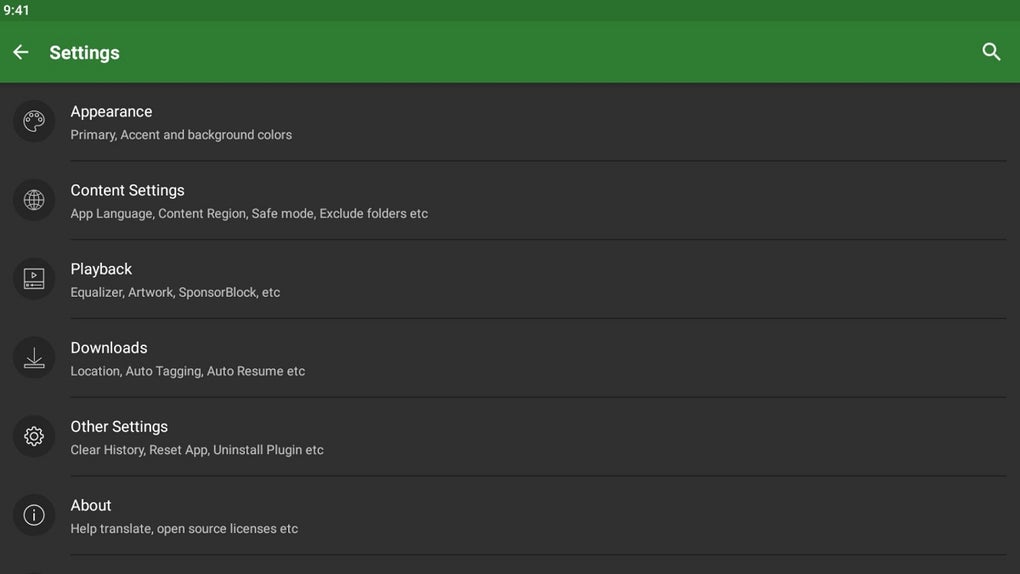
YMusic incorporates advanced AI to learn user listening habits and curate personalized playlists. These dynamically updated playlists adapt to your preferences and even consider your location, offering a tailored listening experience that evolves over time. The customizability extends further with fully adjustable playlist rules, allowing users to fine-tune their playlists to meet their specific needs and preferences. Beyond playlist management, the app offers additional personalization options including customizable equalizers, gapless playback to eliminate pauses between tracks, and configurable home screen widgets for quick access to frequently used functions. The interface itself benefits from a high degree of personalization with 81 color schemes available, allowing users to tailor the app’s appearance to match their personal aesthetic preferences. This level of customization provides a unique user experience rarely seen in other music player apps, allowing users to tailor the app to their individual requirements and tastes.
Addressing Potential Drawbacks
While YMusic offers many compelling advantages, it’s crucial to acknowledge potential drawbacks. Being a third-party application, users may occasionally encounter “Unauthorized Message” alerts. This is a common issue with apps that access YouTube’s content outside of the officially sanctioned channels. While not necessarily indicative of a malicious app, these alerts can be disruptive and detract from the overall user experience. The frequency of these alerts might vary depending on YouTube’s algorithms and updates to their systems. Users should be aware of this potential inconvenience before downloading and using the app.
Should You Download YMusic?
YMusic presents a strong case for itself as a valuable tool for anyone who frequently listens to music on YouTube. Its core functionality, centered around background playback and data-saving features, addresses common frustrations with the official YouTube app. The additional features, like the built-in downloader with support for various formats and the AI-powered playlist generation, elevate the user experience beyond simple playback. The high degree of customization allows users to tailor the app’s interface and functionality to meet their individual requirements.
Pros:
- Background Playback: Listen to YouTube music with your screen off, saving battery and data.
- Built-in YouTube Downloader: Download audio and video in multiple formats (MP3, WebM, MP4, Opus).
- Last.FM Integration: Automatically retrieves artist and album information for organized music management.
- Low Data Usage: Optimized for efficient streaming and downloading.
- AI-Powered Playlists: Intelligent playlist creation based on listening habits and location.
- High Degree of Personalization: Customizable equalizers, gapless playback, home screen widgets, and numerous color themes.
Cons:
- Unauthorized Messaging: Occasional alerts due to its third-party status.
The decision to download YMusic ultimately depends on individual needs and priorities. If you prioritize background playback, offline downloads, and a highly personalized music listening experience, then YMusic is worth considering. The convenience it offers significantly outweighs the occasional inconvenience of unauthorized messaging alerts for many users. However, users should be aware of the potential for these alerts and weigh this against the advantages the app provides. The app’s versatility and features make it a strong contender in the market of YouTube music players and downloaders.
Alternative Apps and Comparisons
Several alternative apps offer similar functionality to YMusic, each with its own strengths and weaknesses. Avee Music Player Pro, Seal, and Sound are a few examples, but they may lack the comprehensive features and customization options found in YMusic. Direct comparisons would require an in-depth analysis of each app’s individual features and user experiences. However, YMusic’s combination of background playback, versatile downloading capabilities, AI-driven personalization, and extensive customization options positions it as a competitive choice within this category of applications.
User Reviews and Feedback
User reviews consistently highlight YMusic’s ease of use, intuitive interface, and effective background playback. Many users appreciate the app’s ability to download music without the complexities of other solutions. Positive feedback frequently centers around the AI-powered playlist creation, noting its ability to generate relevant and enjoyable music selections. However, some reviews mention the occasional “Unauthorized Message” alerts, aligning with the observations made in this review. Despite this minor drawback, the overall consensus leans heavily toward positive feedback, demonstrating YMusic’s general effectiveness and user satisfaction. These reviews are essential for understanding the real-world experience and user perspectives on the app’s strengths and limitations.
Conclusion
YMusic provides a compelling alternative to using YouTube’s native app for music listening. Its efficient background playback, versatile download capabilities, AI-driven personalization, and extensive customization options make it a powerful and user-friendly tool for anyone looking to enjoy YouTube music more conveniently and efficiently. While the occasional “Unauthorized Message” alerts might be a minor inconvenience, the advantages offered by YMusic significantly outweigh this potential drawback for a large segment of users. Ultimately, YMusic stands as a solid and well-developed application that successfully addresses many common user frustrations related to YouTube music playback and management.
File Information
- License: “Free”
- Latest update: “July 11, 2024”
- Platform: “Android”
- OS: “Android 6.0”
- Language: “English”
- Downloads: “1M”
- Size: “9.32 MB”
- Download Options: “APK, Google Play”
- Filename: “YMusic_v3.8.7.apk”


