
YMusic, specifically the “Lite” version implied by the original title, has become a popular choice for Android users seeking a free and ad-free way to enjoy YouTube music and videos. This app offers a unique blend of features that cater to a specific need within the Android ecosystem: seamless background playback of YouTube content. While not explicitly labeled as “Lite,” the app’s core functionality focuses on providing the essential elements of a YouTube music player without unnecessary bloat, justifying the implied “Lite” moniker. This review will delve into the functionalities, advantages, and drawbacks of YMusic, exploring why it has garnered a significant following and considering its position in the broader landscape of Android music applications.
Dual Functionality: Local Media Player and YouTube Client
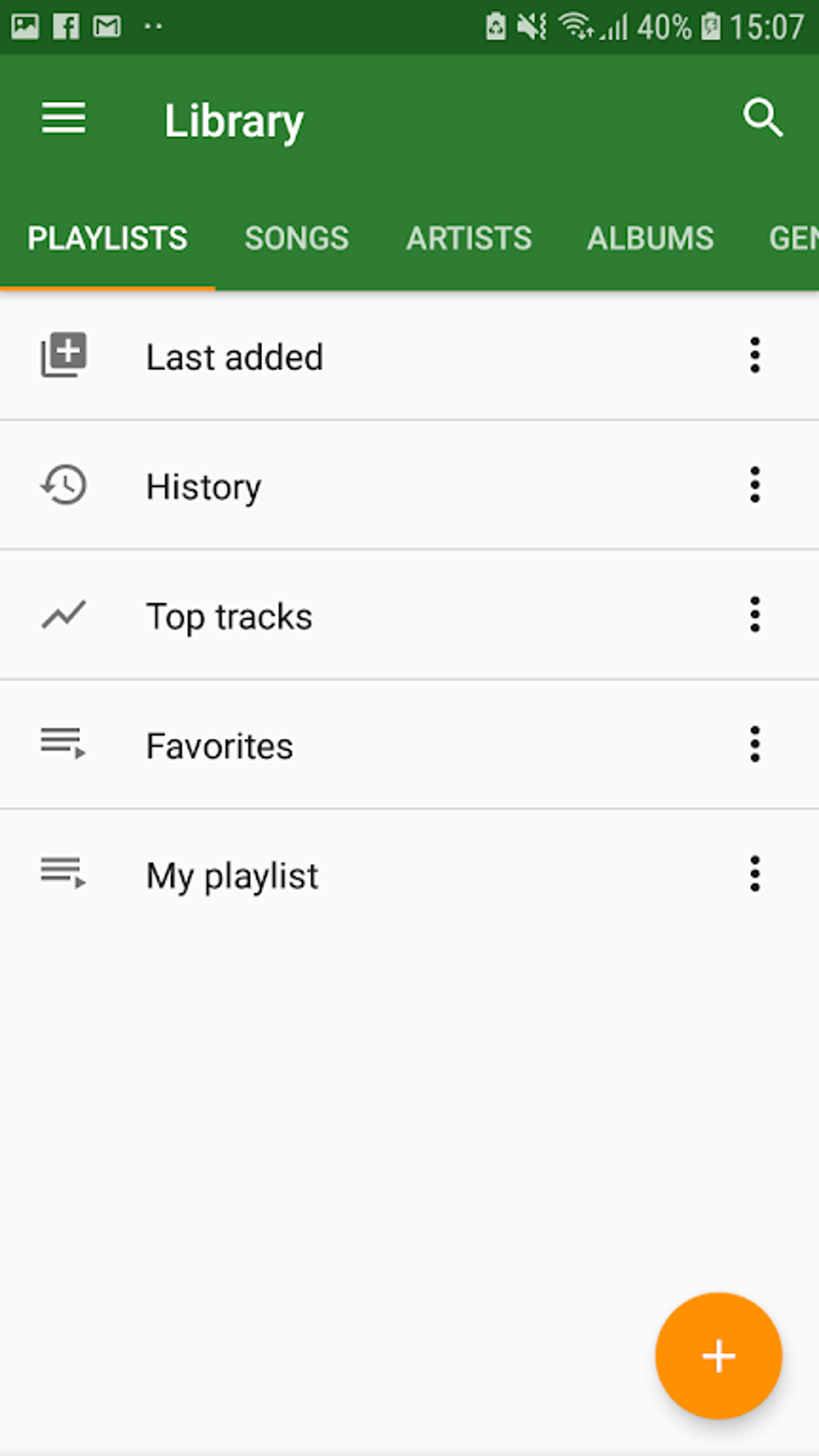
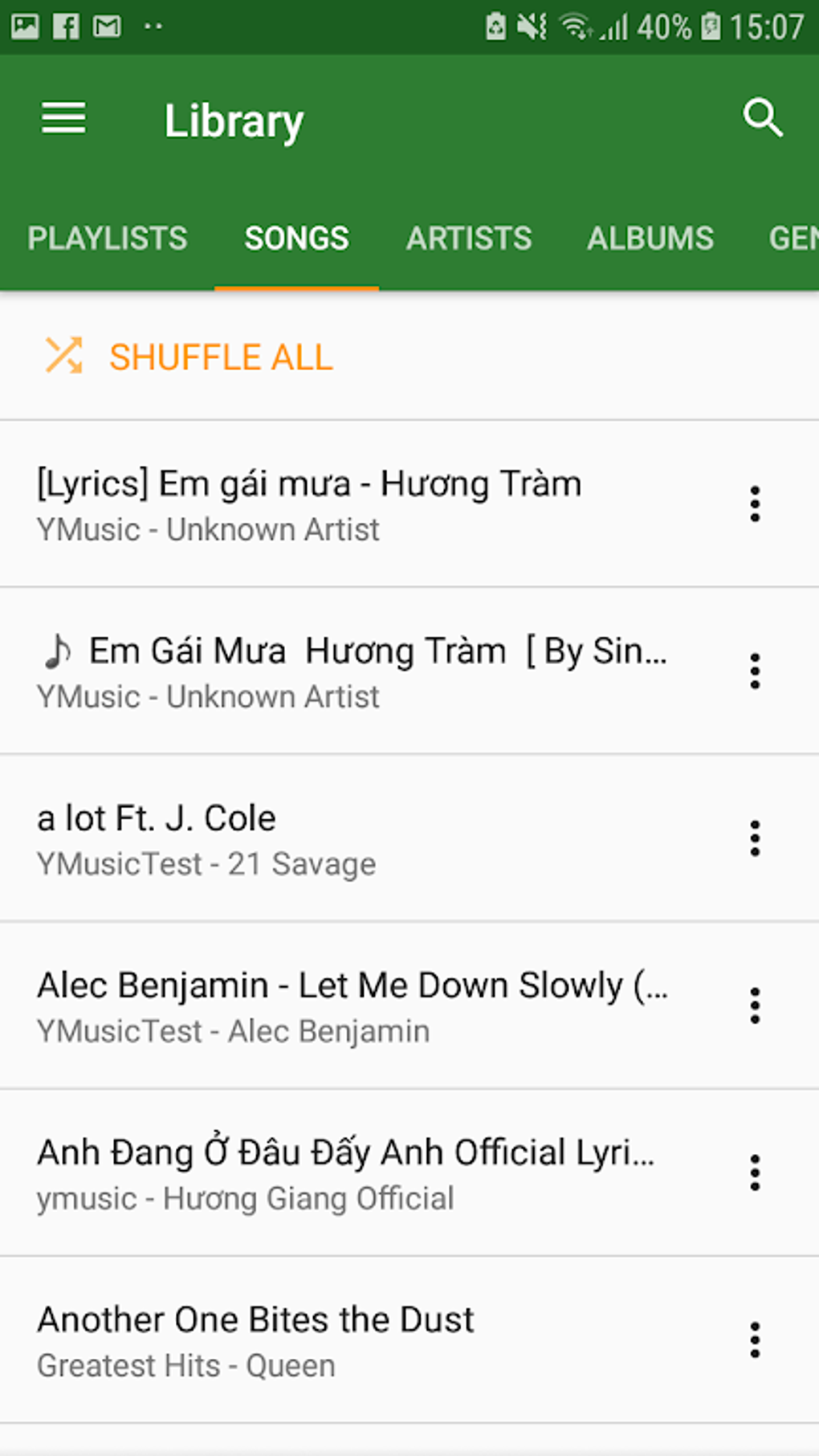
YMusic’s primary appeal stems from its dual functionality. Unlike many music players that only handle locally stored files, YMusic acts as both a standard media player and a powerful, albeit unofficial, YouTube client. This dual role eliminates the need for users to switch between separate applications to manage their local music collection and stream YouTube content. The app seamlessly integrates these two functionalities, providing a unified interface for managing and enjoying audio from diverse sources.
.webp)
The local media player component allows users to organize and play music files stored on their Android devices. This includes standard features like playlist creation, sorting by various criteria (artist, album, genre, etc.), and typical playback controls (shuffle, repeat, etc.). While this feature is a useful addition, its primary purpose is to complement the app’s core functionality centered around YouTube.
The YouTube client aspect is where YMusic truly distinguishes itself. It provides users with access to YouTube’s massive library of music videos and audio content, enabling them to browse, search, and play videos directly within the app. This is facilitated by accessing YouTube’s API in a manner that circumvents the limitations of the official YouTube app and website, particularly the limitations on background playback. The app cleverly integrates YouTube’s functionality in its discovery page, allowing users to find trending videos, explore various regions, and customize their viewing experience with closed caption options, mimicking many of the features found in the official app.
Background Playback and Ad-Free Streaming: The Core Advantages
The most significant benefit YMusic offers is its capability for background playback of YouTube videos. This long-requested feature is absent from the official YouTube app unless one has a paid YouTube Premium subscription. YMusic skillfully bypasses this restriction, allowing users to listen to music from YouTube videos even when the app is minimized or the screen is turned off. This is a game-changer for many users who want to enjoy their favorite YouTube content without being tethered to the app.
Furthermore, YMusic provides an ad-free experience. While the official YouTube app (and most free streaming services) bombard users with ads, YMusic effectively eliminates these interruptions. This offers a significantly more enjoyable listening experience, allowing users to focus on the music instead of being distracted by constant commercials. The app achieves this by leveraging techniques that intercept and block YouTube’s advertisements, providing a clean and uninterrupted stream. However, it’s crucial to note that this approach technically works around YouTube’s terms of service.
.webp)
Beyond Playback: Additional Features and User Experience
Beyond the essential functionalities of background playback and ad-free streaming, YMusic integrates several additional features that enhance the user experience. These include the ability to download videos for offline playback, offering a solution for those in areas with limited or unreliable internet connectivity. The app also enables playlist creation, allowing users to curate personalized collections of their favorite YouTube music videos. Additionally, the app’s browsing experience is streamlined, eliminating the bloat and unnecessary features often found in other music applications. Importantly, the app strives to retain the core functionalities of the platforms it leverages – for example, displaying lyrics from services like Spotify (if available within the original YouTube video) and providing seamless access to YouTube’s extensive catalog.
However, the user experience isn’t without its drawbacks. The user interface (UI) design shows signs of being outdated, lacking the modern aesthetics and intuitive design found in many contemporary Android apps. The visual design could be significantly improved to provide a more polished and user-friendly experience. This might not be a deal-breaker for users primarily focused on the app’s core functions, but it impacts the overall user experience, particularly for users accustomed to more visually appealing applications.
System Resource Consumption and Device Compatibility
A significant concern regarding YMusic is its relatively high system resource consumption. The app’s reliance on processing YouTube videos and managing background playback demands a substantial amount of processing power and memory. This means that older or lower-powered Android devices might struggle to run the app smoothly, experiencing lag, crashes, or significant battery drain. Users with older or less powerful devices might need to carefully consider whether the benefits of the app outweigh its impact on their device’s performance.
While the app works to remove the ads and maintain background playback, it does so by utilizing technical workarounds. It’s important for users to understand that employing such methods can carry potential risks. There is always a chance of conflicts with YouTube’s terms of service, and the app’s method may be vulnerable to changes in YouTube’s architecture, potentially leading to disruptions or malfunction.
.webp)
Conclusion: Weighing the Pros and Cons
YMusic presents a compelling proposition for Android users seeking ad-free background playback of YouTube music. Its dual functionality as a local media player and YouTube client is a notable advantage. The features that allow for downloads and playlist creation further enhance its usability. The ability to bypass YouTube Premium’s paywall for background playback is a key selling point, appealing to many users who want a free alternative.
However, the outdated UI and high system resource consumption are significant drawbacks. The app’s functionality also relies on workarounds that carry inherent risks related to YouTube’s terms of service and potential future updates to the YouTube platform that might impact the app’s performance.
Ultimately, the decision of whether or not to use YMusic depends on individual priorities. Users who highly value ad-free background playback and are willing to overlook the UI shortcomings and potentially high system demands will find YMusic a valuable tool. However, users who prioritize a polished UI and worry about system performance, or those who are averse to the risks associated with circumventing service restrictions, might be better served exploring alternative options or subscribing to YouTube Premium. The app’s “Lite” nature implies a focus on core functionality, and as such, trade-offs are made that potential users should carefully consider.
File Information
- License: “Free”
- Latest update: “November 11, 2024”
- Platform: “Android”
- OS: “Android 9.0”
- Downloads: “652.5K”
- Size: “7.93 MB”
- Download Options: “Google Play”
- Filename: “com-kapp-youtube-final-4288-63622377-55752288c5e69f78debf402153ae0812.apk”


