
YouTube, developed by Google LLC, is a globally recognized video-sharing platform that has revolutionized how we consume and create content. From short-form videos to feature-length documentaries, YouTube offers a vast and diverse library of videos catering to virtually every interest imaginable. This article delves into the features, benefits, safety considerations, and premium offerings of YouTube, exploring its impact on global communication and entertainment.
Exploring the YouTube Experience: Accessing and Engaging with Content
YouTube’s core functionality revolves around the effortless discovery and consumption of video content. Users can explore videos through various avenues, including personalized recommendations tailored to their viewing history and preferences, trending topics and videos, and channels dedicated to specific interests or creators. The platform’s intuitive interface makes it easy to navigate through its massive content library. The home tab presents a curated selection of recommended videos based on your viewing habits, while the subscriptions tab displays the latest uploads from channels you follow. The account tab provides access to your viewing history, liked videos, playlists, and account settings.
Beyond passive viewing, YouTube encourages active engagement with its community features. Users can interact with videos through likes, comments, and shares, fostering a sense of community around specific content and creators. The comment section serves as a platform for discussions, feedback, and interaction between viewers and creators, creating a dynamic and interactive experience. This interactivity extends beyond simple comments; YouTube incorporates features like live streams, allowing creators to engage with their audience in real-time. These live streams provide opportunities for Q&A sessions, behind-the-scenes looks, and immediate feedback, strengthening the bond between creators and their viewers.
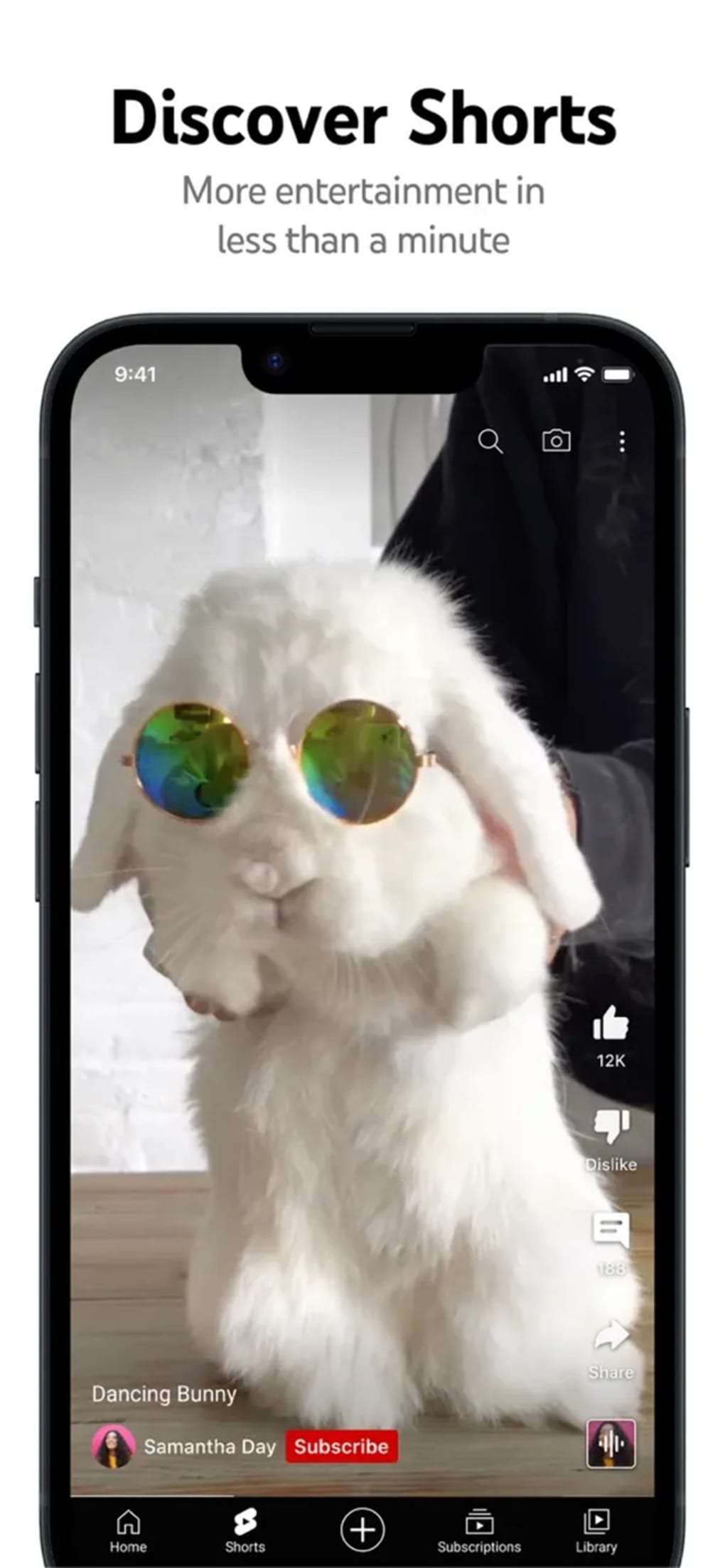
The platform also empowers users to become content creators themselves. With the ease of uploading videos directly from a mobile device or computer, YouTube allows anyone with a story to tell to share it with a potentially global audience. The platform also provides tools for video editing, including features for adding filters, music, and text overlays, enhancing the quality and presentation of user-generated content. This accessibility has democratized content creation, allowing individuals and smaller organizations to reach vast audiences without the traditional barriers of broadcast media.
YouTube’s Content Diversity: A World of Videos at Your Fingertips
The sheer breadth and depth of content available on YouTube are perhaps its most compelling features. The platform hosts videos spanning a vast range of genres and categories, including:
-
Music: From the latest music videos to live performances and concerts, YouTube serves as a comprehensive resource for music lovers. The platform also houses countless covers, remixes, and fan-made tributes, showcasing the creative diversity within the music community.
-
Entertainment: This expansive category encompasses everything from comedy skits and viral challenges to movie clips, TV show trailers, and behind-the-scenes footage. YouTube has become a major player in online entertainment, providing easily accessible content that rivals traditional media outlets.
-
News and Current Events: Many news organizations and independent journalists use YouTube to deliver news reports, analysis, and commentary. This provides an alternative source of news information and allows viewers to access a wider range of perspectives on current events.
-
Education: YouTube is a valuable educational tool, offering a vast collection of educational videos covering a multitude of subjects. From university lectures and documentaries to instructional tutorials and explainer videos, the platform provides easily accessible learning materials for students and lifelong learners alike.
-
Gaming: The gaming community thrives on YouTube, with countless channels dedicated to gameplay walkthroughs, reviews, and esports competitions. This has made YouTube a crucial platform for the growth and dissemination of video game culture.
-
DIY and How-to Videos: YouTube hosts a treasure trove of “how-to” videos covering a vast range of skills and projects. This resource empowers individuals to learn new skills, solve problems, and tackle DIY projects at their own pace.
- Vlogs and Personal Content: The rise of vlogging has made YouTube a platform for personal storytelling and self-expression. Viewers can connect with creators on a more personal level, fostering community through shared experiences and interests.
YouTube Premium: Enhancing the Viewing Experience
While YouTube offers a vast library of free content, YouTube Premium provides a subscription-based service that enhances the overall user experience. The premium subscription eliminates ads, providing an uninterrupted viewing experience free from commercial interruptions. This is particularly beneficial for users who watch long-form videos or frequently use the platform.
In addition to ad-free viewing, YouTube Premium includes the ability to download videos for offline viewing. This feature is invaluable for users who frequently travel or have limited internet access. It allows them to enjoy their favorite content regardless of their network connectivity.
YouTube Premium also grants access to YouTube Music Premium, a comprehensive music streaming service that provides access to a vast library of songs and curated playlists. This expands the benefits of the premium subscription, offering a combined audio-visual entertainment experience.
Safety and Parental Controls on YouTube
While YouTube offers a wealth of valuable content, it’s crucial to address the safety concerns, particularly regarding children. Although YouTube offers a Restricted Mode designed to filter out inappropriate content, it’s important to understand that this filter isn’t foolproof. Inappropriate content can sometimes slip through the filters, highlighting the need for parental guidance and active monitoring of children’s YouTube usage.
Parents should actively engage in their children’s online activities and utilize available parental control tools to ensure a safe and appropriate viewing experience. Open communication with children about online safety is paramount, empowering them to make informed decisions about the content they consume and share. This proactive approach is essential to mitigate potential risks associated with online video platforms.
YouTube’s Impact and Future
YouTube has fundamentally transformed the landscape of online video, democratizing content creation and consumption. Its vast library of diverse content caters to a global audience, facilitating communication, education, and entertainment on an unprecedented scale. The platform’s continuous evolution and incorporation of new features ensures its position as a leading force in the digital media world. As technology continues to advance, YouTube’s future likely involves further integration of artificial intelligence, virtual reality, and augmented reality, further enriching the user experience and broadening its accessibility. The platform’s ongoing evolution will undoubtedly continue to shape the future of online video and its impact on global communication and culture.
File Information
- License: “Free”
- Version: “20.32.4”
- Latest update: “August 13, 2025”
- Platform: “iPhone”
- OS: “iOS 16.4”
- Language: “English”
- Downloads: “563.5K”


