
YTD Music Downloader Pro is a free application designed for downloading videos and converting them to audio files from YouTube. This review will delve into its functionality, ease of use, advantages, disadvantages, and overall performance, providing a comprehensive assessment of its capabilities.
Downloading and Converting Videos: Speed and Flexibility
YTD Music Downloader Pro distinguishes itself through its speed and versatility in handling YouTube content. Users can download entire videos, regardless of length, whether it’s a short music clip or a feature-length documentary. The software is optimized for speed, making the download process relatively quick and efficient. Furthermore, it offers granular control, allowing users to download specific segments of a video. Simply specify a start and end time, and the application will extract and save only the desired portion as a separate file. This feature is particularly useful for users who need only a specific part of a longer video.
The downloaded videos are saved locally, enabling offline viewing. This eliminates the need for an internet connection to access the downloaded content. A significant advantage of YTD Music Downloader Pro is its built-in converter. This allows users to convert downloaded videos to various audio and video formats, including MP3, WMA, and WMV. However, it’s crucial to note that, unlike some other similar tools, direct audio extraction from YouTube isn’t supported. The video must be downloaded first before the conversion process can begin. While this adds a step, it’s a small inconvenience considering the application’s other strengths. The conversion process itself is relatively seamless and straightforward. Users simply choose their preferred output format and the application handles the rest.
User Experience and Interface: Simplicity and Potential Improvements
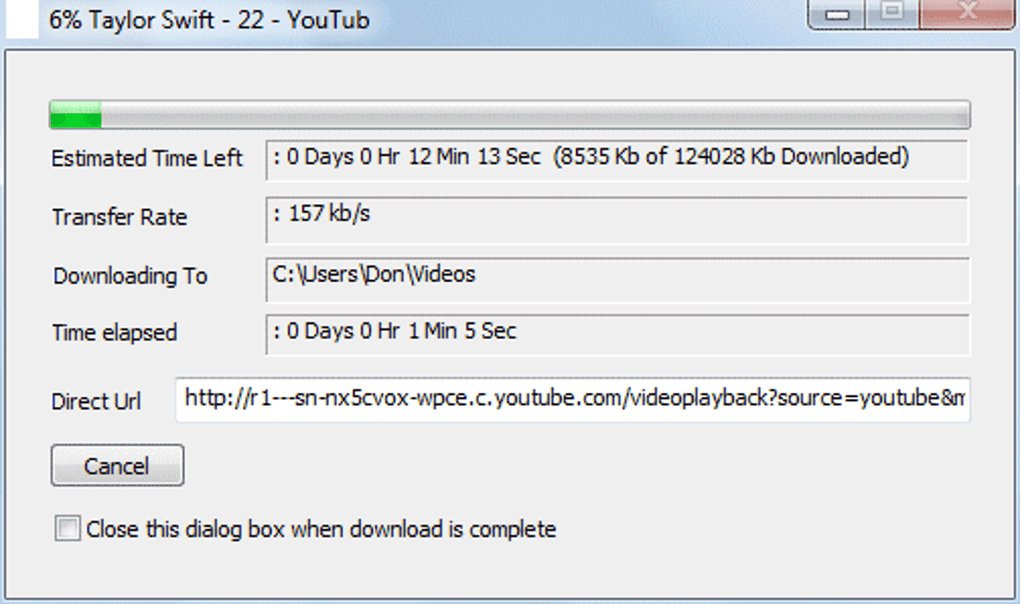
YTD Music Downloader Pro prioritizes simplicity in its design. The interface is straightforward, making it easy for even novice users to navigate and utilize its functions. The download process is minimal. Paste the YouTube URL, select your preferred quality settings, and initiate the download. This streamlined process contributes to the overall ease of use. Multiple downloads can be handled concurrently, maximizing efficiency. The software is designed to operate in the background, allowing users to multitask without interruption. It’s lightweight and doesn’t consume excessive system resources. It also avoids the intrusive pop-up advertisements commonly found in similar applications, enhancing the user experience.
While the simplicity is laudable, some might find the interface somewhat dated. It lacks the polished aesthetics of some more modern applications. This is purely a subjective point, however. The functionality remains clear and accessible, despite the design’s lack of modern visual flair. The developers could consider updating the visual aspects in future versions to appeal to a wider audience while maintaining the intuitive operational structure.

Limitations and Considerations: YouTube Exclusivity and Legal Aspects
YTD Music Downloader Pro is exclusively designed to work with YouTube. Videos hosted on other streaming platforms are incompatible. This limits the scope of its functionality. Users who need a downloader capable of handling various streaming sites will need to look for alternative solutions.
A crucial consideration is the legality of downloading YouTube videos. Copyright laws vary across jurisdictions. Downloading copyrighted material without explicit permission from the copyright holder may result in legal repercussions. It is crucial for users to understand and comply with the copyright regulations in their respective regions before using this software. YTD Music Downloader Pro does not inherently endorse or condone the illegal downloading of copyrighted content; responsibility for compliance with relevant laws rests solely with the user.
Performance and Efficiency: Speed and Resource Management
The application demonstrates a high level of efficiency. Downloads are fast, and it manages system resources effectively. This means minimal impact on the user’s overall computer performance, even when running alongside other applications or during multitasking. The concurrent download feature further enhances its productivity, allowing users to download multiple videos simultaneously without compromising speed or stability. The software’s lightweight nature also contributes to its efficient operation, especially beneficial for users with older or lower-specification computers.
Comparison with Alternative Applications: A Market Overview
YTD Music Downloader Pro competes with a range of similar applications available in the market. While other downloaders might offer more features or support additional platforms, YTD Music Downloader Pro offers a balance of speed, ease of use, and a lack of intrusive advertising that many find appealing. Specific comparison depends on the individual’s priorities and requirements. Some competitors may offer a wider range of format support or provide direct audio extraction capabilities. However, the straightforward approach of YTD Music Downloader Pro remains a significant advantage for those who value ease and speed above all other features.
Alternatives, such as YTD Video Downloader, Fast Tube Catcher, and others, each offer their own strengths and weaknesses in terms of features, performance, and user interface. Some may be faster, some may offer more format options, and others may integrate better with various operating systems. The best choice depends on individual needs and preferences.
Conclusion: Strengths, Weaknesses, and Overall Assessment
YTD Music Downloader Pro delivers on its core promise: fast and convenient downloading of YouTube videos. Its built-in converter is a valuable addition, simplifying the workflow for users who need audio files. The clean interface, absence of ads, and background operation enhance the user experience considerably. However, the lack of support for other streaming platforms and the need to download the video before audio conversion are significant limitations. The somewhat dated interface might also be a drawback for some users who prefer a more modern aesthetic. Ultimately, whether YTD Music Downloader Pro is the right choice depends on individual needs and priorities. For users primarily focused on downloading YouTube content quickly and easily, it presents a compelling option, despite its limitations. The software’s free nature is also a considerable advantage, making it an accessible option for a wide range of users. Understanding the legal implications associated with downloading copyrighted material remains crucial before using any such software.
File Information
- License: “Free”
- Latest update: “May 22, 2024”
- Platform: “Windows”
- OS: “Windows 98”
- Language: “English”
- Downloads: “216.6K”


