
zANTI is a powerful mobile penetration testing and security analysis tool designed to assess the vulnerabilities of networks and devices. It operates by simulating cyberattacks, specifically Man-in-the-Middle (MITM) attacks, allowing security professionals and network administrators to identify weaknesses before malicious actors can exploit them. This comprehensive examination reveals potential entry points for attackers, highlighting vulnerabilities in both the network infrastructure and individual devices connected to it. The tool’s effectiveness lies in its ability to provide a realistic simulation of a real-world attack scenario, enabling proactive mitigation of potential threats.
Understanding zANTI’s Functionality
zANTI’s primary function is to analyze network security by actively probing for weaknesses. It achieves this through the simulation of various attack vectors, primarily focusing on MITM attacks. These attacks involve intercepting communication between two parties to eavesdrop, manipulate data, or impersonate one of the parties involved. By successfully simulating these attacks, zANTI unveils vulnerabilities that might otherwise remain undetected.
The tool’s analysis extends beyond simply identifying vulnerable network points; it delves into the security posture of individual devices connected to the network. This granular approach enables users to pinpoint weak points on specific devices, providing crucial information for targeted security enhancements. For example, zANTI might reveal outdated firmware, weak passwords, or other exploitable configurations on individual devices, significantly aiding in the development of a robust, multi-layered security strategy.
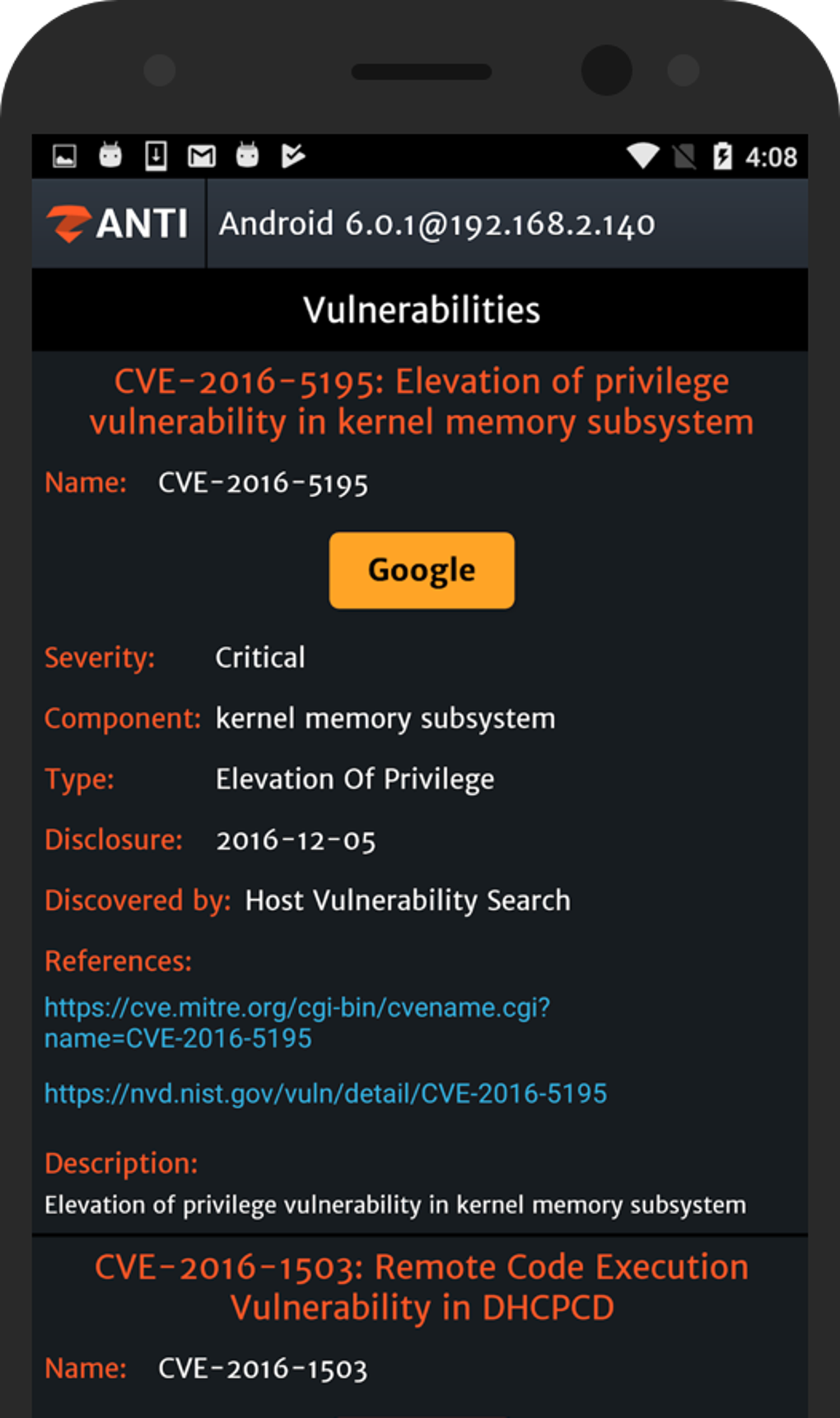
The results of a zANTI scan are presented in comprehensive reports, detailing the discovered vulnerabilities and their potential impact. These reports provide actionable insights, guiding administrators in prioritizing remediation efforts and implementing necessary security measures. This detailed feedback loop is crucial in addressing vulnerabilities effectively and proactively strengthening the overall network’s resilience against cyber threats.
zANTI’s User Interface and Usability
While zANTI’s functionality is technically sophisticated, its user interface is designed for ease of use. Even users without extensive technical expertise can quickly navigate the tool and understand the presented information. The intuitive design facilitates a straightforward workflow, minimizing the learning curve often associated with complex security tools. This user-friendly approach makes zANTI accessible to a broader range of security professionals, from experienced penetration testers to network administrators with limited security expertise.
The tool’s streamlined interface reduces the time and effort required for security assessments, making it an efficient solution for organizations needing to regularly assess their network security. This efficiency is a considerable advantage, particularly for organizations with limited IT resources or those needing to conduct frequent security audits. The focus on usability ensures that the power of zANTI’s analytical capabilities is accessible to a wider audience, facilitating broader adoption and improvement in overall network security.
Advantages and Disadvantages of zANTI
zANTI offers numerous advantages that make it a valuable asset in network security assessments. Its speed and efficiency in identifying vulnerabilities save valuable time and resources. The user-friendly interface significantly reduces the learning curve, ensuring that the tool’s sophisticated capabilities are accessible to a broad user base. The detailed reports generated provide comprehensive insights into network vulnerabilities, facilitating informed decision-making regarding security enhancements.
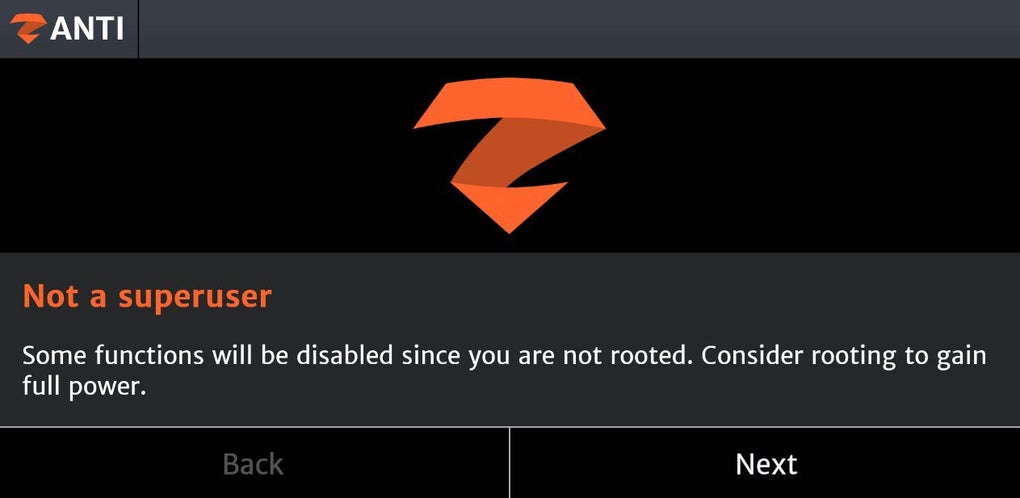
However, like any security tool, zANTI has its limitations. One significant limitation is the requirement for a rooted device. Rooting a device involves granting elevated privileges, which can compromise security if not done correctly. This requirement might be a barrier for users unwilling or unable to root their devices. While this requirement enhances the tool’s capabilities, it introduces a potential risk that users need to carefully assess and manage.
Another potential drawback is the time required to generate reports. While zANTI is fast in its initial scan, generating comprehensive reports can consume time, depending on the size and complexity of the network being analyzed. This delay, however, is often offset by the detailed and actionable information provided in the final report. The detailed information allows for targeted improvements and prioritization of security efforts.
Additionally, the tool’s reliance on a token credit system for advanced features could limit access for some users, depending on their budget and the extent of features required. This pay-as-you-go approach could be seen as both an advantage and a disadvantage. The granular control over feature usage might be cost-effective for smaller scale analyses, but it can become expensive for large-scale, regular security assessments. Users must carefully consider their testing needs and associated costs when employing zANTI.
Furthermore, some users have reported instances where zANTI leads to static webpages or fails to detect certain vulnerabilities. These are known limitations, and ongoing development efforts are focused on addressing these issues to enhance the tool’s reliability and accuracy. While these limitations exist, they are not unique to zANTI, and other similar tools also exhibit similar challenges.
zANTI’s Role in Modern Network Security
In today’s interconnected world, network security is paramount. zANTI plays a crucial role in bolstering network defenses by providing a powerful tool for proactive vulnerability assessment and remediation. Its ability to simulate real-world cyberattacks allows for a more realistic understanding of potential threats and facilitates the development of robust, targeted security solutions. By identifying and addressing weaknesses before they can be exploited, zANTI helps organizations stay ahead of evolving cyber threats.
The tool’s user-friendly interface and detailed reporting make it an accessible and efficient solution for organizations of all sizes. This accessibility democratizes network security assessment, empowering more individuals and organizations to strengthen their defenses against cyberattacks. The ability to conduct thorough security audits without requiring extensive technical expertise empowers a larger community to engage in more proactive security management.
While zANTI’s limitations exist, its advantages significantly outweigh the drawbacks for many users. The detailed analysis, comprehensive reports, and user-friendly interface make it a valuable asset in the ongoing fight against cyber threats. By providing a practical method for identifying and mitigating vulnerabilities, zANTI contributes significantly to improving the overall security posture of networks and the devices connected to them. Its role in modern network security is increasingly important in today’s ever-evolving threat landscape. Its ability to simulate real-world attacks allows for a more effective and informed approach to security management, helping organizations protect their valuable data and systems from increasingly sophisticated cyberattacks.
The information provided in this article is for educational purposes only. Using zANTI or any penetration testing tool without proper authorization is illegal and unethical. Always obtain explicit permission before conducting any security assessment on a network or device that you do not own or manage. The misuse of such tools can lead to legal consequences and ethical violations. Always adhere to the relevant laws and ethical guidelines when conducting any security assessment.
File Information
- License: “Free”
- Version: “3.19”
- Latest update: “July 11, 2023”
- Platform: “Android”
- OS: “Android 6.0”
- Language: “English”
- Downloads: “460.7K”
- Size: “5.44 MB”
- Download Options: “APK, Google Play”
- Filename: “zANTI_1.0.1.apk”


