
ZArchiver is a versatile and powerful file archiving utility application developed by ZDevs, designed to streamline the process of creating and managing compressed files directly on Android devices. Its intuitive interface and broad compatibility with various archive formats make it a popular choice for users needing efficient file management on the go. This comprehensive guide will explore ZArchiver’s features, benefits, and limitations, providing a detailed overview of its functionalities.
Core Functionality: Archiving and Extraction
ZArchiver’s primary function revolves around creating and extracting archive files. This eliminates the need to connect your mobile device to a computer for manual archiving, providing a convenient, self-contained solution. The application’s straightforward user interface ensures that even novice users can easily navigate its features. Simply select the files you wish to archive, and the app provides options for compressing them into a variety of formats.
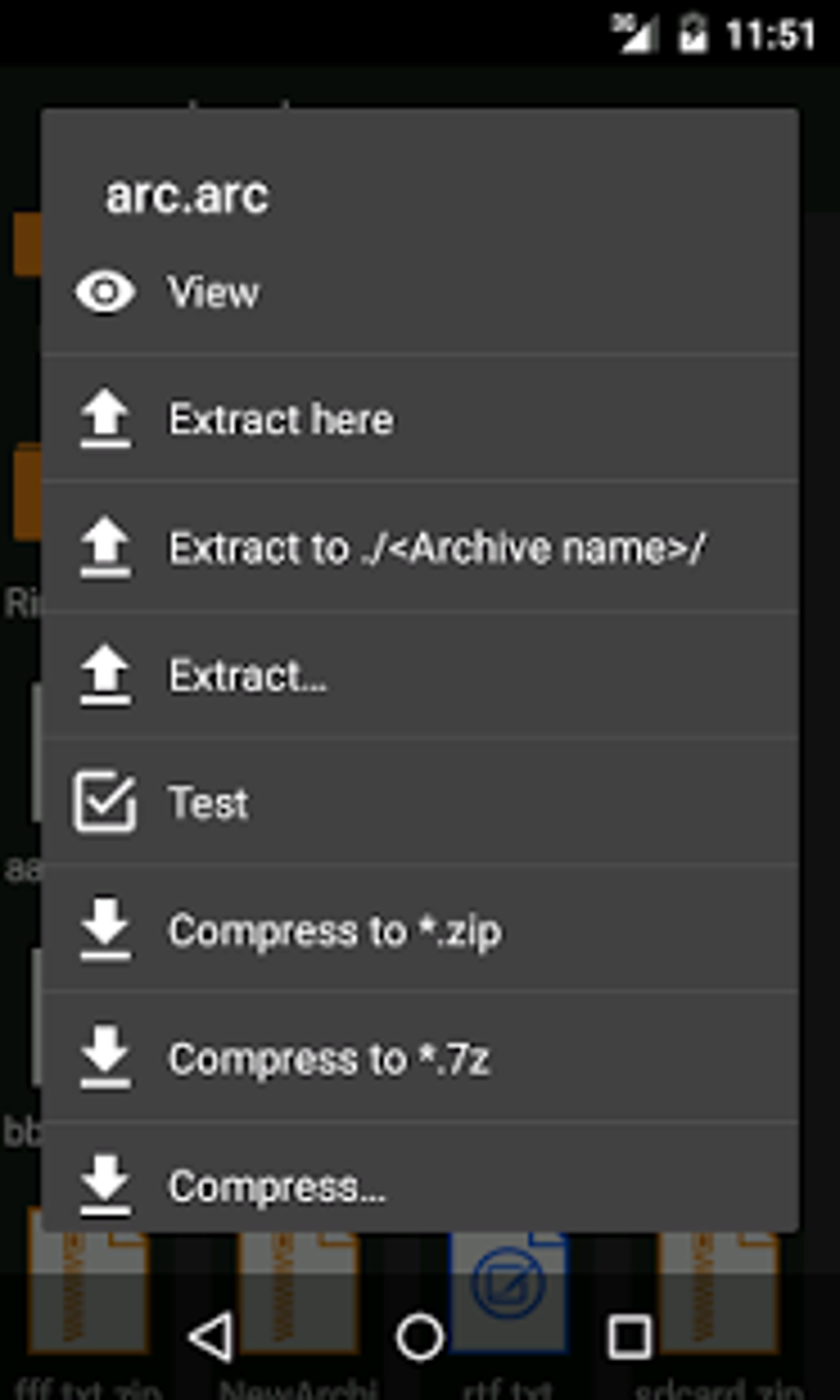
ZArchiver boasts broad compatibility with most standard archive formats, including ZIP, 7z (7zip), RAR, RAR5, BZIP2 (BZ2), GZIP (GZ), and XZ. This extensive support means you can work with a wide range of compressed files, regardless of their original compression method. The app doesn’t just limit itself to creation; it also allows for seamless extraction, enabling you to unpack archives directly onto your device and specify the desired output location. This level of control empowers you to manage your file organization effectively.
Beyond basic compression and decompression, ZArchiver offers several advanced features. You can directly open compressed files within the app, browse their contents, and even edit them, provided your device supports the relevant file formats. The app also supports partial or multi-part archive decompression, allowing you to extract individual files from split archives effortlessly. This is particularly useful when dealing with large files that have been divided into smaller parts for easier transfer or storage.
Furthermore, ZArchiver seamlessly integrates with email applications like Gmail or Yahoo Mail, allowing you to directly access and manage archive files received as attachments. This integration enhances workflow efficiency, reducing the number of steps required to handle compressed files within your email correspondence.
Security and Encryption Features
Data security is a critical concern in today’s digital landscape, and ZArchiver acknowledges this by incorporating robust security features. The application allows for the management of passwords from encrypted archives, ensuring that sensitive information remains protected. This means that you can securely store and access password-protected compressed files without worrying about unauthorized access.
The ability to encrypt archived files adds an extra layer of protection, safeguarding your data from prying eyes. ZArchiver enhances its utility by supporting multi-core processors and multithreading, allowing for the simultaneous compression of multiple files, significantly accelerating the archiving process. This makes it ideal for handling larger collections of files efficiently.
Customization is also a key feature. ZArchiver allows the insertion of special symbols, such as national flags, when labeling archive files, enabling you to personalize and easily identify your archived content. Support for UTF-8/UTF-16 Unicode ensures compatibility with a wide range of characters and languages for accurate file naming and organization.
User Interface and Experience
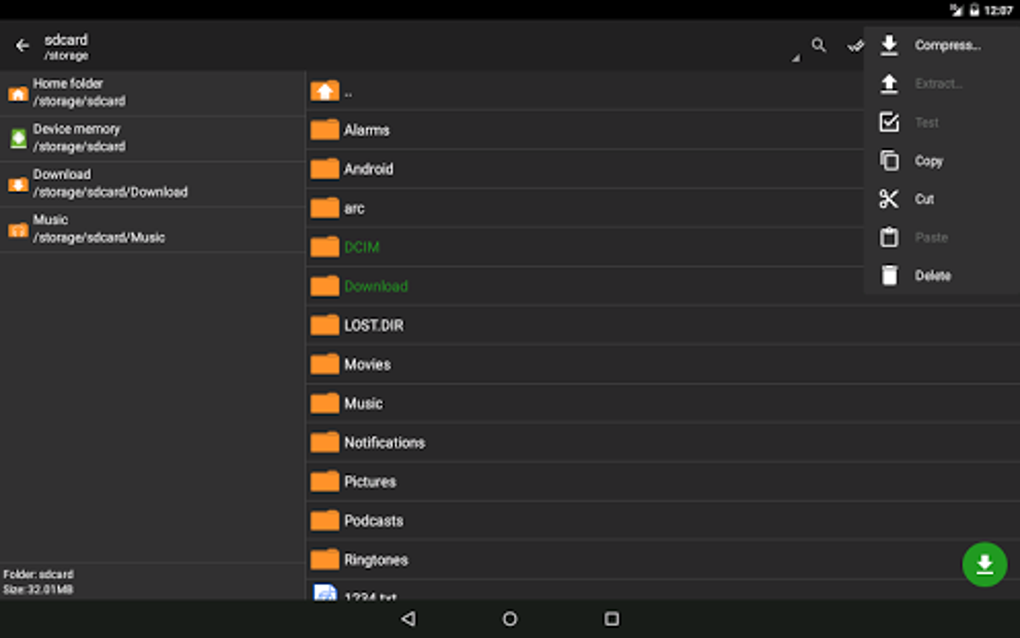
ZArchiver’s strength lies not only in its functionality but also in its user-friendly interface. The app is designed for ease of use, providing a simple yet powerful toolset for managing compressed files. Navigating through the app’s features is intuitive, allowing users to quickly access the functions they need without a steep learning curve.
The clean and organized layout simplifies the process of selecting files for archiving, choosing compression formats, and specifying output locations. The app avoids unnecessary complexities, focusing on delivering a straightforward and effective user experience.
Advantages and Disadvantages
While ZArchiver offers a multitude of benefits, it’s essential to acknowledge its limitations. Here’s a balanced perspective:
Pros:
- Comprehensive Archive Format Support: ZArchiver’s compatibility with a broad range of archive formats is a significant advantage, ensuring versatility in handling various compressed files.
- User-Friendly Interface: The intuitive interface makes it accessible to users of all technical skill levels, providing a seamless archiving and extraction experience.
- Enhanced Security: Encryption capabilities and password management features contribute to robust data protection.
- Efficient Processing: Multi-core processing and multithreading optimize performance, handling large files and multiple archives quickly.
- Integrated Email Support: Seamless integration with email apps simplifies the management of archived attachments.
- Customization Options: The ability to customize file labels with special symbols and Unicode support enhances organizational capabilities.
Cons:
- Limitations with Some Encrypted Archives: While the app supports encryption, it might not be able to force open all types of encrypted archives, potentially causing compatibility issues with some files.
- Not All Archive Formats are Fully Supported: Although it supports a wide range, there might be niche or less common archive formats that ZArchiver might not fully support.
- Limited SD Card Management: Direct management of files stored on an SD card might be limited, requiring you to move files to internal storage before archiving or extraction.
- Minimal File Compression Capability: Compared to some desktop archiving utilities, the file compression capabilities might be less efficient, resulting in potentially larger file sizes.
Alternatives and Comparisons
While ZArchiver stands as a strong contender in the mobile archiving arena, alternative applications offer different strengths and weaknesses. Some popular alternatives include RAR, 7-Zip (desktop versions often offer superior compression ratios), and dedicated cloud storage solutions like MediaFire, each possessing its own feature set.
Choosing the right archiving utility depends on your specific needs and preferences. Consider the level of security, the range of supported formats, and the user interface when selecting an archiving app.
Conclusion
ZArchiver presents a compelling option for Android users needing a reliable and user-friendly archiving utility. Its comprehensive format support, intuitive interface, and robust security features make it a highly effective tool for managing compressed files on mobile devices. While certain limitations exist, the overall advantages significantly outweigh the disadvantages, making it a worthwhile application for both casual and power users. Its adaptability and consistent updates reinforce its position as a go-to solution for efficient file management on the go.
File Information
- License: “Free”
- Latest update: “April 8, 2025”
- Platform: “Android”
- OS: “Android 13.0”
- Language: “English”
- Downloads: “781.6K”
- Size: “5.18 MB”
- Download Options: “APK, Google Play”
- Filename: “ru.zdevs.zarchiver_1.0.10.apk”


