
Zedge is a popular Android application offering a vast library of customizable wallpapers, ringtones, notification sounds, and more, allowing users to personalize their mobile experience. This comprehensive platform provides millions of options, catering to diverse tastes and preferences, from the latest pop songs to unique AI-generated artwork. This in-depth review explores Zedge’s features, user experience, pros and cons, and its place in the competitive mobile personalization market.
A World of Customization at Your Fingertips
One of the key appeals of Android devices lies in their extensive customization options. Users can tailor almost every aspect of the interface, from launchers to widgets. Zedge takes this personalization to the next level by providing a centralized hub for all things customizable. Instead of searching across multiple platforms for wallpapers, ringtones, and notification sounds, users can access a massive collection within a single app.
The app’s curated “Featured” lists simplify the selection process, offering organized collections based on popularity, recent additions, and categories. This curated approach helps users navigate the extensive library and discover new content tailored to their interests. Whether you’re searching for specific Samsung ringtones, themed wallpapers, or unique notification sounds, Zedge’s search functionality and categories ensure a streamlined search experience.
Endless Variety: Wallpapers, Ringtones, and More
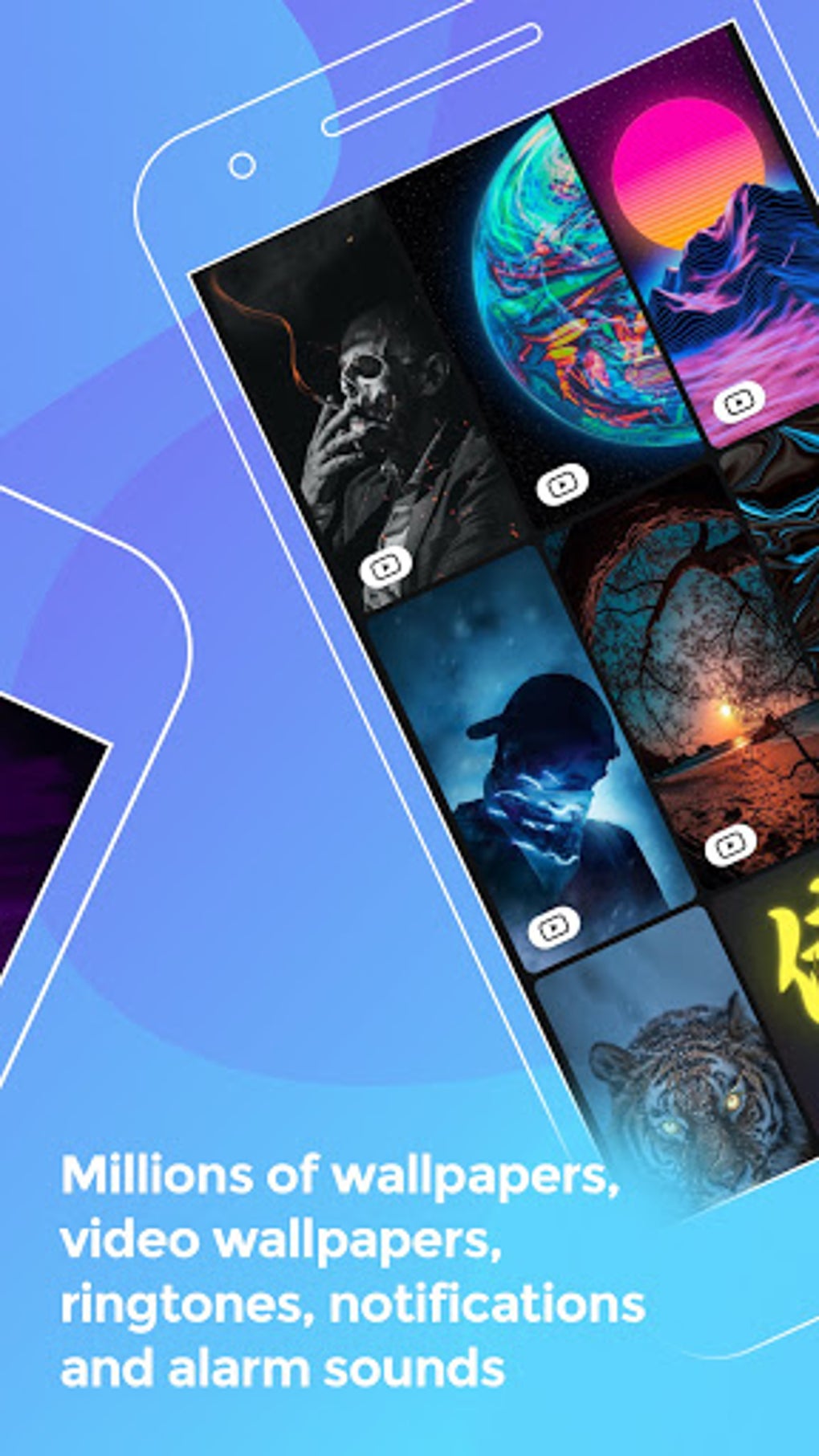
Zedge boasts a truly extensive library, offering millions of choices across various categories. This sheer volume of content guarantees a diverse range of options, catering to a broad spectrum of user preferences. The app’s collection goes beyond simple wallpapers and ringtones. It features:
-
High-Resolution Wallpapers: Zedge offers a wide selection of HD and 4K wallpapers, covering diverse themes and styles. Whether you prefer abstract designs, nature scenes, pop culture references, or artistic masterpieces, there’s a wallpaper to match your aesthetic. The app even includes Banksy-inspired wallpapers for the rebellious and sci-fi themes for the futuristic-minded.
-
AI-Generated Wallpapers: For those seeking truly unique and personalized backgrounds, Zedge integrates an AI art generator. This feature allows users to input words or phrases, transforming them into custom-designed wallpapers. This creative tool empowers users to create one-of-a-kind digital art pieces directly within the app.
-
Zedge pAInt: This integrated tool adds another layer of personalization, enabling users to further customize their AI-generated or pre-existing wallpapers. Users can refine their digital artwork using filters, stickers, and other editing tools. This enhances the creative possibilities, allowing for a highly personalized result.
-
Live Photos: Zedge doesn’t just offer static images; it also provides a selection of live photos, bringing dynamism to the home screen. These dynamic wallpapers add a touch of movement and visual interest, enhancing the overall user experience.
-
Ringtones and Sounds: The app extends beyond visual customization, offering a vast collection of ringtones and notification sounds. The library encompasses a wide range, including the latest pop songs, humorous sound effects, and even device-specific sounds such as those for Samsung devices. Users can select sounds to personalize their call notifications and other alerts.
User Experience and Interface
While Zedge offers an expansive library of content, the user interface isn’t the most intuitive or user-friendly. While wallpapers and sounds are presented in either a list or thumbnail grid format, navigation could be improved. The process of selecting and setting customizations is straightforward, but the abundance of ads can significantly detract from the overall user experience.
The app’s layout is functional but could benefit from a more streamlined design. The organization of categories and search features are adequate, but the overall design feels somewhat cluttered, especially on smaller screens. The main issue remains the intrusive nature of the full-screen ads. Although banner ads are present at the bottom of the screen, occasional full-screen advertisements interrupt the user experience. This frequency of disruptive ads can be frustrating and, frankly, annoying. The accidental tapping of ads is a frequent occurrence, highlighting the aggressive monetization strategy employed by the developers.
Downloading, Setting, and Managing Customizations
The process of downloading, setting, and managing customizations within Zedge is relatively straightforward. Users can download wallpapers and sounds directly to their device or add them to a favorites list for later use. Ringtones can be managed directly within the Zedge app. Alternatively, users can set wallpapers and ringtones through the Android system settings. This flexibility allows users to choose their preferred method for managing their customizations.
The bookmarking feature, however, is a significant advantage. The “Favorites” function allows users to keep track of preferred wallpapers and ringtones. This is especially helpful given the vast size of the library. It makes it easy to return to frequently used items without having to search through the massive collection again.
Pros and Cons of Zedge
Pros:
-
Vast Content Library: Zedge’s most significant strength lies in its extensive collection of wallpapers, ringtones, and notification sounds. The variety is truly impressive, catering to nearly every taste.
-
Favorites Feature: The ability to save favorite items significantly improves the user experience, especially considering the sheer volume of content available.
-
Effective Search Functionality: Zedge’s search function works well, allowing users to easily locate specific items within the large database.
-
Easy Customization: Setting wallpapers and ringtones is simple and intuitive, providing users with a seamless customization process.
-
AI Art Generator: The inclusion of an AI art generator sets Zedge apart, offering a unique and powerful tool for personalized wallpaper creation.
Cons:
-
Intrusive Advertising: The excessive and intrusive ads are the app’s most significant drawback. The frequency and size of full-screen ads greatly impact the user experience.
-
Lack of Icon Packs: Unlike some competing apps, Zedge doesn’t offer custom icon packs, limiting its comprehensive personalization capabilities. While this is not a deal-breaker for many, it could be a significant drawback for users seeking a fully unified theme.
-
Interface Clutter: The app’s interface could benefit from a redesign. A more streamlined and less cluttered design would improve the overall user experience.
Conclusion: Zedge - A Powerful Tool Despite its Flaws
Zedge remains a powerful tool for mobile personalization. The sheer volume and variety of customizable content are unmatched by many competitors. The ability to easily search, download, and manage these customizations is a clear advantage. However, the significant drawback of intrusive advertising significantly detracts from the overall experience. Users who can tolerate the frequent full-screen ads will find a powerful resource for customizing their devices. For those seeking a more polished and less intrusive experience, however, exploring alternative personalization apps may be a better option. Ultimately, the decision to use Zedge rests on the user’s tolerance for advertising in exchange for access to a massive library of customization options.
File Information
- License: “Free”
- Latest update: “August 9, 2025”
- Platform: “Android”
- OS: “Android 15.0”
- Language: “English”
- Downloads: “379.2K”
- Download Options: “Google Play”


