
In the vast and ever-evolving landscape of digital information, managing files efficiently is paramount. From personal documents and multimedia collections to professional projects and software distributions, the sheer volume of data we handle daily necessitates effective organizational tools. Among these, file compression utilities stand out as indispensable assets, offering solutions for reducing file sizes, bundling multiple items into a single archive, and protecting data during transfer. At the heart of this domain lies the venerable ZIP format, a ubiquitous standard for archiving and compression, and with it, the critical role of a reliable ZIP reader.
This article delves into the world of ZIP files and explores the specific utility of ZIP Reader by PKWARE, a free Windows application designed to simplify the process of accessing and managing compressed data. We will examine its core functionalities, discuss its benefits, compare it with other popular tools in the market, and ultimately underscore why having an efficient ZIP reader is not just a convenience, but a necessity for any modern computer user.
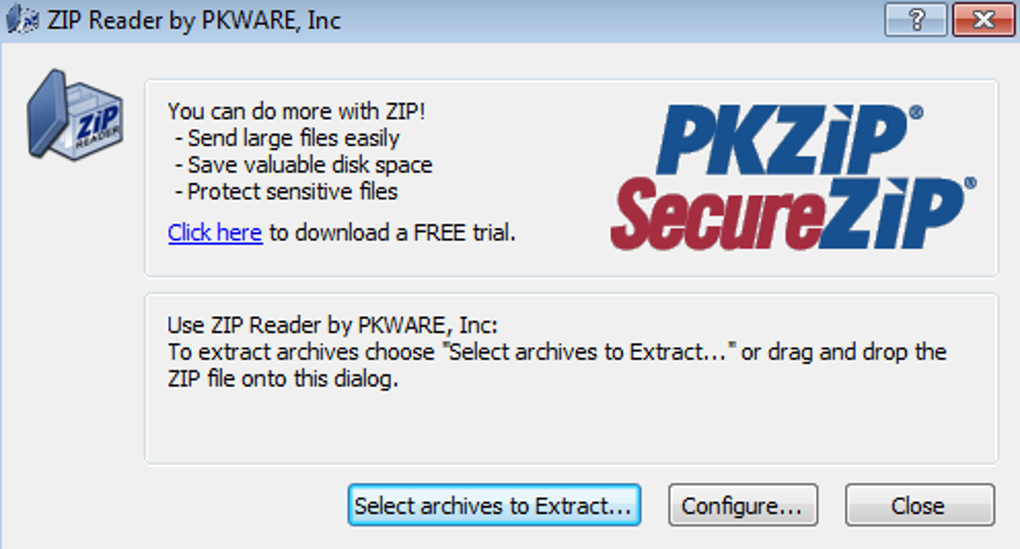
Understanding ZIP Files and the Need for a Reader
Before diving into the specifics of ZIP Reader, it’s crucial to grasp the fundamental concept of file compression and the historical significance of the ZIP format. In essence, file compression is the process of encoding information using fewer bits than the original representation. This is achieved through various algorithms that identify and eliminate redundant data, resulting in a smaller file size. The benefits are manifold: reduced storage space, faster data transfer over networks, and easier organization of related files.
The ZIP file format, originally created by Phil Katz of PKWARE, Inc. in 1989, quickly became the de facto standard for archiving and compressing files. Its open specification allowed for widespread adoption and implementation across various operating systems and applications. A ZIP file is essentially a data container that can hold one or more files or directories that have been compressed. It acts like a digital folder, consolidating numerous items into a single, manageable entity.
The Evolution of File Compression
The journey of file compression began long before the digital age, with early methods for encoding information efficiently. However, it was the advent of personal computing and the internet that truly propelled its development. Early compression algorithms were often complex and resource-intensive, but as computing power grew, so did the sophistication and speed of compression tools.
The ZIP format, initially designed for DOS, offered a balance of good compression ratios and reasonable processing speed, making it highly practical for everyday use. Its ability to store multiple files and folders within a single archive, coupled with its relatively simple structure, contributed significantly to its rapid acceptance. Over the decades, while newer compression formats like RAR, 7z, and TAR.GZ have emerged, offering varying levels of compression and feature sets, ZIP has maintained its stronghold due to its universal compatibility and straightforward nature. Almost every operating system, including Windows, macOS, and Linux, provides built-in support for ZIP files, allowing for basic extraction without additional software.
Why ZIP Remains Relevant Today
Despite the availability of more advanced compression formats, ZIP continues to be incredibly relevant for several key reasons:
- Universal Compatibility: This is perhaps the most significant advantage. Virtually any computer, regardless of its operating system or installed software, can open and extract a ZIP file. This makes it an ideal format for sharing files with a broad audience, ensuring that recipients can access the content without needing specialized tools.
- Simplicity: Creating and extracting ZIP files is generally straightforward. Modern operating systems often integrate basic ZIP functionality directly into their file explorers, making it accessible even for novice users.
- Efficiency for Everyday Use: For many common tasks – sending email attachments, packaging project files, or downloading software – ZIP offers a perfectly adequate compression ratio and speed. While other formats might achieve slightly better compression, the trade-off in universal accessibility and ease of use often favors ZIP.
- Security Features: Many ZIP implementations support encryption, allowing users to password-protect their archives, adding an extra layer of security for sensitive data.
Given its pervasive nature, every computer user inevitably encounters ZIP files. Whether it’s a downloaded software package, a collection of photos from a friend, or an archive of work documents, the ability to effortlessly open and manage these files is essential. This is precisely where a dedicated utility like ZIP Reader by PKWARE proves invaluable. While operating systems offer basic functionality, a specialized reader often provides a more refined, efficient, and feature-rich experience.
Introducing ZIP Reader by PKWARE: A Comprehensive Overview
In the realm of file compression utilities for Windows, ZIP Reader by PKWARE stands out as a focused and efficient solution. Developed by PKWARE, the very entity responsible for the original ZIP format, this application offers a streamlined approach to handling compressed archives. It is categorized under “Utilities & Tools” and specifically “File Compression” on platforms like PhanMemFree.org, signifying its core purpose: to provide a user-friendly way to interact with ZIP files.
The program’s primary function, as its name suggests, is to read or extract files from compressed ZIP folders. For users who frequently encounter compressed data, this utility aims to simplify the often-tedious process of unpacking archives, making their contents readily accessible.
Core Functionality: Effortless Extraction and Management
The fundamental utility of ZIP Reader revolves around its ability to extract files from ZIP archives. When you download a ZIP file or receive one via email, its contents are not directly accessible until they are uncompressed. This is where ZIP Reader comes into play. Users can simply open the ZIP file with the application, view its contents, and then select the desired files or folders for extraction.
The extraction process is designed to be quick and efficient. ZIP Reader focuses on performing this task reliably, ensuring that the original file structure and integrity are maintained upon decompression. This makes it a reliable choice for anyone who needs to quickly get to the data stored within a ZIP archive without fuss.
Beyond simple extraction, a good ZIP reader often offers several quality-of-life features:
- Browsing Archive Contents: Before extraction, users can typically browse the contents of a ZIP file, much like browsing a regular folder. This allows them to preview files or decide which specific items they wish to extract, rather than decompressing the entire archive unnecessarily.
- Selective Extraction: The ability to choose specific files or subfolders within an archive for extraction is a significant time-saver. Instead of extracting a multi-gigabyte archive just to access a single small document, users can pinpoint and extract only what they need.
- Destination Folder Selection: Users usually have the option to specify where the extracted files should be saved, preventing clutter and ensuring proper organization.
- Handling Corrupt Archives: While not always guaranteed, some advanced ZIP readers might offer mechanisms to attempt partial extraction from slightly corrupted archives, salvaging some data that might otherwise be lost.
For ZIP Reader by PKWARE, the emphasis is on providing these core functionalities with a focus on simplicity and reliability, making it an accessible tool for a wide range of users, from casual computer enthusiasts to professionals managing extensive datasets.
User Experience and Interface Design
One of the defining characteristics highlighted for ZIP Reader by PKWARE is its “user-friendly experience” and “straightforward interface.” In the world of software, an intuitive design can significantly impact user adoption and satisfaction. For a utility tool like a ZIP reader, this means an interface that minimizes complexity and guides the user through the extraction process without unnecessary steps or technical jargon.
A straightforward interface typically features:
- Clear Navigation: Obvious buttons or menu options for opening files, viewing contents, and initiating extraction.
- Visual Cues: Icons and visual elements that clearly represent files, folders, and compression status.
- Minimalist Design: Avoiding clutter and focusing on the essential functions, which helps reduce cognitive load for the user.
- Drag-and-Drop Support: Many modern file utilities integrate drag-and-drop functionality, allowing users to simply drag a ZIP file onto the application window or even drag files out of the archive directly into a desired folder.
This emphasis on user-friendliness makes ZIP Reader particularly appealing to those who prefer a no-frills tool that performs its specific job well without overwhelming the user with advanced, often unused, features. It caters to individuals who primarily need to access the contents of ZIP files rather than performing complex archiving operations. The ease of navigation and extraction means users can spend less time fumbling with software and more time engaging with their actual data.
Key Features and Specifications
To understand the practical capabilities of ZIP Reader, it’s helpful to look at its technical specifications and reported features. According to information often found on software download platforms like PhanMemFree.org, these details provide a snapshot of the application’s characteristics:
- License: Free. This is a significant advantage, as it makes the software accessible to everyone without any financial commitment. Freeware status ensures broad distribution and removes barriers to entry for users seeking a basic, reliable ZIP solution.
- Version: Specific versions, like “V14.04” (as of a recent update mention), indicate ongoing development and maintenance by PKWARE. Regular updates often bring bug fixes, performance improvements, and sometimes new features, ensuring compatibility with the latest Windows operating systems and addressing potential security vulnerabilities.
- Platform: Windows. This clearly defines its target audience. While ZIP files are cross-platform, this particular application is tailored for the Windows environment, leveraging its native functionalities and interface conventions.
- OS Compatibility: Often specifies support for various Windows versions (e.g., Windows 10, Windows 11). Ensuring compatibility is crucial for stable operation on diverse user systems.
- Size: The file size (e.g., “3.47 MB”) indicates that ZIP Reader is a lightweight application. A small footprint means it installs quickly, consumes minimal disk space, and doesn’t heavily impact system resources, which is ideal for a utility tool.
- Developer: PKWARE. This association lends significant credibility to the software, as PKWARE is the original creator of the ZIP format. This heritage implies a deep understanding of the format and a commitment to its standards, ensuring robust and reliable performance.
- Security Status: Platforms like PhanMemFree.org often provide a “Security Status,” indicating whether the software has been scanned for malware. A “Clean” status assures users that the downloaded file is free from viruses, Trojans, and other malicious components, building trust in the application. PhanMemFree.org employs a comprehensive scanning process using multiple antivirus services to ensure the safety of its hosted files. In cases of potential false positives, PhanMemFree.org transparently communicates this, encouraging user feedback for continuous improvement of their malware-free catalog.
These specifications collectively paint a picture of ZIP Reader as a free, lightweight, regularly updated, and secure application developed by the authoritative source of the ZIP format, designed specifically for efficient file extraction on Windows.
Beyond Basic Extraction: Advanced Use Cases and Benefits
While the primary function of ZIP Reader is straightforward file extraction, the implications of having such a tool extend into various aspects of digital productivity and data management. Its benefits are not just about opening files, but about contributing to a more organized, secure, and efficient digital workflow.
Enhancing Productivity and Workflow
For individuals and professionals alike, time is a precious commodity. Waiting for large files to download or struggling with complex archiving software can be a significant drain on productivity. ZIP Reader, with its focus on simplicity and speed, addresses these concerns directly.
- Rapid Access to Information: When critical data is enclosed in a ZIP file, a quick and reliable reader ensures minimal delay in accessing that information. This is particularly important in fast-paced work environments where quick decision-making relies on immediate access to relevant documents.
- Streamlined File Management: By easily extracting contents to specific directories, users can maintain a well-organized file system. This prevents the clutter that often arises when extracted files are scattered haphazardly across the desktop or default download folders.
- Reduced Overhead: Being a lightweight application, ZIP Reader doesn’t bog down system resources. This means it can run efficiently in the background or open quickly when needed, without causing slowdowns or conflicts with other applications. This is a notable advantage over heavier, feature-rich archivers that might consume more memory or CPU cycles.
- Cross-Platform Collaboration: While ZIP Reader is Windows-specific, its ability to reliably extract universally compatible ZIP files fosters smoother collaboration. If you receive a ZIP archive from a macOS or Linux user, ZIP Reader ensures you can access their shared content effortlessly, facilitating seamless teamwork across different operating systems.
In essence, ZIP Reader empowers users to spend less time managing archives and more time working with their actual data, thereby boosting overall digital productivity.
Security and Data Integrity Considerations
Security is a paramount concern in the digital age. While ZIP Reader primarily deals with extraction, its reliable operation contributes indirectly to data security and integrity.
- Reliable Extraction Prevents Data Loss: A robust ZIP reader ensures that files are extracted without corruption or alteration. Inferior or buggy software might lead to incomplete extractions or corrupted files, potentially resulting in data loss. PKWARE’s lineage with the ZIP format gives confidence in the integrity of the extraction process.
- Handling Password-Protected Archives: Many ZIP files are password-protected, especially when they contain sensitive information. A competent ZIP reader must be able to prompt for and correctly handle these passwords to decrypt and extract the contents. While the basic ZIP Reader focuses on free functionality, many contemporary ZIP solutions (or even built-in Windows features) incorporate this. If ZIP Reader supports this, it further enhances its utility for secure data access.
- PhanMemFree.org’s Security Vetting: The “Security Status” provided by PhanMemFree.org for applications like ZIP Reader is a crucial aspect. By scanning files against numerous antivirus engines, PhanMemFree.org provides a layer of assurance that the software itself is not a vehicle for malware. This proactive approach helps users avoid inadvertently downloading malicious software disguised as a utility tool. If a “Warning” is issued, PhanMemFree.org explains that it might be a “false positive” and encourages user feedback, demonstrating a commitment to a clean and safe software catalog.
By offering a secure download and ensuring reliable extraction, ZIP Reader by PKWARE contributes to maintaining the integrity and confidentiality of compressed data, an often-overlooked but critical benefit.
Navigating the File Compression Landscape: Alternatives and Comparisons
The file compression utility market is diverse, with several powerful players alongside simpler tools like ZIP Reader. While ZIP Reader excels in its focused role, understanding its position relative to competitors like WinRAR, 7-Zip, and WinZip is essential for making informed choices based on individual needs. PhanMemFree.org’s “Top downloads File Compression” section clearly highlights these popular alternatives.
ZIP Reader vs. Other Popular Archivers (WinRAR, 7-Zip, WinZip)
Each compression utility brings its own set of features, advantages, and disadvantages.
-
WinRAR:
- Pros: Supports a wide array of archive formats (RAR, ZIP, CAB, ARJ, LZH, TAR, GZ, ACE, UUE, BZ2, JAR, ISO, Z, 7Z), excellent compression ratio (especially for its proprietary RAR format), robust features like strong encryption, self-extracting archives, and recovery records for damaged archives. It’s often praised for its powerful functionality.
- Cons: Commercial software (though it offers a perpetual trial that allows continued use with occasional prompts), can be more complex for novice users due to its extensive feature set.
- Comparison with ZIP Reader: WinRAR is a powerhouse general-purpose archiver and decompressor. It goes far beyond what ZIP Reader offers, particularly in archive creation, repair, and advanced format support. For users who need to create various archive types or require maximum compression, WinRAR is superior. ZIP Reader, however, is simpler, free, and perfectly adequate if the sole requirement is to extract ZIP files.
-
7-Zip:
- Pros: Completely free and open-source, boasts an excellent compression ratio (often superior to ZIP and even RAR) with its proprietary 7z format, supports numerous archive formats (7z, XZ, BZIP2, GZIP, TAR, ZIP, WIM, ARJ, CAB, CHM, CPIO, CramFS, DMG, FAT, HFS, ISO, LZH, LZMA, MBR, MSI, NSIS, NTFS, RAR, RPM, SquashFS, UDF, VHD, WIM, XAR, Z), strong AES-256 encryption.
- Cons: Interface is functional but can be less polished than commercial alternatives, creation of RAR archives is not supported (only extraction).
- Comparison with ZIP Reader: 7-Zip is a formidable competitor, offering far greater functionality than ZIP Reader for free, including superior compression and extensive format support for both creation and extraction. For users who want a free tool that can do everything related to compression, 7-Zip is often the go-to choice. ZIP Reader remains simpler and potentially more appealing for those who want only ZIP extraction without any additional features.
-
WinZip:
- Pros: One of the oldest and most well-known compression tools, user-friendly interface, integrates well with cloud services, supports ZIP, ZIPX, RAR, 7Z, TAR, GZ, Z, CAB, and more. Offers strong encryption, file sharing capabilities, and backup options.
- Cons: Commercial software (trial version available), some advanced features might be overkill for basic users.
- Comparison with ZIP Reader: WinZip is a full-featured commercial product that provides a comprehensive suite of tools for compression, encryption, sharing, and backup. Like WinRAR and 7-Zip, it extends far beyond the scope of ZIP Reader. If budget is not an issue and a wide range of features are desired, WinZip is a strong contender. For free, basic ZIP extraction, ZIP Reader is the simpler and more direct solution.
Choosing the Right Tool for Your Needs
The choice between ZIP Reader and its more feature-rich counterparts ultimately depends on a user’s specific requirements:
- For Basic ZIP Extraction (and nothing else): ZIP Reader by PKWARE is an excellent choice. It’s free, lightweight, easy to use, and comes from the original creators of the format. If you primarily receive ZIP files and just need to get their contents out quickly and reliably, this tool is perfectly suited.
- For Comprehensive Compression and Extraction (free): 7-Zip is the undisputed champion. It’s free, open-source, offers superior compression, and handles almost every archive format imaginable. It’s ideal for power users or anyone who needs robust archiving capabilities without spending money.
- For Comprehensive Compression and Extraction (commercial, with advanced features): WinRAR and WinZip are top-tier choices. They offer proprietary formats with excellent compression, advanced security features, integration with cloud services, and polished user interfaces. They are best for professionals or users who require the most extensive feature sets and are willing to pay for them.
It’s also worth noting the built-in Windows functionality. Windows Explorer allows users to create and extract basic ZIP files directly. For many casual users, this might be sufficient. However, a dedicated tool like ZIP Reader often provides a slightly more intuitive interface, better performance, and sometimes additional options (even if minimal) that enhance the user experience beyond the basic OS capabilities.
Installation, Security, and Future Prospects
Getting started with ZIP Reader is designed to be a straightforward process, reflecting its overall philosophy of simplicity. Furthermore, understanding the security measures taken by platforms like PhanMemFree.org and contemplating the future of file compression provides a complete picture.
Getting Started with ZIP Reader
As a Windows application, installing ZIP Reader typically follows the standard Windows installation procedure:
- Download: Users would typically download the installer file (an .exe file) from a trusted source like PhanMemFree.org.
- Run Installer: Double-clicking the downloaded file initiates the installation wizard.
- Follow Prompts: The wizard usually guides the user through steps such as accepting the license agreement (which, for freeware, is often a standard EULA), choosing an installation directory, and selecting any optional components (though simple tools like ZIP Reader often have few).
- Completion: Once installed, ZIP Reader is ready for use, often accessible via a desktop shortcut, a Start menu entry, or by right-clicking a ZIP file and choosing “Open with” or “Extract with” ZIP Reader.
The small file size (e.g., 3.47 MB) means the download and installation process is usually very quick, allowing users to get up and running in minutes. This minimal barrier to entry is another factor contributing to its appeal for users seeking immediate functionality.
Ensuring Software Security: A PhanMemFree.org Perspective
In an era rife with cyber threats, the source of software downloads is as important as the software itself. PhanMemFree.org emphasizes software security through its rigorous scanning protocols.
- Comprehensive Scanning: PhanMemFree.org scans all hosted files using “more than 50 of the world’s leading antivirus services.” This multi-layered approach significantly increases the chances of detecting any potential threats.
- “Clean” Status: When a file, like ZIP Reader, receives a “Clean” status, it means that no possible threat has been detected during these extensive scans. This provides users with a high level of confidence that the software they are downloading is safe to install and use.
- Addressing “Warnings” and “False Positives”: PhanMemFree.org is transparent about cases where a “Warning” might appear, often explaining that such flags can be “false positives.” A false positive occurs when a benign program is mistakenly identified as malicious by an antivirus program, usually due to overly broad detection signatures. By providing this context and offering a “Report Software” feature, PhanMemFree.org empowers users to contribute to the integrity of their catalog, ensuring any missed malicious programs are promptly addressed. This commitment to a “malware-free catalog” is a significant value proposition for users downloading software from the platform.
The Future of File Compression
While ZIP has been a cornerstone for decades, the future of file compression is dynamic. Advances in algorithms, coupled with increasing data volumes and cloud-centric workflows, continue to shape the landscape.
- Improved Algorithms: Research into more efficient compression algorithms is ongoing, aiming for higher compression ratios without sacrificing speed or compatibility. Formats like Brotli and Zstandard are examples of modern algorithms gaining traction, particularly in web content delivery.
- Cloud Integration: As more data resides in the cloud, compression and decompression directly within cloud storage platforms will become increasingly prevalent. This reduces the need for local processing and ensures seamless access across devices.
- Edge Computing and AI: Future compression techniques might leverage AI and machine learning to intelligently identify redundant data patterns, leading to even more optimized file sizes, especially for complex multimedia content.
- Specialized Compression: We may see more specialized compression formats tailored for specific data types (e.g., highly optimized compression for genomic data, or new formats for virtual reality assets).
Despite these advancements, the ZIP format and simple, reliable tools like ZIP Reader are likely to retain their relevance for a long time. Its universal compatibility and ease of use ensure it will remain a go-to choice for general-purpose file archiving and sharing. The role of a ZIP reader, therefore, will continue to be fundamental, providing the gateway to accessing a vast amount of digitally compressed information.
In conclusion, ZIP Reader by PKWARE represents an excellent example of a focused utility tool that perfectly addresses a common computing need. It’s free, lightweight, easy to use, and comes from the definitive authority on the ZIP format. For anyone seeking a no-fuss solution to extract ZIP files on Windows, ZIP Reader is not just a viable option, but an essential one, making digital life a little more organized and a lot less complicated. Its availability on platforms like PhanMemFree.org with robust security checks further solidifies its position as a trustworthy and practical choice for millions of users.
File Information
- License: “Free”
- Version: “14.0”
- Latest update: “May 16, 2024”
- Platform: “Windows”
- OS: “Windows 10”
- Downloads: “161”
- Size: “3.47 MB”


