
ZModeler is a free, powerful 3D modeling software primarily used by advanced users and modders. While not designed for beginners, its capabilities offer significant creative freedom for those willing to invest the time to learn its intricacies. This comprehensive guide explores ZModeler’s features, functionalities, and potential drawbacks, providing a thorough understanding of this unique tool in the world of 3D modeling.
Understanding ZModeler’s Strengths and Weaknesses
ZModeler’s strength lies in its ability to create highly realistic 3D models. Its power stems from the level of control it grants users over the modeling process, allowing for fine-grained adjustments and complex manipulations. This makes it particularly valuable for tasks requiring precision and detail, such as creating assets for video games or high-fidelity architectural models. The ability to export models directly into game engines is a significant advantage for modders and game developers. The absence of a steep learning curve associated with other professional-grade software is another significant advantage.
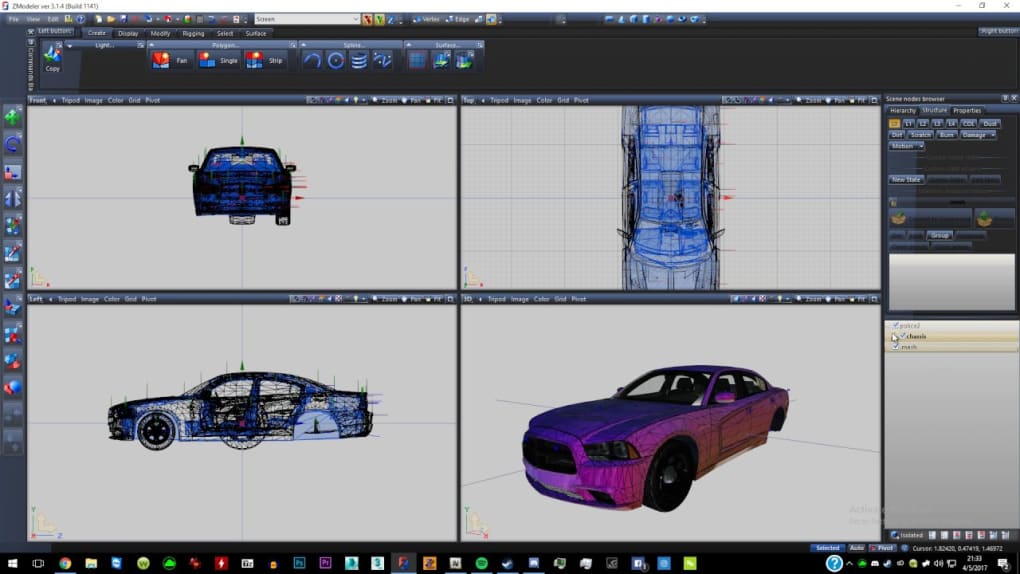
However, ZModeler’s user-friendliness is a double-edged sword. While the program itself is relatively straightforward to operate once you grasp the core concepts, the interface can initially appear daunting. Unlike many modern 3D modeling software packages that prioritize intuitive workflows, ZModeler adopts a more utilitarian approach. This necessitates a steeper learning curve compared to more beginner-friendly options. The lack of extensive tutorials and readily available online resources further complicates the learning process. Therefore, prior experience with 3D modeling software is highly beneficial.
Furthermore, ZModeler’s resource demands are considerable. Creating complex scenes requires a powerful computer with ample RAM. Attempting to work on intensive projects with lower-spec hardware may result in performance issues, crashes, or even system instability. This limitation restricts the accessibility of ZModeler to users with high-end machines, creating a barrier to entry for many.
Navigating the ZModeler Interface and Workflow
The ZModeler interface presents a functional yet sometimes confusing layout. The core functionality revolves around nine different viewing angles, allowing users to observe their models from various perspectives. Switching between these views is crucial for efficient model manipulation. This multi-view approach offers a powerful perspective control, but it can initially overwhelm newcomers. The core commands are generally straightforward—selecting elements, editing geometry and creating new objects, etc. However, it’s the organization and presentation of these functions that can lead to confusion.
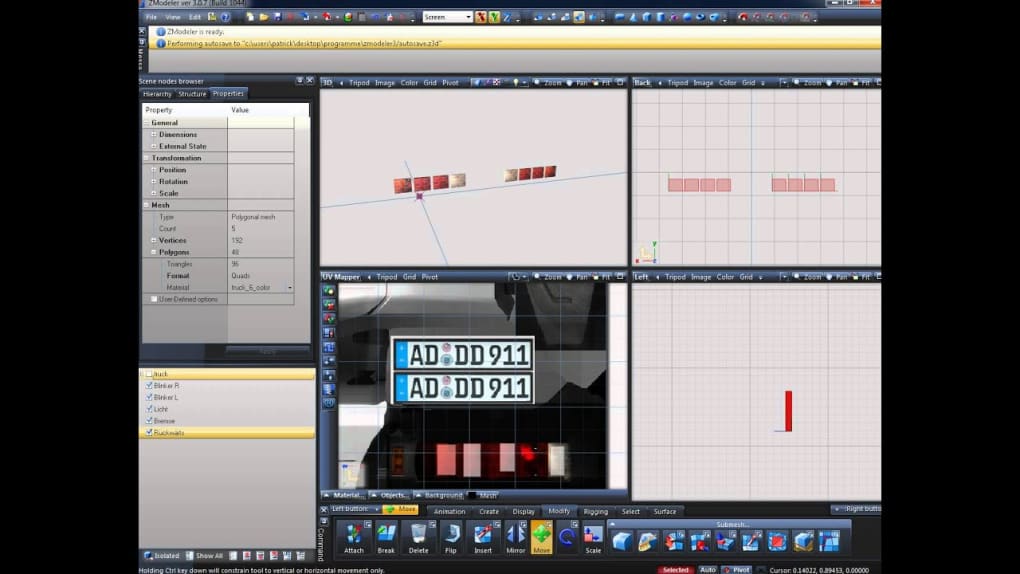
The process of creating a scene begins with element selection. Users can select elements either through a menu command (the “SEL” button) or by pressing the spacebar. This simple action is the foundation for any subsequent modeling operations. The interface makes use of several shortcuts and hotkeys; many of which are not directly displayed, leaving users to learn through experimentation or by referring to obscure documentation.
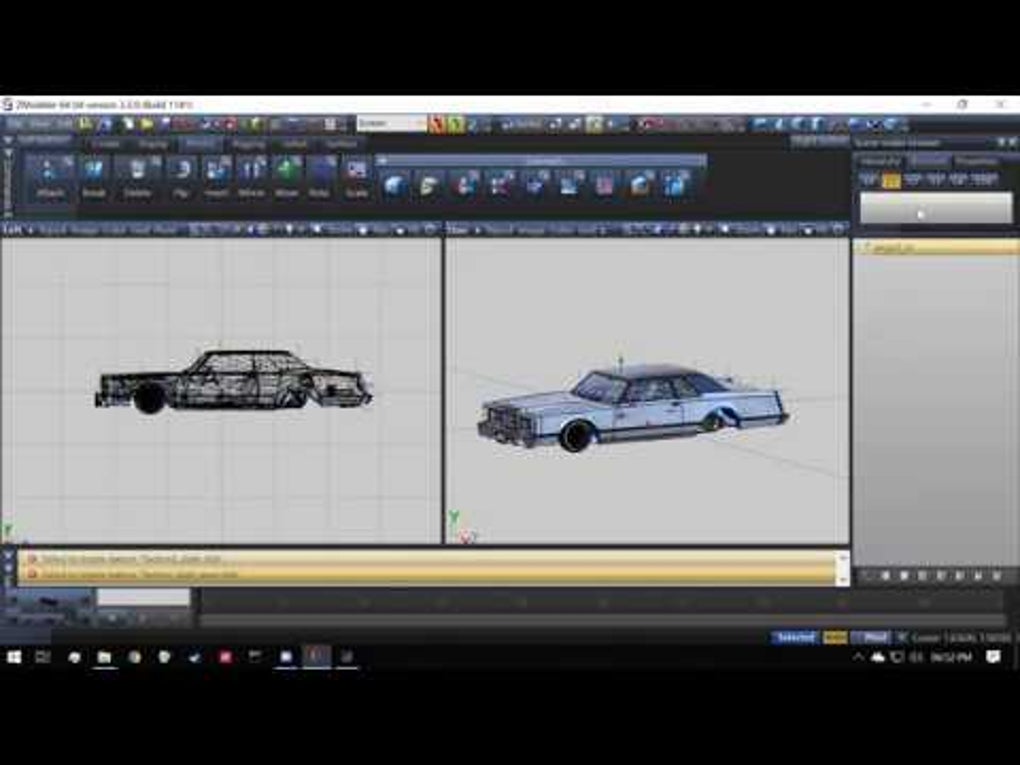
Once the modeling phase is complete, ZModeler provides the option to save the model as a YFT file, a format frequently used in the modding community. This direct compatibility with gaming engines is one of ZModeler’s most attractive features. No complex programming knowledge is necessary to use ZModeler for this purpose, a significant boon for those looking to create custom game assets without the additional hurdle of learning a programming language.
.jpg)
ZModeler’s Key Features and Capabilities
Despite its somewhat challenging interface, ZModeler offers a range of features that justify its use by advanced users:
-
Precise Modeling: ZModeler allows for incredibly fine-grained control over model geometry, essential for creating high-fidelity models. The combination of various view angles and precise selection tools enables the creation of very detailed and complex shapes.
-
Efficient Workflow (for Experienced Users): Once mastered, ZModeler’s workflow can be remarkably efficient. The combination of hotkeys and intuitive tools (once understood) allows for rapid model creation and manipulation.
-
Game Engine Compatibility: The ability to export models directly into game engine formats, such as YFT, is a major draw for modders and game developers. This direct compatibility saves time and effort compared to using intermediate file formats or conversion processes.
-
Free and Open Source (to an extent): While not explicitly open source in the traditional sense, ZModeler’s free availability makes it accessible to a broader audience than many commercial alternatives. The community around ZModeler is relatively small but dedicated; some assistance and additional resources are available online.
ZModeler Alternatives and Comparisons
ZModeler occupies a niche in the 3D modeling landscape. While it excels at creating specific types of models, particularly for game modding and highly detailed work, several alternative programs offer varying strengths and weaknesses:
-
Blender: A free and open-source 3D creation suite, Blender boasts a vast feature set and a massive community. Its learning curve is steeper than ZModeler’s, but its wider array of tools and extensive online resources make it more accessible in the long run.
-
Autodesk 3ds Max: A professional-grade 3D modeling and animation software, 3ds Max offers unparalleled power and sophistication. However, it comes with a hefty price tag and a significantly steeper learning curve.
-
Maya: Another industry-standard 3D modeling and animation software, Maya offers similar power to 3ds Max but with its own unique interface and workflow. This is another high-end, paid option.
-
Cinema 4D: Cinema 4D is a popular 3D modeling, animation, and rendering application known for its user-friendly interface and powerful features. However, it is not free software.
ZModeler’s main advantage over these alternatives is its streamlined functionality for highly specific tasks, especially in game modding. The other programs offer broader functionalities, including animation, rendering, and a wider range of features, at the cost of increased complexity and, in some cases, high cost.
In conclusion, ZModeler is a powerful tool for experienced 3D modelers, particularly those working within the game modding community. Its specialized focus and efficient workflow, once mastered, makes it highly effective for its intended use cases. However, its steep learning curve, demanding system requirements, and limited community support make it unsuitable for beginners or those seeking a more all-encompassing 3D modeling solution. The choice of using ZModeler depends heavily on the user’s experience level, specific needs, and available hardware resources.
File Information
- License: “Free”
- Latest update: “July 15, 2025”
- Platform: “Windows”
- OS: “Windows 11”
- Language: “English”
- Downloads: “12.6K”
- Size: “17.30 MB”


