
Zoom Player Home is a versatile media player designed for users who demand extensive customization and control over their media playback experience. Built on “smart play” technology, it offers enhanced performance, improved stability, and a streamlined user experience compared to many standard media players. Its strength lies in its adaptability, supporting a wide array of file formats, handling incomplete AVI files and even those protected by third-party DRM (Digital Rights Management) schemes. Beyond basic playback, Zoom Player Home boasts an impressive suite of advanced features, making it a compelling choice for power users. However, its extensive feature set also contributes to a steeper learning curve than simpler media players, requiring some investment of time and effort to fully master.
Feature Highlights: A Powerhouse of Playback Capabilities
Zoom Player Home’s versatility is its most significant asset. It’s not just a media player; it’s a comprehensive multimedia management hub. The player’s extensive feature list includes:
-
Broad Format Support: Zoom Player Home supports a remarkably diverse range of video and audio file formats, eliminating the frustration of encountering unsupported files. This extensive compatibility ensures a wider range of media can be played without the need for additional codecs or converters. This saves users considerable time and effort, making it a convenient solution for users with diverse media libraries.
-
Handling of Incomplete and Protected Files: One of Zoom Player Home’s distinguishing features is its ability to play incomplete AVI files. This is a significant advantage for users downloading large video files, allowing them to preview progress even before the download is complete. Moreover, it can often circumvent some third-party DRM restrictions, allowing playback of files that might be inaccessible to other media players. This capability is particularly useful for users with legacy media files or content acquired from less common sources.
-
Fast Loading Speeds and Solid Stability: The player is designed for speed and reliability. Quick loading times minimize delays when launching the application or starting playback. The developers emphasize stability, striving to minimize crashes and errors during use. This focus on efficiency and reliability enhances the overall user experience, ensuring smooth and uninterrupted media playback.
-
Extensive Customization Options: Zoom Player Home provides a deep level of customization, allowing users to tailor the player’s appearance and functionality to their preferences. This includes options for adjusting the interface layout, customizing keyboard shortcuts, and fine-tuning audio and video settings. This advanced level of control empowers users to create a personalized media playback experience perfectly suited to their individual needs and tastes.
-
Advanced Playback Features: Beyond basic play, pause, and stop functions, the player includes features like:
-
Audio Equalizer: Allows for fine-grained control over audio frequencies, enabling users to adjust the sound to their liking or compensate for imperfections in their audio equipment.
-
Color Control: Offers adjustments to video color settings, enabling users to optimize the video’s appearance based on their display and personal preferences.
-
Subtitle Support: Provides support for various subtitle formats, allowing users to enjoy media with subtitles in their preferred language or format. The flexibility in subtitle handling caters to a wider audience and makes the player accessible to a broader range of users.
-
* **Screenshot Feature:** Allows users to easily capture screenshots of video frames, useful for sharing moments from videos or saving favorite images. This simple yet powerful addition increases the utility of the player beyond simple media playback.
User Interface and Ease of Use: Balancing Power and Simplicity
While Zoom Player Home’s feature-rich environment is a significant strength, it also contributes to a steeper learning curve than simpler media players. The extensive array of settings and options can feel overwhelming to new users, requiring time and exploration to fully understand and utilize its capabilities. The interface, while customizable, may not be immediately intuitive for everyone. Users accustomed to simpler media players might find the initial experience challenging, requiring a commitment to learning the intricacies of the software.
Performance and System Requirements: Optimizing for Smooth Playback
For optimal performance, Zoom Player Home benefits from a reasonably powerful system. While it’s not excessively demanding, users with older or less capable hardware may experience some performance limitations, especially when playing high-resolution videos. The developers recommend having up-to-date video card drivers installed, which is crucial for ensuring compatibility and maximizing performance. This recommendation emphasizes the importance of system maintenance and updates for achieving the best playback experience.
Comparison with Other Media Players: Finding the Right Fit
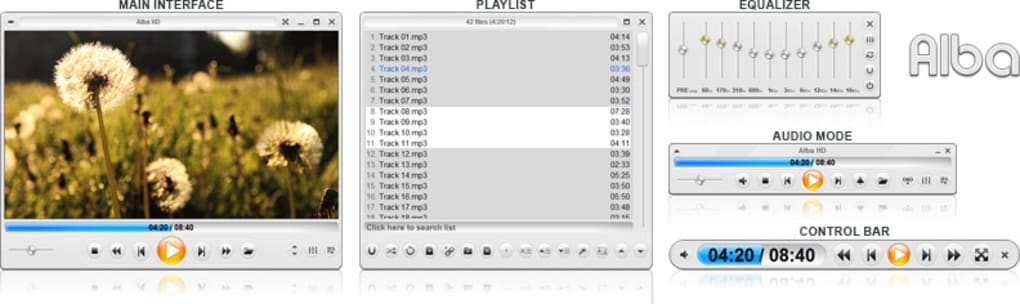
Zoom Player Home occupies a unique space in the media player landscape. Unlike simpler players focused on ease of use, it prioritizes advanced features and customization. It stands in contrast to lightweight players that prioritize minimal resource consumption and straightforward operation. Comparing Zoom Player Home to other popular options reveals its strengths and weaknesses. For users prioritizing simplicity and ease of use, simpler players might be a better fit. However, for those requiring a highly customizable and feature-rich player capable of handling diverse file types and complex playback scenarios, Zoom Player Home is a strong contender. The choice depends on the individual user’s priorities and technical expertise.
Conclusion: A Powerful Tool for Discerning Media Consumers
Zoom Player Home is a powerful and versatile media player well-suited for users who demand a high degree of customization and control over their media playback experience. Its extensive feature set, including support for a wide range of formats, advanced playback controls, and the ability to handle problematic files, makes it a compelling option for users with demanding needs. However, the extensive feature set also leads to a steeper learning curve, potentially making it less suitable for users prioritizing simplicity and ease of use. Ultimately, the decision of whether or not Zoom Player Home is the right media player hinges on individual needs and technical comfort level. For users willing to invest time in mastering its capabilities, Zoom Player Home offers a rewarding and highly customizable media playback experience. For others, a simpler player might provide a more streamlined and user-friendly experience.
File Information
- License: “Free”
- Latest update: “May 24, 2023”
- Platform: “Windows”
- OS: “Windows Vista”
- Language: “English”
- Downloads: “7K”
- Size: “37.72 MB”


