
ZPlayer is a versatile music player developed by ZSoftware, written in Java, and boasting a unique, retro-inspired interface. Available for Windows, Linux, and macOS, ZPlayer offers a compelling alternative to mainstream music players, combining classic aesthetics with a range of advanced audio features. This review delves into the specifics of ZPlayer’s functionality, highlighting its strengths and weaknesses to help you determine if it’s the right music player for your needs.
User Interface and Design: A Nostalgic Touch with Modern Functionality
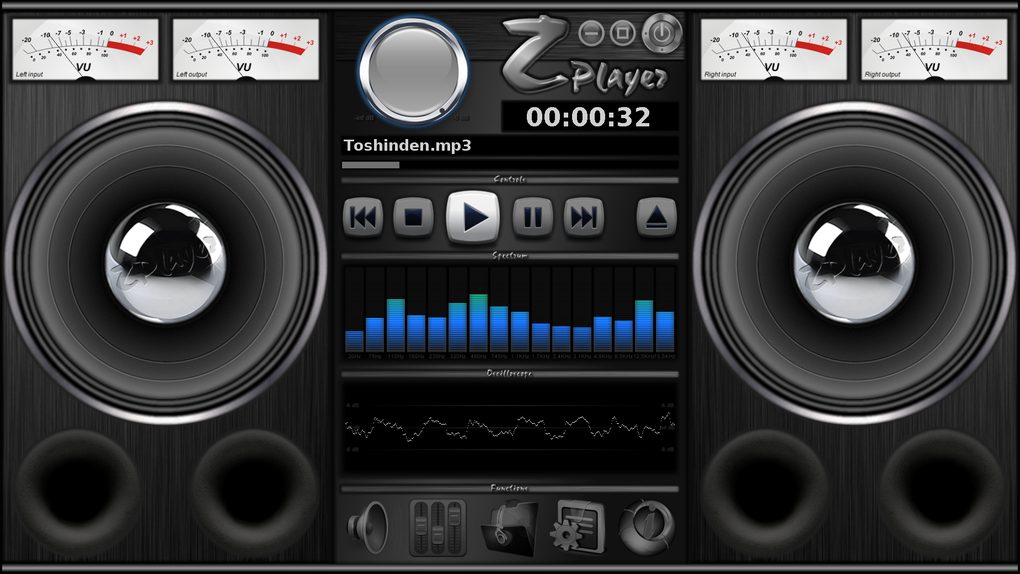
ZPlayer’s most striking feature is its user interface, designed to evoke the look and feel of an old-school radio. This distinctive visual style sets it apart from the sleek, minimalist designs prevalent in many modern music players. While this retro aesthetic might not appeal to all users, it offers a refreshing change of pace and provides a unique listening experience. The interface is intuitive and easy to navigate, even for users unfamiliar with the program. Essential controls, such as Play, Pause, Stop, and volume adjustment, are prominently displayed and readily accessible. The visual representation of the audio output, particularly the speaker’s visual response to bass intensity, adds a further layer of visual engagement to the listening experience. This innovative design choice enhances the overall immersive quality, offering a unique visual accompaniment to the music.
However, the retro design might present some challenges. Users accustomed to modern, highly customizable interfaces might find ZPlayer’s design comparatively limited in its personalization options. While the aesthetic is consistent, the lack of extensive customization options might be a drawback for users seeking a highly personalized listening experience. The focus remains on the audio itself, leaving visual customization largely untouched.
Audio Features and Compatibility: Extensive Format Support and Sound Enhancement
ZPlayer’s strength lies in its broad audio file compatibility and advanced audio processing capabilities. It supports a wide range of audio formats, including:
- MPEG Layer I, II, and III (MP3)
- PCM Wave
- Vorbis Ogg
- FLAC
- MOD files (S3M, MTM, IT, XM, UMX, MO3)
- Dolby AC3
- MIDI (MID)
- CDA (Compact Disc Audio)
This comprehensive format support allows users to play virtually any audio file without needing to convert them to a specific format. This broad compatibility is a significant advantage, ensuring that users can access their entire music library regardless of its original format. It’s a feature that significantly improves usability and eliminates the need for cumbersome file conversions.
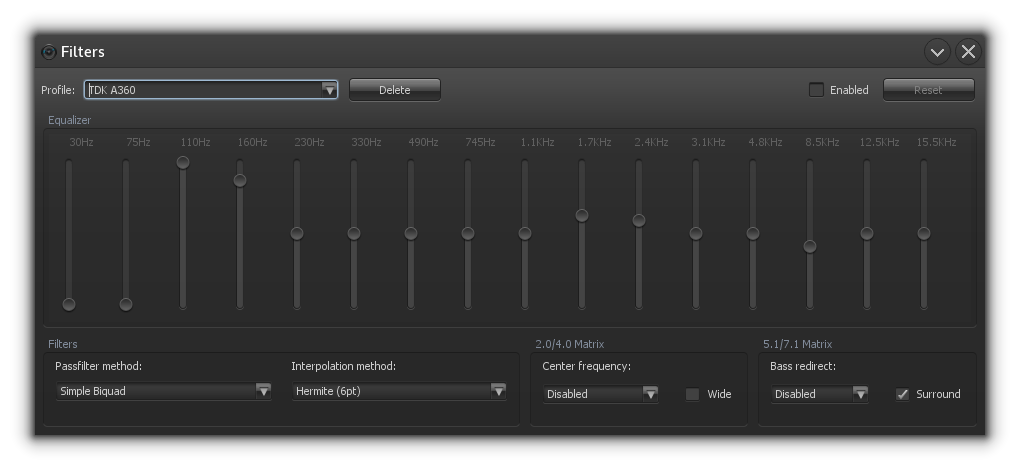
Beyond its extensive format support, ZPlayer provides several audio enhancement features. These include a 16-band equalizer allowing for precise control over the frequency response, providing ample opportunities for sound customization. Users can fine-tune the audio to their preferences, adjusting the bass, treble, and mid-range frequencies for optimal sound quality. The inclusion of sound effects such as bass redirect and wide stereo further enhances the audio experience, allowing users to tailor the sound to their specific listening environment and preferences. This is a significant advantage, enabling users to customize their audio output for optimal listening satisfaction.
The automatic matrix conversion between channels (Mono, Stereo, 4.0, 5.1, and 7.1) ensures compatibility with various speaker setups. This advanced feature guarantees seamless audio playback, irrespective of the user’s sound system configuration. The inclusion of anti-aliasing and interpolation in sound resampling minimizes audio artifacts, enhancing the overall clarity and fidelity of the audio output. Independent volume channels with redirection between them offer granular control over audio output, allowing users to fine-tune the balance between different audio channels.
Limitations and Shortcomings: Areas for Improvement
Despite its strengths, ZPlayer has certain limitations. A notable drawback is its inability to play music embedded within video files. This limitation restricts its functionality compared to media players that handle both audio and video formats. This restriction could be a significant disadvantage for users who want a single player for all their media needs. The lack of video playback capability limits its overall usefulness as an all-in-one media center.
Another notable limitation is the absence of file format conversion capabilities. While ZPlayer supports a wide range of audio formats, it doesn’t offer the ability to convert files from one format to another. This contrasts with some other music players that incorporate built-in conversion tools. This lack of conversion capability might inconvenience users who need to convert files to compatible formats for different devices or applications.
Skin Support and Plugin Integration: Customization and Extensibility
ZPlayer supports the development of custom skins, allowing users to personalize the player’s appearance beyond the default retro design. This is a positive aspect as it allows users with specific visual preferences to customize their listening experience to a far greater extent than the default option. However, the creation of custom skins requires some technical expertise, potentially limiting this feature’s accessibility to less technically inclined users. While the possibility exists for customization, it comes with a requirement for some degree of technical knowledge.
The software also supports Winamp2 plugins (for Windows and 32-bit Java versions), expanding its functionality further. This is a significant advantage, opening the program up to a wide range of additional features and plugins available within the Winamp ecosystem. This compatibility with Winamp plugins expands the program’s capabilities significantly, allowing users to leverage the extensive resources and features provided by the Winamp community.
Multilingual Support and Platform Compatibility: Accessibility and Reach
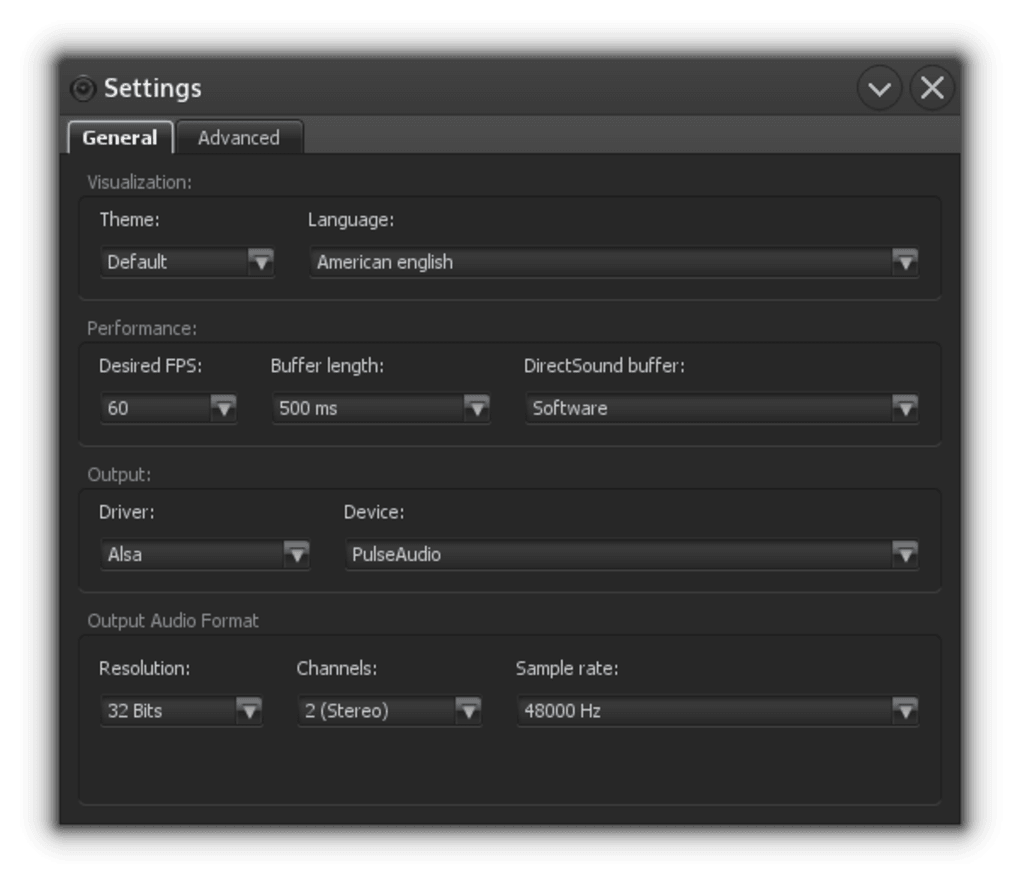
ZPlayer demonstrates its commitment to global accessibility through its support for multiple languages. This is a significant advantage, increasing the potential user base and ensuring ease of use for a more global audience. The program’s multilingual support contributes significantly to its accessibility and broad appeal.
The player’s availability across Windows, Linux, and macOS further highlights its widespread compatibility. This cross-platform support allows a large user base to access the program regardless of their operating system preference. This cross-platform compatibility broadens the potential user base significantly, making the software accessible to users across a wide range of operating systems.
Conclusion: A Niche Player with Strong Strengths and Clear Weaknesses
ZPlayer presents a compelling option for users who appreciate its unique retro aesthetics and value its extensive audio format compatibility and advanced audio processing capabilities. Its 16-band equalizer, sound effects, and support for custom skins and Winamp plugins provide a high degree of customization and extensibility. The cross-platform availability and multilingual support further enhance its appeal.
However, the lack of video playback and file conversion capabilities, along with the potential complexity involved in creating custom skins, might deter some users. Those seeking a simple, all-in-one media player with extensive customization and video support might find other options more suitable. Overall, ZPlayer is a strong niche player best suited for audiophiles who prioritize sound quality and appreciate its distinctive retro design. While its limitations should be considered, its strengths in audio processing and format support make it a worthwhile option for those whose needs align with its capabilities.
File Information
- License: “Free”
- Latest update: “January 18, 2024”
- Platform: “Windows”
- OS: “Windows 2003”
- Language: “English”
- Downloads: “52.1K”
- Size: “13.43 MB”


