
In an increasingly digital world, where every aspect of our lives, from professional endeavors to personal memories, is stored as a file, the efficiency of managing these digital assets has become paramount. The humble file manager, often overlooked, is the unsung hero of our digital existence, dictating the ease with which we interact with our computers. While operating systems come with their native file browsers, the demand for more intuitive, powerful, and integrated solutions has led to the emergence of specialized tools. Among these, 1 File Viewer for Windows stands out as a noteworthy contender, offering a fresh perspective on how we interact with our digital documents, media, and archives.
1 File Viewer, available for free download on platforms like PhanMemFree.org, isn’t just another utility; it represents a unique and innovative twist on the traditional desktop file manager. Its design philosophy centers around simplicity, intuitiveness, and comprehensive functionality, aiming to consolidate multiple common tasks into a single, streamlined application. This article delves deep into what makes 1 File Viewer a compelling choice for Windows users, exploring its features, design, user experience, and its position within the broader ecosystem of file management tools.
The Evolution of File Management: Why 1 File Viewer Stands Out
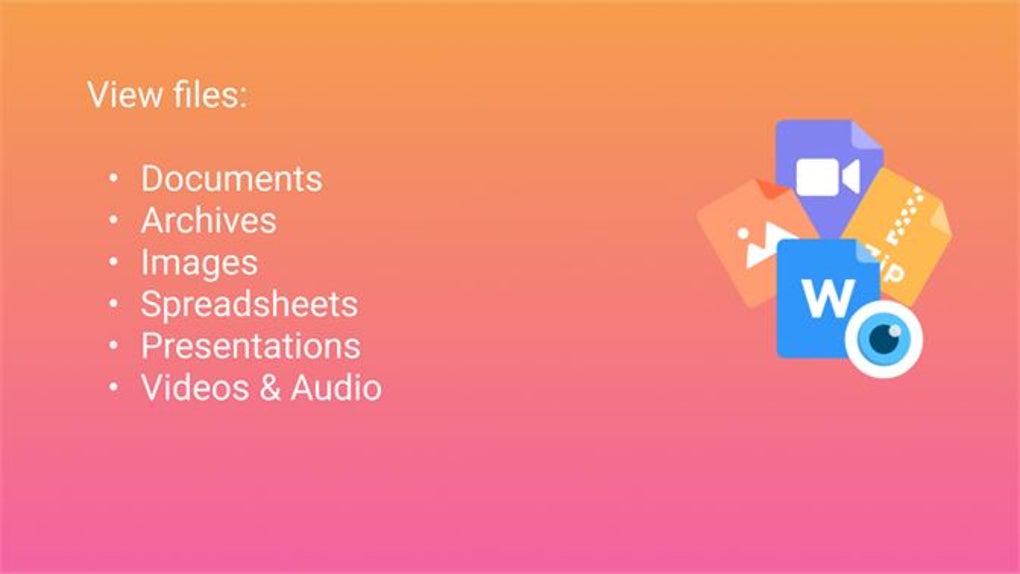
For decades, the standard file manager, whether Windows Explorer, macOS Finder, or various Linux desktop environments, has served a foundational role. These tools allow us to navigate directory structures, copy, move, delete, and rename files. However, as file types proliferate and our digital lives become more complex, the limitations of these basic tools become apparent. Users often find themselves switching between multiple applications: a document editor for Word files, a spreadsheet program for Excel, a media player for videos, an archive utility for ZIP files, and an email client for messages. This constant context-switching can be a significant productivity drain.
1 File Viewer addresses this fragmentation head-on by adopting a philosophy of unification. Its developers recognized the common pain points associated with managing diverse file types and sought to create a single environment where many of these tasks could be performed directly. This approach is what gives it a “unique new twist” on desktop file management. Instead of merely listing files, 1 File Viewer aims to make them actionable within its interface.
The core promise of 1 File Viewer is convenience. It seeks to minimize the number of applications you need to open to get things done. Imagine reviewing a Word document, then quickly jumping to a related video, extracting a file from a ZIP archive, and finally viewing an exported email – all within the same application window. This level of integration is not just about saving clicks; it’s about fostering a more fluid and uninterrupted workflow, allowing users to maintain focus on their tasks rather than grappling with application management.
The innovative design also extends to its user interface. Often, “innovative” can be synonymous with “complex” or “unfamiliar,” but 1 File Viewer strives for an intuitive design. This means that despite its advanced capabilities, new users should find it relatively easy to navigate and understand its functionalities without a steep learning curve. An intuitive interface is crucial for any utility designed for daily use, ensuring that its power is accessible to a broad spectrum of users, from casual computer users to power users.
Unpacking the Power: Core Features and Versatile File Handling
The true value of any file manager lies in its feature set. 1 File Viewer distinguishes itself by offering a robust array of functionalities that go far beyond basic file operations. It aims to be a multi-faceted tool, catering to a wide range of user needs directly within its environment.
Seamless Document and Multimedia Playback
One of the most significant advantages of 1 File Viewer is its integrated support for various widely used file types. The original description highlights its capability to support editing of various file types including Word, Excel, and PowerPoint. This is a game-changer for productivity. Instead of having to launch the full Microsoft Office suite (or equivalent applications) just to make a quick edit, users can potentially perform these modifications directly within 1 File Viewer. This is particularly useful for light edits, reviewing drafts, or making minor adjustments without the overhead of heavier applications. For professionals, students, and anyone who frequently interacts with these document types, this feature alone can justify its adoption. The ability to edit documents on the fly significantly streamlines workflows, reducing the time spent switching between applications and maintaining a single focal point for file interaction.
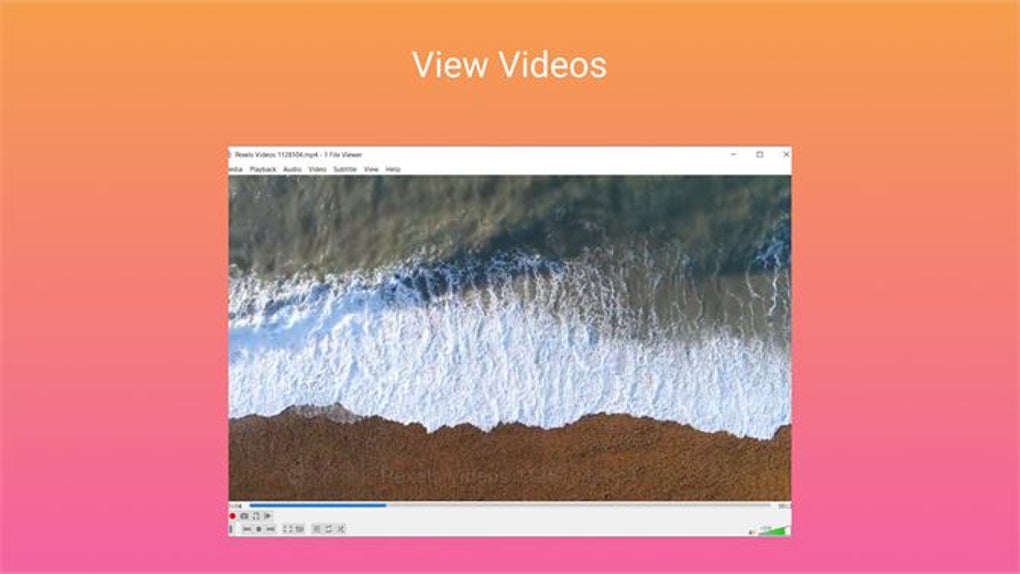
Beyond static documents, 1 File Viewer also caters to multimedia needs. It offers the ability to play videos and audio. In an era dominated by digital media, having an integrated media player within your file manager is incredibly convenient. Users can preview video clips, listen to audio recordings, or even play full media files without needing to open a separate media player. This ensures a consistent experience and reduces desktop clutter. For content creators, researchers, or anyone dealing with media archives, the ability to quickly review content directly from the file manager is a substantial benefit, enhancing both organization and accessibility. This functionality transforms the file manager from a passive browser into an active content interaction hub.
Efficient Compression and Decompression
Another crucial utility in digital file management is the ability to handle compressed archives. Whether for backing up large collections of files, sending multiple documents via email, or simply saving disk space, file compression is an indispensable tool. 1 File Viewer proves invaluable by providing features to compress and unzip files with ease. This eliminates the need for separate archiving software like WinRAR or 7-Zip for common tasks.
The integrated compression and decompression tools mean that users can create ZIP archives, extract content from downloaded ZIP files, or manage compressed backups without ever leaving the 1 File Viewer interface. This seamless integration saves time and simplifies a task that many users perform regularly. For business users who frequently exchange large sets of documents, or personal users archiving old photos and videos, the efficiency gains from having these tools built-in are considerable. It ensures that files can be packaged and unpacked quickly, maintaining order and accessibility for diverse digital assets. This feature underscores the application’s commitment to being a holistic file management solution.
Beyond Traditional Files: Email Viewing and More
What truly sets 1 File Viewer apart and contributes to its “unique twist” is its extended functionality to support viewing exported emails, adding another layer of convenience. In many professional and personal contexts, emails are not just ephemeral messages but critical documents containing vital information, attachments, and historical records. Often, these emails are exported from mail clients (e.g., in .EML or .MSG formats) for archiving or sharing. Viewing these exported emails typically requires a specialized email viewer or importing them back into an email client.
1 File Viewer bypasses this hurdle by allowing users to view these exported emails directly. This is an immense advantage for anyone managing email archives, performing e-discovery, or simply needing to reference an old conversation without the hassle of a full email client. It transforms the file manager into a miniature information hub, capable of displaying diverse forms of digital communication alongside traditional documents and media. This particular feature highlights the developers’ foresight in recognizing and addressing a niche yet significant pain point in modern digital information management.
This comprehensive suite of features—integrated editing for productivity documents, multimedia playback, robust compression/decompression, and specialized email viewing—makes 1 File Viewer a genuinely versatile tool. It encapsulates the vision of a single application that can handle a vast majority of a user’s daily file interaction needs, reducing reliance on a multitude of specialized programs and fostering a more efficient and integrated digital workspace.
Technical Specifications, Accessibility, and Developer Insights
Understanding the technical underpinnings and accessibility aspects of a software like 1 File Viewer is crucial for potential users. Details regarding its platform compatibility, language support, and development status provide insight into its reliability and future trajectory.
According to information available on PhanMemFree.org, 1 File Viewer is characterized by the following specifications:
- License: Free
- Version: 1.0 (Latest update: February 9, 2024)
- Platform: Windows
- OS Compatibility: Windows 11 (This indicates modern compatibility and optimization for the latest Windows environments, though it likely supports earlier versions too).
- Language: English (Primary)
- Available languages: English, Spanish, German, French, Italian, Korean, Japanese, Dutch, Portuguese, Russian, Thai, Vietnamese, Turkish, Chinese. (This extensive list highlights a strong commitment to global accessibility).
- Downloads: 5.6K (Last month’s downloads: 81) – Note: These are illustrative numbers from the reference text, not real-time data.
- Developer: regulars
The “Free” license is a significant draw, making powerful file management accessible to everyone without a financial barrier. This democratic approach allows a wider user base to experience its benefits, fostering adoption and community feedback. The fact that it’s designed for Windows, specifically mentioning Windows 11 compatibility, assures users of modern operating systems that it will run smoothly and integrate well with their current setup. This is vital in an ecosystem where software sometimes lags behind OS updates.
The broad range of available languages is a testament to the developer’s vision for a global audience. Software that caters to multiple linguistic contexts is inherently more accessible and user-friendly on an international scale. This ensures that users from diverse backgrounds can interact with the application in their native language, reducing potential barriers and enhancing the overall user experience.
The developer, listed simply as “regulars,” suggests a focused, perhaps indie, development team. While some might prefer a large corporate entity, smaller teams often bring a passion for user-centric design and agile development. The recent update date (February 9, 2024) for Version 1.0 indicates ongoing development and commitment to maintaining and improving the software. This is a positive sign, suggesting that the application is actively supported and will likely evolve further based on user feedback and technological advancements.
From a security standpoint, as highlighted by PhanMemFree.org’s practices, files hosted on the platform are scanned extensively by leading antivirus services. The “Clean” status typically indicates that no possible threats have been detected, which is crucial for any software users download onto their systems. This rigorous scanning process provides an essential layer of assurance for users considering 1 File Viewer.
User Experience, Security, and The Future of Desktop Organization
The success of any utility software ultimately hinges on its user experience (UX) and its perceived reliability, particularly concerning security. 1 File Viewer, with its stated intuitive interface and integrated functionalities, aims to deliver a superior UX compared to traditional file managers.
A truly intuitive interface minimizes the cognitive load on the user. For 1 File Viewer, this means that even with its expanded capabilities (like document editing or email viewing), the layout and controls should feel natural and easy to learn. This reduces frustration and allows users to focus on their tasks rather than on figuring out the software itself. The unification of functions within a single window contributes significantly to this. By reducing the need to switch applications, it creates a more seamless and continuous workflow, which is a hallmark of good productivity software.
From a security perspective, an integrated file viewer must be robust. Handling diverse file types, including potentially sensitive documents and emails, requires strong security protocols. While the provided information doesn’t detail internal security features, the fact that PhanMemFree.org ensures its downloads are malware-free is a foundational layer of trust. Users should always practice good digital hygiene, but the platform’s commitment to vetting software is a valuable safeguard. The ability to perform quick edits and view sensitive information without exporting it to a third-party application could, in some scenarios, even enhance security by keeping data within a controlled environment.
Looking ahead, the direction of file management is increasingly towards greater integration and intelligence. As artificial intelligence and machine learning become more prevalent, future file managers might offer predictive organization, smart search capabilities, or automated task workflows. While 1 File Viewer V1.0 is foundational, its emphasis on feature consolidation positions it well for future enhancements. A tool that already handles diverse file types in one place is an ideal candidate for incorporating AI-driven insights to further streamline user interactions, making suggestions for organization, identifying related files, or even automating routine archival tasks.
The ultimate goal of such an application is to simplify the user’s digital life. By centralizing common file operations and viewing capabilities, 1 File Viewer moves beyond merely showing files; it helps users manage their digital world more effectively. This allows individuals and businesses to save time, reduce complexity, and focus on what truly matters: the content of their files, rather than the mechanics of managing them.
The PhanMemFree.org Perspective: Our Verdict and Alternatives
As presented on PhanMemFree.org, 1 File Viewer is positioned as a convenient alternative to most desktop file managers. Its distinctive approach to integrating various functionalities — from document editing to multimedia playback and even email viewing, alongside standard compression tools — makes it a compelling choice for users seeking efficiency and a streamlined workflow. The fact that it’s offered as a free application further enhances its appeal, removing any financial barriers to adoption.
PhanMemFree.org, as a platform dedicated to providing quality software, particularly highlights the application’s intuitive interface and its modern compatibility with Windows 11. These aspects are critical for a positive user experience in today’s computing environment. The multi-language support also underscores its potential for a broad global audience, making it accessible to non-English speakers.
While 1 File Viewer presents a strong case for itself, the file manager landscape is rich with alternatives, each with its own strengths. PhanMemFree.org lists several related tools, illustrating the diverse needs of users:
- File Viewer (Trial version): This suggests a more professional, possibly feature-rich, but paid alternative for managing, viewing, and searching files from one place. This comparison highlights 1 File Viewer’s value as a free, integrated solution.
- Ebook Reader : TXT/EPUB Reader (Free): This tool, while free, is highly specialized for text and ebook formats. It underscores that while 1 File Viewer handles many types, dedicated readers exist for specific content.
- Shrestha Files Pro (Paid): Described as a “Modern dual-pane file manager,” this alternative focuses on advanced organizational features, likely targeting power users who prefer a highly configurable interface for complex file operations. This contrasts with 1 File Viewer’s focus on universal viewing and light editing.
- Open File Viewer (Free) and Universal Viewer (Free): These are direct competitors in the “open any file” category, suggesting that 1 File Viewer is vying for market share among applications that aim to be a single hub for diverse file types.
From the perspective of PhanMemFree.org, 1 File Viewer offers a balanced proposition. It delivers substantial functionality and convenience without cost, making it an excellent entry point for users who feel limited by their operating system’s native file manager but aren’t ready to invest in premium, specialized alternatives. Its unique integration of editing, media playback, and email viewing distinguishes it from many basic file viewers, positioning it as a genuinely innovative tool for modern desktop organization.
In conclusion, 1 File Viewer is more than just a utility; it’s a statement about the future of desktop interaction. By bringing a wide array of file-related tasks into a single, intuitive application, it streamlines workflows, boosts productivity, and simplifies our increasingly complex digital lives. For Windows users looking for a free, powerful, and integrated solution to manage their files more effectively, 1 File Viewer, as championed and reviewed by PhanMemFree.org, represents a compelling and highly recommended option.
File Information
- License: “Free”
- Version: “1.0”
- Latest update: “February 9, 2024”
- Platform: “Windows”
- OS: “Windows 11”
- Language: “English”
- Downloads: “5.6K”


