
7GIF is a free, lightweight multimedia player specifically designed for viewing and manipulating animated GIF images. Unlike standard photo viewers that often only display the first frame of a GIF, 7GIF provides a robust set of features that allow users to fully interact with and explore the intricacies of GIF animations. This detailed guide delves into 7GIF’s functionalities, installation process, user interface, and overall user experience. We will also compare its strengths and weaknesses against other available GIF viewers and consider its value for both casual users and professional GIF creators.
Installation and User Interface
7GIF boasts an incredibly straightforward installation process. There’s no need for additional applications or complex setup procedures; simply download the installer file and run it. The installation is standard and requires minimal user intervention. This ease of access is a significant advantage, particularly for users who prefer simple and uncomplicated software.
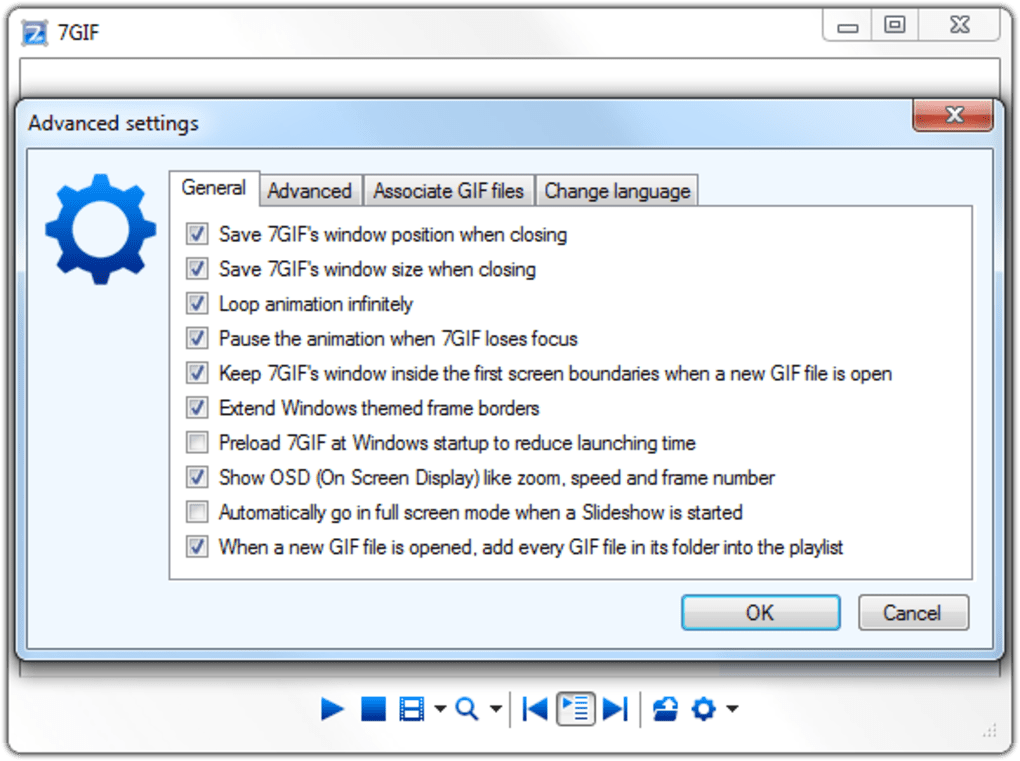
The user interface is equally minimalistic and intuitive. The main window presents a clean, white canvas dedicated to displaying the GIF. This uncluttered design avoids unnecessary distractions, allowing users to focus solely on the GIF itself. Below the display area, a compact toolbar houses all the essential controls needed for navigating and manipulating the GIF. The clear and concise layout ensures that even novice users can quickly grasp the application’s functionality. This simplicity, however, doesn’t compromise functionality; instead, it enhances the user experience by eliminating unnecessary complexities.
Key Features and Functionality
7GIF’s strength lies in its comprehensive array of features that go beyond simple GIF playback. The application allows users to:
- Standard GIF Playback: Play, pause, and stop GIFs with precision, offering seamless control over the animation. The ability to pause at any frame allows for detailed examination of individual frames within the animation sequence.
-
Looping and Speed Control: Users can set GIFs to loop continuously for seamless playback. Additionally, 7GIF provides adjustable playback speed, allowing users to slow down the animation to a quarter of its normal speed or speed it up to eight times its original speed. This feature is particularly valuable for analyzing the finer details of rapidly moving animations or quickly scanning through lengthy GIFs.
-
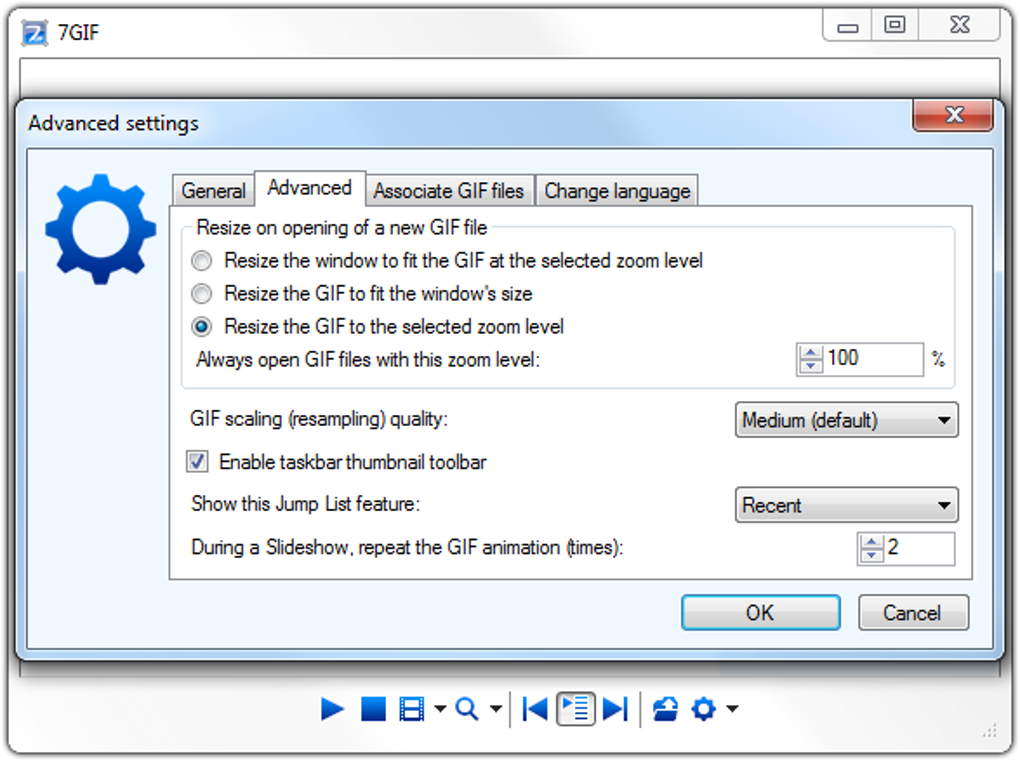
Zoom Functionality: Users can zoom in and out to examine the GIF at various levels of magnification, providing flexibility for detailed analysis or simply adjusting the viewing size for optimal viewing comfort. This is helpful when viewing GIFs with small details or intricate designs.
-
Playlist Management: For those who work with numerous GIFs, 7GIF incorporates a playlist feature, allowing users to organize and play multiple GIFs sequentially. The playlist can be customized to suit individual preferences, significantly improving workflow efficiency when dealing with large collections of GIFs.
-
Advanced GIF Editing: 7GIF stands out from many GIF viewers by including integrated editing capabilities. Users can effortlessly extract individual frames from a GIF as separate image files with a single click. This functionality is especially useful for GIF creators who need to isolate specific frames for further editing or use in other projects. Furthermore, users can specify the quality level of the exported images, allowing for optimal balance between image size and quality. The ability to directly delete the GIF from within the application provides a streamlined workflow, eliminating the need to navigate to the file’s location in a separate file explorer.
-
Frame-by-Frame Navigation: The program’s ability to navigate through the GIF frame by frame is particularly valuable for GIF creators and animators, allowing for precise examination of each frame’s timing and composition. This helps in identifying potential issues and refining the animation sequence.
7GIF’s Strengths and Weaknesses
7GIF offers a compelling balance of simplicity and robust functionality, but like any software, it has its limitations.
Strengths:
- Ease of Use: The straightforward installation and intuitive interface make 7GIF accessible to all users, regardless of technical expertise.
- Comprehensive Feature Set: The application packs a surprising number of features into its compact package, making it a versatile tool for both casual viewing and professional GIF manipulation.
- Lightweight and Efficient: 7GIF is a lightweight application that consumes minimal system resources, ensuring smooth operation even on less powerful machines.
- Advanced Editing Capabilities: The integrated frame extraction and deletion functionalities elevate 7GIF beyond a simple viewer, offering practical editing tools directly within the application.
- Multi-language Support: The availability in multiple languages makes the software accessible to a broader international audience.
Weaknesses:
- Limited Functionality Beyond GIFs: 7GIF focuses solely on GIFs. It doesn’t support other multimedia file formats, restricting its applicability to a specific niche.
- Basic Image Processing Options: While it offers frame extraction, the application lacks extensive image editing tools. For more advanced image manipulation, users would need to use separate image editing software.
- Absence of Community Support and Updates: Limited information on community forums or dedicated support channels could be a drawback for users encountering technical difficulties. The frequency of updates also impacts the longevity and feature enhancements of the software.
Target Audience and Use Cases
7GIF’s design and features cater to a broad spectrum of users, including:
- Casual GIF Users: Individuals who frequently view GIFs online or on social media will find 7GIF a superior alternative to standard image viewers, enhancing their GIF viewing experience.
- GIF Creators and Animators: The advanced editing features, particularly frame extraction and speed control, make 7GIF an invaluable asset for professionals working with GIFs, streamlining their workflow and enabling precise animation analysis.
- Educators and Students: 7GIF can be utilized in educational settings to analyze and discuss the visual elements and storytelling techniques used in animated GIFs.
The simplicity of the user interface makes it suitable for users of all technical skill levels, while the advanced capabilities cater to the more discerning user.
Comparison with Other GIF Players
While many other GIF viewers exist, 7GIF distinguishes itself through its combination of ease of use and advanced features. Many alternative viewers focus primarily on simple playback, lacking the sophisticated editing capabilities of 7GIF. Others might offer more advanced editing but often at the cost of a more complex user interface. 7GIF successfully balances these aspects, making it a strong contender in the GIF player market. A direct comparison with other prominent players would require a detailed analysis of their respective functionalities, user interfaces, and system resource requirements.
Conclusion
7GIF is a powerful and versatile GIF player that strikes a commendable balance between simplicity and functionality. Its intuitive interface, combined with its comprehensive suite of features, including advanced editing capabilities, makes it a valuable tool for casual users and professionals alike. While its limited functionality beyond GIF support is a minor drawback, its strengths in GIF manipulation and ease of use far outweigh this limitation. For users who primarily work with GIFs, 7GIF presents a compelling and highly efficient solution for viewing, managing, and even editing their GIF collections. Its streamlined design and powerful capabilities position it as a strong contender in the landscape of GIF viewing and manipulation software.
File Information
- License: “Free”
- Latest update: “May 23, 2023”
- Platform: “Windows”
- OS: “Windows 10”
- Language: “English”
- Downloads: “44.4K”
- Size: “1.03 MB”


