
RustDesk is a free, open-source remote desktop application that allows users to access and control their computers from virtually any location. Unlike many commercial alternatives, RustDesk operates as both a client and server, eliminating the need for third-party services or complex configurations. This makes it a compelling choice for individuals and businesses seeking a versatile, secure, and cost-effective remote access solution. This review delves into RustDesk’s functionalities, ease of use, security aspects, and limitations to provide a comprehensive understanding of its capabilities and suitability for various users.
Ease of Use and Setup
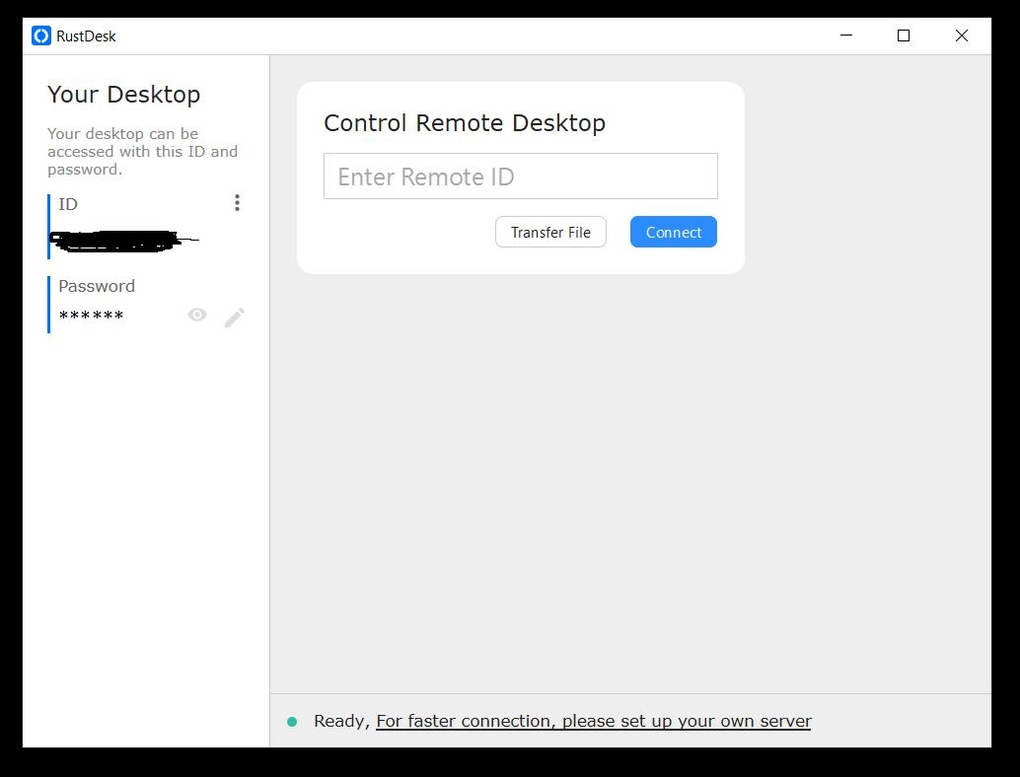
RustDesk distinguishes itself through its remarkably straightforward setup and intuitive interface. Installation is a breeze, available as both an installable file and a portable version, catering to diverse user preferences and system configurations. The program’s clean and uncluttered design ensures ease of navigation, even for users with limited technical expertise.
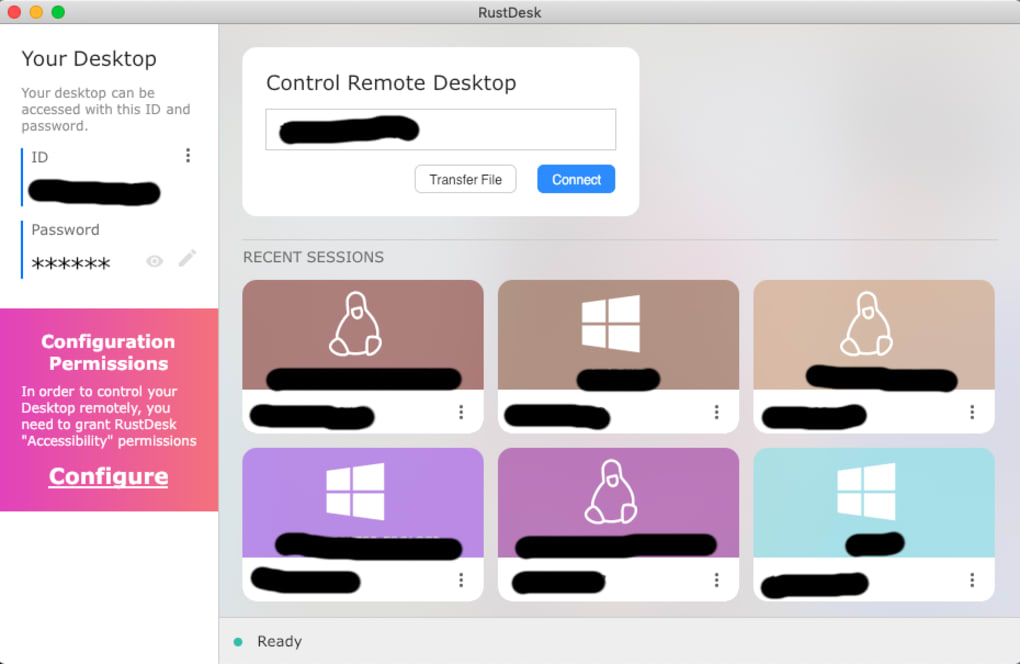
To establish a connection, each device requires a unique ID and password (which can be customized for added security). The process involves simply inputting these credentials on the remote machine to gain access to the host computer. A connection history is conveniently displayed on the main screen, allowing for quick reconnections to previously accessed devices. This streamlined approach minimizes the learning curve and enables users to quickly establish remote connections, making it ideal for both novice and experienced users. The absence of complicated network configurations or port forwarding significantly lowers the barrier to entry, empowering users to leverage the power of remote access without extensive technical knowledge.
Core Functionalities and Features
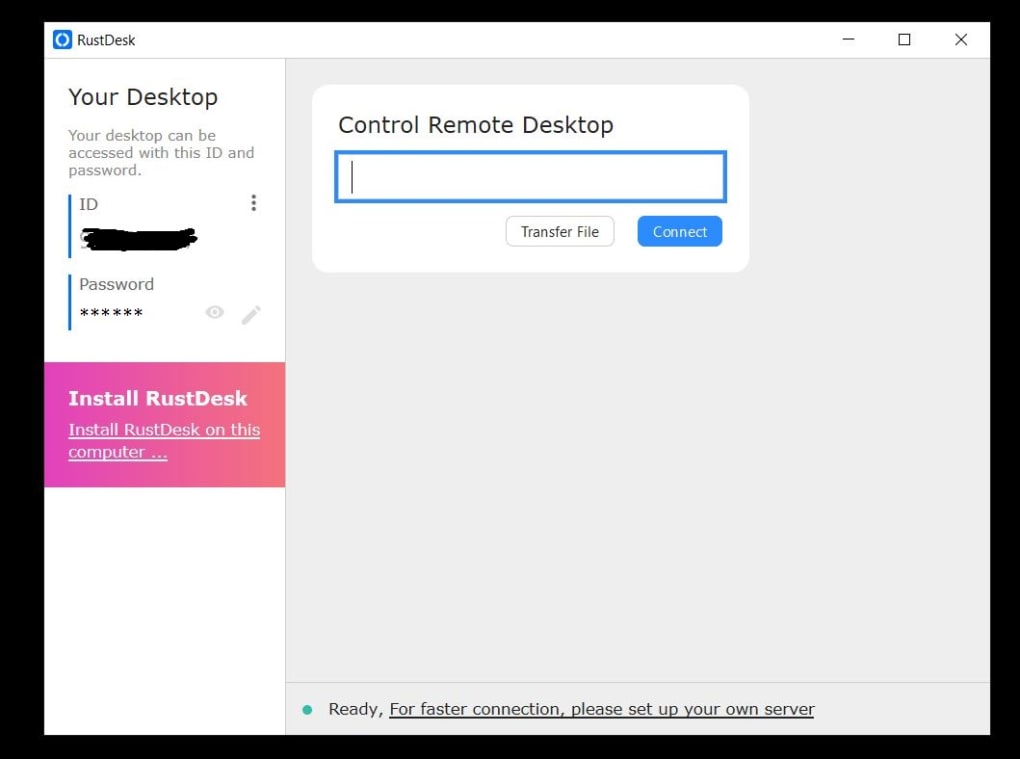
RustDesk’s core functionality centers around providing seamless remote desktop access. Beyond this fundamental capability, it offers several additional features that enhance its usability and versatility. These include:
-
Cross-Platform Compatibility: RustDesk boasts compatibility across major operating systems, including Windows, macOS, Linux, Android, and iOS. This wide-ranging compatibility ensures that users can connect to and control their computers irrespective of the operating system they are currently using.
-
File Transfer: RustDesk integrates a simple yet effective file transfer mechanism, enabling users to easily share files between the host and remote machines. This functionality streamlines the process of transferring documents, images, and other data without relying on external applications or cloud services.
-
Simple and Secure Connection: RustDesk uses a robust encryption method to secure the connection between devices, protecting sensitive data from unauthorized access during remote sessions. Although it is based on open-source principles, the encryption process ensures a considerable level of privacy and security for all shared information.
Security Considerations and Limitations
While RustDesk prioritizes security with its encryption protocols, it’s crucial to acknowledge certain limitations. The primary concern revolves around the single dev-hosted server for some functionalities. While the core remote desktop functionality is open-source and peer-to-peer, certain advanced features and access options rely on this centralized server. This raises concerns about potential vulnerabilities and dependence on a third-party service. This is particularly pertinent for businesses handling highly sensitive data, where greater control over the infrastructure and security protocols is crucial.
Comparison with Commercial Alternatives
RustDesk stands as a strong contender against established commercial remote desktop solutions like TeamViewer and AnyDesk. Its key advantage lies in its open-source nature and cost-effectiveness. While commercial alternatives often come with recurring subscription fees or limitations on usage, RustDesk offers a free and unlimited core functionality. However, it’s important to note that some of RustDesk’s advanced features may require in-app purchases, blurring the line between completely open-source and proprietary software. While the core functionality remains free, this monetization strategy may influence user perception regarding its open-source ethos.
In terms of features, RustDesk provides a comprehensive set of functionalities comparable to its commercial counterparts. The intuitive interface and simplified setup process often surpass the complexity encountered with some commercial applications. The cross-platform compatibility ensures wider accessibility, often a differentiating factor from less versatile commercial solutions.
Open Source Philosophy and Community Support
RustDesk’s commitment to open-source principles contributes significantly to its appeal. The open-source nature fosters transparency, allowing users to examine the codebase and independently verify its security and functionality. This transparency promotes trust and allows the community to contribute to the project’s development and improvement. The active development community behind RustDesk ensures regular updates and improvements, addressing bug fixes and enhancing features based on user feedback. This collaborative approach is a key strength of RustDesk, resulting in a constantly evolving and improving application.
Conclusion: A Powerful and Versatile Option
RustDesk represents a compelling and versatile option within the realm of remote desktop solutions. Its ease of use, cross-platform compatibility, and core functionality make it an attractive choice for both personal and professional use. While some limitations exist, particularly concerning the reliance on a central server for certain features, its open-source nature, active community, and cost-effectiveness outweigh these drawbacks for many users. Individuals seeking a simple, reliable, and free remote desktop solution will find RustDesk to be an excellent choice. However, businesses handling highly sensitive data might prefer more control over their infrastructure and should carefully consider the implications of the server-side components before deployment. Ultimately, RustDesk’s success lies in its ability to provide a powerful and accessible remote desktop experience without the price tag and potential limitations often associated with commercial alternatives.
File Information
- License: “Free”
- Latest update: “May 15, 2025”
- Platform: “Windows”
- OS: “Windows 8.1”
- Language: “English”
- Downloads: “187.3K”
- Size: “10.99 MB”


