
Advanced SystemCare, a free system optimization utility from IObit, promises a one-click solution for detecting, cleaning, repairing, speeding up, and protecting your PC. This comprehensive review will delve into its features, performance, ease of use, and potential drawbacks, offering a balanced perspective on its effectiveness and user experience.
Core Functionality and Features: A Multi-Tool Approach to PC Optimization
Advanced SystemCare presents a user-friendly interface, dominated by a prominent scan button, making it readily accessible even for novice users. This initial scan identifies potential issues like junk files, unnecessary shortcuts, and active startup items that may be slowing down your system. The software then suggests fixes, offering a streamlined approach to basic system maintenance.
Beyond the initial scan, Advanced SystemCare provides a range of optimization tools categorized for clarity. These tools cater to both casual and advanced users, addressing various aspects of PC performance and security. Key features include:
-
Junk File Cleaning: This module targets temporary files, browser cache, and other unnecessary data clogging your hard drive, potentially freeing up significant storage space and improving performance. The integration of AI in newer versions aims to personalize this cleaning process based on individual usage patterns, ensuring more efficient and targeted cleanup.
-
Registry Cleaning: The registry, a central database in Windows, can become fragmented and filled with outdated or redundant entries over time. Advanced SystemCare’s registry cleaning tool aims to identify and remove these entries, potentially improving system stability and boot times. However, caution is advised, as improper registry editing can lead to system instability. The software attempts to mitigate this risk with backup and restore capabilities.
-
Startup Optimization: This module analyzes programs and services that launch automatically at startup, identifying those that may not be essential. Disabling non-essential startup items can significantly reduce boot times and improve overall system responsiveness. Advanced SystemCare’s startup manager offers a convenient, one-click solution to this often complex process.
-
Browser Cleanup: This functionality cleans browsing history, cookies, and other temporary files associated with your web browsers. This improves privacy and can potentially enhance browsing speed. The software also includes a component specifically designed to block browser tracking and remove malicious plugins or toolbars.
-
Software Updater: Advanced SystemCare integrates a software updater that scans your installed applications and notifies you of available updates. While a useful feature, its effectiveness can be limited, as it may not identify all available updates for all applications.
-
Deep Optimization: This feature encompasses a series of system-wide optimizations, encompassing aspects such as defragging the hard drive (though dedicated defragmentation tools often offer more comprehensive functionality), adjusting system settings for better performance, and other performance-enhancing tweaks.
-
Performance Monitor: A newly added feature providing real-time monitoring of system performance metrics, this allows users to quickly identify resource-intensive processes and release memory with a single click to ensure smoother operation.
While Advanced SystemCare provides a comprehensive suite of tools, it’s crucial to acknowledge that several features are locked behind a paid upgrade to the premium version (Advanced SystemCare Ultimate). This creates a tiered system where users of the free version have limited access to the full potential of the software. This model, while common in the software industry, can be frustrating for users expecting comprehensive functionality from a tool that prominently advertises extensive capabilities.
Performance Impact and User Experience: A Mixed Bag of Results
The impact of Advanced SystemCare on system performance varies significantly depending on the initial state of the computer. For users whose systems are cluttered with junk files and unnecessary programs, the results can be dramatic, with noticeable improvements in boot times, application loading speeds, and overall system responsiveness. A single scan and subsequent cleanup can significantly enhance performance in such scenarios.
However, for users who diligently maintain their systems, the performance improvements might be less pronounced, possibly even negligible. The software may identify minor optimizations, but the overall impact on performance may not be substantial enough to warrant its regular use. The “mileage may vary” nature of its performance benefits is a significant factor to consider.
The software’s interface is generally intuitive and easy to navigate. The central scan button facilitates quick access to core functionality, while other options are organized logically for those seeking more granular control. However, a degree of caution is advised, as some features aren’t clearly labeled and may lead to the installation of additional IObit products, potentially unwanted software. Clearer labeling and more transparent descriptions of actions would greatly improve the user experience.
The lack of clarity surrounding some optimization results can be frustrating. The software may identify and fix various issues, but the explanations provided might be too technical or vague for the average user, leaving them uncertain about the actual impact of the actions performed. This ambiguity can lead to users blindly accepting suggested changes without fully understanding their implications.
Advertising and Upselling Tactics: An Aggressive Approach
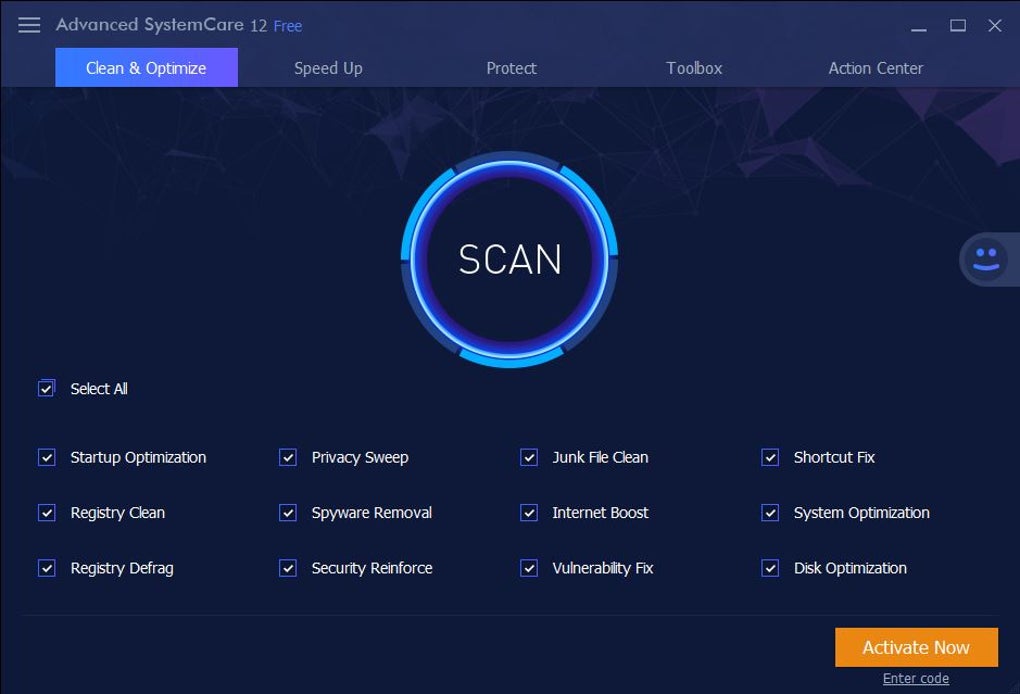
One of the most significant criticisms leveled at Advanced SystemCare is its aggressive advertising and upselling tactics. The installation process itself is plagued with offers to download additional, third-party software, which are often easily overlooked by less experienced users. This bundled software installation is considered by many to be a predatory practice.
Furthermore, the free version continuously promotes the premium upgrade, with in-app banners and prompts highlighting features unavailable to free users. While such upselling is a common strategy, the persistent and often intrusive nature of Advanced SystemCare’s advertising detracts from the user experience and creates a sense of pressure to purchase the premium version. This makes the free version feel more like a limited demo than a standalone, functional product.
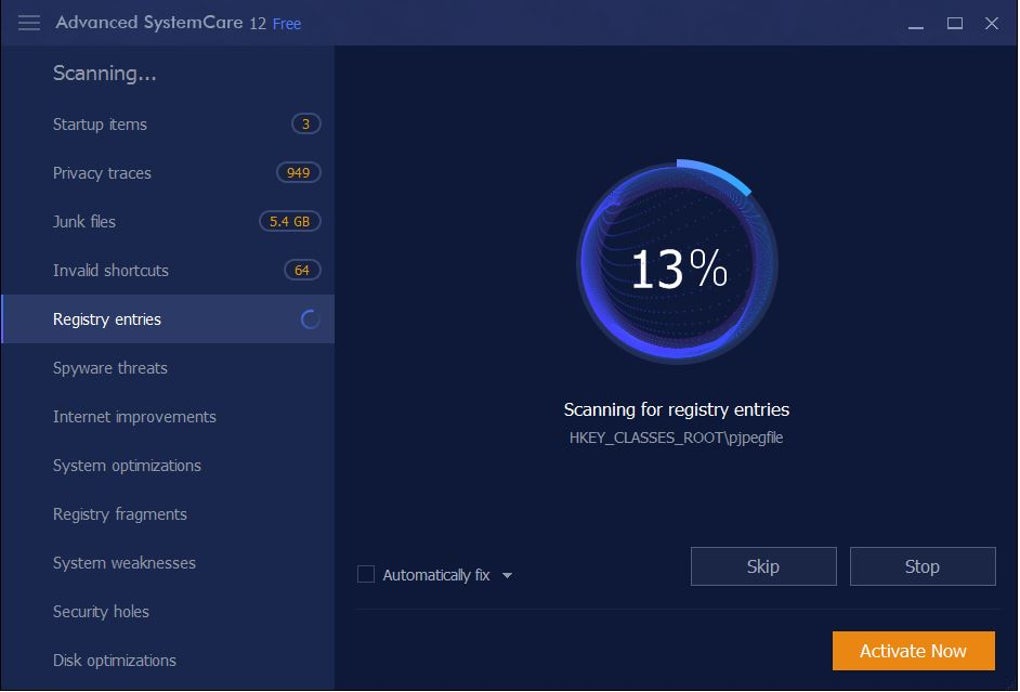
This aggressive upselling, coupled with the bundled software during installation, leaves a negative impression. Users should be particularly cautious during installation, carefully selecting only the components they actually desire, as accidental installations of unwanted software are easily made.
Conclusion: A Useful Tool with Significant Drawbacks
Advanced SystemCare offers a robust set of tools for system optimization and maintenance, and the free version provides enough core functionality to justify its use. Regularly running a scan to remove junk files and optimize startup items can benefit even well-maintained systems. However, its effectiveness can vary greatly depending on the user’s system and needs.
Despite the positive aspects, the drawbacks are significant. The aggressive advertising, bundled software installations, and the locked features behind a paywall create a less-than-ideal user experience. The occasional lack of clarity regarding the results of optimizations also diminishes the overall appeal.
Before installing, users should carefully evaluate their needs and weigh the benefits against the potential downsides. If a comprehensive, hassle-free solution is desired, exploring alternative software with a more transparent and less intrusive approach might prove beneficial. If a quick, free system checkup is needed, Advanced SystemCare can prove useful, but proceed with caution and carefully monitor the installation process. The free version serves as a demonstration of potential, but the full capabilities are undoubtedly held back by the upselling strategy.
File Information
- License: “Free”
- Latest update: “July 10, 2023”
- Platform: “Windows”
- OS: “Windows 8”
- Language: “English”
- Downloads: “4.2M”
- Size: “50.10 MB”


