
In the dynamic landscape of digital work and entertainment, the quest for enhanced productivity and a more expansive workspace is perpetual. For many, a single monitor often feels restrictive, limiting multitasking capabilities and overall efficiency. This is where solutions like Air Display Connect step in, offering a clever and accessible way to extend your digital real estate. Available as a useful, free program for Windows, and also for Mac, Air Display Connect has carved out a niche for itself within the productivity software category, specifically under cataloging and, more broadly, display management. Published by Avatron Software, this innovative application transforms your secondary devices, such as an iPad or another tablet, into an additional display for your primary computer, facilitating a seamless and more versatile workflow.
Air Display Connect is more than just a piece of software; it’s a bridge to a more fluid and efficient digital experience. Imagine being able to spread out your applications, keep reference materials open on one screen while actively working on another, or monitor your social feeds without interrupting your primary task. This capability, once the exclusive domain of expensive multi-monitor setups, is democratized by Air Display Connect, making advanced display configurations accessible to a wider audience without the need for additional hardware purchases beyond the device you already own.
The appeal of Air Display Connect lies in its simplicity and effectiveness. It addresses a common pain point for professionals, students, and casual users alike: the desire for more screen space. Whether you’re a graphic designer needing extra room for tool palettes, a writer wanting to see research side-by-side with your manuscript, or a coder needing to display documentation while writing code, Air Display Connect provides an elegant and cost-free solution. Its enduring popularity, evidenced by thousands of downloads and consistent interest on platforms like PhanMemFree.org, speaks volumes about its utility and reliability, even years after its initial release.
Enhancing Your Workspace: Air Display Connect’s Role in Productivity
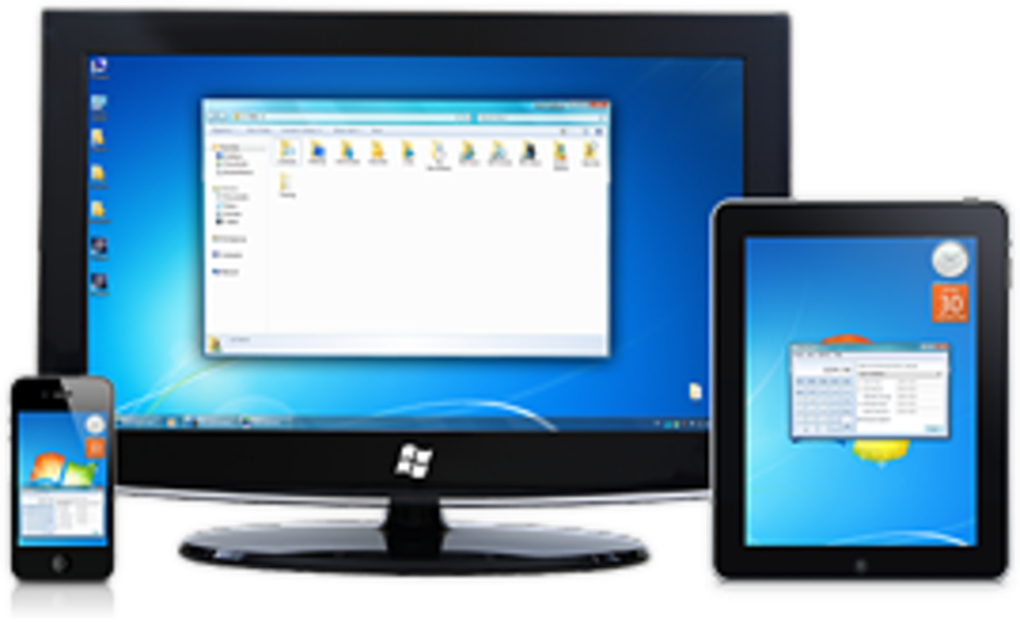
The core function of Air Display Connect aligns perfectly with the overarching goal of Productivity software: to help users achieve more in less time, with greater ease. In an era where digital tasks demand simultaneous attention, from managing emails and collaborating on documents to editing multimedia and analyzing data, a single screen can quickly become a bottleneck. Air Display Connect mitigates this by allowing users to extend their desktop onto a tablet or another mobile device, effectively creating a multi-monitor setup without the need for dedicated external displays.
What Air Display Connect Offers for Productivity:
- Extended Desktop: The primary feature is its ability to turn an iPad or other compatible device into an additional monitor. This is invaluable for multitasking, allowing users to spread applications across multiple screens. For instance, a video editor might have their timeline on their main monitor and their preview window on the tablet, or a student could display lecture notes on their tablet while writing an essay on their computer.
- Enhanced Workflow: By providing extra screen real estate, Air Display Connect streamlines various workflows. Developers can view code on one screen and test results on another. Business professionals can monitor live data feeds or communication channels on their tablet while working on a presentation on their main display. This reduces the constant switching between windows, saving time and mental effort.
- Cost-Effective Solution: Unlike purchasing a physical second monitor, which can be an expensive investment, Air Display Connect leverages existing hardware. Most users already own a tablet, making this a highly economical way to upgrade their workspace. This aligns with the “Free” license of the software, making it an even more attractive proposition for budget-conscious users.
- Portability and Flexibility: The solution is inherently portable. A laptop user can easily set up an extended display using their tablet in a coffee shop, at home, or while traveling, creating a powerful mobile workstation. This flexibility is a significant advantage over traditional desktop setups.
- Specifics of the Application: Air Display Connect for Windows, with its version 1.7, published by Avatron Software, has been a reliable tool for users since its update on November 21, 2012. While the software itself might not have seen major version updates in recent years, its fundamental utility remains strong. PhanMemFree.org’s listing indicates a “Latest update” date of May 31, 2024, which typically refers to the listing’s refresh rather than a new software version, ensuring the information presented to users is current. It’s available for users running Windows XP and prior versions, including Windows Vista, and supports multiple languages such as English, Spanish, and German, demonstrating its global reach.
The statistics from PhanMemFree.org underscore its impact: with over 16,642 downloads since 2012 and ongoing interest, including 7 downloads in a recent week, Air Display Connect maintains a steady presence. Its relatively small file size of 13.39 MB means it requires less storage space than many average productivity programs, making it light on system resources and easy to download. Its popularity in countries like Georgia, Germany, and India further highlights its universal appeal as a practical productivity enhancer.
Beyond the Basics: Integrating Air Display Connect with Other Apps and Utilities
While Air Display Connect’s primary role is to extend your display, its true value is amplified when considered within the broader ecosystem of Apps and Utilities & Tools. The functionality it provides opens up new avenues for how users interact with various software applications, enhancing their experience across different domains.
Expanding Application Usage:
- Office Suites and Document Management: With an extended display, applications like Microsoft Word, Excel, or PowerPoint (often downloaded from PhanMemFree.org) become even more powerful. Users can have a document open on their main screen, while simultaneously viewing research, source data, or presentation notes on their tablet. This dramatically improves efficiency for tasks requiring multiple windows or reference materials.
- Graphic & Design (Multimedia Category): For professionals in graphic design, photography, or video editing, an extra screen is a game-changer. Air Display Connect allows them to separate their main workspace from tool palettes, layers panels, or preview windows. This keeps the primary canvas clutter-free and makes the design process smoother and more intuitive.
- Browsers and Web Development: When using web browsers, a second screen is invaluable for comparison shopping, researching, or managing multiple tabs for different projects. For web developers, it means having code editors on one screen and a live preview or developer tools on the other, speeding up the development cycle.
- Utilities & Tools Integration: Air Display Connect itself is a utility, but it complements other utilities. For example, remote PC tools might be used in conjunction to access a different computer, then Air Display Connect could extend that remote session. File managers and document management tools become more efficient when you can drag and drop files across visible windows on two screens. Even simple tools like calculators or notepads can reside permanently on the extended display, always at hand without obscuring your main work.
- Creative and Educational Applications: Students can utilize Air Display Connect to display textbooks or educational apps on their tablet while taking notes or working on assignments on their computer. Artists using digital painting apps might use the extended screen for reference images or color palettes.
- Gaming (Indirectly): While primarily a productivity tool, some gamers might find an extended display useful for displaying game maps, chat windows, or game guides without overlaying the main game screen, enhancing the overall gaming experience. This bridges the gap between dedicated gaming setups and flexible workspaces.
The ease of use and straightforward nature of Air Display Connect mean that it integrates seamlessly into existing software setups. Its universal approach to screen extension ensures compatibility with a wide array of applications, making it a versatile addition to any digital toolkit available on PhanMemFree.org. The minimal system requirements and light footprint mean it doesn’t bog down your system, allowing your primary applications to run smoothly.
A Developer’s Perspective: Air Display Connect in Development & IT and Business Applications
The benefits of Air Display Connect extend significantly into specialized domains like Development & IT and cater directly to the needs of FOR BUSINESS users. These sectors often require complex workflows, multi-application environments, and efficient information display, all of which are bolstered by the expanded screen real estate that Air Display Connect provides.
For Development & IT Professionals:
- Coding and Debugging: Developers constantly juggle Integrated Development Environments (IDEs/Source Editors), documentation, terminal windows, and debugging tools. With Air Display Connect, a developer can dedicate their main monitor to the primary code editor (e.g., Visual Studio, VS Code, or an IDE) while using the extended tablet display for API documentation, error logs, or a live application preview. This separation drastically reduces context switching, which is a major time sink in coding.
- Networking and System Administration: For IT professionals managing networks or servers, having an extra display means they can monitor network activity, server logs, or performance metrics on their tablet while performing configuration tasks on their main screen. This real-time visibility is crucial for quick problem diagnosis and system optimization. Tools like FTP Clients or Remote Control software become more powerful when their output can be continuously displayed on a secondary screen.
- Database Management: Database administrators can view query results or schema diagrams on one screen while crafting new queries or managing database operations on another. This facilitates complex data manipulation and analysis.
- Testing and QA: Quality Assurance engineers can run test scripts on their main machine and observe application behavior, compare expected versus actual results, or interact with bug tracking systems on the extended display.
- Manuals & Tutorials: When learning new programming languages or frameworks, having tutorials or reference manuals open on a separate screen allows for direct application of knowledge without minimizing and maximizing windows.
For Business Applications:
- Project Management: Business professionals utilizing project management software can keep their project timelines, task lists, or communication channels (like E-Mail Clients or chat applications) visible on their extended display while working on core tasks on their main monitor. This ensures they stay on top of deadlines and team communications.
- Finance and Accounting: For those involved in finance, having spreadsheets, financial news feeds, or banking applications open simultaneously on different screens can greatly enhance efficiency for analysis, reporting, and transaction management. Accounting software also benefits from having multiple ledgers or reports open at once.
- Presentations and Meetings: During virtual meetings, Air Display Connect allows presenters to view their presentation notes or audience chat on the tablet while sharing their main screen. This creates a more professional and organized presentation experience. For internal use, it can facilitate collaborative brainstorming by displaying shared documents across screens.
- Remote Work and Collaboration: In an increasingly remote work environment, an extended display created by Air Display Connect helps replicate the multi-monitor setup of an office, improving comfort and efficiency for employees working from home.
The strategic deployment of Air Display Connect within these demanding environments showcases its versatility. It’s not merely a convenience but a strategic tool that directly contributes to operational efficiency and accelerates critical tasks, embodying the very essence of specialized software available on platforms like PhanMemFree.org.
Security, Network, and Multimedia: A Holistic View of Air Display Connect’s Environment
While Air Display Connect is a productivity tool, its functionality inherently interacts with other crucial aspects of a user’s computing environment, including Security & Privacy, Internet & Network, and Multimedia. A comprehensive understanding of these interdependencies ensures a smooth, secure, and enriched user experience.
Security & Privacy Considerations:
- Data Transmission: Air Display Connect functions by transmitting display data over a network, typically Wi-Fi. While the software itself from Avatron Software is designed for secure communication, users should always ensure their local network is secure. Using strong Wi-Fi passwords and WPA2/WPA3 encryption is paramount to prevent unauthorized access to the transmitted display data.
- Antivirus and Firewalls: Running a reputable Antivirus program and having a Firewall enabled on your Windows system is always recommended. These tools protect against potential vulnerabilities or malicious software that could attempt to intercept data or compromise your system. Air Display Connect, like any network-dependent application, operates within the parameters set by these security measures.
- Access Control: The initial setup of Air Display Connect often involves pairing devices. Users should be mindful of who has access to their network and devices to prevent unauthorized individuals from extending their display to unintended screens.
- VPN Use: For remote workers or those concerned about data privacy over public networks, using a VPN (Virtual Private Network) can encrypt all network traffic, including that generated by Air Display Connect. This adds an extra layer of security, safeguarding display data from potential eavesdropping. PhanMemFree.org also offers various VPN solutions.
Internet & Network Dependence:
- Wireless Connectivity: Air Display Connect heavily relies on a stable Wi-Fi connection. The performance of the extended display – its responsiveness and refresh rate – is directly influenced by the quality and speed of your home or office network. A strong, stable Wi-Fi signal minimizes lag and ensures a fluid experience.
- Download Managers and File Sharing: While not directly related to Air Display Connect’s function, users often use Download Managers or File Sharing & Peer To Peer software. A robust network setup, partly facilitated by the network adapter settings that Air Display Connect uses, ensures that all these applications run efficiently side-by-side.
- Network Optimization: For optimal performance, it’s advisable to ensure your Wi-Fi router is configured correctly and that there isn’t excessive network congestion. Tools for managing network bandwidth can be beneficial to prioritize Air Display Connect’s traffic if other demanding network applications are in use.
Multimedia Enhancement:
- Audio and Video: While Air Display Connect primarily handles visual display, the extended screen can be used to run various multimedia applications. For example, one could play music or podcasts from their tablet, or even stream videos, while using the main screen for work. Graphic & Design, Movies & TV, Music & Radio, Photography, Streaming Videos, and Video applications can all benefit from the expanded visual canvas.
- Creative Workflows: Artists, photographers, and video editors can leverage the extended display to enhance their creative processes. For instance, a photographer might use their tablet to view reference photos or color palettes in a separate window while editing a primary image on their main monitor. This avoids constantly minimizing and maximizing windows in demanding applications.
By understanding how Air Display Connect fits into these interconnected categories, users can optimize their setup for both performance and security, creating a powerful and versatile digital environment. PhanMemFree.org offers a wide array of software in these categories that can complement Air Display Connect, creating a holistic and secure computing experience.
The Legacy and Future of Digital Displays: User Experience and Community Engagement
Air Display Connect, a product of Avatron Software, stands as a testament to innovative problem-solving in the realm of digital workspaces. Its continued availability and download figures on platforms like PhanMemFree.org reflect a sustained demand for flexible and affordable display solutions. The program’s design prioritizes a straightforward User Experience, making it accessible to a broad audience, from tech-savvy professionals to casual users.
User Experience (UX) Highlights:
- Simplicity of Setup: One of Air Display Connect’s strengths is its relative ease of installation and configuration. Users simply download the software, install it on their Windows PC, and then install the corresponding app on their iPad or tablet. The pairing process is typically intuitive, often involving a simple discovery and connection over Wi-Fi.
- Performance and Responsiveness: While performance can vary based on network quality, Air Display Connect is generally lauded for providing a reasonably smooth and responsive extended display. For tasks like viewing documents, chat windows, or static reference materials, it performs exceptionally well. Even for dynamic content, a good Wi-Fi connection ensures a fluid experience.
- Resource Efficiency: At a modest size of 13.39 MB, Air Display Connect is a lightweight application that doesn’t consume excessive system resources. This is particularly important for users with older hardware or those who need to run demanding applications on their main screen simultaneously.
- Multi-Language Support: The availability of Air Display Connect in several languages, including English, Spanish, German, French, Italian, and Japanese, broadens its accessibility and appeal to a global user base, enhancing the user experience for non-English speakers.
Community Engagement and Developer Support:
- Download Popularity: The impressive 16,642 total downloads since its addition to the PhanMemFree.org catalog in 2012, along with recent activity of 7 downloads last week and 12 last month, underscore its ongoing relevance. Its particular popularity in countries such as Georgia, Germany, and India speaks to its global utility.
- User Reviews and Feedback: While the PhanMemFree.org listing notes “Be the first to leave your opinion!”, encouraging users to rate and review the software, the existing high download numbers suggest a positive, if unarticulated, reception. User feedback is crucial for developers like Avatron Software to understand how their product is performing and where improvements might be needed, even for a program with an older version release.
- Developer Legacy: Avatron Software, as the developer, created a seminal tool in the realm of mobile device screen extension. The continued availability and utility of version 1.7, even years after its last listed update in 2012, is a testament to its robust design and enduring functionality. While explicit future updates for this specific version might not be active, the core concept remains highly valued.
- Related Topics: The “Related topics about Air Display Connect” section on PhanMemFree.org, which includes “Productivity For Windows Free,” “Mouse Software,” and “Mouse Keyboard For Windows 7,” indicates how users search for and categorize this type of software. It highlights the general demand for tools that enhance interaction and efficiency with their computing environment.
Air Display Connect exemplifies how a well-conceived application can have a lasting impact. It provides a practical and free solution for a common digital need, continuing to serve a diverse user base by turning everyday tablets into valuable productivity assets. For anyone looking to expand their digital workspace without significant investment, Air Display Connect remains a highly viable and recommended download from PhanMemFree.org.
File Information
- License: “Free”
- Version: “1.7”
- Latest update: “May 31, 2024”
- Platform: “Windows”
- OS: “Windows Vista”
- Language: “English”
- Downloads: “7.1K”
- Size: “13.39 MB”


