
AllDup is a free Windows utility designed to identify and remove duplicate files from your system. While boasting a comprehensive and flexible search functionality, its complex interface and less-than-intuitive design may leave casual users frustrated. This review delves into AllDup’s strengths and weaknesses, providing a detailed assessment of its capabilities and usability.
Finding and Eliminating Duplicate Files: The Core Functionality
Over time, duplicate files inevitably accumulate on any computer system, consuming valuable hard drive space and cluttering file structures. These duplicates often arise from multiple downloads, accidental copies, or software installations. AllDup addresses this problem by providing a robust mechanism to locate and eliminate these redundant files, thereby freeing up disk space and improving system organization.
The program’s core strength lies in its search capabilities. After installation, users simply specify the folders or drives they wish to scan. AllDup then initiates a remarkably fast and thorough search process, identifying duplicates based on configurable parameters (more on this below). The identified duplicates are presented in groups, allowing users to easily review and select the files they want to remove. A tick button facilitates the deletion process, streamlining the removal of unwanted files.
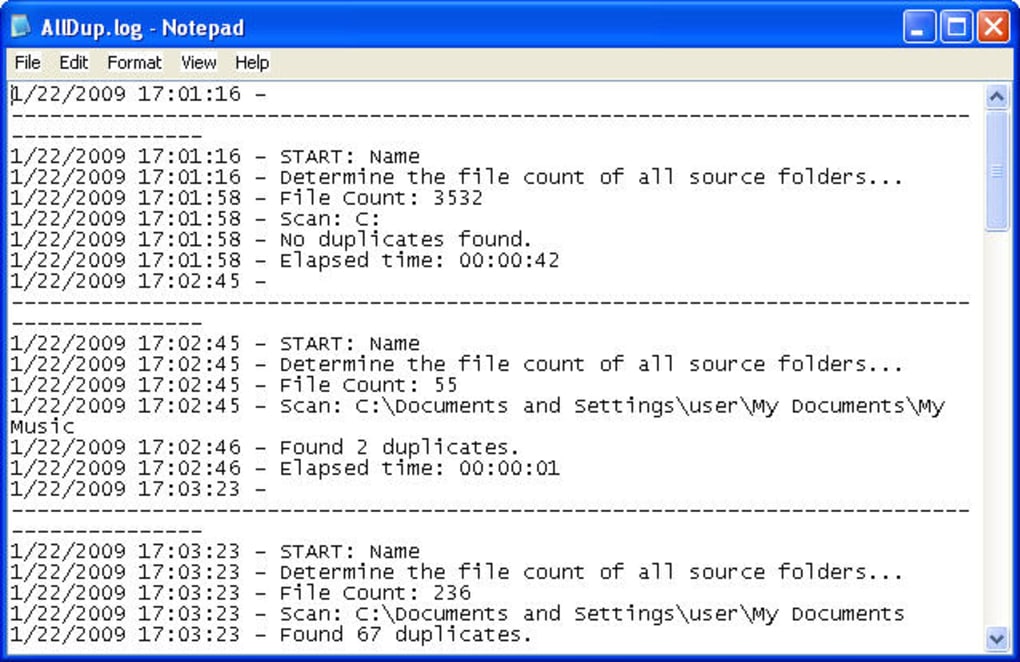
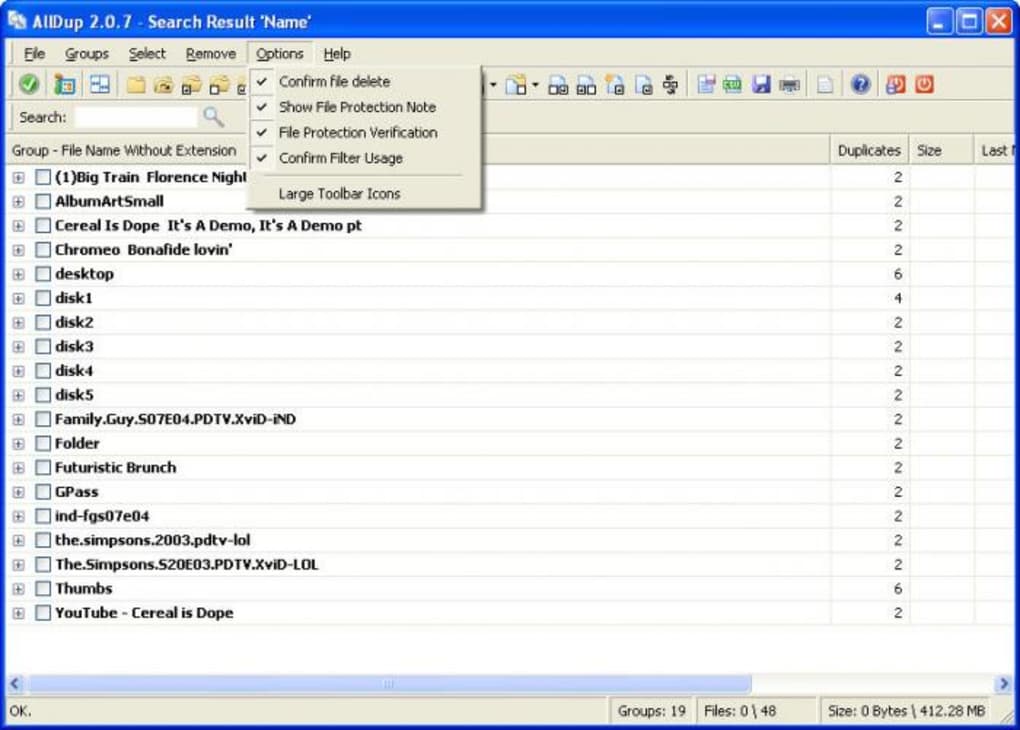
A key safety feature built into AllDup is its numerous warnings. Before any files are deleted, the program displays multiple alerts to confirm the user’s intent, minimizing the risk of accidentally removing essential files. For more experienced users who prioritize speed over cautious confirmation, these warnings can be disabled.
However, while AllDup’s search is undeniably powerful, the selection process can become cumbersome when dealing with a large number of duplicates. The interface, though functional, isn’t particularly user-friendly, potentially overwhelming users with a significant number of duplicate files to review. This complexity, as discussed later, contributes to its overall less-than-optimal user experience for less technically proficient users.
The Flexibility of AllDup’s Search Parameters
One of AllDup’s most compelling features is its highly configurable search mechanism. Users aren’t limited to a simple file name comparison; instead, AllDup offers a range of comparison methods to ensure accurate identification of duplicates. This flexibility is crucial because duplicates can exist even with different file names. For instance, the same MP3 file might have different names due to various tagging practices or download sources.
The “Compare Method” option provides users with granular control over the search process. Options allow for comparison based on file size, content (hashing algorithms), date modified, or a combination of these parameters. This fine-grained control allows for highly targeted searches, ensuring that only true duplicates are identified, even in scenarios where file names differ. This level of customization makes AllDup a valuable tool for experienced users who require precise control over the duplicate detection process.
User Interface and Usability: A Mixed Bag
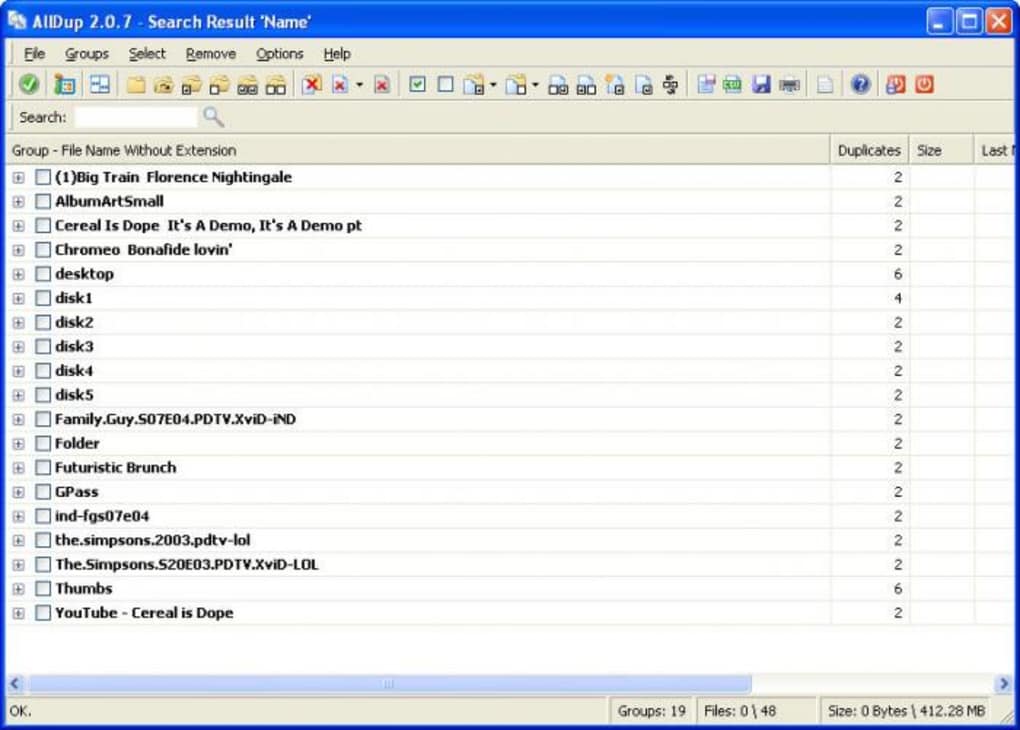
While AllDup excels in its search functionality and flexibility, its user interface is arguably its biggest drawback. The program is undeniably feature-rich, offering a wide array of settings and options, but this richness comes at the cost of user-friendliness. The interface feels cluttered and lacks the streamlined design of many modern applications. Navigation can be challenging, especially for users unfamiliar with advanced file management tools.
The abundance of options, while powerful, can also be overwhelming for casual users. The initial learning curve is steeper than with more user-friendly alternatives, potentially discouraging users from fully leveraging AllDup’s capabilities. This complexity, while beneficial for expert users seeking granular control, significantly detracts from the overall user experience for less technically inclined individuals. A more intuitive and streamlined interface would drastically improve accessibility and user satisfaction. The abundance of options could be better organized and presented in a way that is more digestible for novice users, perhaps through a more structured wizard-style approach to settings.
Recent Updates and Improvements
The developers of AllDup have actively maintained the program, releasing several updates that incorporate bug fixes and new features. One significant recent addition is the option to integrate AllDup into the Windows Explorer context menu. This enhancement greatly simplifies the process of initiating a duplicate file scan, allowing users to quickly access the tool directly from the file explorer. Other updates have focused on various optimizations and bug fixes, indicating a continued commitment to improving the application’s performance and stability. These improvements, however, haven’t fully addressed the underlying issues with the complexity of the interface.
Comparison with Alternative Duplicate File Finders
The market for duplicate file finders is competitive. Several free and commercial alternatives offer similar functionality, often with a greater emphasis on user experience. Some programs feature more intuitive interfaces, streamlining the selection and deletion processes. However, AllDup’s superior flexibility in search parameters and its robust capabilities may still make it a compelling choice for users requiring fine-grained control. The choice ultimately depends on the user’s priorities – whether a simple, user-friendly interface is paramount, or powerful and customizable search options take precedence.
Conclusion: Powerful but Demanding
AllDup is a powerful and highly customizable duplicate file finder for Windows. Its comprehensive search capabilities and flexibility in comparison methods make it a valuable tool for advanced users who require granular control over the process. The ability to customize the search criteria to pinpoint specific types of duplicates is a significant advantage. However, its complex interface and steep learning curve significantly detract from its overall user experience, making it less suitable for casual users. While the recent updates improve functionality and address some bugs, a major redesign of the user interface would be beneficial in making AllDup more accessible and enjoyable to use for a broader audience. For expert users comfortable navigating complex interfaces, AllDup’s capabilities outweigh its usability limitations; however, for casual users, simpler and more intuitive alternatives are likely preferable.
File Information
- License: “Free”
- Latest update: “May 22, 2023”
- Platform: “Windows”
- OS: “Windows 10”
- Language: “English”
- Downloads: “12.3K”
- Size: “22.38 MB”


