
AndroVid Video Editor, a free video editing application, offers a user-friendly interface designed for quick and efficient video manipulation. While primarily known for its mobile versions, a Windows version also exists, providing users with a convenient desktop alternative. This review delves into the features, capabilities, and limitations of AndroVid Video Editor, examining its strengths and weaknesses in the context of both its mobile and desktop iterations.
User-Friendly Interface and Ease of Use
One of AndroVid Video Editor’s most significant strengths is its intuitive and user-friendly design. The application prioritizes ease of access, making it suitable for both novice and experienced users. The interface is clean and uncluttered, presenting commonly used editing tools prominently on the screen. This straightforward approach reduces the learning curve, allowing users to quickly grasp the core functionalities. Even those with minimal video editing experience can readily navigate the software and perform basic edits such as trimming, merging, and looping video and audio clips. The simple click-and-drag functionality makes tasks like selecting portions of a video for deletion or merging seamless and efficient.
This ease of use is particularly beneficial for casual users who need a quick and simple way to edit their videos without getting bogged down in complex settings and advanced features. However, this simplicity shouldn’t be mistaken for a lack of power. While the initial interface is straightforward, AndroVid Video Editor offers more advanced options for users willing to explore them, demonstrating a balanced approach that caters to a wide range of skill levels. The ability to convert videos into various formats, including MPG, MOV, WMV, AVI, and MP4, further enhances its versatility and caters to different platforms and devices.
Core Features and Editing Capabilities
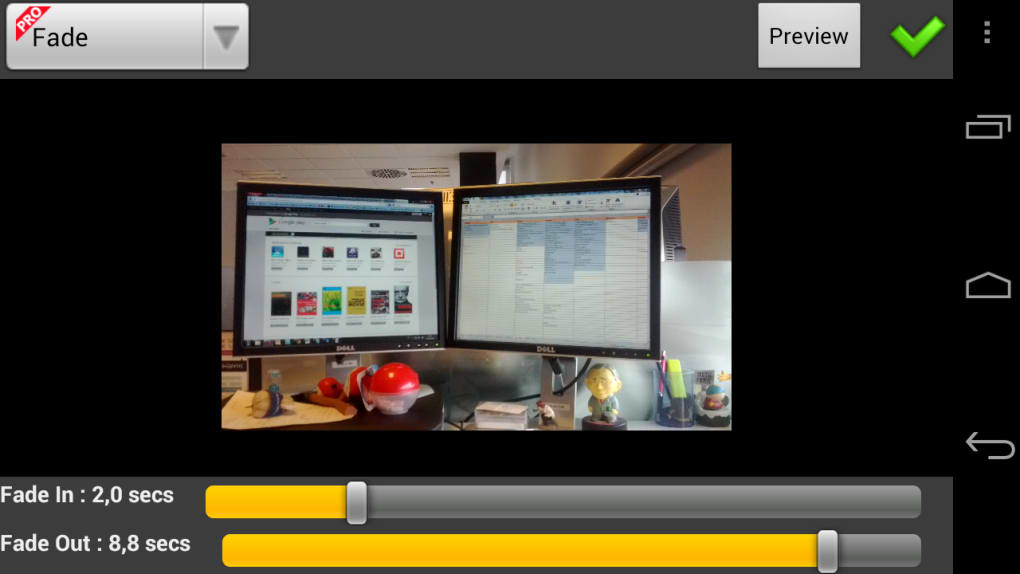
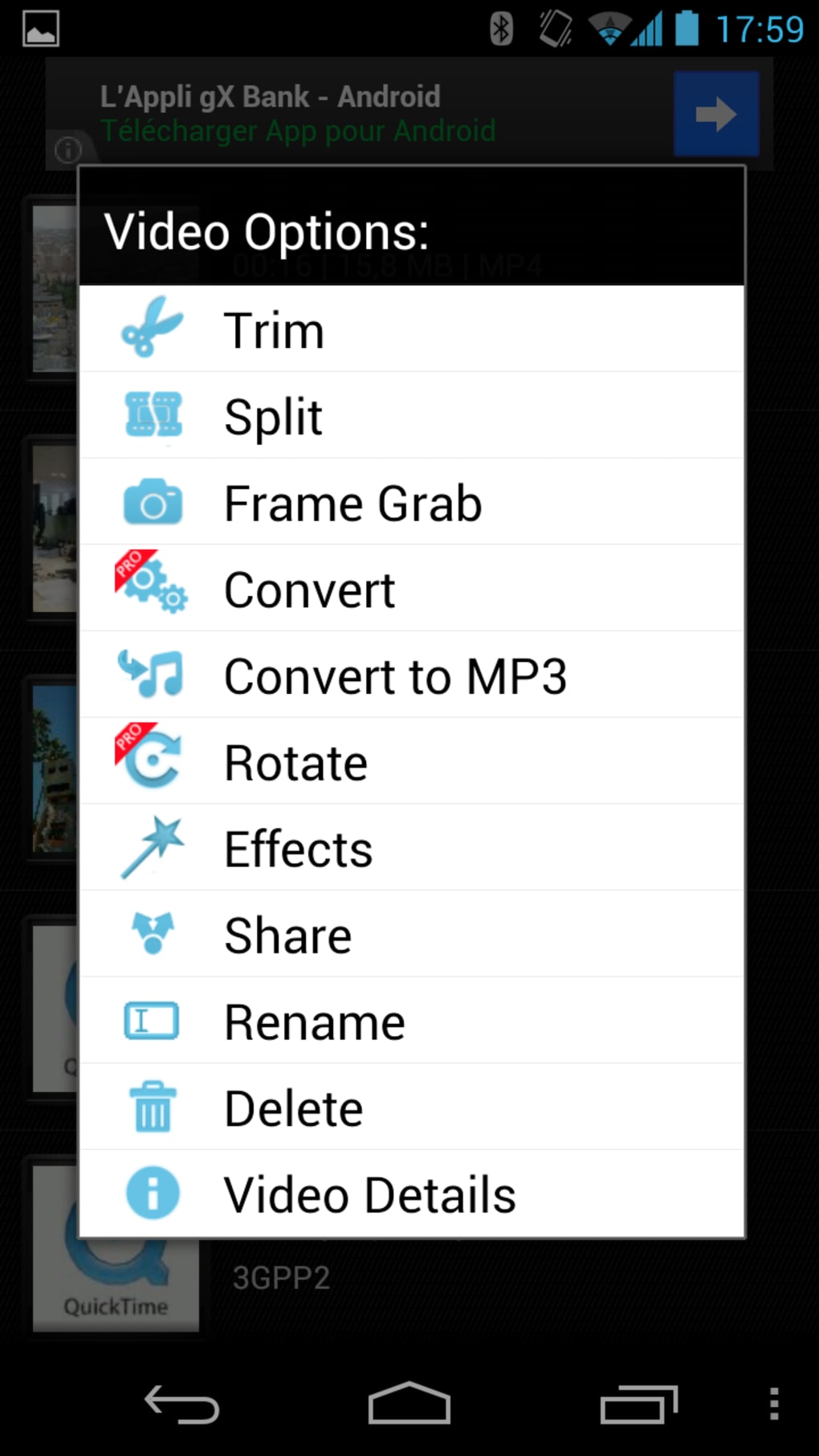
AndroVid Video Editor offers a robust set of features for basic and intermediate video editing. Beyond the simple trimming and merging functionalities, users can accomplish a surprising array of tasks directly within the application. These include:
-
Trimming: Precisely cut and remove unwanted sections of videos. This is a fundamental editing function, essential for refining footage and removing errors or unwanted moments.
-
Merging: Combine multiple video clips seamlessly into a single video. This allows for the creation of longer videos from shorter segments, perfect for creating montages or combining different scenes.
-
Audio and Video Looping: Repeat specific sections of audio or video, an effective tool for creating emphasis or creating looping effects in the video.
-
GIF Creation: Convert videos into animated GIFs, providing a readily shareable format for short, engaging clips on various social media platforms.
-
Reverse Playback: Play videos in reverse, a creative tool that can add a unique visual flair to projects.
-
MP3 Conversion: Extract the audio from videos and save it as an MP3 file, useful for salvaging soundtracks or using audio clips in other projects.
-
Text Overlay: Add text to videos, allowing users to incorporate captions, titles, or other textual information. This is critical for accessibility and adding context.
-
Social Media Sharing: Directly share edited videos on prominent social media sites, streamlining the process of content distribution.
The availability of these features makes AndroVid Video Editor a versatile tool, capable of handling a broad spectrum of editing tasks. The combination of ease of use and functional breadth is a winning formula that appeals to a wide audience.
Advanced Options and Format Conversion
While the core features target ease of use, AndroVid Video Editor doesn’t shy away from offering more advanced options for those seeking greater control over their video projects. The ability to convert videos into a variety of formats expands its utility significantly. The supported formats, including MPG, MOV, WMV, AVI, and MP4, cater to a wide range of devices and applications. This eliminates the need for additional conversion tools, simplifying the workflow for users who need to adapt their videos for various platforms.
This flexibility is important because different devices and platforms have preferences for certain formats. The capability to seamlessly convert to these formats within AndroVid Video Editor streamlines the post-production process. The absence of compatibility issues between formats becomes less of a concern for users, allowing them to focus on creative aspects rather than technical compatibility hurdles.
Platform Compatibility and Limitations
While AndroVid Video Editor is primarily lauded for its user-friendly design and robust feature set, it’s crucial to acknowledge certain limitations. The Windows version of the software, while functional, appears to be less actively updated than its mobile counterparts. This could potentially lead to compatibility issues with newer operating systems or hardware.
Further, the original content highlights some reported issues with music playback in newer versions of the software. Such issues, if widespread, could significantly impact user experience and necessitate further development and updates from the developers to address these problems. Also noted is the incompatibility with older mobile phone operating systems, potentially limiting its usability for a segment of the user base. It’s essential for developers to strike a balance between adding new features and maintaining compatibility with older systems.
Comparison with Other Video Editors
AndroVid Video Editor occupies a unique space within the landscape of video editing software. While not as feature-rich as professional-grade applications like Adobe Premiere Pro or Final Cut Pro, it occupies a compelling middle ground. It provides a user-friendly experience that is significantly more intuitive than these advanced options, making it perfectly suited for those who prioritize ease of use over complex toolsets.
Compared to other free video editing software, AndroVid Video Editor holds its own with its clean interface and impressive range of functions. While some free options may offer a few more bells and whistles, the balance between usability and functionality makes AndroVid Video Editor a strong contender in its class. Many comparable applications struggle to match its ease of use while maintaining a reasonable set of features. Therefore, AndroVid Video Editor’s strength lies in its ability to strike this balance effectively.
Conclusion: A Solid Choice for Casual and Intermediate Users
AndroVid Video Editor provides a compelling blend of user-friendliness and powerful features. Its intuitive interface and straightforward design make it an ideal choice for novice users, while its range of functionalities caters to more experienced individuals as well. While some limitations exist in terms of updates and compatibility, particularly with older systems, the overall user experience remains positive for those seeking a straightforward and efficient video editing solution.
The application’s strengths—its clean interface, robust features, and format conversion capabilities—make it a strong contender in the crowded market of video editing software. Its primary appeal rests in its ability to empower users, regardless of their technical skills, to quickly edit their videos without sacrificing quality. For those looking for a simple yet capable video editor, AndroVid Video Editor remains a strong recommendation. However, users should be aware of the potential compatibility limitations and reported music playback issues before committing to its use. The focus on providing a user-friendly experience does not compromise the software’s ability to manage basic to intermediate-level video editing needs effectively.
File Information
- License: “Free”
- Version: “2.6.3”
- Latest update: “January 10, 2017”
- Platform: “Windows”
- OS: “Windows 7”
- Language: “English”
- Downloads: “33.9K”


