
ZaraRadio, a free radio automation software developed by Kero Systems S.L., offers a robust solution for managing and broadcasting pre-recorded radio content. While not designed for live online streaming, it excels at automating the playback of music, commercials, and other audio segments, making it a valuable tool for radio stations seeking efficient content scheduling and delivery. This comprehensive guide explores ZaraRadio’s features, functionalities, pros and cons, and compares it to alternative software options.
ZaraRadio’s Core Functionalities: Automating Your Radio Station
At its heart, ZaraRadio serves as a sophisticated automation system for radio programming. Its primary function is to streamline the scheduling and playback of pre-recorded audio materials, eliminating the need for manual intervention during broadcasts. This automation extends to various content types, including:
-
Music Tracks: ZaraRadio seamlessly integrates music libraries, allowing users to create and manage playlists with ease. The software facilitates the scheduling of songs according to specific time slots, ensuring a continuous flow of programming. Users can easily adjust playback order, create custom playlists for different programming blocks (such as morning shows or evening specials), and manage metadata associated with each track.
-
Commercials: Integrating commercial breaks into the broadcast schedule is simplified with ZaraRadio. The software supports the scheduling of ads at specific intervals, ensuring compliance with advertising contracts and maximizing revenue opportunities. The system allows for precise control over commercial placements, preventing overlaps or interruptions of other programming segments.
-
Pre-recorded Audio Segments: ZaraRadio readily handles various pre-recorded audio elements beyond music and commercials. This includes jingles, station IDs, news bulletins, weather reports, and other voice-overs or audio features commonly used in radio programming. The system allows for flexible scheduling and precise positioning within the broadcast flow.
Advanced Features and Customization Options
ZaraRadio’s functionalities extend beyond basic automation. The software incorporates several advanced features designed to enhance radio station control and production efficiency:
- Sweeper and Jingles Editor: This integrated editor allows for the creation and modification of sweepers (short audio transitions between segments) and jingles (short musical interludes). The software facilitates the manipulation of audio clips, allowing for adjustments to volume, equalization, and other audio parameters.
-
Talk-Over Functionality: ZaraRadio includes a dedicated talk-over button, enabling live presenters to seamlessly interrupt scheduled programming for announcements or ad-hoc segments. This feature is crucial for live interactions and allows for a degree of flexibility within the automated broadcast.
-
Time, Temperature, and Humidity (TTH) Announcements: This automated feature allows ZaraRadio to integrate real-time weather data into the broadcast. The software fetches current weather information and incorporates it into pre-recorded announcements, delivering up-to-the-minute weather reports automatically.
-
Playlist Management: ZaraRadio’s robust playlist management tools provide a user-friendly interface for organizing, sorting and scheduling large music libraries. This ensures a smooth and continuous broadcast, reducing the risk of dead air or unexpected gaps in programming.
-
Network Connectivity: The software is capable of connecting to other radios, either via a physical line-in connection or through the internet, enabling efficient integration with other broadcasting systems. This feature facilitates sharing audio content and coordination across multiple stations or studios.
-
Customizable Timers: ZaraRadio allows for precise control over the duration of each audio segment. Users can set timers to manage the length of songs, commercials, or other pre-recorded elements, ensuring the broadcast adheres to a precise schedule.
-
Assignable Buttons: The software offers assignable buttons for quick access to jingles, sound effects, or other frequently used audio segments. This allows for rapid on-air responses and reduces the workload on presenters during live broadcasts.
-
What’s Playing/What’s Next Display: ZaraRadio features a display that shows both the currently playing segment and the next scheduled segment, offering presenters and technicians real-time visibility into the broadcast schedule.
ZaraRadio’s Limitations and External Dependencies
While ZaraRadio boasts numerous benefits, it also presents certain limitations:
-
Lack of Live Streaming Capabilities: ZaraRadio is not a live streaming platform. It requires integration with a separate streaming software application to broadcast content online. Users must have a compatible streaming service and configure it separately to transmit the audio output generated by ZaraRadio.
-
Inability to Record On-Air Audio: ZaraRadio does not include built-in audio recording functionalities. Users must use external audio recording software, such as Audacity, to capture audio during broadcasts. This adds an extra layer of complexity and requires separate software configuration.
-
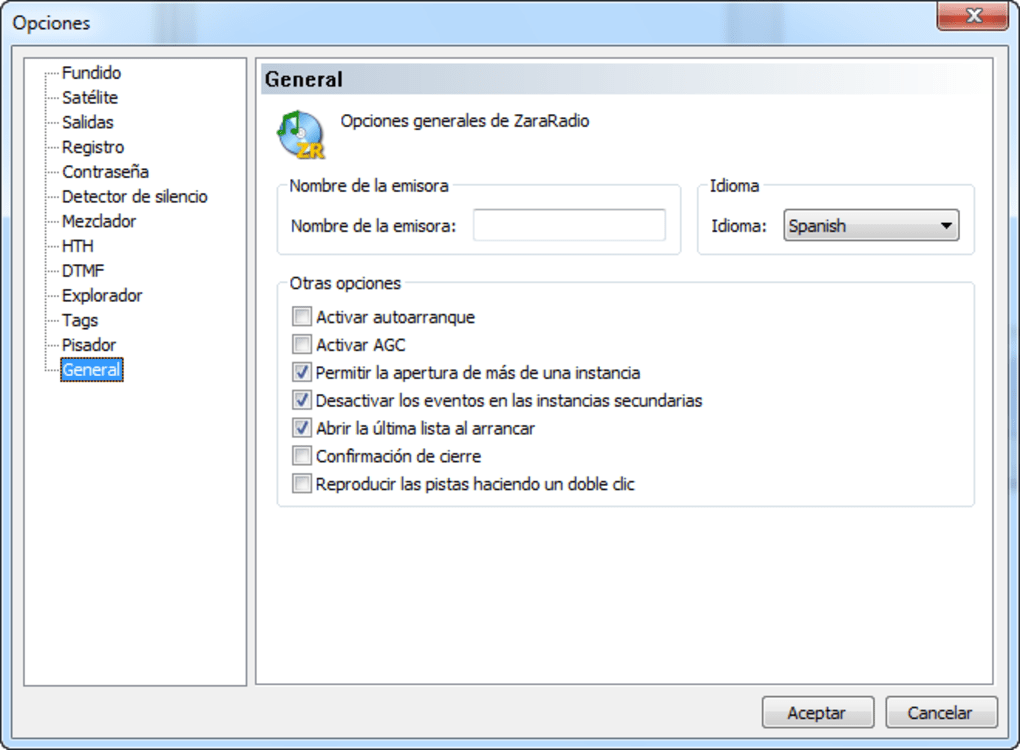
Limited Language Support: ZaraRadio’s interface primarily supports English and Spanish. Users who require other languages might find the software less user-friendly. This limitation can pose a barrier to adoption in regions where English or Spanish are not dominant languages.
-
External Software Dependencies: ZaraRadio’s functionality relies on other external software applications, both for online broadcasting and for recording audio. This increases the overall system complexity and requires users to possess proficiency in multiple software programs.
User Reviews and Feedback: Real-World Experiences with ZaraRadio
Numerous users have shared positive feedback, highlighting ZaraRadio’s ease of use, reliability, and robust features. Many long-term users cite its stability and efficiency in automating radio programming, praising its capability to handle extensive playlists and diverse audio content. However, the lack of live streaming and audio recording capabilities are frequently mentioned as areas for improvement. Some users have suggested the inclusion of these functionalities to streamline the broadcasting workflow. The consistent feedback underscores ZaraRadio’s effectiveness as an automation tool, but its limitations need to be considered before implementation.
Comparing ZaraRadio to Alternative Radio Broadcasting Software
ZaraRadio stands alongside several alternative radio broadcasting software options, each with its own strengths and weaknesses. A comparative analysis is crucial for making an informed decision based on individual needs and priorities. Some key competitors include:
-
RadioBOSS: This software offers a more comprehensive suite of features, including live streaming capabilities and built-in audio recording. However, it’s typically a commercial product, unlike the free ZaraRadio.
-
SAM Broadcaster: Another popular alternative, SAM Broadcaster provides similar functionalities to RadioBOSS, offering advanced features for automation, live streaming, and online radio management. It also comes with a price tag.
-
Radio Caster: This free option offers a simpler interface and focuses on live streaming. While it may be suitable for some users, it lacks the extensive automation capabilities found in ZaraRadio and other commercial alternatives.
-
Adobe Audition: This professional audio editing suite offers unparalleled audio processing capabilities but lacks the dedicated features for radio automation found in ZaraRadio. It’s a powerful tool for advanced audio work, but it’s not primarily designed for radio station management.
Ultimately, the optimal choice depends on the specific requirements of the radio station. ZaraRadio excels as a free, robust automation tool for pre-recorded content. If live streaming, recording, or more advanced features are critical, investing in a commercial alternative like RadioBOSS or SAM Broadcaster might be more suitable.
Conclusion: ZaraRadio – A Powerful Free Tool with Specific Applications
ZaraRadio stands as a powerful and versatile tool for automating radio broadcasts, particularly beneficial for stations relying heavily on pre-recorded content. Its free availability, coupled with its rich feature set, makes it an attractive option for independent broadcasters and smaller radio stations with limited budgets. However, its limitations in live streaming and recording capabilities must be carefully considered. A thorough evaluation of specific needs, along with a comparison to other available software, is crucial for ensuring ZaraRadio remains the right fit for the specific demands of each individual radio station’s workflow.
File Information
- License: “Free”
- Latest update: “January 18, 2024”
- Platform: “Windows”
- OS: “Windows 8”
- Language: “English”
- Downloads: “127K”
- Size: “3.58 MB”


