
In an increasingly data-driven world, the ability to visualize, analyze, and interpret spatial information is paramount. Geographic Information Systems (GIS) provide the tools to achieve this, transforming raw data into actionable insights that inform decisions across countless industries. At the forefront of this technological revolution stands ArcGIS, a powerful and comprehensive suite of software developed by Esri (Environmental Systems Research Institute Inc.). While the full ArcGIS platform encompasses a vast array of tools for professional-grade geospatial analysis, its desktop applications, particularly introductory versions like the one available for Windows, serve as crucial entry points for individuals eager to delve into the world of virtual mapping and spatial data.
This particular version of ArcGIS for Windows, freely available and designed as an initial introduction, offers users a sophisticated glimpse into the capabilities of advanced mapping software. It acts as a foundational experience, allowing budding GIS enthusiasts, students, and professionals to familiarize themselves with the core concepts and functionalities before potentially engaging with the more extensive ArcGIS online tools and full-featured desktop applications. This article will explore the essence of ArcGIS, its role as a learning platform, its core features, intended applications, and how it fits within the broader GIS ecosystem, emphasizing its accessibility through platforms like PhanMemFree.
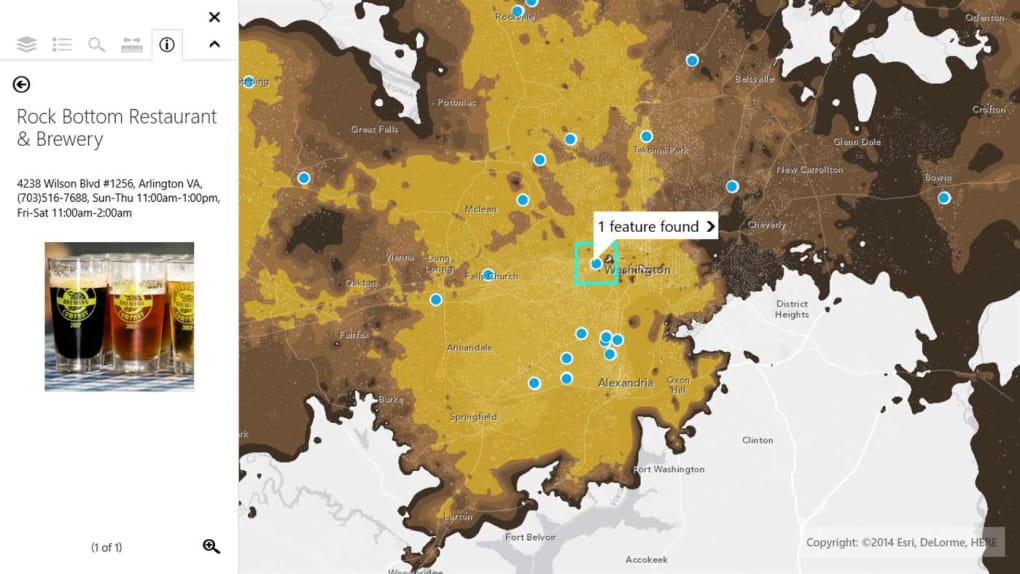
Understanding ArcGIS: The Gateway to Geographic Information Systems
At its heart, ArcGIS is more than just a mapping application; it’s a holistic system for working with geographic information. GIS, as a discipline, involves collecting, storing, manipulating, analyzing, managing, and presenting all types of geographical data. ArcGIS provides the software framework for these operations, allowing users to combine diverse datasets – from satellite imagery and topographical maps to demographic statistics and property records – and overlay them to reveal patterns, relationships, and trends that might otherwise remain hidden.
The version of ArcGIS discussed here, often referred to as “ArcGIS for Windows Free,” functions as an excellent introduction to this complex framework. While it is not a fully functional bundle designed for comprehensive professional work, it serves as a critical stepping stone. Imagine it as a well-designed interactive tutorial, offering a hands-on experience with the look and feel of a professional GIS environment. This introductory nature is key to its appeal, especially for those who are curious but not yet ready to commit to the extensive training or licensing required for the full ArcGIS Pro or ArcGIS Desktop suites.
For many, the first interaction with GIS technology can be daunting. The sheer volume of features and the specialized terminology often present a steep learning curve. The free Windows version of ArcGIS simplifies this initial encounter. It allows users to explore virtual maps, understand layers of information, perform basic navigation, and perhaps even conduct simple queries or data visualizations. This exposure helps demystify GIS, making it more accessible and understandable. It provides a tangible experience that complements theoretical learning, solidifying abstract concepts with practical application.
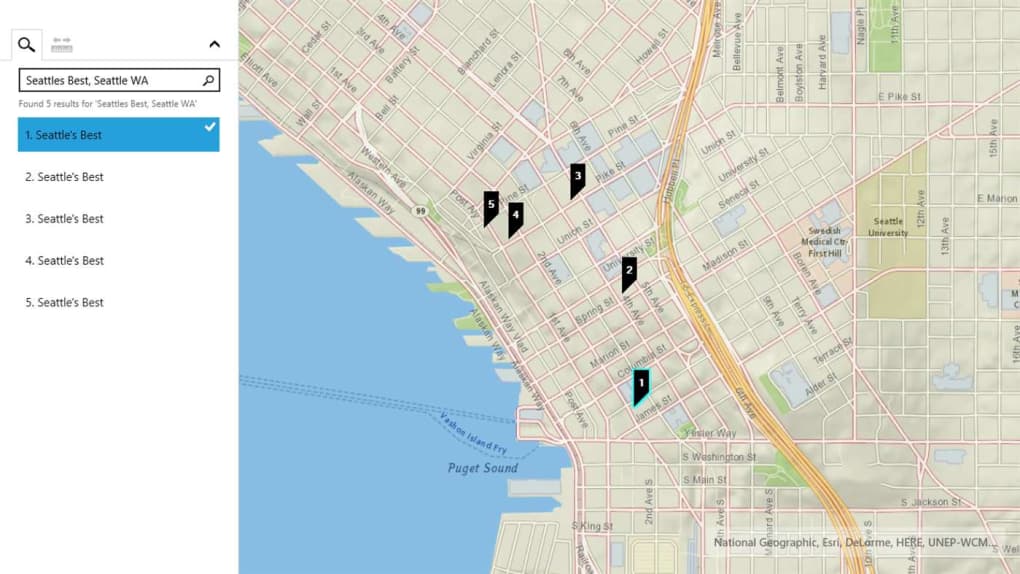
Furthermore, its availability for personal computers means that individuals can explore GIS at their own pace, outside of a structured classroom or professional setting. The platform requires an updated Windows operating system (specifically Windows 8.1 or later) and boasts a relatively manageable file size of 1.06 GB, making it feasible for most modern PCs without significant performance impact. This ease of access, facilitated by platforms like PhanMemFree.org, underscores its role as an educational and exploratory tool, paving the way for deeper engagement with the broader ArcGIS ecosystem.
Core Features and User Experience of ArcGIS for Windows
The user experience with ArcGIS for Windows, particularly the free introductory version, is designed to be intuitive enough for new users while still reflecting the sophistication of the full ArcGIS platform. While specific advanced functionalities might be reserved for licensed versions, the introductory tool provides a robust foundation for understanding GIS principles.
The Free Version: An Introductory Tool
As an “excellent introduction into the world of virtual mapping,” this free version allows users to:
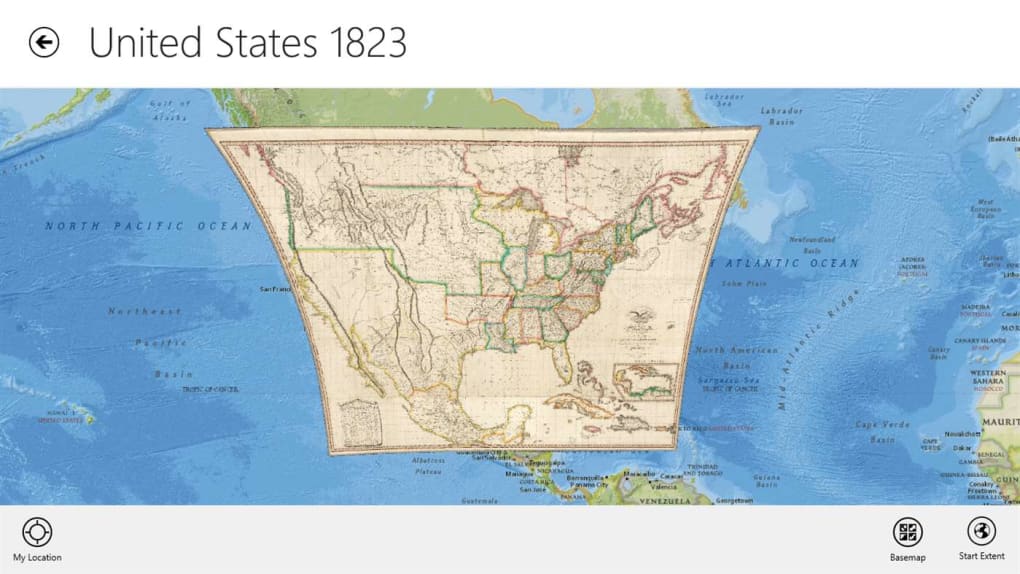
- Navigate and Explore Maps: Users can pan, zoom, and explore pre-loaded or user-defined geographic data layers. This fundamental capability is crucial for grasping spatial relationships and understanding how different geographic features interact.
- Visualize Data: Even in its introductory form, ArcGIS provides a taste of data visualization. Users can load different datasets (e.g., shapefiles, geodatabases, imagery) and observe how they are displayed on a map. This includes understanding symbology – how colors, shapes, and sizes are used to represent different types of data or attributes.
- Understand GIS Concepts: The interface itself, with its toolbars, layer management panels, and data tables, mirrors the layout of more advanced ArcGIS products. This familiarity is invaluable for users who eventually transition to ArcGIS Pro or ArcGIS Online, as the learning curve for navigation and basic operation is significantly reduced. Concepts like layers, projections, and attributes become concrete through direct interaction.
- Initial Data Interaction: While complex analysis might be limited, users can typically perform basic operations such as identifying features, querying attribute information (e.g., clicking on a city to see its population), and perhaps even simple distance measurements. These interactions provide a practical understanding of how GIS data can be interrogated.
However, it’s crucial to acknowledge the limitations explicitly stated by Esri and echoed by user feedback: “This version is not meant to be fully functional.” This means that users should not expect to perform complex geoprocessing tasks, create custom applications, or manage large enterprise geodatabases with this free introductory software. Its purpose is to onboard users, not to replace the professional-grade tools. Another notable limitation mentioned is “There is no package available for mobile phones” for this specific desktop version. This highlights that while desktop experience is central, the broader ArcGIS family does offer robust mobile solutions, which we will touch upon later.
System Requirements and Accessibility
The accessibility of ArcGIS for Windows Free is a significant advantage for its target audience. The technical specifications are relatively modest for modern computing standards, making it available to a wide range of users:
- Platform: Windows
- OS: Windows 8.1 or later
- License: Free
- Version: 10.84 (as of the last update reference)
- Latest Update: August 15, 2024 (indicating ongoing maintenance and relevance)
- Downloads: With hundreds of thousands of downloads (240.9K total, 7.1K last month from the reference), it demonstrates substantial interest and reach.
- Size: 1.06 GB. This is a reasonable size for a mapping application, ensuring it doesn’t consume excessive disk space or require extremely fast internet connections for download.
- Developer: Environmental Systems Research Institute Inc. (Esri), the industry leader in GIS software, ensuring reliability and adherence to professional standards.
The fact that it is a free download for Windows users, coupled with its relatively small footprint, makes it an ideal tool for students, educators, and individual learners. Its availability through reputable platforms like PhanMemFree.org further enhances its accessibility, providing a trusted source for obtaining the software. The commitment from Esri to continually update even this introductory version (as indicated by the August 2024 update) suggests its continued importance in their strategy for broader GIS adoption and education.
Applications and Target Audience: Who Benefits from ArcGIS?
ArcGIS, in its various forms, caters to a diverse audience across virtually every sector that deals with location-based data. While the free Windows version primarily serves as an entry point, the skills and understanding gained from it are directly transferable to the wider applications of the full ArcGIS suite. User reviews frequently highlight its value, with one user exclaiming, “great for students!!!!!!!!!!!!!!!!!!!!!!!!!!!!!!!!!!!!!!!!!!!!!!!!!!!!!!!!!!!!” and another stating, “this software is very important I want to earn deeply experience so I need this software.” These sentiments perfectly encapsulate the primary beneficiaries of this introductory tool.
Educational and Professional Development
- Students: For students in geography, environmental science, urban planning, civil engineering, geology, public health, and many other disciplines, ArcGIS for Windows Free is an invaluable educational resource. It allows them to:
- Reinforce Classroom Learning: Visualize concepts taught in lectures, such as thematic mapping, spatial relationships, and data layering.
- Develop Foundational Skills: Gain hands-on experience with GIS software, which is a highly sought-after skill in many professional fields. They can learn basic navigation, data inspection, and map interpretation.
- Explore Career Paths: Get a taste of what a career in GIS might entail, inspiring further study and specialization. It provides a practical context for theoretical knowledge.
- Prepare for Advanced Courses: Build a solid understanding before transitioning to more complex ArcGIS products or university-level GIS courses that require advanced functionalities.
-
Aspiring GIS Professionals: Individuals looking to enter the GIS workforce can use this free software to begin building their portfolio of understanding. It offers a low-barrier entry to familiarize oneself with the industry-standard platform, making future training on advanced ArcGIS versions more effective and efficient. The desire to “earn deeply experience” is well-addressed by this introductory tool, as it fosters the initial engagement required for deeper learning.
-
Educators and Trainers: Teachers can use this accessible software as a teaching aid to introduce GIS concepts to their students without the need for extensive licensing arrangements or complex installations for an entire class. It facilitates interactive learning and encourages independent exploration.
-
Hobbyists and Curious Individuals: For anyone with a passion for maps, geography, or data visualization, ArcGIS for Windows Free provides an excellent sandbox. They can explore their local area, visualize open-source geographic data, or simply marvel at the power of digital mapping. It’s a way for non-professionals to engage with sophisticated spatial technology.
While the free version prepares users, the full ArcGIS platform is extensively used in various sectors:
- Urban Planning and Development: Analyzing population density, zoning regulations, infrastructure needs, and optimizing resource allocation.
- Environmental Management: Monitoring deforestation, assessing climate change impacts, managing natural resources, and tracking pollution.
- Public Safety: Emergency response planning, crime mapping, and resource deployment during disasters.
- Business Intelligence: Site selection for new stores, market analysis, logistics optimization, and customer segmentation based on location.
- Utilities and Infrastructure: Managing power grids, water networks, telecommunications lines, and planning maintenance.
By providing an initial hands-on experience, ArcGIS for Windows Free acts as a crucial bridge, guiding users from mere curiosity to foundational competence, and potentially, towards a fulfilling career or enhanced understanding in fields heavily reliant on spatial intelligence.
Navigating the GIS Ecosystem: Alternatives and Complementary Tools
The world of Geographic Information Systems is rich and diverse, offering a range of tools tailored to different needs, skill levels, and budgets. ArcGIS, while dominant, operates within a broader ecosystem that includes its own family of products, open-source alternatives, and other commercial solutions. Understanding where ArcGIS for Windows Free fits into this landscape is essential for any aspiring GIS user.
The Broader ArcGIS Family
It’s important to remember that “ArcGIS” is an umbrella term for a comprehensive suite of software and services. The free Windows version is just one component, often serving as an entry point to this larger ecosystem:
- ArcGIS Online: This cloud-based platform allows users to create, share, and manage maps, apps, and data over the web. The free Windows desktop tool often works “in conjunction with similar ArcGIS online tools,” allowing users to access and publish content from their desktop to the cloud, fostering collaboration and broader dissemination of spatial information.
- ArcGIS Pro: Esri’s flagship desktop GIS software, ArcGIS Pro, is a modern, 64-bit application that offers advanced mapping, visualization, analysis, and data management capabilities. It’s designed for professional GIS practitioners and replaces the older ArcGIS Desktop (ArcMap) in many organizations. The free Windows version can provide a good conceptual primer before transitioning to ArcGIS Pro.
- ArcGIS Enterprise: This is a full-featured GIS platform deployed on an organization’s own infrastructure, offering extensive capabilities for managing and sharing geospatial data and services across an entire enterprise.
- Mobile GIS Applications: The reference content highlights that the specific free Windows version does not have a mobile counterpart. However, the broader ArcGIS family includes robust mobile applications designed for field data collection and mobile mapping:
- ArcGIS Earth: Available for iOS, Android, and Windows Mobile platforms, ArcGIS Earth is a lightweight globe viewer that allows users to explore 3D data, KML files, and various Esri web services. It’s like a professional version of Google Earth, focused on geospatial data.
- Collector for ArcGIS (now often superseded by ArcGIS Field Maps): A free program designed for Windows, iOS, and Android, enabling field workers to collect and update data using a map on their mobile device. This is crucial for real-time data capture and updating GIS databases on the go. These mobile solutions demonstrate how the ArcGIS ecosystem extends beyond the desktop, providing tools for every stage of the data lifecycle.
Open-Source and Commercial Alternatives
While ArcGIS sets an industry standard, several other excellent GIS platforms and mapping tools are available, each with its strengths:
- Google Earth Pro: A widely recognized tool for exploring the planet with satellite imagery and geographical data. While more focused on visualization and less on deep analysis than ArcGIS, it offers a user-friendly interface for general exploration and some basic analytical capabilities. It’s often used for quick spatial context and presentation.
- Quantum GIS (QGIS): A powerful, free, and open-source GIS software. QGIS is a strong contender, offering a comprehensive set of functionalities that rival commercial software. It supports numerous data formats and boasts an extensive plugin ecosystem, making it highly customizable. For many, QGIS is the go-to alternative to ArcGIS, especially for those seeking powerful tools without licensing costs.
- gvSIG: Another free and open-source GIS, gvSIG is known for its user-friendly interface and robust capabilities for analyzing and managing geographic information. It’s particularly popular in some European and Latin American countries.
- MapWindow GIS: Described as “Free Software for Data Editors” and “For graphing and visualizing locations,” MapWindow GIS is an open-source GIS component library and desktop application for Windows. It provides tools for viewing, editing, and analyzing spatial data, often used by developers to integrate GIS functionalities into their applications.
- Tableau: While primarily a business intelligence and data visualization tool, Tableau has strong capabilities for working with spatial data. It allows users to create interactive maps and dashboards to visualize geographic trends, making it a powerful tool for combining spatial analysis with other business data.
- gMaps for Windows 10: A free productivity program that provides mapping capabilities on Windows 10, often simpler than a full GIS, focusing on navigation and local exploration.
By exploring ArcGIS for Windows Free, users gain a foundational understanding that not only prepares them for advanced Esri products but also provides a framework for evaluating and utilizing these other GIS tools. It establishes a baseline knowledge of what GIS software can do, making the navigation of the broader geospatial landscape much more informed.
Conclusion: Empowering Exploration with ArcGIS
ArcGIS, even in its introductory free version for Windows, stands as a testament to the power of Geographic Information Systems. It serves as an accessible and sophisticated virtual mapping platform, meticulously designed to introduce users to the foundational principles and practical applications of spatial data analysis. By providing a tangible experience with industry-standard software, it effectively bridges the gap between theoretical knowledge and hands-on application, making the complex world of GIS approachable for students, aspiring professionals, and curious individuals alike.
The value of ArcGIS for Windows Free lies not in its full-fledged functionality—which is reserved for its more comprehensive, licensed counterparts—but in its role as an exceptional educational tool. It familiarizes users with the interface, core concepts, and the transformative potential of visualizing data geographically. From navigating virtual landscapes to understanding layered information, users gain invaluable insights that can spark a lifelong interest or launch a professional career in a multitude of fields.
PhanMemFree.org, by making such crucial tools readily available, plays an instrumental role in broadening access to powerful technologies like ArcGIS. The ease of downloading and installing this free Windows application means that anyone with a compatible operating system can embark on their geospatial journey without significant financial or technical barriers. This commitment to accessibility ensures that more individuals can “earn deeply experience” in a field that is increasingly vital for addressing global challenges, from climate change and urban planning to public health and economic development.
In essence, ArcGIS for Windows Free is more than just software; it’s an invitation to explore, analyze, and understand our world in a new and profound way. It’s the initial step on a path that can lead to sophisticated data analysis, informed decision-making, and a deeper appreciation for the intricate spatial relationships that define our planet. As technology continues to evolve, tools like ArcGIS will remain indispensable, empowering us to map a better future, one geographic insight at a time.
File Information
- License: “Free”
- Version: “10.8”
- Latest update: “August 15, 2024”
- Platform: “Windows”
- OS: “Windows 8.1”
- Downloads: “246.2K”
- Size: “1.06 GB”


