
Audio Speed Changer Pro is a free Windows application designed to adjust the playback speed of audio files without altering the pitch. This unique capability makes it an invaluable tool for anyone who needs to listen to audiobooks, podcasts, lectures, or any other audio content at a faster or slower pace without the undesirable “chipmunk” effect often associated with traditional speed adjustments. This review delves into its features, performance, pros and cons, and explores its place within the broader landscape of audio manipulation software.
Core Functionality: Speed Adjustment Without Pitch Shift
The core strength of Audio Speed Changer Pro lies in its ability to precisely control the playback speed of audio files independently of their pitch. Unlike many simpler audio players that merely adjust the tempo, resulting in a noticeable change in the pitch of voices and instruments, Audio Speed Changer Pro utilizes sophisticated algorithms to maintain the original tonal quality. This is particularly beneficial for spoken-word content like audiobooks and podcasts, where preserving vocal clarity is crucial for comprehension. The software allows users to increase or decrease the speed of audio files significantly, enabling faster listening for those short on time or slower playback for enhanced comprehension or language learning. This feature alone sets it apart from many competitors, making it a highly desirable tool for a variety of users.
Beyond Speed: A Multifaceted Audio Editor
While speed adjustment is its headline feature, Audio Speed Changer Pro offers a range of additional capabilities that elevate it beyond a simple playback utility. These features significantly enhance its versatility and utility for a broader spectrum of users:
-
Batch Processing: One of the most time-saving features is its batch processing capability. Users can add multiple audio files to a queue and apply the desired speed adjustments simultaneously. This is incredibly efficient for processing large numbers of files, saving significant time and effort compared to editing individual files one by one. This function makes it ideal for users managing extensive audio libraries or those needing to process audio for large projects.
-
Tempo, Pitch, and Playback Rate Adjustment: Beyond speed, Audio Speed Changer Pro allows users to independently modify tempo, pitch, and playback rate. This granular control allows for precise fine-tuning of audio, providing considerable flexibility for a wide array of audio editing tasks. For instance, musicians might use this feature to practice sections of a song at a slower tempo without affecting the pitch, while language learners could slow down audio to improve comprehension.
-
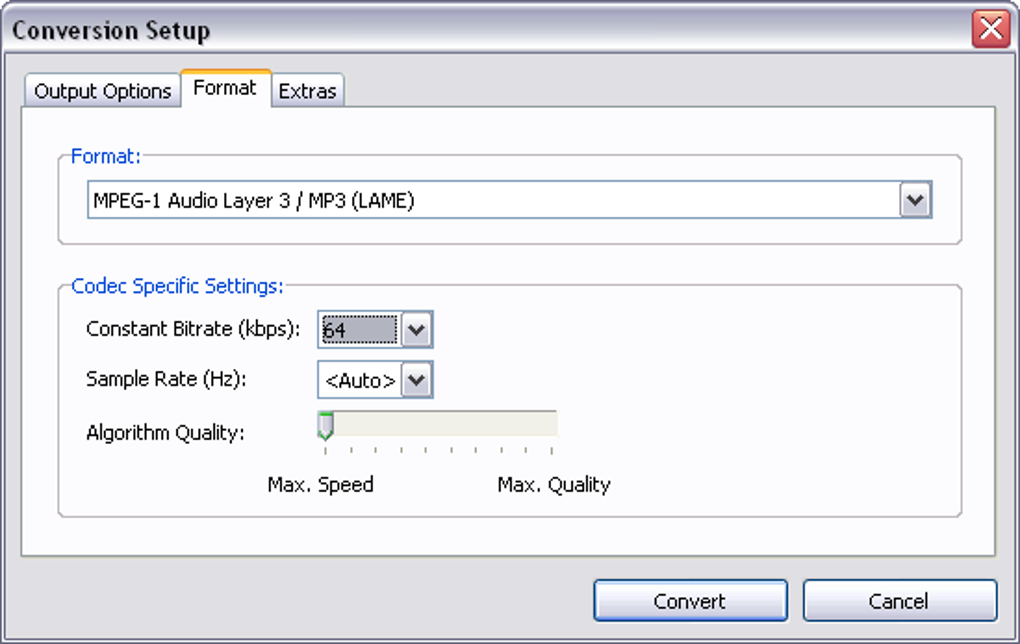
Output Format Conversion: The software supports several common audio formats for output, including MP3, OGG, WAV, and AAC/MP4. This ensures compatibility with a wide range of devices and applications, allowing users to enjoy their speed-adjusted audio across various platforms, including PCs, smartphones, and portable MP3 players. The ability to convert files to different formats adds significant flexibility for users with diverse audio playback needs.
-
Additional Features: Further enhancing its utility, Audio Speed Changer Pro provides additional features such as tag editing, allowing users to modify metadata associated with audio files. It also includes a downmixing option to convert stereo audio to mono and a volume normalization feature to ensure consistent audio levels across different files. These features demonstrate a commitment to providing a comprehensive and user-friendly audio editing experience.
User Interface and Ease of Use
The software boasts a user-friendly interface, making it accessible to users of all technical skill levels. The intuitive design ensures that even those unfamiliar with audio editing software can easily navigate its features and apply the desired adjustments. The drag-and-drop functionality further simplifies the workflow, allowing for quick and efficient file addition and processing. Its integration with Windows Explorer’s shell provides even quicker access to its major functions, adding to its overall user-friendliness. The clean and uncluttered layout minimizes distractions and helps users focus on the task at hand.
System Compatibility and Supported File Types
While Audio Speed Changer Pro enjoys broad compatibility, it’s crucial to note potential limitations. While it handles common audio formats like MP3, WMA, and WAV effectively, it may not support all file types. This should be considered before committing to the software, especially if users have a collection of less common audio formats. Similarly, system compatibility might also present some challenges, though the software is primarily designed for Windows. Users should consult the software specifications to confirm that their system meets the minimum requirements before downloading and installing. The lack of support for certain formats and operating systems might restrict its use for some users.
Pros and Cons of Audio Speed Changer Pro
Pros:
- Pitch-independent speed adjustment: This is the software’s core strength and a significant advantage over competitors.
- Batch processing: Significantly improves efficiency for handling multiple files.
- Versatile feature set: Includes tempo, pitch, and playback rate adjustments, output format conversion, tag editing, and more.
- User-friendly interface: Easy to learn and navigate, making it suitable for all skill levels.
- Free to use: A significant benefit for users on a budget.
- Windows Explorer integration: Facilitates quick access to its primary functions.
Cons:
- Limited file format support: May not be compatible with all audio formats.
- System compatibility issues: May not function correctly on all Windows versions or configurations.
- Absence of advanced features: Lacks some advanced audio editing capabilities found in professional-grade software. This is expected, given its free nature.
- Older software: The last update was in 2018, meaning newer formats might not be supported.
Comparison with Alternative Software
Audio Speed Changer Pro competes with several other audio manipulation programs, both free and commercial. Some alternatives offer more advanced features such as noise reduction, equalization, or more extensive effects processing. However, many lack the key feature that distinguishes Audio Speed Changer Pro: the ability to adjust speed without affecting the pitch. Paid software often provides a wider range of features, more robust format support, and better performance, but they come at a cost. The choice between Audio Speed Changer Pro and alternative software depends on individual needs and budget. If pitch-independent speed adjustment is paramount, then Audio Speed Changer Pro remains a strong contender, especially considering its free-of-charge status.
User Reviews and Feedback
User reviews reveal a generally positive reception of Audio Speed Changer Pro. Many users praise its effectiveness in adjusting audio speed without altering the pitch, highlighting its value for audiobooks and podcasts. However, some users have reported compatibility issues with specific file formats or Windows versions. The mixed feedback suggests that while the software functions well for many, its compatibility limitations might be a barrier for some users. The absence of frequent updates also raises concerns about its long-term maintainability and the inclusion of support for newer file formats.
Conclusion
Audio Speed Changer Pro is a valuable free tool for anyone needing to adjust the speed of audio files without compromising the pitch. Its simple interface, batch processing capabilities, and additional features make it a versatile option for various audio editing tasks. While it possesses some limitations regarding file format support and system compatibility, its core strength, the pitch-independent speed adjustment, makes it a compelling choice for numerous users. Potential users should weigh the pros and cons, considering their specific needs and technical expertise, before determining if this software meets their requirements. If a free, effective, and straightforward solution for speed adjustment without pitch shifting is needed, Audio Speed Changer Pro deserves serious consideration. However, users needing more advanced features or broader format compatibility might prefer exploring alternative paid software options.
File Information
- License: “Trial version”
- Version: “1.3”
- Latest update: “August 15, 2018”
- Platform: “Windows”
- OS: “Windows 8”
- Language: “English”
- Downloads: “76.7K”
- Size: “1.54 MB”


