
Ava Find is a PC-based scout bot designed to simplify the process of locating files on your hard drive and network. While its last major update was in 2009, it remains a useful tool for many users, particularly those who appreciate its straightforward interface and efficient search capabilities. This review will delve into the software’s core functionality, additional features, pros and cons, and compare it to alternative solutions.
Core Functionality and User Interface
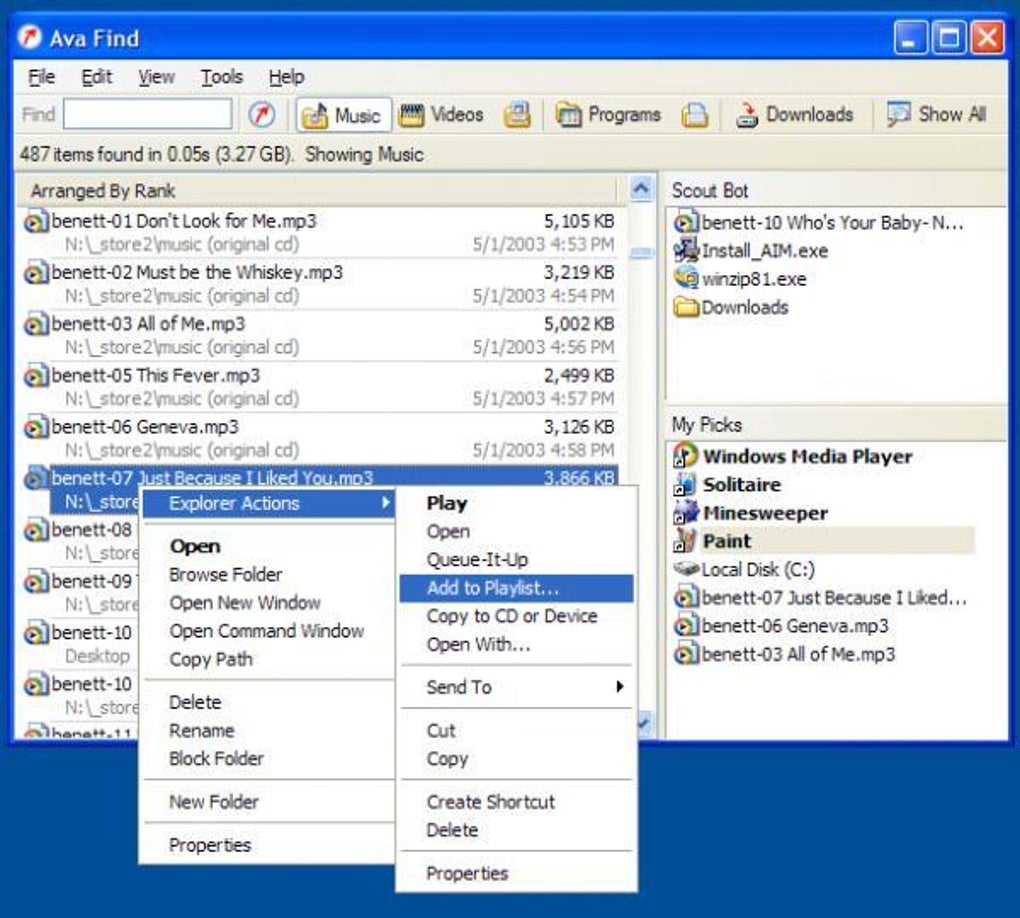
Ava Find’s primary function is to locate files and folders quickly and efficiently. Unlike many modern search utilities with complex interfaces, Ava Find opts for a simple, familiar design that mimics the typical Windows Explorer layout. This user-friendliness is a significant advantage for users who prefer a straightforward approach to file management.
The main interface features a clear list of files and folders. Users can browse this list using a familiar scroll function, similar to navigating file explorer windows in other applications. Locating a desired file is as simple as scrolling through the displayed icons until the correct file is identified. A single click then opens the selected file. This ease of navigation ensures that even users unfamiliar with specialized software can quickly grasp its functionality. The intuitive interface minimizes the learning curve, making it accessible to a broad range of computer users.
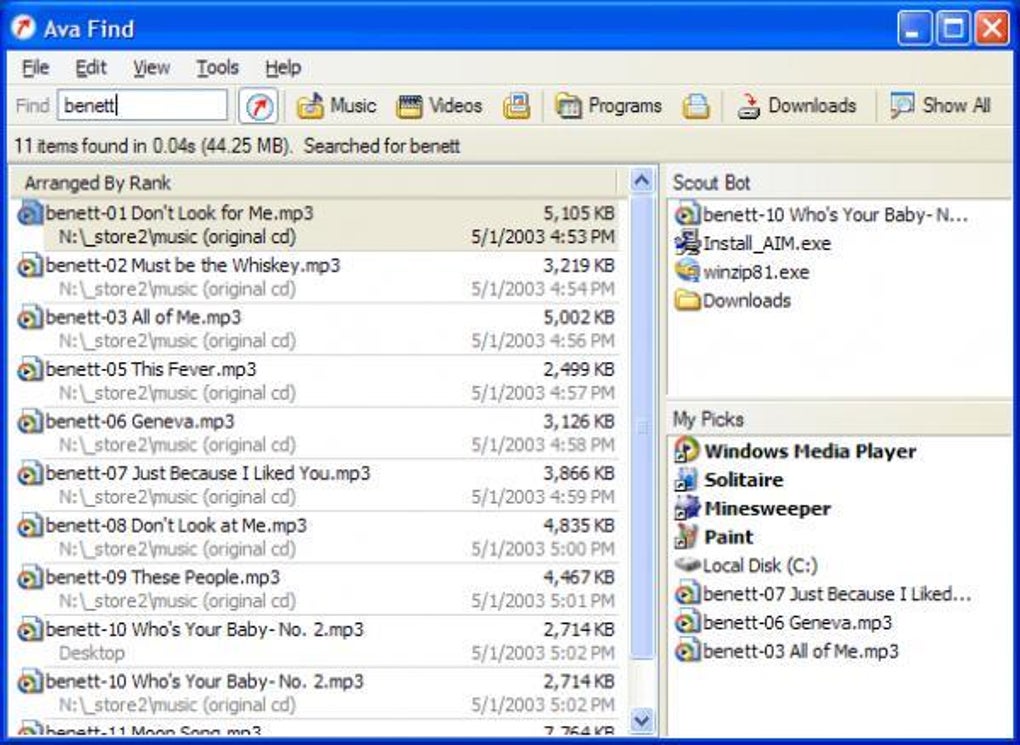
A notable feature is the “My Picks” section, conveniently located on the right-hand side of the screen. This area highlights recently accessed files, providing quick access to frequently used documents and streamlining workflow by eliminating the need for repeated searches. This is particularly beneficial for users working with multiple files in short succession.
The software’s search functionality extends beyond the immediate local drive. Ava Find can also search network drives, a crucial feature for users working in collaborative environments or managing files across multiple storage locations. This ability to search multiple locations concurrently saves significant time compared to searching each location individually.
Further enhancing its capabilities is the inclusion of a wildcard search function. This proves invaluable when users have forgotten the precise filename but can recall a part of it. The wildcard function allows for flexible searches, returning results matching partial inputs, ensuring that even vague recollections can lead to the desired file. This significantly reduces the frustration associated with incomplete or uncertain search terms.
Advanced Features and Limitations
While the basic version of Ava Find is free and offers robust search capabilities, accessing advanced features requires a one-time purchase. The exact nature of these advanced features is not explicitly detailed in the available information, leaving potential users somewhat in the dark regarding the value proposition of the paid upgrade. Further clarification on these features would enhance the user experience and transparency.
One notable limitation is the lack of recent updates. The last reported software update dates back to 2009. This absence of updates is a significant concern, raising questions about compatibility with modern operating systems, security vulnerabilities, and the incorporation of advanced features found in more recent search utilities. The absence of updates potentially exposes the software to security risks and reduces its compatibility with newer operating systems and software applications. While it may currently function on various Windows versions, the risk of incompatibility or failure increases with time, particularly with future updates to the Windows operating system. This long timeframe between updates should be a significant factor in the user’s decision-making process.
However, the software’s core functions continue to operate effectively, making it a functional option for users not needing the latest features or concerned about compatibility issues. This makes it suitable for those who prioritise a simple and functional search tool above the need for continuous updates and the latest software enhancements.
Pros and Cons of Ava Find
Pros:
- Free Basic Version: The basic version is free to download and use, providing a functional file-searching tool without upfront costs. This accessibility makes it a viable option for users with limited budgets or those who only need the core features.
- Intuitive Interface: The simple, familiar interface minimizes the learning curve, ensuring ease of use for users of all technical skill levels. The straightforward design simplifies navigation and interaction, allowing users to quickly locate and open files.
- Fast Search Capabilities: Ava Find provides quick and effective searches, saving significant time compared to manually searching through multiple folders. This efficiency increases productivity and reduces the time spent on file location.
- Network Drive Search: The ability to search network drives broadens its functionality, particularly beneficial for users managing files across multiple devices or in a collaborative environment.
- Wildcard Search: The wildcard search function accommodates uncertainties in file names, improving the efficiency of searches when the user lacks a precise memory of the filename. This flexibility mitigates the frustrations associated with incomplete or uncertain search parameters.
- Instant Folder Size Display: The software instantly displays the sizes of highlighted folders, aiding in disk space management and facilitating the quick identification of large or unnecessary files. This facilitates hard drive cleanup and efficient space allocation.
Cons:
- Outdated Software: The lack of updates since 2009 raises concerns regarding compatibility with modern operating systems and potential security vulnerabilities. This age significantly limits the software’s lifespan and long-term viability.
- Limited Advanced Features: Access to advanced features requires a one-time purchase, the details of which are not comprehensively described. The value proposition of these paid features requires further clarification.
- Potential Security Risks: The lack of updates increases the likelihood of security vulnerabilities, presenting potential risks to user data and system security. Users should exercise caution and consider the associated risks before using this software.
Comparison with Alternatives
Ava Find competes with a range of file search utilities, both free and commercial. Popular alternatives include Everything, SearchMyFiles, Agent Ransack, and Google Desktop. Each of these offers varying levels of functionality, interface complexity, and update frequency.
Everything, for example, is known for its incredibly fast search capabilities and lightweight design. SearchMyFiles provides a more feature-rich experience, including advanced filtering options. Agent Ransack offers powerful search capabilities and regular updates. Google Desktop, while discontinued, provided a comprehensive search experience integrated with Google services.
The choice between Ava Find and these alternatives depends on individual needs and priorities. Users prioritizing speed and simplicity may find Ava Find suitable despite its age. Those requiring advanced features, regular updates, and robust security should consider more modern alternatives.
Conclusion
Ava Find remains a functional file search tool, particularly for users seeking a simple and familiar interface. However, the lack of recent updates and the unclear details regarding advanced features present significant limitations. Potential users should carefully weigh the benefits of its straightforward interface and efficient search capabilities against the risks associated with outdated software and the lack of future development. While it might suffice for users with specific, low-demand needs, those prioritizing security, regular updates, and advanced features should explore more contemporary alternatives. Its age, while not necessarily a deal-breaker for all users, should be a prominent factor considered before installation.
File Information
- License: “Free”
- Version: “1.5.218”
- Latest update: “July 15, 2022”
- Platform: “Windows”
- OS: “Windows XP”
- Language: “English”
- Downloads: “307.5K”
- Size: “978.70 KB”


