
Avatarify is a free, cross-platform application that uses artificial intelligence to animate static images with your real-time facial movements. This innovative software allows you to become any picture you choose, mirroring your expressions and actions onto the selected avatar. Whether you dream of becoming a beloved cartoon character, a historical figure, or even a mischievous pet, Avatarify makes it possible, offering a fun and engaging way to interact with your digital world.
How Avatarify Works: The Magic of AI
Avatarify leverages the power of neural networks to synchronize your movements with your chosen avatar. The process begins with selecting an image; ideally, a front-facing photo with a neutral expression and the shoulders cropped out, leaving ample space around the head, which should be centrally positioned. The software’s built-in editor allows for easy cropping and adjustments to ensure optimal results. Once an image is selected, the software calibrates your webcam feed to match the avatar’s pose. This calibration is crucial for accurate animation and can be easily adjusted using the ‘C’ key. The software then tracks your facial movements in real-time, transferring those expressions to the chosen avatar.
The application’s intuitive interface features four primary controls: the ‘C’ key for calibration, the ‘F’ key for full-screen mode, and left/right arrow keys to navigate through the available avatars. A further enhancement, the “overlay” feature, allows users to see both their webcam feed and the animated avatar simultaneously, facilitating precise alignment and calibration. The opacity of the avatar overlay is adjustable for personalized viewing preferences. To achieve seamless animation, users can utilize the “smart crop” feature, automatically centering the head within the frame. This automated adjustment simplifies the process and enhances the accuracy of the animation.
Beyond the basic controls, Avatarify provides a range of additional features designed to optimize the user experience. The “smart crop” function, enabled in the settings, automatically centers your head within the frame, ensuring consistent alignment with the avatar. This automated feature simplifies the calibration process and contributes to smoother animations. For an even more refined experience, users can utilize the “overlay” feature. This function displays both your live webcam feed and the animated avatar simultaneously, enabling precise visual alignment and calibration adjustments. The opacity slider further personalizes the viewing experience.
The software’s performance is significantly influenced by the quality of the input image. Optimal results are generally achieved with images featuring a neutral facial expression, frontal positioning, and properly cropped shoulders. By following these guidelines, users can maximize the accuracy and fluidity of the animation. The availability of a built-in photo editor simplifies the avatar preparation process, allowing for quick and easy adjustments.
Compatibility and Accessibility: Avatarify Across Platforms
Avatarify boasts cross-platform compatibility, meaning it’s accessible across a range of devices and operating systems. Users can download and install the application on Windows and macOS computers, Android smartphones, and Apple iOS devices. This broad compatibility ensures that a wide audience can enjoy the application’s unique capabilities, regardless of their preferred technology.
Avatarify’s Use Cases: Beyond Entertainment
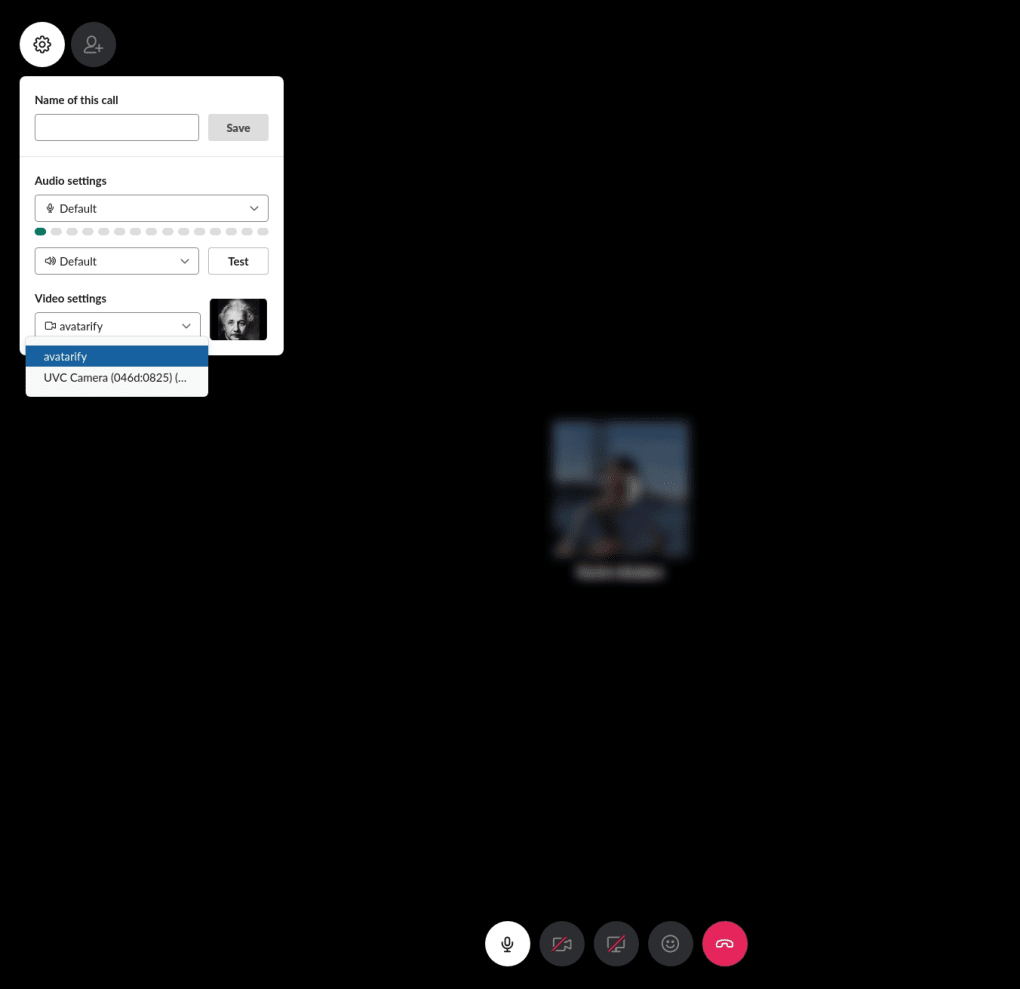
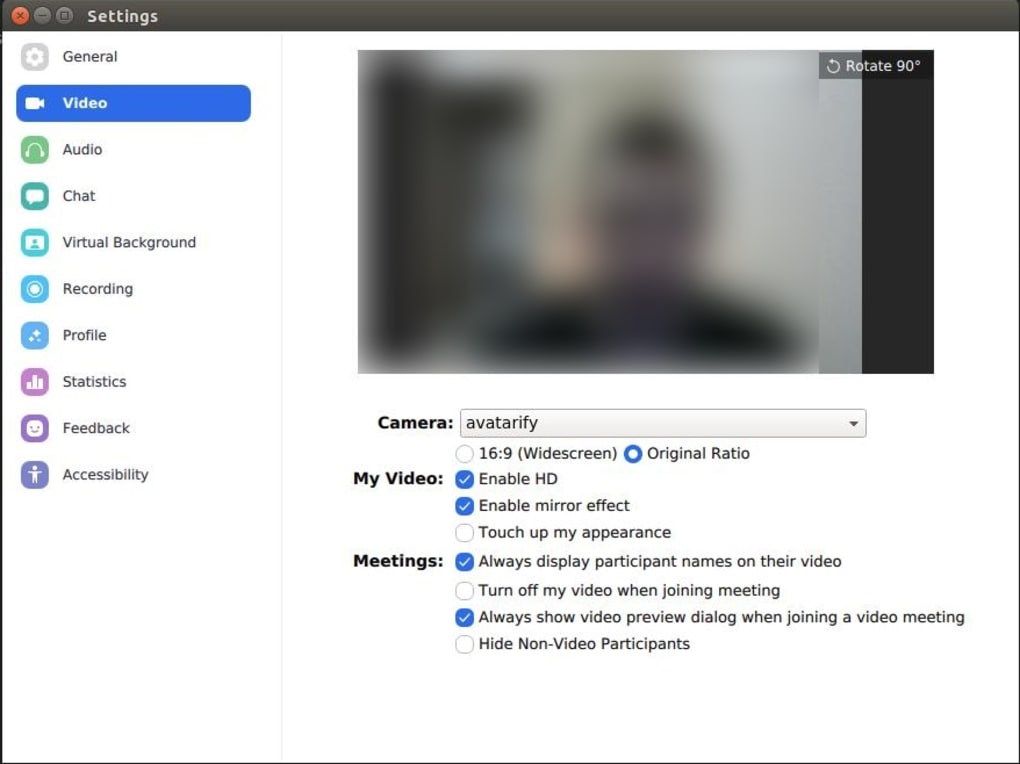
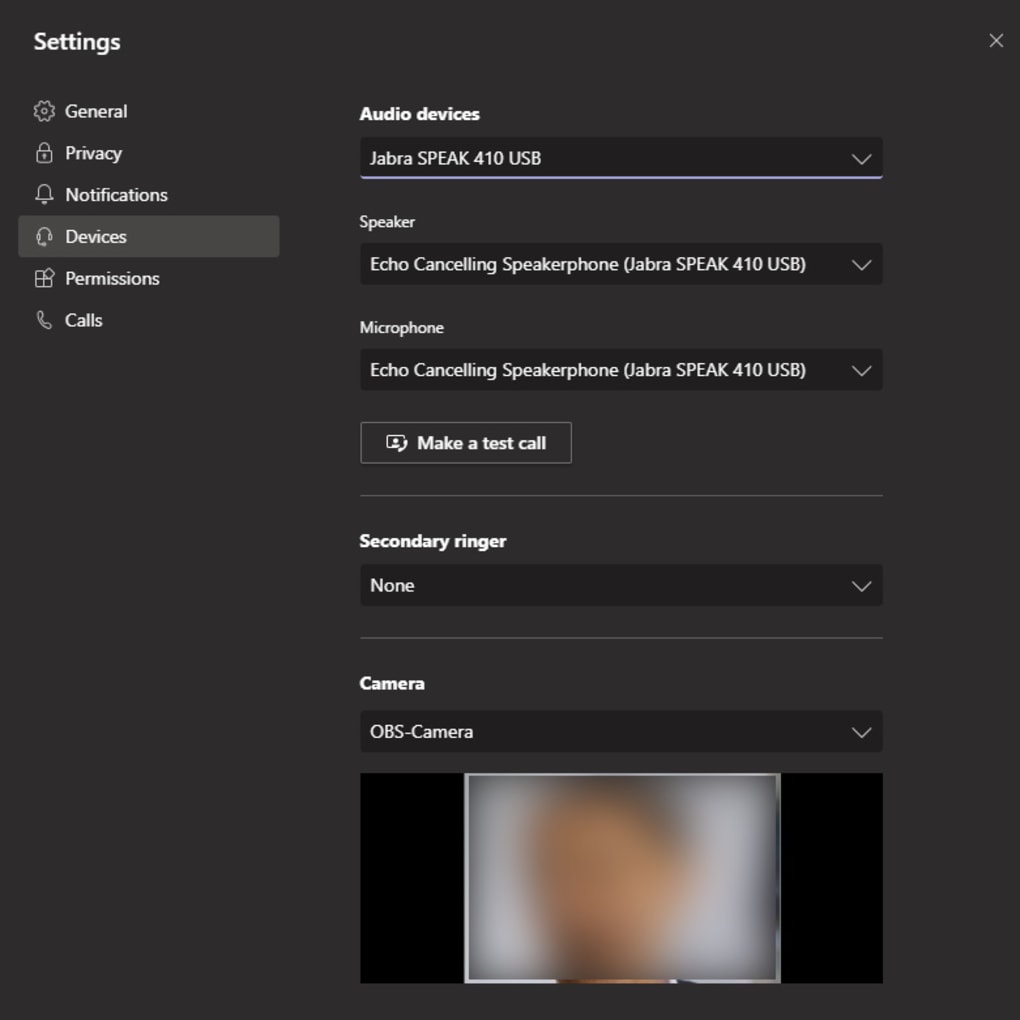
While Avatarify primarily provides entertainment value, its applications extend beyond mere fun and games. Its compatibility with video conferencing platforms such as Zoom and Microsoft Teams opens up exciting possibilities for creative communication and personalized virtual interactions. Imagine attending a virtual meeting with your face transformed into your favorite character, adding a unique and engaging dynamic to professional collaborations. This capability offers a unique way to inject personality and fun into otherwise standard video conferences.
The application’s potential extends to content creation as well. Avatarify offers a seamless way to generate engaging content for social media platforms such as TikTok and Instagram. The ability to synchronize your facial movements with diverse avatars provides limitless creative opportunities, from lip-syncing to playful skits and expressive monologues. The ease of sharing these creations across social media further enhances the app’s value as a content-creation tool. The integration of features that enable easy sharing to platforms like Facebook, Instagram, and TikTok make distributing your creations incredibly simple.
Avatarify and the AI Trend: Ethical Considerations
Avatarify is a prime example of the growing trend of deepfake technology, which uses AI to manipulate or generate realistic-looking videos and images. While undeniably entertaining and creatively versatile, this technology also raises ethical concerns. The potential for misuse, such as creating misleading or malicious content, highlights the importance of responsible use and awareness.
While Avatarify’s potential for entertainment and creative expression is undeniable, it is crucial to be mindful of its ethical implications. The realistic nature of the deepfake technology incorporated into the application can lend itself to malicious use. Therefore, users must exercise responsibility and awareness to prevent the creation and spread of potentially harmful content.
Avatarify’s Evolution and Future Updates
Since its initial release in 2020, Avatarify has undergone considerable development, with frequent software updates aimed at improving performance, stability, and user experience. The developer’s commitment to ongoing updates ensures that the application remains a relevant and enjoyable tool for users. These updates have not only streamlined the installation process but also continuously expand the library of avatars, GIFs, and musical content, keeping the application fresh and engaging for its user base.
Pros and Cons of Avatarify
Pros:
- Safe to use: Avatarify is designed with user safety in mind.
- Cross-platform compatibility: Accessible across a wide range of devices and operating systems.
- Extensive avatar library: Users can choose from a large selection of pre-loaded avatars.
- Ability to add custom images: Users can use their own photos as avatars.
- Compatibility with video conferencing apps: Facilitates creative interactions in virtual meetings.
- Easy-to-use interface: Simple and intuitive controls make the application user-friendly.
Cons:
- Occasional lag: Performance may be affected by system resources or network conditions.
- Imperfect calibration: Manual adjustments may be needed to achieve optimal results.
Alternatives to Avatarify
Several alternative applications offer similar deepfake capabilities. DeepFaceLab, for example, is a more advanced, open-source tool with powerful features but requires greater technical expertise. Other options, such as REFACE and Wombo, offer different approaches to deepfake technology, each with its own strengths and limitations. The choice depends on your technical skills and specific needs.
Conclusion: Avatarify – A Fun and Engaging AI Tool
Avatarify stands as a testament to the creative potential of artificial intelligence. Its user-friendly interface and extensive features make it accessible to both tech novices and enthusiasts, offering a fun and engaging platform for self-expression and creative communication. While aware of the potential for misuse, responsible use of Avatarify can open up exciting new avenues for entertainment, communication, and content creation. Its continuous development and growing user base point to a promising future for this innovative application.
File Information
- License: “Free”
- Version: “0.2.0”
- Latest update: “May 7, 2024”
- Platform: “Windows”
- OS: “Windows 8”
- Language: “English”
- Downloads: “61.7K”
- Size: “940.83 MB”


