
Chrome OS, Google’s lightweight operating system, has garnered significant popularity for its speed and simplicity. While Chrome OS itself is tightly integrated with Google’s ecosystem, a community-driven project offers a fascinating alternative: Chrome OS Linux. This isn’t a direct offshoot of Google’s official Chrome OS; instead, it’s an independent operating system inspired by the Chrome OS philosophy and built using open-source components. This exploration will delve into the features, advantages, disadvantages, and overall experience of using Chrome OS Linux.
Understanding Chrome OS Linux: An Open-Source Interpretation
Chrome OS Linux, unlike Google’s Chrome OS, is an open-source project based on the openSUSE distribution. This foundation provides a robust and stable base upon which the system is built. A key differentiator is its independence from Google’s services and infrastructure. While sharing the aesthetic simplicity of Chrome OS—a minimalist design emphasizing web applications—Chrome OS Linux offers greater flexibility and control to the user. This includes the ability to install and use a wider range of applications beyond the web browser environment, a limitation often associated with Google’s Chrome OS.
The project’s reliance on openSUSE lends itself to a high level of stability and compatibility. Unlike Chrome OS, which is primarily designed for specific Chromebook hardware, Chrome OS Linux aims for broader compatibility across x86-compatible PCs, laptops, and netbooks. This opens up the possibility of giving new life to older hardware that might be incompatible with more demanding operating systems.
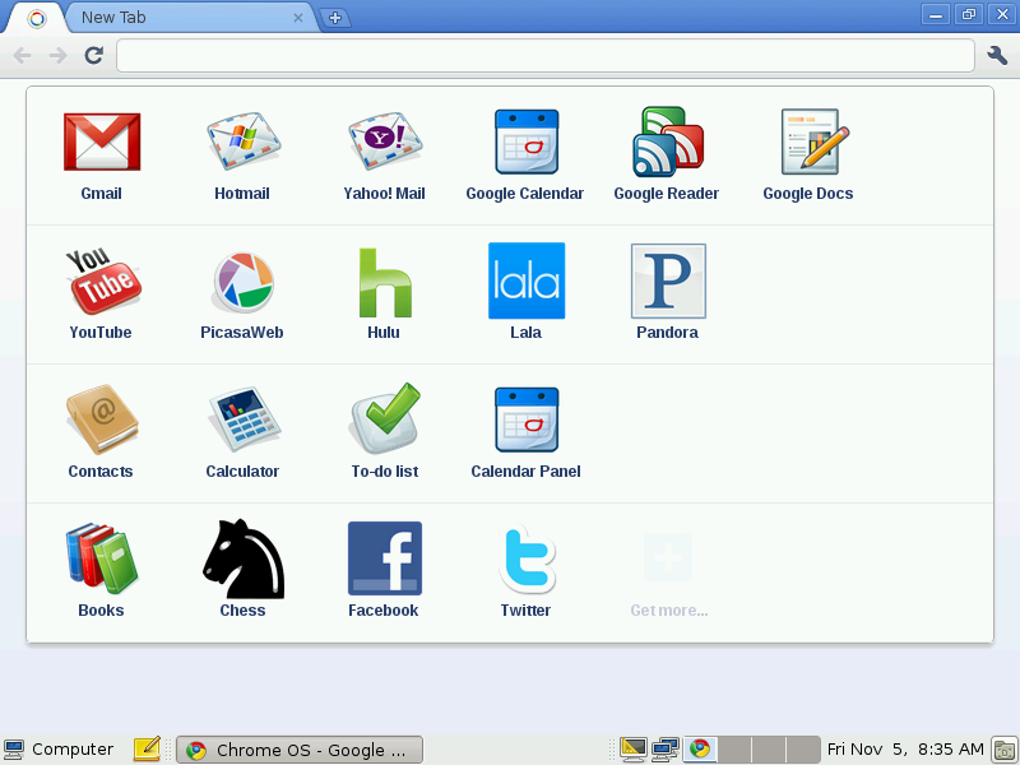
One notable advantage of Chrome OS Linux is its offline capabilities. While Chrome OS relies heavily on an internet connection for optimal functionality, Chrome OS Linux allows for the use of locally installed applications, even without an active internet connection. This makes it a viable option for users who require reliable functionality in environments with limited or intermittent internet access. The inclusion of software like LibreOffice, GIMP, and Pidgin demonstrates the commitment to providing a comprehensive suite of offline tools.
Key Features and Included Applications
Chrome OS Linux distinguishes itself through its inclusion of a broader range of applications and software compared to its namesake. While the core experience revolves around a browser-centric interface, the operating system includes several desktop applications to cater to various user needs. This selection of pre-installed software enhances the functionality and usability of the system, significantly expanding its capabilities beyond web applications alone.
The system typically includes:
- GNOME Desktop Environment: This provides a familiar and user-friendly desktop interface for those accustomed to traditional desktop environments. The inclusion of GNOME Shell, an experimental desktop, offers a more modern and visually appealing option.
- LibreOffice: A powerful and versatile open-source office suite, allowing users to create and edit documents, spreadsheets, and presentations offline. This provides a robust alternative to proprietary office suites like Microsoft Office.
- GIMP (GNU Image Manipulation Program): A highly capable image editor capable of handling various image manipulation tasks. This gives users access to powerful image editing tools without the need for a subscription-based software package.
- Pidgin: A popular multi-protocol instant messaging client, enabling communication through various platforms like XMPP, IRC, and others. This allows users to keep in touch through their preferred communication channels.
- Cheese: A simple and user-friendly webcam application for capturing images and videos. This offers an easy-to-use alternative for basic video conferencing or image capture.
- Wine: This compatibility layer allows for the execution of some Windows applications within the Linux environment. While not all Windows applications are compatible, this significantly expands the range of software that can be run.
Installation and Usability: Balancing Ease and Power
One of the recurring criticisms of Chrome OS Linux centers around the installation process. While the installation procedure is not exceptionally complex for experienced users, it can be daunting for novices unfamiliar with Linux distributions. This contrasts with the straightforward and user-friendly installation experience associated with Google’s Chrome OS. Simplifying the installation process would significantly improve accessibility and broaden the appeal of Chrome OS Linux.
Despite the potential challenges of the installation process, the overall usability of Chrome OS Linux is generally considered positive. The GNOME desktop environment provides a familiar and intuitive interface for most users. Combined with the browser-centric approach, the system offers a streamlined and efficient user experience. However, users accustomed to the highly integrated nature of Chrome OS might find some adjustments necessary.
Comparison to Google Chrome OS and Other Alternatives
Chrome OS Linux stands in stark contrast to Google’s Chrome OS in several key aspects. While both share a similar design philosophy, emphasizing simplicity and speed, their underlying architectures and functionality differ significantly. Chrome OS is heavily integrated with Google services, requiring an internet connection for optimal functionality. It’s designed specifically for Chromebook hardware, limiting its portability to other platforms.
In contrast, Chrome OS Linux is an independent project built on openSUSE, prioritizing offline capability and broader hardware compatibility. It gives users significantly more control over the system and its functionalities, a characteristic that sets it apart from the more restricted environment of Google’s Chrome OS.
When compared to other Linux distributions, Chrome OS Linux occupies a unique niche. Its emphasis on a simplified, browser-centric interface, coupled with the availability of essential desktop applications, makes it an appealing option for users seeking a lightweight and user-friendly Linux experience. However, users desiring the extensive application libraries and community support associated with more established distributions might find Chrome OS Linux less comprehensive. Other lightweight distributions, such as Lubuntu or Xubuntu, might present alternative options depending on individual needs and technical proficiency.
Conclusion: A Niche Operating System with Potential
Chrome OS Linux carves out a distinct space in the operating system landscape. It’s not a direct competitor to Google’s Chrome OS; rather, it serves as an open-source interpretation of the Chrome OS philosophy, emphasizing simplicity and speed while prioritizing offline capabilities and hardware compatibility. The project’s reliance on openSUSE provides a foundation of stability and robustness. However, challenges remain, particularly regarding the installation process, which could be simplified to enhance accessibility.
The system’s strengths lie in its ability to provide a user-friendly Linux experience for those who appreciate a lightweight and streamlined interface while requiring offline functionality. While not ideal for all users, Chrome OS Linux offers a unique and compelling option for those seeking a blend of simplicity, power, and open-source freedom. Its future success will depend on ongoing development efforts to address the usability challenges and expand the range of available applications and support.
File Information
- License: “Free”
- Latest update: “October 23, 2018”
- Platform: “Windows”
- OS: “Windows 2003”
- Language: “English”
- Downloads: “99.7K”
- Size: “564.72 KB”


