
Citra MMJ is a free and open-source emulator for Android devices that allows users to play Nintendo 3DS games on their smartphones or tablets. This detailed guide explores its features, functionality, advantages, limitations, and provides a thorough overview for potential users.
Key Features and Functionality of Citra MMJ
Citra MMJ stands out due to its unique blend of accessibility and customizability. The core functionality revolves around emulating Nintendo 3DS games, offering a portable way to revisit classic titles or experience new ones. This is achieved through sophisticated software that mimics the 3DS hardware, allowing the games to run on Android devices.
One of the most significant aspects of Citra MMJ is the availability of its source code. This open-source nature fosters community involvement, enabling users to contribute to its development and potentially modify the emulator to suit their specific needs. This transparency is a key reason why the basic package is offered free of charge.
The emulator boasts compatibility with hundreds of 3DS games. Furthermore, Citra MMJ offers increased flexibility through support for third-party gamepads, enhancing the gaming experience with more precise controls. Optimal performance is generally observed on devices running modern operating systems and possessing sufficient RAM.
While the base version of Citra MMJ provides core emulation capabilities, users can unlock premium features through a one-time in-app purchase. These premium features enhance the user experience, including options like a dark mode for comfortable nighttime play and unique texture filters to customize the visual appearance of the games. This allows users to personalize their gaming experience according to their preferences.
System Requirements and Performance Considerations
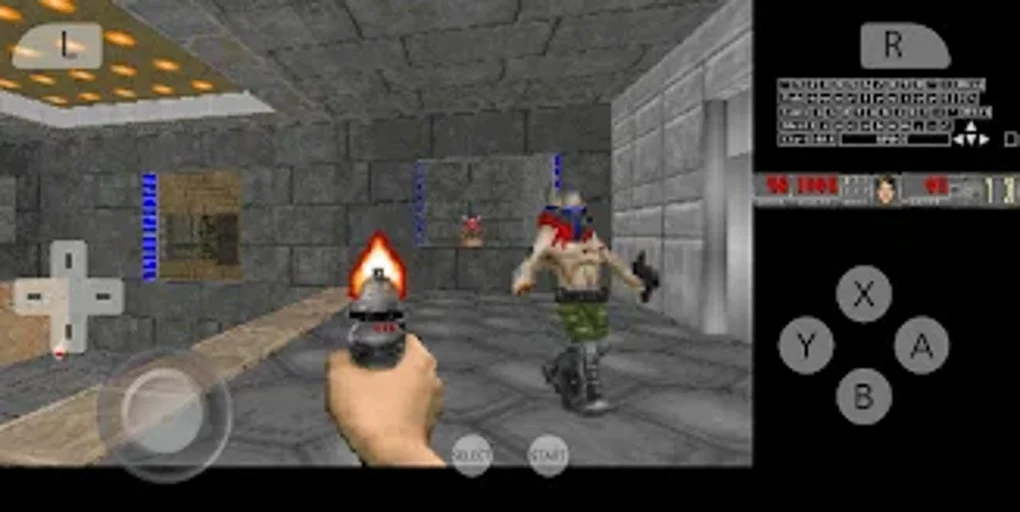.webp)
While Citra MMJ aims for broad compatibility, its performance is heavily influenced by the device’s specifications. Here’s a breakdown of factors impacting performance:
-
Android Version: Newer Android versions generally provide better compatibility and performance. Older versions may encounter compatibility issues or reduced performance.
-
Processor: A powerful processor, ideally a multi-core CPU, is essential for smooth emulation. More demanding 3DS games will require a more capable processor.
-
RAM: Ample RAM (Random Access Memory) is crucial. Game performance directly correlates with available RAM; more demanding games require more RAM. Low RAM might result in lag, slowdowns, or crashes.
-
Storage: Sufficient internal storage is necessary to store the emulator, game ROMs (game files), and save data. High-capacity storage is advantageous for users with extensive game libraries.
-
GPU (Graphics Processing Unit): A capable GPU is vital for rendering 3DS graphics smoothly. Modern GPUs will generally provide a superior visual experience.
It’s crucial to understand that even with a high-spec device, some 3DS games might still experience performance issues due to the complexity of the emulation process. Experimenting with different emulator settings, such as graphics rendering options, can often improve performance.
Game Compatibility and ROM Management
Citra MMJ, like any emulator, requires the game files (ROMs) to function. These ROMs are not provided by Citra MMJ itself; users must obtain them from legitimate sources. It’s essential to respect copyright laws and only use ROMs of games you own legally.
Game compatibility varies. While Citra MMJ supports a wide range of 3DS titles, some games may run perfectly, while others might experience glitches, slowdowns, or even fail to launch altogether. The emulator’s compatibility list is constantly updated, so it’s advisable to check for updates and compatibility information before attempting to run a specific game.
Proper ROM management is also crucial. Organize your game files efficiently to avoid confusion and facilitate easy access. Using a file manager app can help to streamline the process of locating and launching games within the emulator.
Advantages and Disadvantages of Citra MMJ
Like any software, Citra MMJ presents both advantages and disadvantages:
Advantages:
- Free and Open-Source: The free and open-source nature allows for community contributions and modifications.
- Wide Game Compatibility: Supports a vast library of 3DS titles, although compatibility varies.
- Customizability: Offers various settings to adjust the emulation experience and optimize performance.
- Third-Party Gamepad Support: Enhance gameplay with external controllers for a more console-like experience.
- Premium Features: Optional in-app purchases provide additional visual enhancements and usability improvements.
- Portability: Enjoy 3DS games on the go, unlike traditional handheld consoles.
Disadvantages:
- Requires ROMs: Users must obtain game ROMs separately, requiring understanding of legal aspects of ROM acquisition.
- Performance Variations: Performance depends heavily on the device’s hardware capabilities, and not all games will run flawlessly.
- Technical Complexity: Some aspects of configuration and troubleshooting might require technical knowledge.
- Not All Games Compatible: Certain 3DS games may not run correctly or at all, despite improvements.
- Potential for Bugs: Being an open-source project, occasional bugs might arise, requiring community support or developer updates to address them.
Alternatives to Citra MMJ
While Citra MMJ is a popular choice, several other 3DS emulators for Android exist. Each emulator has its own strengths and weaknesses, and choosing the right one often depends on factors like specific device compatibility, desired features, and personal preferences. Researching alternative emulators can help users find an emulator that best fits their needs.
Choosing the right emulator depends on your device’s capabilities and personal preference.
Conclusion
Citra MMJ provides an accessible and powerful way to enjoy Nintendo 3DS games on Android devices. Its open-source nature, extensive game compatibility, and customizable features make it a compelling option for 3DS enthusiasts. However, potential users should carefully consider the system requirements, game compatibility variations, and potential technical challenges before using it. By understanding the advantages and disadvantages and exploring alternative options, users can make an informed decision about whether Citra MMJ aligns with their gaming preferences and device capabilities. Remember to always respect copyright laws when obtaining game files.
File Information
- License: “Free”
- Version: “99a89d290”
- Latest update: “January 25, 2023”
- Platform: “Android”
- OS: “Android 7.0”
- Language: “Spanish”
- Downloads: “195K”
- Size: “15.79 MB”
- Download Options: “APK, Google Play”
- Filename: “Citra_MMJ_99a89d290.apk”


