
CloudBerry Explorer for Amazon S3 is a free, user-friendly file explorer designed to simplify the management of your Amazon S3 accounts. This review will delve into its features, functionality, pros and cons, and overall usability, providing a detailed assessment of its capabilities for both individual users and businesses.
Streamlining Amazon S3 Management
Amazon S3 (Simple Storage Service) has become a ubiquitous cloud storage solution for individuals and organizations alike. Its scalability, reliability, and cost-effectiveness make it a popular choice for backing up data, hosting websites, and storing large datasets. However, navigating and managing files directly within the S3 web interface can be cumbersome, especially for users dealing with numerous files and directories. CloudBerry Explorer aims to alleviate this challenge by providing a familiar, intuitive file explorer interface that interacts directly with your Amazon S3 accounts.
The software operates similarly to a traditional file explorer, presenting a double-pane interface that allows users to easily move, copy, and manage files between their local computer and their S3 storage. This user-friendly design eliminates the need to navigate the often-complex web interface of Amazon S3, significantly improving efficiency for users accustomed to traditional file management systems. The flexibility of the interface allows users to configure the view to show two local folders, a local folder and a remote S3 server, or even two separate Amazon S3 accounts simultaneously, streamlining comparisons and transfers between different locations.
Key Features and Functionality
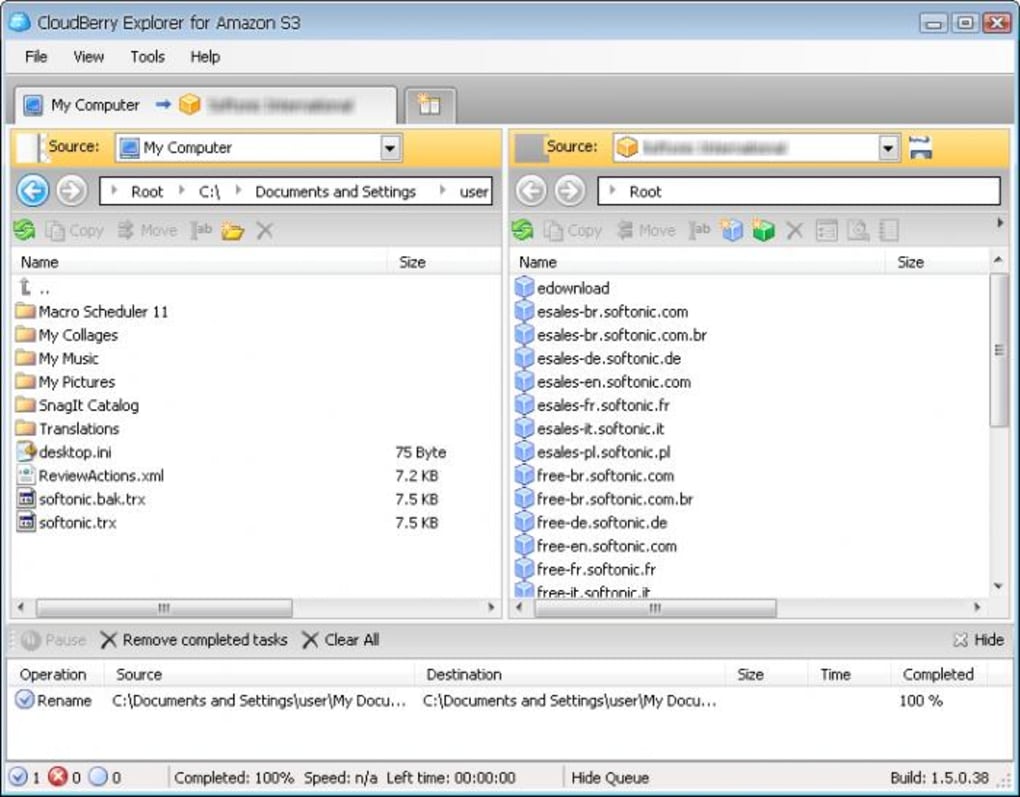
CloudBerry Explorer boasts several key features that enhance its utility for managing Amazon S3:
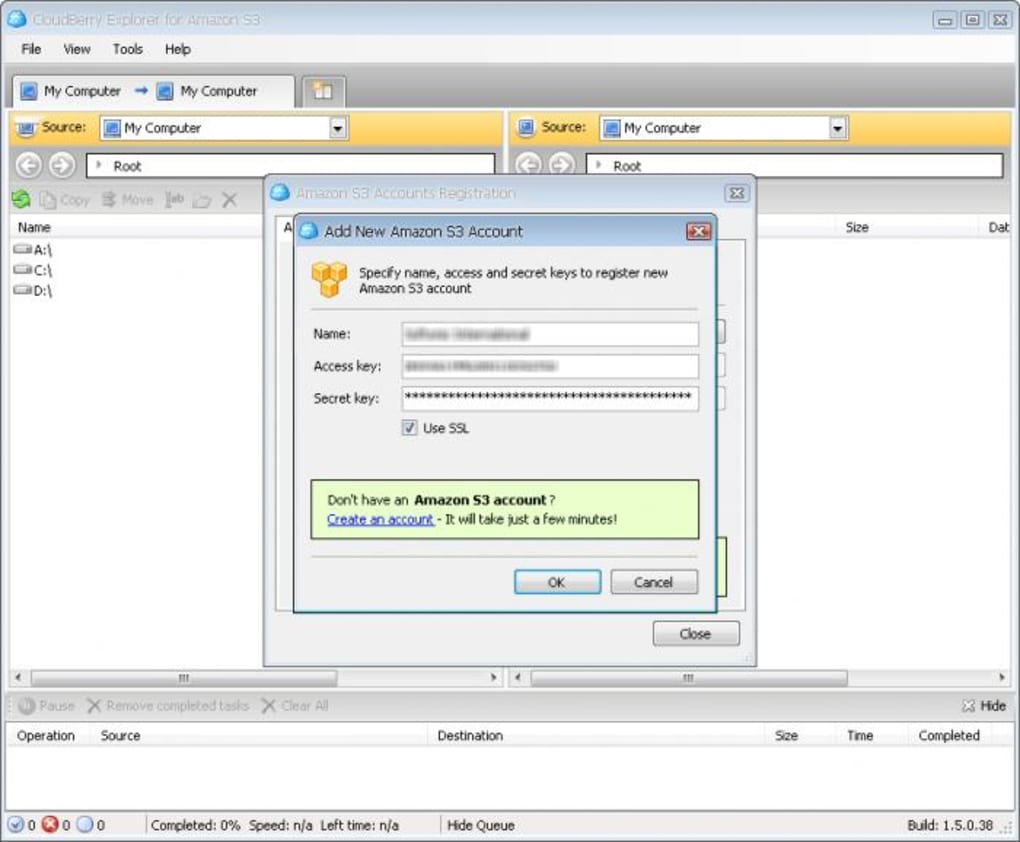
- Multiple Account Support: The software seamlessly supports multiple Amazon S3 accounts, enabling users to manage numerous storage locations from a single application. This is particularly beneficial for users with various projects, personal accounts, or business-related storage needs. The ability to switch between accounts is intuitive and efficient, facilitated by a tabbed interface for easy navigation.
-
Tabbed Interface: The use of tabs for managing multiple connections greatly improves the workflow. Users can easily switch between different S3 accounts or local directories without closing or reopening windows, enhancing speed and efficiency. This organized approach prevents confusion and allows for smooth multitasking.
-
Customizable File Handling: CloudBerry Explorer offers configuration options that allow users to customize how the software handles file transfers. This level of control is crucial for optimizing performance and ensuring data integrity. Users can tailor settings to match their specific workflows and priorities.
-
Keyboard Navigation: The incorporation of keyboard navigation shortcuts provides a faster and more efficient means of interacting with the file system. For experienced computer users, this feature is a substantial productivity boost. It mirrors the functionality of standard file explorers, making the transition seamless.
Limitations and Areas for Improvement
While CloudBerry Explorer offers a user-friendly approach to Amazon S3 management, it does have some limitations:
- Absence of Multi-threaded Connections: A notable limitation is the lack of multi-threaded connections. This means file transfers may be slower compared to other similar applications that support parallel downloads and uploads. This omission significantly affects the speed of transferring large files or numerous files, potentially becoming a bottleneck for users with substantial data volumes.
-
No Built-in Folder Synchronization: The absence of automated folder synchronization is another significant drawback. Many competing applications provide real-time or scheduled synchronization features, eliminating the need for manual intervention. This functionality is vital for users requiring constant data mirroring between their local machine and their cloud storage. The developer’s website mentions plans to incorporate these features in future versions, but their absence in the current iteration is a considerable limitation.
-
Limited Advanced Features: While the core functionality is solid and user-friendly, CloudBerry Explorer lacks some advanced features found in competing applications. Features like granular permission control, versioning management, and lifecycle policies are absent. Although these features are not crucial for every user, they are essential for users requiring advanced control over their data and security.
Comparison with Alternatives
Several alternative applications offer similar functionalities for managing Amazon S3. A direct comparison depends heavily on specific user needs and preferences. Some competitors might boast faster transfer speeds due to multi-threaded connections or offer more advanced features like robust synchronization capabilities and lifecycle management tools. However, CloudBerry Explorer’s strengths lie in its ease of use and intuitive interface, making it particularly appealing to users seeking a simple and straightforward solution.
User Experience and Interface
The software’s intuitive interface is a major strength. Its design mirrors the familiar structure of Windows Explorer, making it instantly accessible to users without extensive technical expertise. The clear visual representation of files, directories, and buckets simplifies navigation and interaction. The tabbed interface is exceptionally well-designed, allowing for efficient management of multiple connections without the clutter of multiple windows. The overall user experience is polished and straightforward, making the process of managing Amazon S3 significantly less daunting.
Security Considerations
While CloudBerry Explorer doesn’t directly introduce additional security vulnerabilities, it’s crucial to remember that security best practices apply. Users should ensure their Amazon S3 accounts are secured with robust passwords and appropriate access control lists. The software itself doesn’t include built-in security features beyond those inherently provided by Amazon S3’s infrastructure. Users should therefore maintain strong security practices for their AWS accounts.
Conclusion
CloudBerry Explorer for Amazon S3 provides a user-friendly and efficient method for interacting with Amazon S3. Its strengths lie in its simplicity, intuitive interface, and support for multiple accounts. However, the lack of multi-threaded connections and folder synchronization capabilities present limitations that may hinder users requiring faster transfers or automated data synchronization. While the missing features are planned for future releases, their current absence should be considered when selecting a solution. Overall, CloudBerry Explorer is a valuable tool for individuals and businesses needing a straightforward interface for managing their Amazon S3 storage, especially those who prioritize ease of use over advanced features and high-speed transfers. Users should carefully weigh the pros and cons based on their specific requirements and priorities.
File Information
- License: “Free”
- Latest update: “September 3, 2021”
- Platform: “Windows”
- OS: “Windows XP”
- Language: “English”
- Downloads: “25.2K”
- Size: “7.66 MB”


