
Cookie Monster, the name conjures images of a furry blue creature with an insatiable appetite for cookies. However, this Cookie Monster isn’t found on Sesame Street; it’s a Windows-based utility designed to provide granular control over your web browser cookies. While most modern browsers offer built-in cookie management tools, Cookie Monster aimed to offer a more comprehensive and user-friendly experience, particularly for users needing fine-grained control over specific cookies. This article will explore the functionality, features, advantages, and disadvantages of this now-legacy software, placing it within the context of the broader landscape of internet privacy and cookie management tools.
The Functionality of Cookie Monster
Cookie Monster’s primary function was to allow users to selectively manage cookies across multiple web browsers. Unlike simply blocking all cookies, which can disrupt website functionality, Cookie Monster allowed for a more nuanced approach. Users could identify specific cookies they wished to preserve – crucial for maintaining access to personalized settings on websites or for secure online banking – while removing all others. This selective deletion offered a solution for users encountering cookie-related issues without resorting to blanket cookie blocking.
The software supported a wide range of popular browsers at the time of its release, including Internet Explorer, Mozilla Firefox, Netscape, Opera, and any browser utilizing the Gecko rendering engine. This broad compatibility was a significant advantage, allowing users to manage cookies consistently across their preferred browsing environments.
Key Features and Capabilities
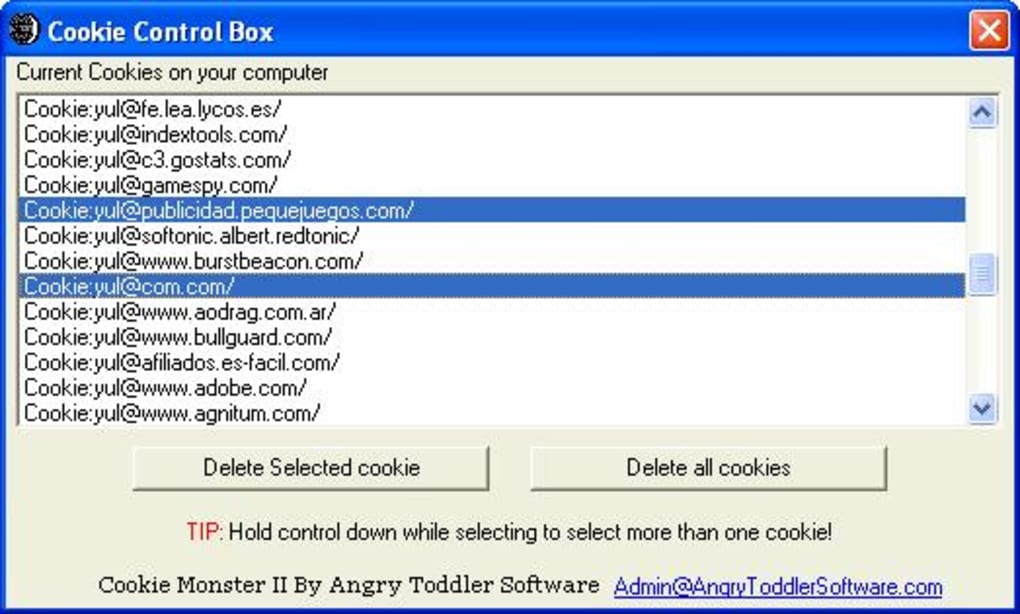
Beyond basic cookie deletion, Cookie Monster offered several noteworthy features designed to enhance usability and control:
-
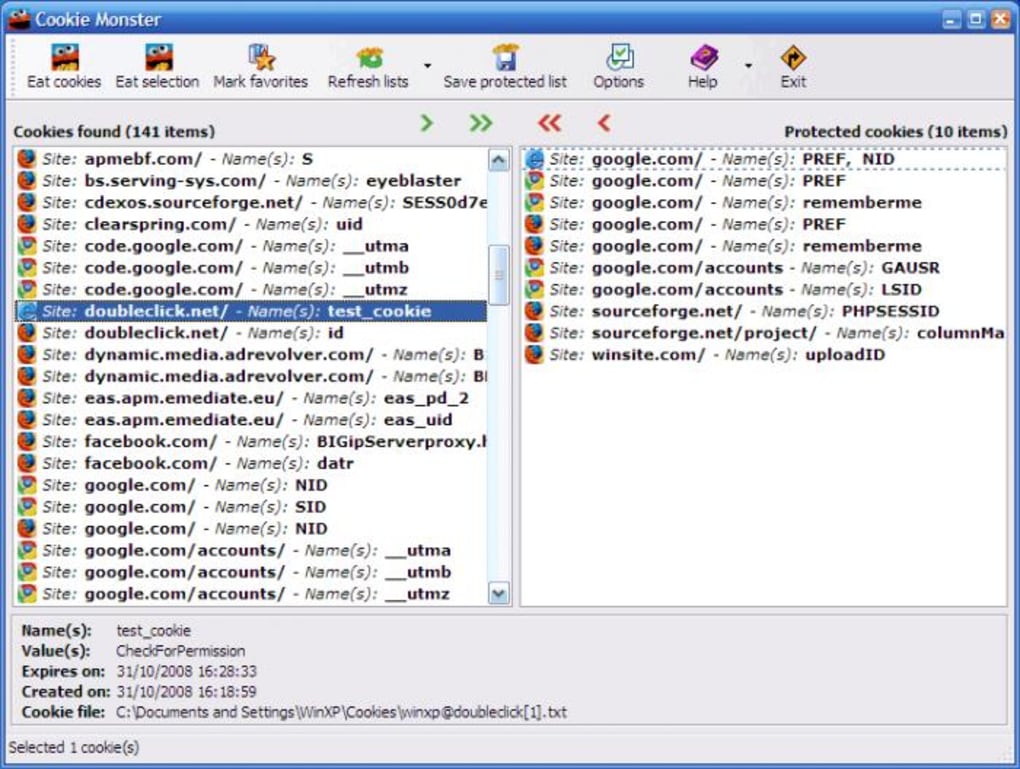
Selective Cookie Preservation: The core functionality allowed users to create a whitelist of cookies to be preserved during deletion processes. This ensured that essential cookies for specific websites or services remained intact.
-
Bookmark/Favorites Integration: Cookie Monster could detect and manage cookies associated with websites listed in a user’s bookmarks or favorites. This automated the process of identifying and protecting cookies related to frequently visited sites.
-
Intuitive User Interface: The program aimed for a straightforward interface, allowing users to easily add or remove cookies from the protected list with minimal technical expertise.
-
Informative Display: The software provided details about each cookie, including its creation date (for Internet Explorer and Chrome), facilitating informed decision-making regarding which cookies to preserve or delete.
-
Keyboard Shortcuts: For increased efficiency, Cookie Monster incorporated keyboard shortcuts to streamline the process of adding and removing cookies from the protected list.
Advantages of Using Cookie Monster
While browser-integrated cookie management tools existed, Cookie Monster offered several advantages:
-
Enhanced Granularity: It provided a higher level of control compared to the simpler cookie management options found within most browsers. Users could selectively manage individual cookies, a capability not always readily available within browser settings.
-
Cross-Browser Compatibility: Its support for various browsers simplified the management of cookies across multiple browsing environments. Users didn’t need to configure cookie settings individually for each browser.
-
Ease of Use: The program’s intuitive interface made cookie management accessible to users with varying levels of technical expertise. The straightforward design minimized the learning curve associated with cookie management tools.
- Improved Efficiency: The use of keyboard shortcuts and automated detection of cookies from bookmarks increased efficiency in the management process.
Disadvantages and Limitations of Cookie Monster
Despite its advantages, Cookie Monster also faced certain limitations:
-
Redundancy: The most significant drawback was the overlapping functionality with built-in browser cookie management tools. For users comfortable managing cookies within their browsers, Cookie Monster offered minimal additional benefit.
-
Outdated Technology: As a now-legacy software, Cookie Monster lacks support for modern browsers and operating systems. Its functionality is no longer relevant in today’s rapidly evolving digital landscape.
-
Limited Updates: The last update to Cookie Monster occurred in January 2009. This lack of ongoing development and updates reflects the obsolescence of the software in the face of advancements in web browsers and internet security.
-
Dependence on External Software: The reliance on external browsers for functionality implied that problems with the browsers could indirectly impact Cookie Monster’s performance.
Cookie Monster in the Context of Modern Cookie Management
The emergence of Cookie Monster coincided with growing concerns regarding online privacy and the tracking capabilities of cookies. While the software attempted to address these concerns by offering users greater control, its approach was relatively simplistic compared to today’s sophisticated privacy tools. Modern browsers now offer more robust privacy settings, including features like enhanced tracking protection, incognito mode, and the ability to block third-party cookies entirely. Furthermore, the rise of privacy-focused browsers and browser extensions provides users with far more advanced and comprehensive cookie management capabilities.
In the modern era, tools like Privacy Badger, uBlock Origin, and various VPN services offer far more granular control over online tracking and data collection than Cookie Monster ever could. These advanced tools address the complexities of modern web tracking techniques, going beyond simple cookie management to encompass broader aspects of online privacy. These tools are actively updated, addressing evolving threats and maintaining compatibility with current browsers and operating systems.
Moreover, evolving legal frameworks such as the GDPR (General Data Protection Regulation) and CCPA (California Consumer Privacy Act) have profoundly impacted the way websites handle cookies and user data. Websites are now required to obtain informed consent before placing cookies on users’ devices, and users have greater rights to access, modify, and delete their data. Cookie Monster lacked the capacity to interact with these evolving regulatory landscapes.
Conclusion: A Relic of the Past
Cookie Monster represented an early attempt to provide users with enhanced control over their browser cookies. While its intuitive interface and cross-browser compatibility were advantageous at the time, the software has become largely obsolete. The capabilities it once offered are now largely integrated into modern browsers or available through more sophisticated and comprehensive privacy tools. While a part of the history of cookie management, Cookie Monster serves as a testament to the rapid evolution of internet technology and privacy concerns. Users seeking advanced cookie management and online privacy should look to modern alternatives rather than relying on this outdated utility.
File Information
- License: “Free”
- Version: “3.47”
- Latest update: “January 20, 2009”
- Platform: “Windows”
- OS: “Windows XP”
- Language: “English”
- Downloads: “3.7K”
- Size: “688.32 KB”


